What is a Stockout? Causes, Costs, and 2026 Prevention Playbook [2026]
What is a stockout? Definition, real cost in lost sales, marketplace penalties for 2026, and a multichannel prevention playbook for ecommerce sellers.
What is a stockout? Definition, real cost in lost sales, marketplace penalties for 2026, and a multichannel prevention playbook for ecommerce sellers.
Stockouts have proven to be a major problem for businesses across industries, affecting profitability, customer loyalty, and operational efficiency. But what exactly is a stockout, and how could it affect a business in today’s fast-paced world? Let’s dig a little deeper and discuss the causes, consequences, and actionable ways to prevent it.
A stockout occurs when a product that customers want to purchase is unavailable due to insufficient inventory. This is especially challenging for businesses selling across multiple ecommerce channels. To put into simpler words, it basically means running out of stock at the wrong time, when customers are intending to make that specific item purchase. As a result, it leads to lost sales opportunities and potentially unhappy customers. This dilemma is not a mere inconvenience but a sign that a business needs to improve its inventory management processes.
Imagine walking into a store to buy your favorite chocolate only to find an empty shelf. Or have you had the experience of wanting to order a gadget online, only to be greeted with an “Out of Stock” message? These are everyday examples of stockouts, and while they may seem like a minor inconvenience, they can have a significant impact on both businesses and customers.
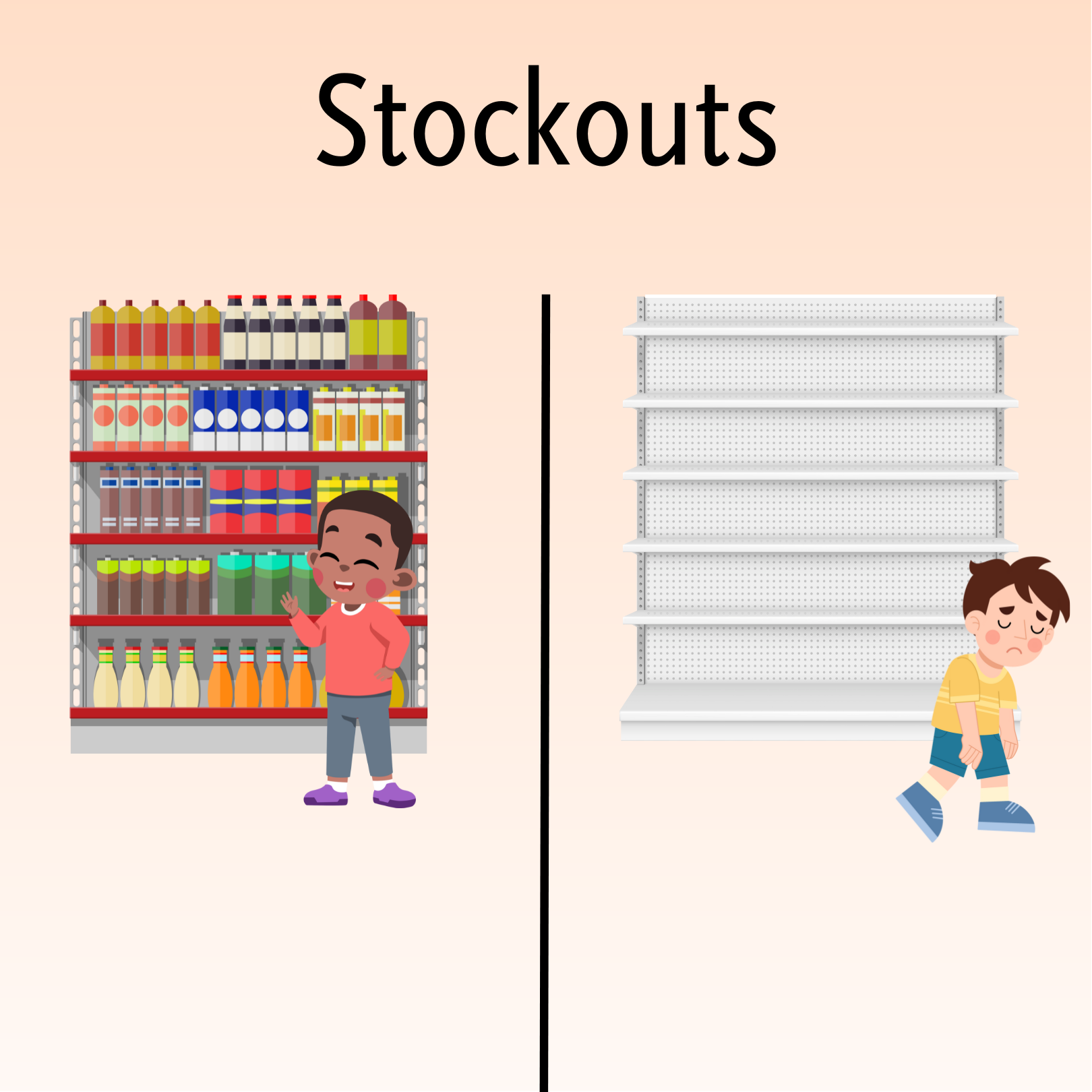
When we look at things from an inventory management perspective, a stockout is the result of failure in planning and forecasting demand. This is quite an indication of poor coordination between supply chains, warehouses, and sales operations. Regardless of the type of business (retail, eCommerce, or manufacturing), stockouts can really disrupt workflows and require businesses to rethink their strategies.
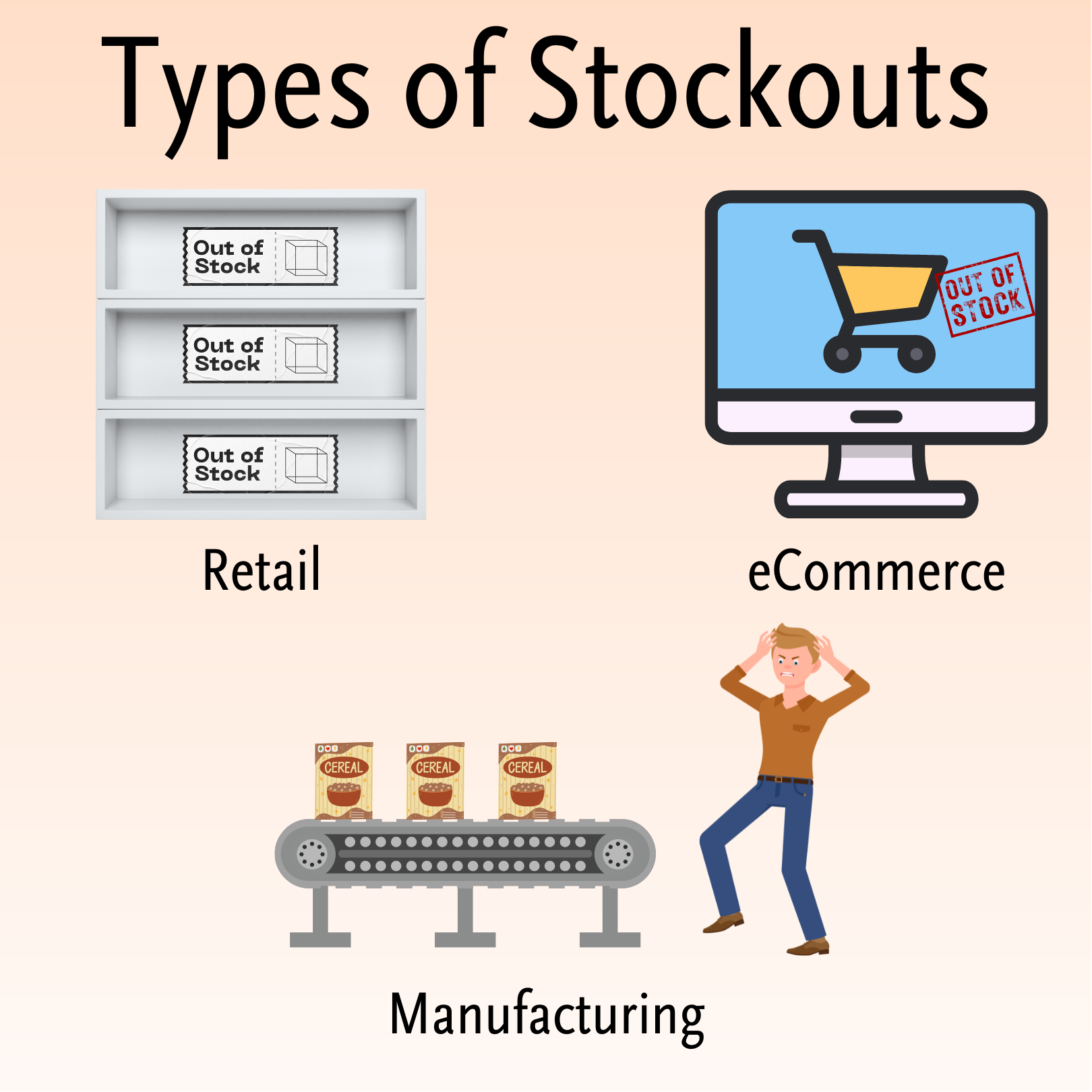
Not all stockouts are created equal. Let’s have a look at how they differ across industries:
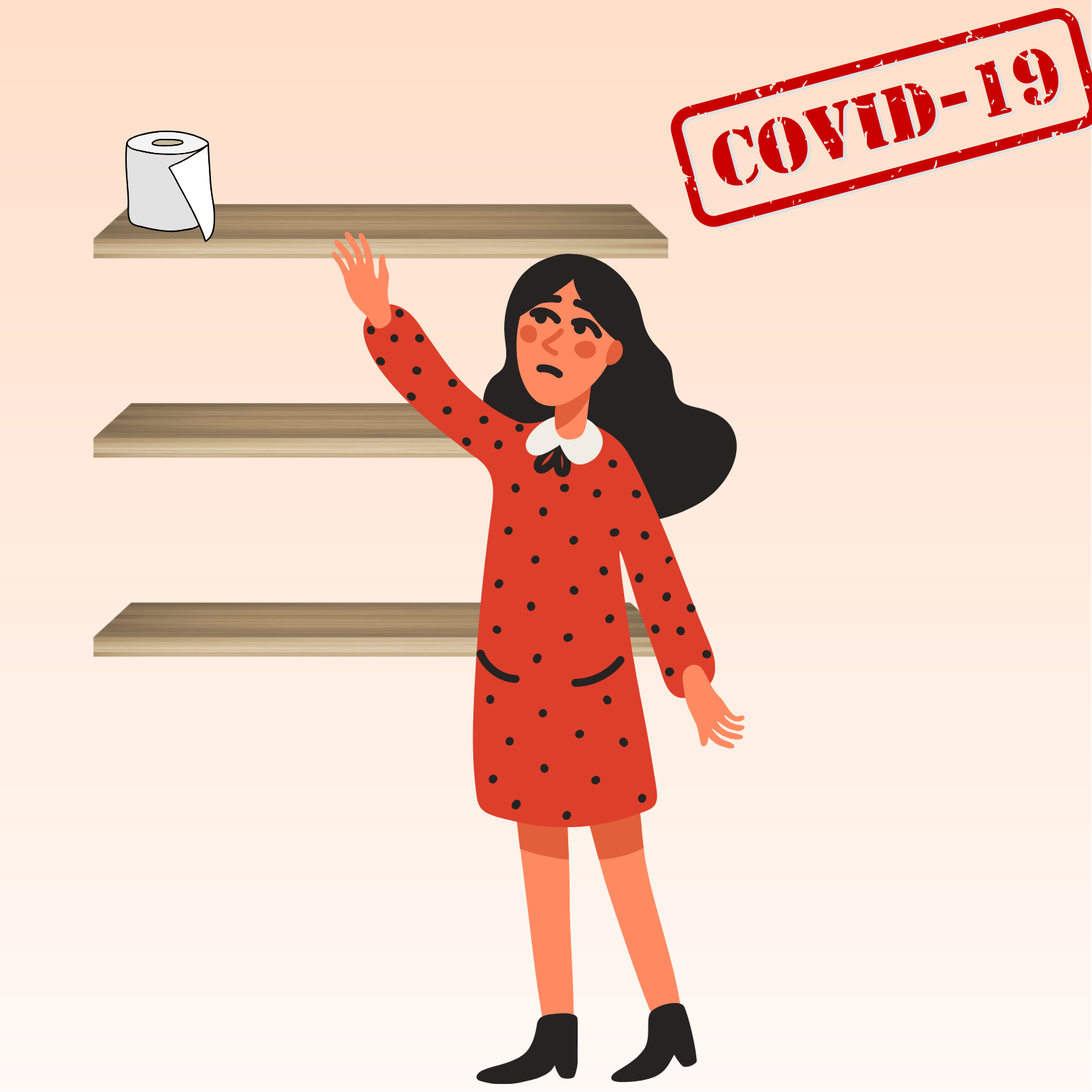
Real-Life Example: During the COVID-19 pandemic, essential items like toilet paper and hand sanitizers were highly on demand. Businesses struggled to keep up with skyrocketing demand, showcasing how unprepared systems can lead to a stockout during crises.
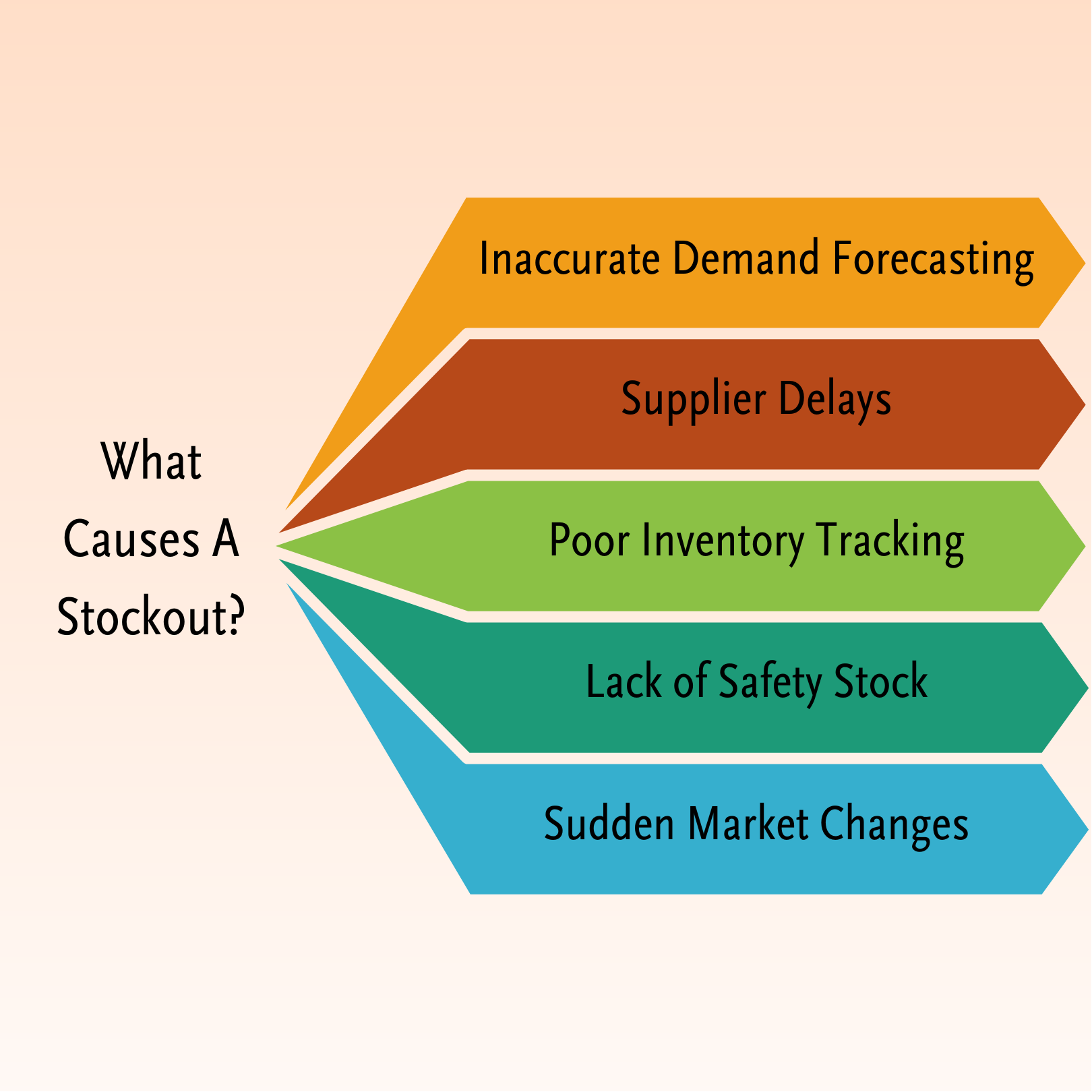
There are a variety of reasons why a stockout may happen, many of which stem from poor planning or unexpected disruptions. Here are the most common causes:
Failing to predict customer needs accurately can lead to overordering or underordering inventory. For example, underestimating demand for a trending product can leave shelves empty, while overestimating leads to unsold goods. Learn more about effective inventory forecasting across multiple channels.
Unfortunately, even if you plan well, delays on your supplier’s end may result in stockouts. Suppliers may face issues like transportation problems or shortage of raw materials that are out of your control.
If you manage your inventory manually, especially for a scaling business, it can be incredibly hard to know when stock levels are running low. Without real-time visibility, it is easy to overlook low stock alerts or miscalculate replenishment needs, such as the par level you should top each item back up to on every restock. This is why having a robust inventory management system is crucial for growing businesses.
Not having any reserve inventory leaves no buffer for unexpected demand spikes. Learn more about avoiding overselling and implementing effective inventory tracking systems.
A viral trend or unexpected global events can create demand spikes, really having a big impact on unprepared supply chains. The earlier example during the COVID-19 pandemic showcases exactly this potential problem.
One may reason that stockouts just cost businesses money, however, that is not actually the big picture. It costs relationships as well. When customers are unable to find a product, they may turn to competitors, disrupting your entire sales funnel. Here’s how:
When customers are unable to find a product, they may turn to competitors, causing immediate sales losses. Over time, frequent stockouts can impact customer loyalty, further impacting long-term profitability.
If you have frequent stockouts, it can damage the overall perception of your brand’s reliability and professionalism. While such issues may not always surface immediately, the long-term impact on your brand’s identity and credibility can be substantial.
The “online” era we live in is both a blessing and a curse because unhappy customers may share their negative experiences online, amplifying the damage to your brand’s reputation. Unlike brand reputation issues, which accumulate over time, customer frustration tends to have an immediate and visible effect.
It can actually cost a business more when running out of stock due to handling of backorders, expedited shipping, and alternative sourcing. A proper order management system is essential for preventing fulfillment delays and maintaining operational efficiency.
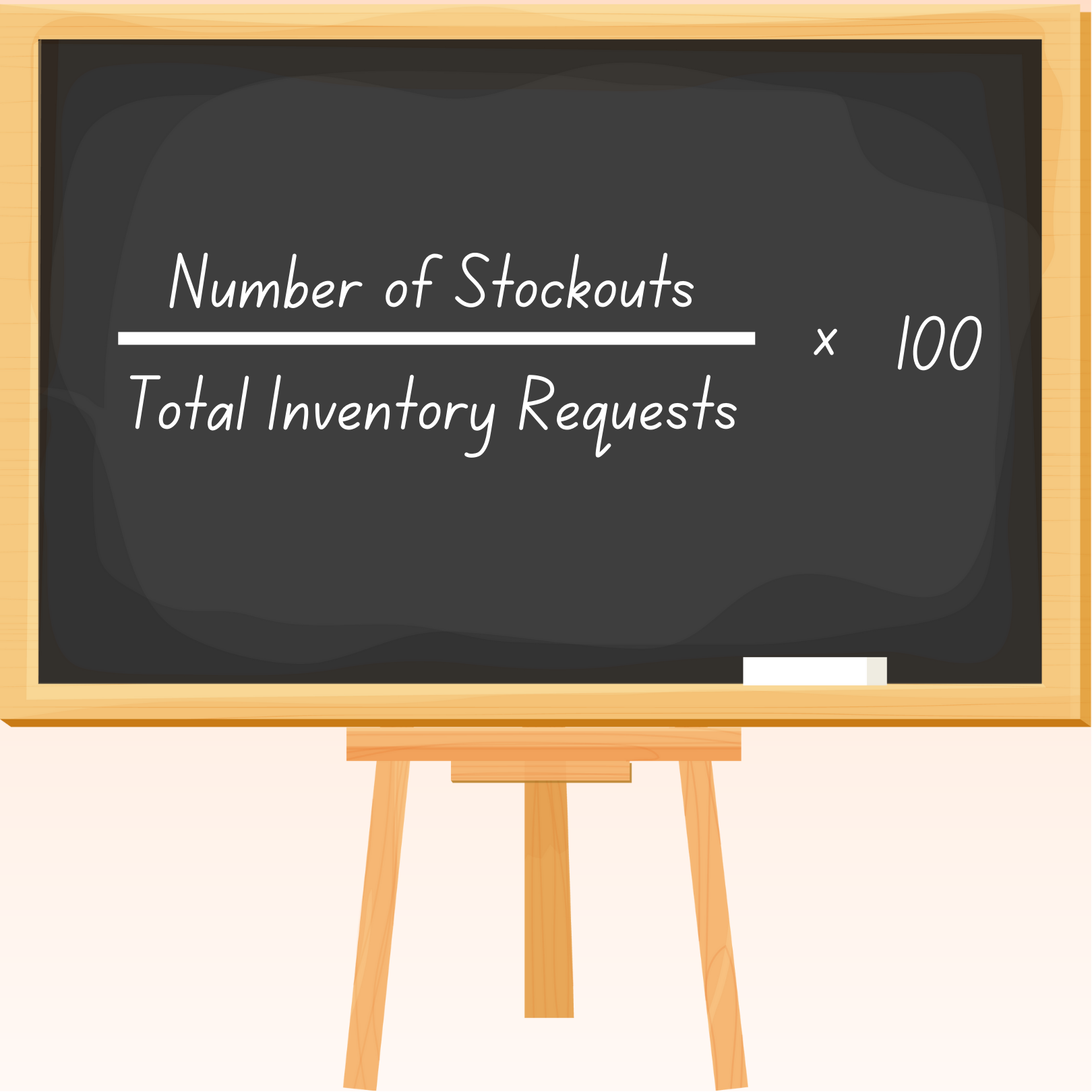
This metric shows how often stockouts occur relative to demand. It’s for evaluating inventory management efficiency.
For example, imagine a retail store receives 1,000 inventory requests for different items in a month. Out of these, 50 requests are not fulfilled due to stockouts. Using the formula:
Stockout Rate = (Number of Stockouts / Total Inventory Requests) x 100 Stockout Rate = (50 / 1,000) x 100 Stockout Rate = 5%
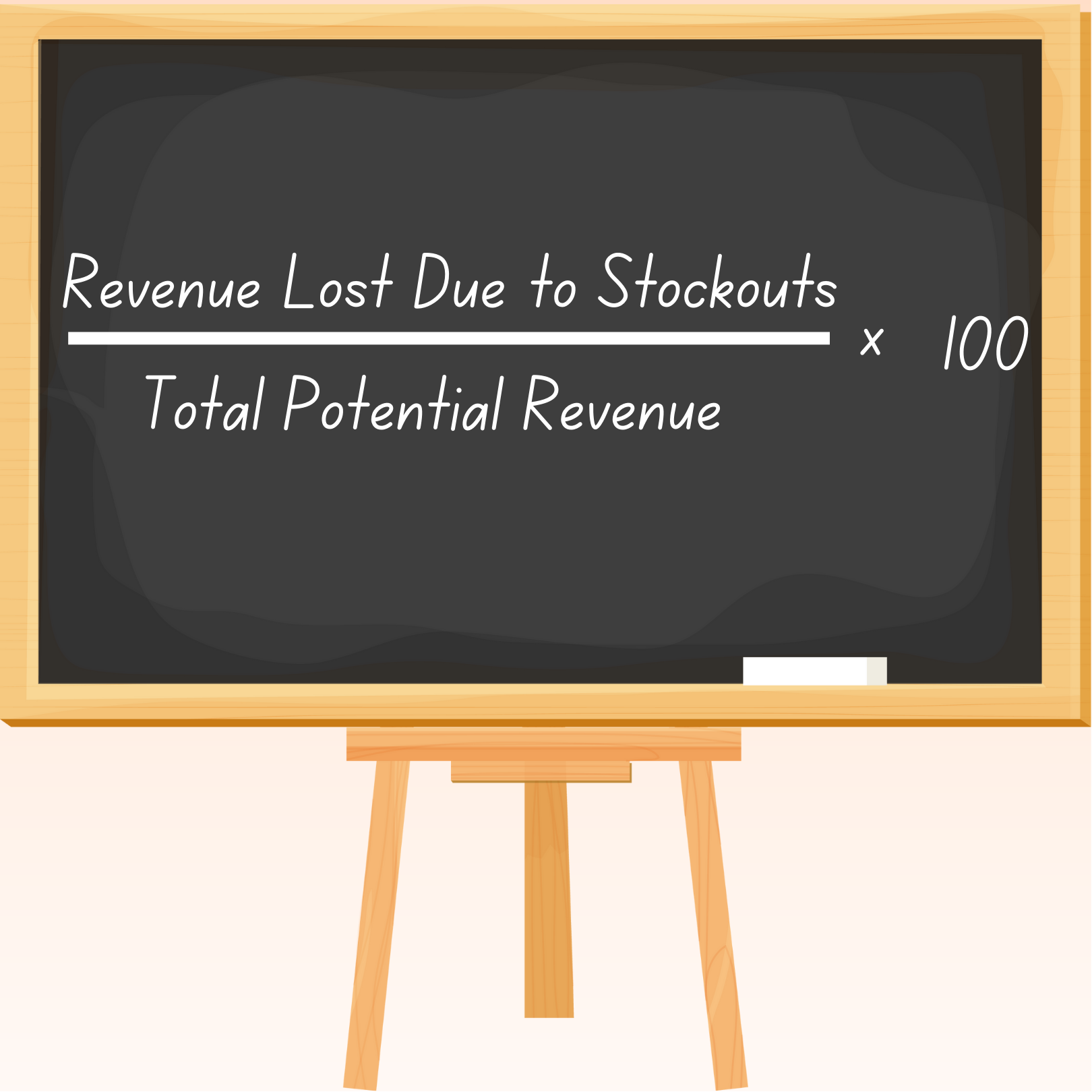
This tracks the revenue lost due to unavailable inventory. It’s a simple indication to illustrate how much revenue a business is missing out on due to unavailability of products.
For example, a retail store had a potential revenue of $100,000 in a month. However, due to stockouts, it lost $10,000 in sales. Using the formula:
Lost Sales Percentage = (Revenue Lost Due to Stockouts / Total Potential Revenue) x 100 Lost Sales Percentage = ($10,000 / $100,000) x 100 Lost Sales Percentage = 10%
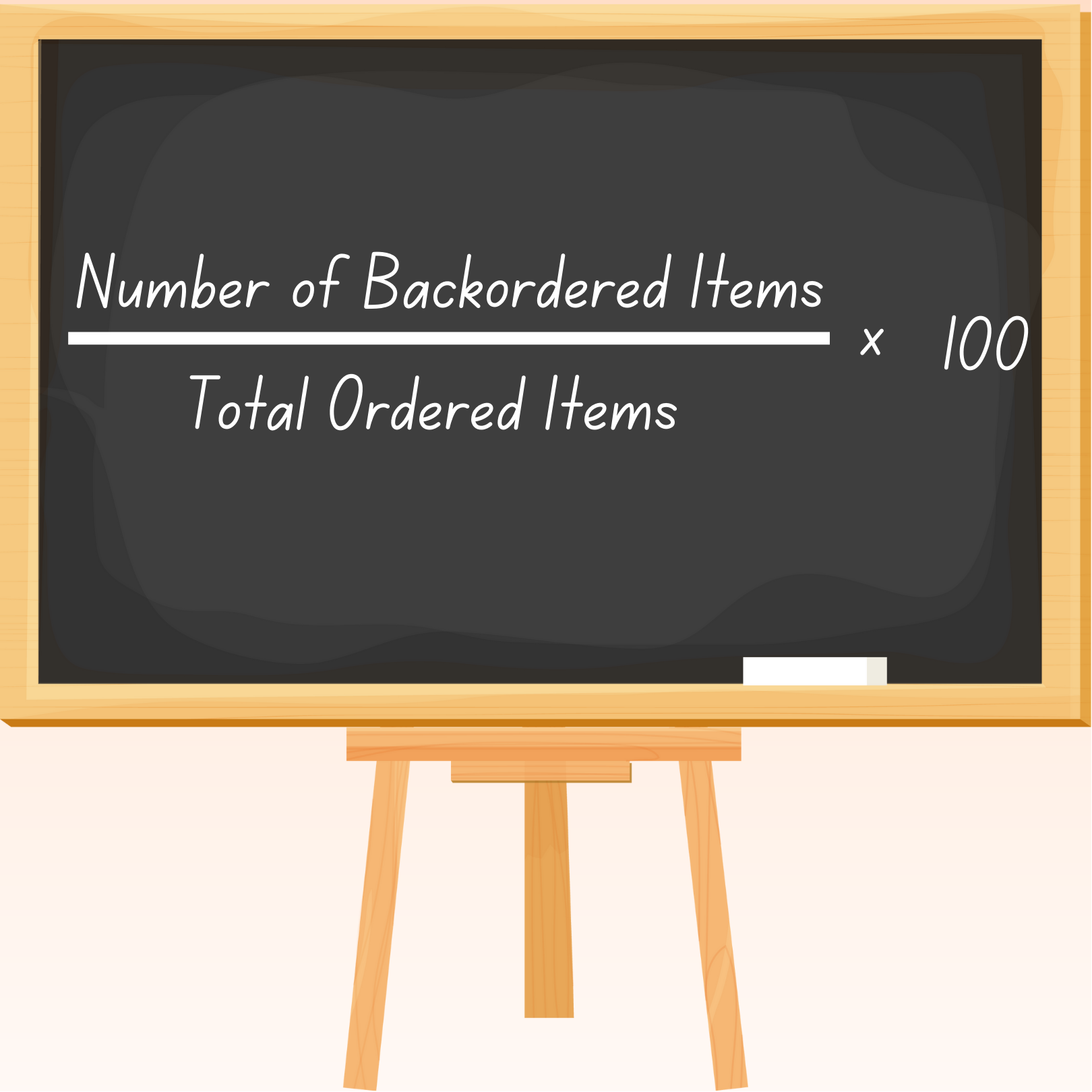
This measures how many orders are delayed because of stockouts. Knowing this highlights how often customers are willing to wait for a product rather than cancel their purchases entirely.
For example, an online retailer received 500 orders in a month. Out of these, 100 were delayed because the items were out of stock and had to be backordered. Using the formula:
Backorder Rate = (Number of Backordered Items / Total Ordered Items) x 100 Backorder Rate = (100 / 500) x 100 Backorder Rate = 20%
These four words get used interchangeably, and that’s where most planning errors begin. The distinction matters because each one triggers a different operational response, a different customer expectation, and in many cases a different marketplace penalty.
| Term | What it means | Customer can order? | Revenue today? | Operational trigger |
|---|---|---|---|---|
| Stockout | Inventory has reached zero and the listing is closed/hidden | No | No (sale lost) | Investigate root cause, expedite PO, alert marketing to pause spend on the SKU |
| Out-of-stock | Sub-set of stockout — listing is still visible but unbuyable, or buyable with a long fulfilment delay | Sometimes (channel-dependent) | No (or backordered) | Same as stockout, plus customer-comms decision |
| Backorder | The product is sold with a stated future ship date, against an inbound PO | Yes | Yes (revenue captured, fulfilment deferred) | Confirm PO ETA, communicate ship window, manage cancellation rate |
| Preorder | Product hasn’t launched yet; customers commit before first units exist | Yes | Yes (deposit/full pay) | Cap order volume, hold inbound stock for preorder pool, communicate launch date |
The split that catches most sellers out is stockout vs. backorder. A backorder is a commercial decision — you’re choosing to take the order knowing fulfilment will lag. A stockout is the failure mode you defaulted into because you didn’t take that decision in time. We unpack the operational differences in our backorders guide, including when to enable backorders versus when to close the listing entirely.
Actionable Insight: Run a quarterly review of every SKU that has been “out of stock” for more than 14 days. For each one, decide explicitly: convert to a backorder with a published ETA, or delist the variant. Letting it sit invisible kills both ranking on-marketplace and your forecasting baseline (Google Search Console, marketplace search algorithms, and your own demand model all stop recording demand signal once the listing disappears from buyer view).
Stockouts in 2026 are no longer just a lost-sale problem. The major marketplaces have all tightened seller-performance algorithms over the last 12 months, and an empty SKU now compounds into ranking loss, ad-eligibility loss, and in some categories outright store suspension.
| Marketplace (2026) | Stockout penalty | Recovery time | What to monitor |
|---|---|---|---|
| Shopee SG/MY/PH/ID/TH/VN | Late Shipment Rate (LSR) and Non-Fulfilment Rate (NFR) caps; Mall sellers face an additional 0.5pp commission uplift if performance slips below threshold | ~14 days of clean fulfilment to restore | Shopee Seller Centre → Performance → LSR + NFR |
| Lazada (LazMall + Marketplace) | OOS items removed from search after 7 days; FBL OOS triggers 5–8% extra inbound fee on next consignment | 21 days for organic ranking recovery | Seller Centre → Performance → Stock Health Score |
| Amazon (US, JP, SG, AU) | Inventory Performance Index (IPI) drop; storage limit cut; Buy Box loss within minutes of OOS | 30–60 days IPI recovery | Seller Central → Inventory → IPI dashboard |
| TikTok Shop (US/UK/SEA) | Seller Score drops 1 tier per 5% cancellation; ad eligibility paused if score < 4.0 | 28-day rolling window resets | TikTok Shop Centre → Seller Score |
| Shopify own-store | No marketplace penalty, but Google Merchant Centre disapproves OOS feeds; Performance Max campaigns starve | Re-approval ~24h after restock | Google Merchant Centre → Diagnostics |
| Etsy | Sold-out listings hidden from search after 14 days unless renewed | Manual renewal required | Shop Manager → Listings → Sold Out filter |
The compounding effect is what hurts: a 3-day Shopee stockout on a top-50 SKU during a Mega Campaign window can pull the listing out of the campaign mix, drop it 5–10 search positions, and forfeit the next month’s free-shipping eligibility — even after the stock is restored. We document the full Shopee fee and penalty schedule in our Shopee seller fees breakdown and the Lazada equivalent in how to sell on Lazada.
Actionable Insight: For your top 20 SKUs by revenue, set replenishment triggers at a higher safety-stock threshold than the rest of your catalogue. The marketplace algorithm penalty on a hero SKU is not linear — losing 8 days of Shopee Mall ranking on your bestseller can cost more than a month of stockouts on tail SKUs combined. Use the safety stock formula with a 95–99% service level for A-class SKUs and 80–90% for C-class.
The single most expensive stockout pattern in 2026 isn’t running out across the board — it’s the synthetic stockout: a SKU is genuinely sold out on one channel while warehouse inventory still exists, because the channels aren’t synced in real time.
Take a 1,500-SKU SEA seller running Shopee SG, Lazada SG, TikTok Shop SG, and a Shopify D2C store. Across the four channels they sell ~3,000 orders/month, with a hero SKU averaging 18 units/day. Settings:
The leak: On a strong Shopee day (Mega Campaign, +60% on baseline), Shopee’s allocated 80 units is consumed by 11:00. The listing flips to OOS for the rest of the day. Meanwhile, Lazada has only consumed 12 of its 60-unit allocation. Net: 48 units of unsold stock sat on Lazada while Shopee customers got an OOS message. Estimated impact per incident:
| Loss vector | Calculation | S$ value |
|---|---|---|
| Direct lost orders (Shopee) | 48 units × S$24 ASP | S$1,152 |
| Shopee ranking penalty (next 7 days, 30% click loss on hero SKU) | 18 orders/d × 7d × 30% × S$24 | S$907 |
| Mega Campaign mid-cycle removal (forfeited free-shipping voucher eligibility) | Estimated halo loss | S$600 |
| Wasted ad spend (Shopee Ads bid through OOS hours) | 4h × S$30/h ad budget | S$120 |
| Total per single-day synthetic stockout | ~S$2,779 |
Repeat this 4–5 times in a quarter on a hero SKU and the cumulative impact is S$11k–S$14k, despite the warehouse never running dry.
The fix is real-time multichannel sync — every order, on every channel, decrements a single shared inventory pool within seconds, not nightly. Our best multichannel inventory management software comparison walks through what to evaluate when shortlisting vendors, and the multichannel listing software round-up covers the same problem on the listing-side. The mechanism most relevant to stockouts is virtual buffer + auto-throttle: the system holds back a configurable safety buffer (typically 5–10% of warehouse stock) and surfaces real-time available-to-sell to each channel, so no single channel can over-consume.
Actionable Insight: Map your synthetic stockout exposure quarterly. For each hero SKU, pull the GSC/marketplace search position 7 days after the last stockout event versus 7 days before. If you can’t measure it, you can’t fix it — and synthetic stockouts hide because the warehouse balance sheet still looks healthy.
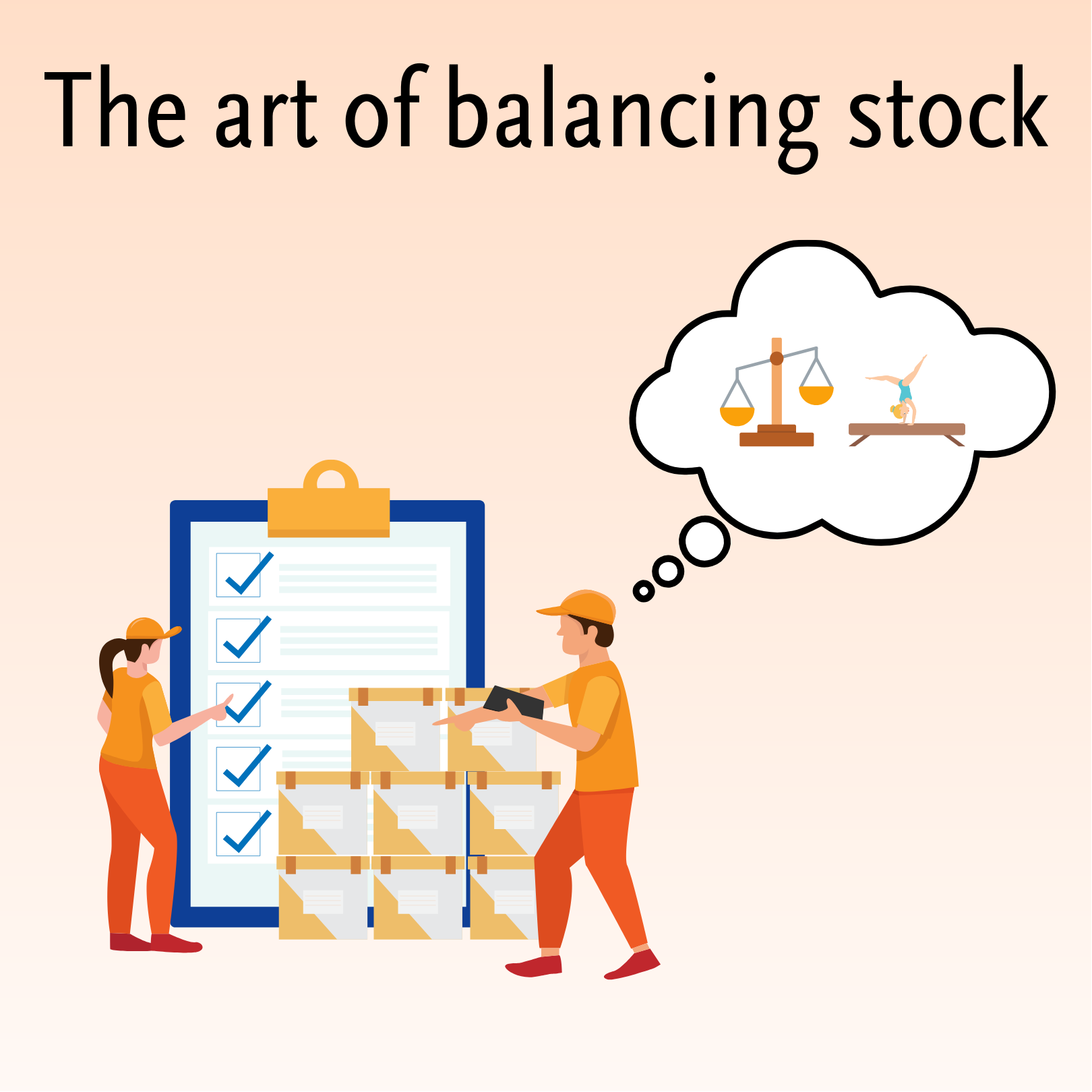
Just as a gymnast balances on a beam, stock is all about balance, requiring both competitive pricing and strategic inventory management. While stockouts may cause immediate losses, overstocking results in cash being overinvested on unsold products and a rising inventory carrying cost. Therefore, a system needs to be in place for inventory levels to meet the demand without excess.
Preventing stockouts is not something that happens by coincidence, but requires proactive planning, smart tools, and clear strategies. Here’s how:
Analyze sales trends and customer data to anticipate future demand accurately. One effective way to do this is by using historical data, market trends, and advanced analytics to anticipate changes in demand.
Always keep a buffer of essential inventory to handle any unexpected demand. By doing this, businesses can continue to fulfill orders promptly, even during unforeseen disruptions or circumstances that may cause a surge in demand.
Implement technology like OneCart, which provides real-time stock visibility, automates alerts, and predicts low inventory. Using such a system reduces any possible delays and enables proactive replenishment.
Find appropriate and reliable suppliers to work with to ensure timely delivery and build contingency plans. Open communication, performance monitoring, and agreements on such contingency plans allow businesses to circumvent challenges like delayed shipments or supply shortages.
Consider leveraging systems that integrate with your operations, like OneCart, to streamline processes and minimize unnecessary risks. While real-time inventory management is important, having an overall software solution helps to reduce human errors, save time, and provide actionable insights to prevent stockouts.
For a more structured approach, jump to the 2026 stockout prevention stack below — it lays out the four layers (visibility, classification, replenishment math, multichannel sync) and the KPI targets to run against each one.
A stockout-prevention programme worth running has four layers, in this order:
Stop forecasting from a single channel. Pull 90 days of unit-level sales from every active channel into one view (Shopee, Lazada, TikTok Shop, Shopify, Amazon, retail POS, wholesale). The minimum granularity is daily, by SKU, by channel. Anything coarser hides the demand pulses that drive stockouts (Shopee Mega Campaign days, TikTok Shop Live windows, retail weekend spikes).
Apply ABC analysis to your catalogue. The 80/20 rule typically holds — 20% of SKUs drive 70–80% of revenue. A-class SKUs need 95–99% service level; B-class 90–95%; C-class 80–90%. Do not waste safety-stock cash on tail SKUs and do not under-buffer your hero SKUs.
Two formulas do the heavy lifting:
Bake these into your inventory system as automated reorder triggers so a PO drafts itself when on-hand stock + on-order stock dips below the reorder point. Manual triggers fail predictably during high-volume periods because that’s when the buyer is busiest with everything else.
The reorder math is necessary but not sufficient. As shown in the worked example above, a SKU can be “fully stocked” in your warehouse and still cause stockouts on a single channel because of allocation mismatches. The multichannel-sync layer protects against this with: real-time inventory updates (sub-60-second sync lag), virtual buffer per channel (configurable safety reserve), auto-throttle on channels that breach forecasted velocity, and a single-source-of-truth Item Master for each SKU.
| KPI | Target (A-class) | Target (B-class) | Target (C-class) |
|---|---|---|---|
| In-stock rate | ≥99.0% | ≥97.0% | ≥92.0% |
| Stockout rate | ≤1.0% | ≤3.0% | ≤8.0% |
| Sync lag (channel ↔ master) | <60 seconds | <60 seconds | <60 seconds |
| Forecast accuracy (MAPE, weekly) | <15% | <25% | <35% |
| Days of inventory cover | 21–35 | 30–45 | 45–60 |
| Cancelled-due-to-OOS rate | <0.5% | <1.5% | <3.0% |
Set these as hard alerts in your dashboard, not vanity metrics. If A-class in-stock dips below 99%, that’s a paging incident, not a weekly report bullet.
Actionable Insight: Run a quarterly “stockout post-mortem” the same way you’d run an incident review — root cause for each Sev-1 stockout (any A-class SKU OOS for >24h on any channel), the action that would have prevented it, and a tracked owner for the fix. Without this loop, the same stockout pattern repeats every campaign cycle.
When a business effectively prevents stockouts, it leads to:
A stockout occurs when an item is unavailable for sale or production due to insufficient inventory.
Frustrated customers may turn to competitors, affecting loyalty and long-term revenue.
Stockouts can include running out of seasonal products, unavailability of raw materials in manufacturing, or “Out of Stock” messages in eCommerce listings.
Yes, with proactive forecasting, technology like OneCart, and safety stock measures.
Both are harmful, but stockouts show immediate effects since it impacts customer satisfaction and revenue.
Tools like OneCart offer real-time inventory tracking, automated alerts, and advanced analytics to minimize inventory issues.
A stockout is the failure mode where inventory hits zero and the listing closes — you lose the sale entirely. A backorder is a deliberate commercial choice to keep selling against inbound stock with a published ship date. Backorders capture revenue today; stockouts forfeit it. We compare both in detail in our backorders guide.
“Out of stock” is one symptom of a stockout — it’s what the customer sees on the listing. A stockout is the broader operational state: zero physical inventory, no inbound PO scheduled to arrive in time, and (often) marketplace algorithm penalties already triggered. Two listings can both show “out of stock” while one has a 3-day restock and the other has a 6-week one — both are stockouts; only the second is a serious one.
Industry benchmarks vary by category and channel, but a useful 2026 rule of thumb: A-class SKUs should run a stockout rate below 1%, B-class below 3%, C-class below 8%. Above those thresholds and you’re losing measurable revenue and eroding marketplace ranking on the SKUs that matter most.
Each marketplace has its own performance algorithm — Shopee LSR/NFR caps, Lazada Stock Health Score, Amazon IPI, TikTok Shop Seller Score. A stockout typically triggers ranking loss within 24–48 hours and ad-eligibility loss within minutes (Buy Box on Amazon, Sponsored Discovery on Shopee). Recovery takes 7–60 days depending on the platform. The 2026 update across most major SEA marketplaces is faster algorithmic punishment, slower algorithmic forgiveness — a single Mega Campaign-day stockout can take a hero SKU two months to fully recover.
A synthetic stockout happens when one channel runs out while warehouse stock still exists — caused by manual per-channel allocations or slow sync. A multichannel inventory system maintains a single shared inventory pool and decrements it in real time as orders come in on any channel, with a configurable safety buffer per channel to prevent over-consumption. The result: every channel sees accurate available-to-sell within seconds, and warehouse stock is never trapped on a slow channel while a fast channel runs dry. See our multichannel inventory software round-up for vendor evaluation criteria.
No matter the size of the business, stockouts are an issue that has to be faced one time or another. However, by understanding the root cause, impact, and solutions like OneCart, businesses can create a stockout-free future. It’s like the saying goes, ‘When you fail to plan, you plan to fail’. Whether you’re managing a small eCommerce store or a large-scale supply chain, avoiding stockouts is crucial for profitability and customer satisfaction.
Ready to eliminate stockouts from your business operations? Start your free trial with Onecart today and discover how our advanced inventory management solutions can help you stay ahead of the curve.
OneCart's Item Master keeps stock levels in sync across every marketplace you sell on, automatically.
Try OneCart freeUsed by hundreds of merchants in Singapore & Southeast Asia