Boost Your Operations with Warehouse Management for Ecommerce: A Practical Guide 2026
Discover warehouse management for ecommerce to optimize layouts, workflows, and systems for scalable growth and faster order fulfillment.
Discover warehouse management for ecommerce to optimize layouts, workflows, and systems for scalable growth and faster order fulfillment.
Effective warehouse management for ecommerce is the engine that turns a high volume of clicks into happy, repeat customers. It involves organizing your inventory, fine-tuning your fulfillment workflows, and using the right tech to ship orders accurately and on time. For anyone juggling thousands of daily orders from platforms like Shopee, Lazada, and Shopify, this is the core of your operation.
As a multi-channel seller, your daily reality is a constant effort to prevent overselling, synchronize inventory across different storefronts, and fulfill orders at high speed—especially when a flash sale hits. Without a solid system, this process can become chaotic, leading to stockouts, shipping delays, and a wave of customer emails.
This guide is your roadmap to transforming operational challenges into a predictable, scalable machine. We’ll get into the practical pillars that hold up a thriving ecommerce business.
Before we dive into the details, let’s get a high-level view of the core components we’ll be covering. Think of these as the essential pillars holding up your entire fulfillment operation. Each one plays a critical role in turning inventory into profit.
| Pillar | Core Focus | Impact on Your Business |
|---|---|---|
| Layout & Design | The physical arrangement of your storage, packing stations, and workflows. | A smart layout directly cuts down on the time it takes to pick and pack orders, reducing labor costs. |
| Technology & Systems | Choosing and integrating a WMS, inventory management software, and other tools. | Creates a single source of truth for your stock levels, preventing overselling and improving accuracy. |
| Optimized Workflows | The step-by-step processes for receiving, picking, packing, and shipping orders. | Efficient workflows minimize human error, speed up fulfillment, and get orders out the door faster. |
| Data-Driven Improvement | Using key performance indicators (KPIs) to track efficiency and identify bottlenecks. | Allows you to make informed decisions to improve speed, lower costs, and enhance customer satisfaction. |
Understanding how these pieces fit together is the first step toward building an operation that doesn’t just survive, but thrives as you scale.
The growth in ecommerce is significant, with global online retail sales projected to exceed $6.5 trillion by 2025. This expansion has completely reshaped customer expectations. Same-day or next-day delivery is now the standard. Studies show that 68% of online shoppers say delivery speed is a major factor in their decision to buy.
This shift has forced online sellers to rethink everything from the ground up.
A well-managed warehouse is a strategic asset that directly fuels your brand’s reputation and profitability. Every minute saved picking an order or every error prevented during packing goes straight to your bottom line.
A solid foundation also means adopting overall facility management best practices to make sure your physical space can handle your growth. While many businesses start by handling their own logistics, it’s smart to know your options. Take a look at our guide on what a 3PL (Third-Party Logistics) provider can do to see if outsourcing fits your long-term vision.
By mastering these core areas, you’ll build a system that not only manages today’s order volume but is ready to handle whatever growth comes your way tomorrow. The sections that follow will break down each pillar with actionable steps and real-world advice to help you get there.
An efficient warehouse layout is the physical foundation of your entire fulfillment operation. It dictates how quickly your team can move, pick, pack, and ship orders. A poorly designed space creates bottlenecks and adds hidden costs through wasted motion, while a thoughtful design can dramatically improve your warehouse management for ecommerce.
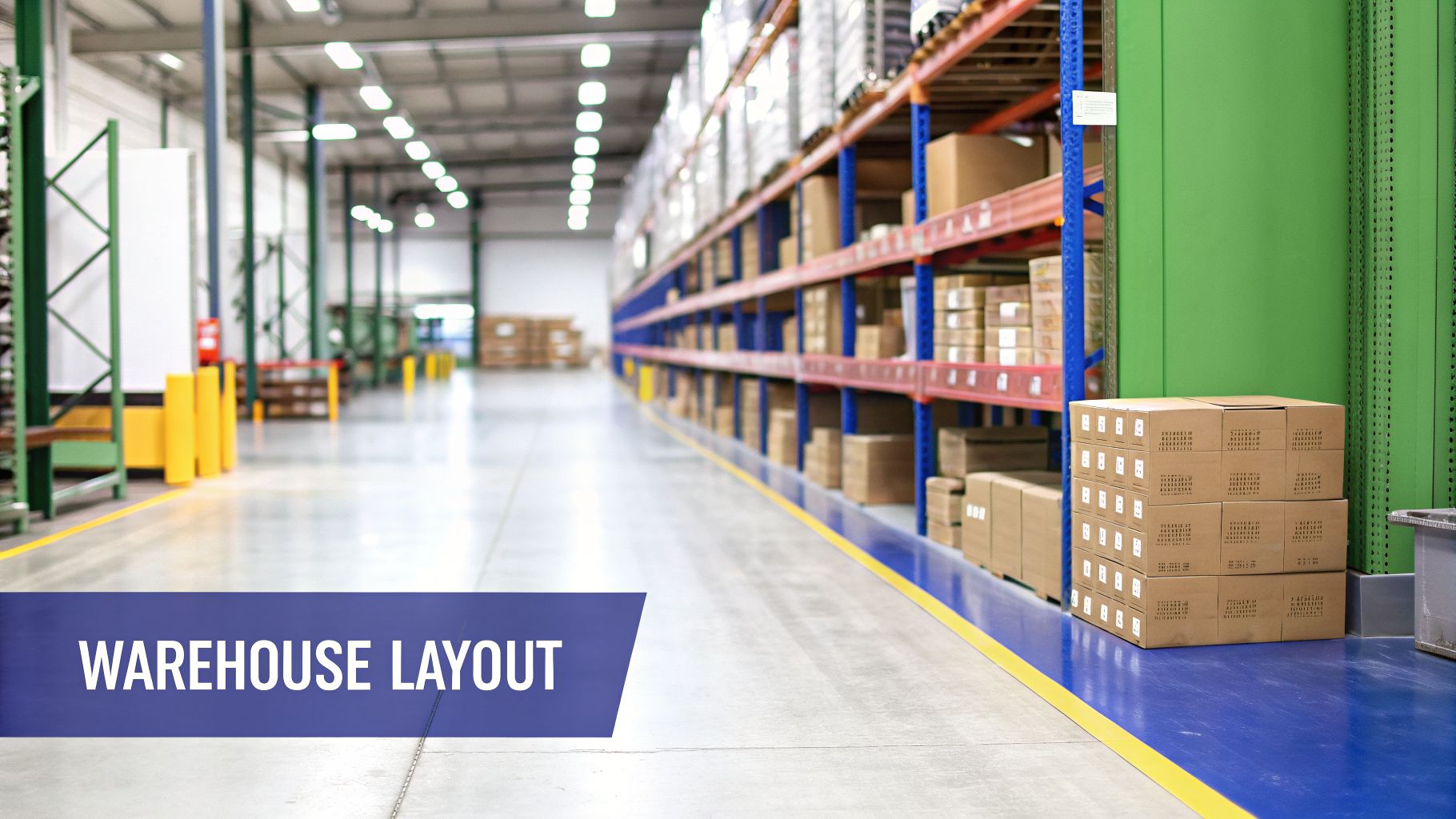
The goal here is simple: minimize the distance your pickers have to travel. Since walking can account for over 50% of a picker’s time, every step you can save translates directly into faster fulfillment and lower labor costs.
First, you need to divide your warehouse into distinct functional zones. This prevents operational chaos where receiving tasks interfere with shipping. Think of it as creating a one-way street for your inventory, guiding it logically from arrival to departure.
Your core zones should include:
By creating these clear divisions, you establish a logical flow that cuts down on confusion and makes the entire operation run smoother.
Slotting is the process of assigning a specific warehouse location to each of your SKUs. A smart slotting strategy puts your most popular products in the most accessible spots, a concept often called the “golden zone.”
This zone is typically close to the packing stations and at a height that minimizes bending or reaching—usually between a picker’s shoulders and knees.
For example, a Lazada seller preparing for the massive 11.11 sale can identify their campaign’s hero products weeks in advance. They can then move this high-demand inventory squarely into the golden zone. When the sales rush hits, pickers can grab these items with minimal travel time. This simple action can slash order cycle times.
Slotting is a continuous process. As your sales trends change, you have to regularly review product velocity data and adjust your slotting assignments. This keeps your most popular items in the most efficient pick locations, season after season.
Floor space is finite, but your vertical space is often an underused asset. Installing the right kind of shelving allows you to store far more inventory within the same footprint. Think about using pallet racks for bulk storage and multi-tier shelving for smaller, individual items.
A tall shelf is useless if your team can’t find what they’re looking for. A clear, consistent labeling system is non-negotiable.
This combination of vertical storage and precise labeling is a cornerstone of effective ecommerce warehouse management, ensuring your team can locate items quickly and, just as importantly, accurately.
Picking a Warehouse Management System (WMS) is a crucial decision for any growing e-commerce business. Think of it as the central nervous system for your fulfillment operation. It’s the software that connects your physical inventory to all your digital storefronts. For sellers juggling orders from Shopee, TikTok Shop, and Shopify, the right WMS turns chaos into a calm, unified dashboard.
A good platform doesn’t just track what you have on the shelves; it automates tedious tasks, catches expensive mistakes before they happen, and frees up your team to focus on growing the business. It’s the tool that ensures when your site says “in stock,” that item is actually there, ready to be picked, packed, and shipped. This becomes essential when you start hitting thousands of orders a day. For a detailed comparison of leading options, see our guide to the best warehouse management software in 2026.
It’s easy to get impressed by a long list of features during a sales demo. For a multi-channel seller, only a handful of them truly matter on day one. These are the tools that solve the most painful headaches you face when selling across multiple platforms.
Focus your evaluation on these non-negotiables:
These three functions are the difference between a system that helps you scale and one that just adds another layer of complexity.
Before settling on a WMS, it’s crucial to understand what’s essential. This table breaks down the key features every multi-channel seller should prioritize.
| Feature | Why It’s Essential for Multi-Channel | Example Scenario |
|---|---|---|
| Real-Time Inventory Sync | Prevents overselling and stockouts by instantly updating inventory levels across all sales channels (e.g., Shopee, Shopify, TikTok Shop) the moment a sale occurs. | During a 12.12 flash sale, you sell your last 10 units of a product on Shopee. The WMS immediately marks it as “sold out” on your Shopify store, preventing customers from buying an item you don’t have. |
| Multi-Channel Order Aggregation | Consolidates orders from all marketplaces into a single, unified dashboard. This eliminates the need to log into multiple seller centers, reducing errors and saving hours of manual work. | Your team logs in once in the morning and sees a complete list of 500 orders from Shopee, Lazada, and your website, ready to be processed from one interface. No more switching between browser tabs. |
| Automated Picklists & Packing Slips | Generates optimized picking routes and allows for bulk printing of packing slips and shipping labels. This dramatically speeds up the entire fulfillment workflow. | Instead of printing orders one by one, you select all 200 pending orders and the system prints every required shipping label, pre-sorted by courier, in a single batch. |
| Barcode Scanning Support | Ensures near-perfect accuracy in picking, packing, and receiving by verifying items with a quick scan. This drastically reduces costly mis-picks and shipping errors. | A picker scans an item’s barcode, and the WMS confirms it’s the correct product for the order. If it’s the wrong item, the scanner immediately alerts them, preventing a return. |
The features above are the bedrock of an efficient multi-channel operation. As you grow, you might look into more advanced tools like demand forecasting or automated replenishment, but get these essentials right first.
To find the right fit, you have to push past the sales pitch. Think about your most hectic day, your most common fulfillment errors, and ask very specific, scenario-based questions.
Here’s a practical checklist to guide your conversations with WMS providers:
The right WMS pays for itself not just in time saved, but in errors it prevents. Every oversold item or mis-picked order chips away at customer trust and your profit margins. A system that stops even a small fraction of these mistakes delivers a clear and rapid return on investment.
The explosion in demand for these systems tells you everything you need to know about their importance in modern e-commerce. The global WMS market has been on a tear, growing from $3.64 billion in 2022 and on track to hit $6.1 billion by 2028. The adoption rates tell a similar story, with 93% of warehouses now running on a WMS.
For any seller handling serious volume, a powerful WMS is no longer a luxury—it’s basic infrastructure. You can find more insights on this trend from industry reports on e-commerce WMS adoption on Fynd.com. Choosing the right partner in this crowded market is one of the most important decisions you’ll make to future-proof your business.
The second an order comes through, the clock starts ticking.
How quickly and accurately your team can pick and pack that order has a direct line to customer satisfaction and your own bottom line. A clumsy, error-filled process can grind your whole operation to a halt—especially when the holiday rush hits. Polishing this stage is a massive part of smart warehouse management for ecommerce.
The whole game here is about cutting out wasted movement. Every extra step a picker takes to find an item or a packer takes to grab a box is time and money you can’t get back. The mission is to create a slick, direct path for every single order, from the shelf straight to the courier’s truck.
Not all picking strategies are created equal. The best fit for your warehouse depends entirely on your order profile—what you sell, how many items are in a typical order, and your daily volume.
For most e-commerce sellers, two methods stand out: batch picking and zone picking.
Batch Picking This method is highly effective for businesses that get a lot of small, single-item orders. Instead of grabbing one order at a time, your team member picks a “batch” of the same item for multiple different orders in one go.
Zone Picking This method is your best bet for larger, multi-item orders. You divide your warehouse into different “zones” and assign a picker to each one. They’re only responsible for picking the items for an order that are located in their specific zone before passing the tote to the next person.
A well-designed packing station is all about efficiency. Every tool, every box, every roll of tape should be within arm’s reach. The goal is for your packer to complete their work with as little bending, turning, or walking as possible.
A well-organized packing station can shave 10-15 seconds off the time it takes to pack a single order. While that sounds small, for a business shipping 1,000 orders a day, that adds up to over 40 hours of saved labor every month.
To get there, lay out your materials in a logical sequence. Your most-used box sizes, tape dispenser, void fill, and any marketing inserts should be right in front of the packer.
For e-commerce, fast and accurate labeling is everything. Investing in good shipping label printers can massively speed up fulfillment and cut down on errors. Having a printer right at the station isn’t a luxury; it’s a must. Creating a standard process for every order also ensures consistency and quality. Check out our packing list template and delivery order generator for ideas on how to standardize your fulfilment paperwork.
This is where a good Warehouse Management System (WMS) really shines. It handles the tedious prep work, turning a flood of new orders into a clean, ready-to-go picklist.
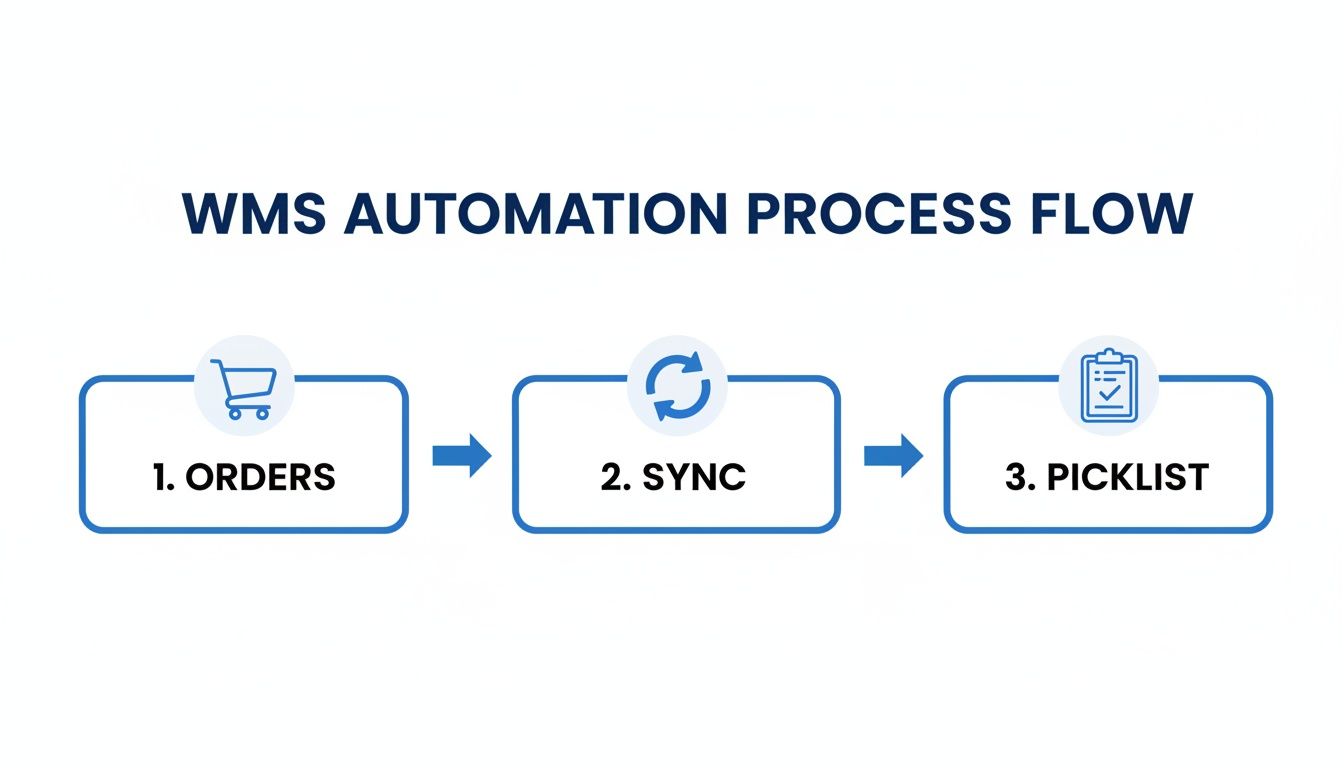
As the diagram shows, the automation starts immediately. Orders are synced and optimized picklists are generated without anyone needing to lift a finger.
A modern WMS is the brain behind the brawn. It can generate smart picklists that map out the most efficient walking route through your warehouse, guiding pickers from one item to the next.
Even better, the system lets you bulk-print all the necessary shipping documents—picking lists, packing slips, and shipping labels—for hundreds of orders at once. That feature alone can save your team hours of soul-crushing manual work every single day.
Returns are a simple fact of life in ecommerce. While it’s tempting to view them as a cost of doing business, a smooth returns process can actually build serious customer loyalty and claw back a ton of value from returned goods. Getting your reverse logistics sorted is a non-negotiable part of solid warehouse management for ecommerce.
The real goal isn’t just to process refunds. It’s to get sellable products back into your active inventory as quickly and cheaply as humanly possible. A slow, disorganized returns process means products sit in a corner collecting dust, tying up capital and losing value by the day. But a slick workflow turns a headache into a genuine competitive advantage.
First things first: you absolutely need a dedicated physical space and a clear, documented process for handling returns. When those packages come back, they should never get mixed in with your regular outbound fulfillment operations. This separation is crucial to prevent a returned item from being accidentally shipped out to another customer before it’s been properly inspected.
Set up a designated returns station, just like you have for packing. This area needs to be kitted out with everything your team needs to work efficiently:
This dedicated setup creates a focused environment. It cuts down on errors and speeds up the entire process, from the moment a return hits your dock to when it’s ready to be restocked.
Think of your returns process like inbound receiving, but with more question marks. Every single item needs a verdict: Is it good as new? Can it be sold as ‘open-box’? Or is it damaged beyond repair and needs to be written off? A structured workflow is what gives you consistent answers.
Once an item lands at the returns station, your team needs a simple, step-by-step process. This is how you ensure every return is handled the same way and its status gets updated correctly in your system.
Receive and Scan: The very first move is to scan the return label or the original packing slip. This should immediately pull up the order in your WMS, confirming what the item is supposed to be.
Inspect the Item: Now for the hands-on part. Carefully check the product for any signs of use, damage, or missing pieces. Is the original packaging still intact? Does it have all its tags, accessories, and manuals?
Grade and Categorize: Based on that inspection, you assign a grade to the item. This is the moment of truth where you decide its fate. Common categories include:
Update Inventory Instantly: This final step is critical. As soon as an item is graded, its status needs to be updated in your WMS. If an item is graded “Resell as New,” its stock level should be increased across all your sales channels right away, making it available for the next customer.
That immediate inventory update is what prevents you from selling an item that’s still sitting in a returns bin, keeping your stock levels razor-sharp and accurate.
The financial stakes here are huge. E-commerce return rates often hover between 20-30%, which is much higher than the 8-10% seen in traditional retail. With each of those returns costing $10-$20 to process before you even factor in shipping, an inefficient system can absolutely shred your profit margins. As industry analyses consistently show, a well-oiled returns management process is essential for warehouse efficiency. You can discover more insights about these warehousing statistics to see just how directly a refined process impacts your bottom line.
You can’t improve what you don’t measure. In warehouse management, operating without data is a fast track to inefficiency and shrinking margins. By tracking the right Key Performance Indicators (KPIs), you turn raw operational data into a clear roadmap for making smarter, faster, and more profitable decisions.

The key is to focus on metrics that are genuinely actionable. These are the numbers that directly reflect the health of your fulfillment process, helping you spot hidden problems before they blow up and start costing you customers.
Forget vanity metrics. These four core KPIs give you a real, comprehensive view of your warehouse performance, from stock accuracy to fulfillment speed. Any modern WMS worth its salt will track these automatically, presenting them in an easy-to-digest dashboard.
1. Inventory Accuracy Rate This KPI shows you how closely your system’s inventory count matches what’s physically on your shelves. A low rate is a massive red flag, pointing to problems like theft, receiving errors, or just plain sloppy tracking.
2. Order Picking Accuracy This one tracks the percentage of orders picked without a single error. It’s a direct measure of your team’s precision and a huge factor in customer satisfaction—because every mis-pick leads to a costly return and a bad review.
Effective KPI tracking moves you from reacting to problems to proactively preventing them. When your Order Fulfillment Cycle Time starts creeping up, you can investigate immediately—is it a receiving bottleneck or a slow packing line?—before it causes significant shipping delays.
3. Order Fulfillment Cycle Time This measures the average time it takes from the moment a customer clicks “buy” to when their order is officially shipped. It’s a direct reflection of your operational speed and a critical factor in meeting today’s get-it-now customer expectations.
4. Cost Per Order This KPI rolls up all your warehouse operational costs—labor, packaging, supplies, overhead—to tell you exactly what it costs to get a single order out the door.
By consistently keeping an eye on these figures, you build a data-driven culture of continuous improvement. If you want to dive deeper, you can learn more about the top ecommerce metrics and KPIs to track in our detailed guide.
Got questions about warehouse management? You’re not the only one. Even experienced sellers sometimes need a quick answer on the specifics.
Let’s clear up some of the most common queries we hear from merchants.
The biggest win, right out of the gate, is to establish dedicated zones for your core operations. Forget about new software or fancy shelving for a minute. Just physically separate your space into clear areas for receiving, storage, picking, packing, and shipping. This simple act creates a logical workflow and stops different tasks from tripping over each other.
For example, use tape to mark off a section near your loading bay exclusively for receiving new inventory. This stops incoming boxes from clogging up your picking aisles and forces every new item to be properly processed before it gets put away. Getting this basic layout right makes every other improvement ten times more effective.
You’ve outgrown spreadsheets the moment you can no longer trust your inventory numbers in real time. If you start overselling during a flash sale or your team spends more time updating manual counts than actually fulfilling orders, it’s time to get a proper Warehouse Management System (WMS).
Another huge red flag is operational friction. Are you manually printing dozens of shipping labels from different seller centers? Creating picklists by hand? A WMS will give you an immediate return on your investment just by automating those tedious, error-prone tasks.
If you’re consistently processing over 50-100 orders per day, the time savings and error reduction from a dedicated WMS will almost certainly outweigh its cost. The system pays for itself by preventing overselling and freeing up your team.
The most effective, low-cost way to slash picking errors is to implement a clear and consistent labeling system for every single shelf, rack, and bin. Use a simple, logical naming convention that anyone can understand, like A-01-S1-B01 (Aisle A, Rack 01, Shelf 1, Bin 01).
Combine this with a simple “verify and initial” step on your paper picklists. Just require the picker to double-check the product name and SKU, then physically initial next to the item on the list. It’s not as slick as barcode scanning, of course, but this manual check forces a moment of focus and catches a surprising number of mistakes before they end up in a customer’s box.
Ready to stop overselling and streamline your fulfillment? OneCart centralizes your inventory and orders from every channel into a single, powerful platform. Book a demo today and see how you can process orders faster and with fewer errors.
Automate & Scale Your Online Business with OneCart
Start a Free TrialUsed by hundreds of merchants in Singapore & Southeast Asia