Sales Reports: 7 Free Templates + Real Examples [2026]
Download 7 free sales report templates for ecommerce. Includes daily, weekly & monthly examples with step-by-step instructions for multichannel sellers.
Download 7 free sales report templates for ecommerce. Includes daily, weekly & monthly examples with step-by-step instructions for multichannel sellers.

A sales report is the single most important document for understanding whether your business is growing or stalling. If you sell across multiple platforms like Shopee, Lazada, Amazon, and your own website, getting a clear picture becomes significantly harder.
This guide covers everything you need to create actionable sales reports in 2026: ready-to-use templates, real examples, and step-by-step instructions. Whether you’re tracking daily performance across marketplaces, analysing which channels generate the most profit, or presenting results to stakeholders, you’ll find practical frameworks to turn fragmented data into clear insights.
If you just need a ready-to-use template, here’s a plug-and-play structure designed for multichannel ecommerce sellers. Copy this into Google Sheets or Excel and fill in your own data.
Report Period: [Week of DD/MM/YYYY — DD/MM/YYYY]
| Section | What to Include |
|---|---|
| 1. Executive Summary | Total revenue, total orders, overall margin %, top win of the week, biggest issue |
| 2. Revenue by Channel | Columns: Channel, Revenue, Orders, AOV, Platform Fees, Net Revenue, Margin % |
| 3. Top 10 Products | SKU, product name, units sold (per channel), total revenue, margin, sell-through rate |
| 4. Inventory Alerts | Products below reorder point, stockout events, dead stock candidates, inventory shrinkage variance vs system count |
| 5. Returns & Refunds | Channel, return count, refund amount, return rate, top return reasons |
| 6. Marketing Spend | Channel, ad spend, orders attributed, CPM, ROAS/ACoS, CPA |
| 7. Week-over-Week Comparison | Same metrics as Section 2, with % change column |
| 8. Action Items | 2-3 specific actions based on the data (e.g., “Reorder SKU-1847”, “Pause Lazada Sponsored Solutions — ACoS above 40%”) |
Actionable Insight: The Action Items section is what separates a useful report from a data dump. If your report doesn’t end with specific next steps, it’s just a spreadsheet. Every weekly report should contain 2-3 clear actions with owners and deadlines.
For sellers tracking financials alongside sales, use this template in combination with proper ecommerce bookkeeping practices to ensure your sales data reconciles with your accounting records.
A sales report is a document that summarizes your business’s sales activities, performance, and trends over a specific period. It helps you understand how your sales efforts are progressing, whether you’re meeting targets, and where adjustments might be needed.
Sales reports provide a snapshot of key metrics like revenue, units sold, and customer behavior. They are essential for tracking sales performance and making informed decisions to improve strategies.
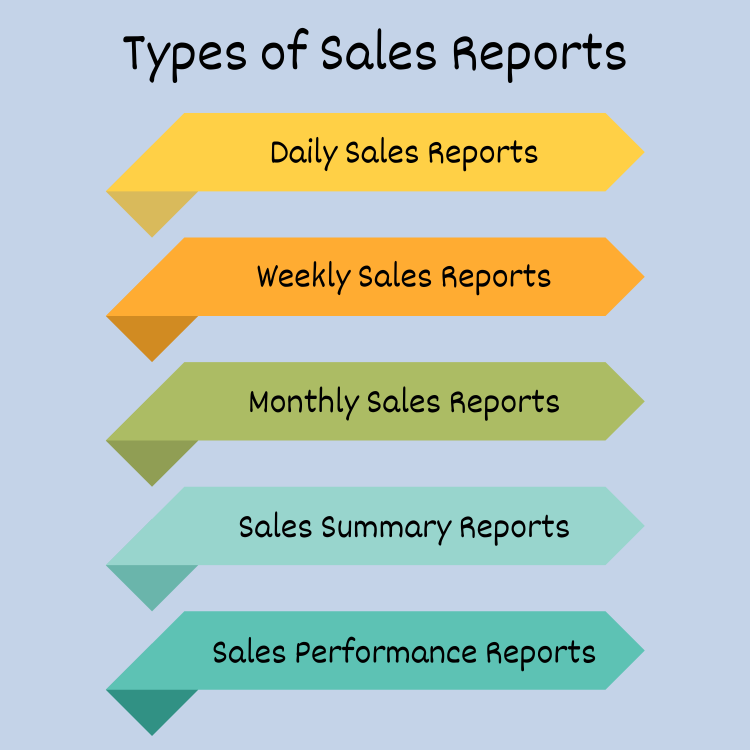
Different sales reports serve different purposes. Here are the most common types:
Each type of report plays a critical role in effective sales management, ensuring that you can adjust your strategies promptly and maximize results.
Sales Reports aren’t just numbers on a page—they’re the foundation for making smarter decisions in your business. By tracking and analyzing sales data, you can uncover trends, measure progress toward goals, and identify areas for improvement.
Here’s why sales reporting is essential:
A well-structured sales report shows whether your team is hitting its targets. It highlights performance against goals, helping you understand where you’re excelling and where you need to make adjustments.
Sales reports reveal patterns in customer purchases, preferences, and buying cycles. By analyzing these trends, you can refine your sales strategy to align with customer needs and drive higher conversions. Learn more about understanding customer behavior in your ecommerce sales funnel.
A product sales report pinpoints which offerings generate the most revenue. This insight allows you to focus on promoting your best-sellers while reevaluating or improving underperforming products.
With sales performance reports, you can track how individual team members or regions are performing. This data helps you to allocate resources effectively and offer coaching or support to your team.
Sales reports don’t just summarise past performance — they help you plan for the future. With detailed insights, you can make informed decisions about inventory, pricing, and marketing strategies. For effective inventory forecasting across channels, see our guide on inventory forecasting. Understanding your gross margin vs gross profit is also critical for interpreting sales report data accurately.
Regularly analysing sales reports allows you to detect emerging trends, seasonal fluctuations, or market opportunities. For Southeast Asian ecommerce sellers, this means tracking platform-specific events like Shopee’s monthly campaigns (9.9, 10.10, 11.11, 12.12), Lazada’s birthday and mid-year sales, and TikTok Shop’s live selling peaks. Acting on these insights — pre-positioning inventory, adjusting pricing, ramping ad spend — can give you a significant competitive edge.
Sales reports provide clear and consistent data for stakeholders, ensuring accountability. They help align teams and leadership on goals, progress, and challenges. A 2024 McKinsey study found that companies with structured, data-driven reporting outperform peers in revenue growth — and the principle applies equally to ecommerce businesses managing multiple sales channels.
In today’s competitive landscape, relying on intuition isn’t enough. Sales reports ensure you’re equipped with the insights needed to optimise performance, increase revenue, and grow your business strategically.
A good sales report isn’t just a collection of numbers—it’s a well-organized summary that provides actionable insights. To create a report that’s easy to understand and drives decision-making, it’s important to include the following key elements:
Every sales report should specify the period it analyzes, whether it’s daily, weekly, monthly, or quarterly. This gives context to the data and ensures comparisons can be made across different time frames.
At its core, a sales report tracks the revenue your business has generated and the total units sold. These are essential metrics that show the overall health of your sales efforts.
Breaking down by individual products or services helps you understand what’s driving revenue. A product sales report highlights your best-performing items and flags underperforming ones for improvement. To better understand optimizing your product listings, check out these 10 tips to boost your product sales.
Segmenting data by region, team, or salesperson provides insights into geographic performance or individual contributions. This is particularly useful for sales performance reports.
Sales KPIs provide deeper insights into sales efficiency. For ecommerce sellers, the most important KPIs go beyond basic conversion rates:
| KPI | What It Measures | Why It Matters |
|---|---|---|
| Average Order Value (AOV) | Revenue ÷ number of orders | Shows whether customers are buying more per transaction — use the AOV calculator for blended and per-channel AOV plus a bundle, free-shipping, and upsell lift simulator |
| Customer Acquisition Cost (CAC) | Total marketing spend ÷ new customers | Reveals true cost of growing your customer base — use the CAC calculator for blended, paid, and per-channel CAC plus your LTV:CAC ratio |
| Return Rate | Returned orders ÷ total orders | High returns erode margins — especially on marketplaces with free return policies |
| Gross Margin After Fees | (Revenue − COGS − platform fees) ÷ revenue | The only margin metric that matters for marketplace sellers. Use a COGS calculator to get this right |
| Sell-Through Rate | Units sold ÷ units available | Indicates inventory efficiency — use the sell-through rate calculator to track this KPI and avoid dead stock |
| Days Inventory Outstanding (DIO) | (Avg inventory ÷ COGS) × period days | The finance-side companion to sell-through. Tells you how many days of cash is locked up in stock — feed it into your cash conversion cycle alongside marketplace payout DSO |
| Customer Lifetime Value (CLV) | AOV × purchase frequency × customer lifespan × gross margin | The synthesis of AOV and CAC into one number. Pair with CAC for a CLV:CAC ratio (3:1 is healthy) and cap acquisition spend at net CLV — use the CLV calculator to model it per channel |
| Channel Profitability | Net profit per platform after all deductions | Compares Shopee vs Lazada vs Amazon performance on an apples-to-apples basis |
According to Shopify’s guide to ecommerce KPIs, the most successful sellers track 5-7 KPIs maximum per report. More than that creates noise without clarity.
Including the right KPIs ensures your report drives action, not just observation.
Including a section for trends and forecasts helps contextualise past performance and predict future outcomes. For instance, a monthly sales report might compare current performance with the same period last year to spot seasonal trends. Accurate demand planning and forecasting relies heavily on having clean, consistent sales data to work from.

Charts, graphs, and tables make data more accessible. A sales summary report that includes a quick overview of key metrics paired with visuals helps readers grasp the main takeaways at a glance.
For automated data visualization and reporting, see how OneCart’s analytics tools simplify sales management.
This structure includes relevant internal links without overloading the content, guiding readers to additional resources on your site.
While the context of your sales report matters, so does its format. Here are some tips for structuring your report effectively:
Seeing real examples of sales reports can help you understand how to structure your own. Here are several types of reports and what they typically include. Use these as inspiration to create clear and actionable sales reports for your business.
A monthly sales report tracks performance over the course of a month. This type of report is perfect for identifying trends, forecasting future sales, and evaluating whether goals were met.
What to Include:
Example — Multichannel Ecommerce Monthly Report:
| Metric | Shopee SG | Lazada SG | TikTok Shop | Shopify Store | Total |
|---|---|---|---|---|---|
| Revenue | $18,500 | $12,200 | $4,800 | $8,300 | $43,800 |
| Orders | 620 | 385 | 210 | 145 | 1,360 |
| AOV | $29.84 | $31.69 | $22.86 | $57.24 | $32.21 |
| Platform Fees | $2,590 (14%) | $1,708 (14%) | $384 (8%) | $166 (2%) | $4,848 |
| Return Rate | 8.2% | 5.1% | 12.4% | 3.8% | 7.6% |
| Top Product | Phone cases (180 units) | Screen protectors (95 units) | Ring lights (82 units) | Phone cases (48 units) | — |
Actionable Insight: Notice how TikTok Shop has the lowest AOV but highest return rate (12.4%). This is common for impulse-buy platforms — your sales report should flag channels where high returns eat into margins. Use an Etsy or Lazada fee calculator to model true profitability per platform.
A daily sales report is the frontline document for catching problems before they snowball. For multichannel sellers, a daily report helps you spot stockouts, pricing errors, and sudden conversion dips across platforms — issues that cost real money if they go unnoticed for even 48 hours.
What to Include:
Example — Daily Multichannel Report (Wednesday, 26 March 2026):
| Metric | Shopee SG | Lazada SG | TikTok Shop | Shopify | Total |
|---|---|---|---|---|---|
| Revenue | $685 | $412 | $195 | $320 | $1,612 |
| Orders | 23 | 13 | 9 | 6 | 51 |
| Units Shipped | 31 | 17 | 12 | 6 | 66 |
| Returns Filed | 2 | 0 | 1 | 0 | 3 |
| Stockout Alerts | SKU-1847 (0 units) | — | — | SKU-1847 (0 units) | 1 SKU |
| vs Last Wed | +8.4% | −3.2% | +22.1% | +1.5% | +7.8% |
Actionable Insight: SKU-1847 stocked out across Shopee and Shopify simultaneously — a common symptom of inventory not being synced across channels. When one platform’s flash sale depletes shared stock, other channels suffer. Centralised inventory sync prevents this by reserving buffer stock per platform.
A sales summary report provides a high-level overview, making it ideal for executive presentations or team meetings. According to the U.S. Small Business Administration, summarising financial performance regularly is one of the top habits of successful small businesses. For a deeper dive into managing your financial records alongside sales tracking, see our guide to ecommerce bookkeeping.
What to Include:
Example — Weekly Executive Summary:
| Metric | This Week | Last Week | Change |
|---|---|---|---|
| Total Revenue | $11,240 | $9,870 | +13.9% |
| Gross Margin | 42.3% | 39.8% | +2.5pp |
| Units Sold | 387 | 342 | +13.2% |
| Return Rate | 6.1% | 7.8% | −1.7pp |
| Top Win | Shopee 9.9 campaign drove +45% orders | — | — |
| Key Issue | Lazada stockout on SKU-2847 (3 days) | — | — |
Use a sales performance report to track how individual team members or departments are performing against targets.
What to Include:
Example:
| Salesperson | Target($) | Achieved($) | Conversion Rate |
|---|---|---|---|
| Alex Jones | 50,000 | 48,000 | 20% |
| Jamie Lee | 45,000 | 55,000 | 25% |
A product sales report focuses on individual product performance across all your sales channels, helping you identify your best-sellers and flag underperforming SKUs that tie up capital. This is where understanding your retail pricing becomes critical — you need to see both revenue and margin side by side.
What to Include:
Example — Cross-Platform Product Performance:
| SKU | Product | Shopee | Lazada | TikTok | Shopify | Total Units | Revenue | Margin |
|---|---|---|---|---|---|---|---|---|
| PHC-001 | Silicone Phone Case | 180 | 95 | 42 | 48 | 365 | $5,475 | 52% |
| SPR-003 | Screen Protector (3pk) | 120 | 85 | 28 | 22 | 255 | $3,825 | 61% |
| RNG-007 | LED Ring Light | 15 | 8 | 82 | 5 | 110 | $4,400 | 38% |
| CBL-012 | USB-C Cable (2m) | 95 | 60 | 55 | 30 | 240 | $2,400 | 45% |
Actionable Insight: SKU RNG-007 sells 7.5x more on TikTok Shop than any other channel. This signals a product-market fit unique to that platform’s audience. Consider creating TikTok-exclusive bundles or promoting it through live selling to amplify this advantage.
A sales analysis report goes beyond surface-level metrics to uncover the “why” behind your numbers. It’s the report that answers questions like: which channel is actually most profitable after fees? Which products are growing and which are quietly declining? Where should you allocate more budget next quarter?
What to Include:
Example — Q1 2026 Multichannel Sales Analysis:
| Channel | Q1 Revenue | Q1 COGS + Fees | Q1 Net Profit | Margin | YoY Growth | Trend |
|---|---|---|---|---|---|---|
| Shopee SG | $52,400 | $34,060 (65%) | $18,340 | 35% | +18% | Growing |
| Lazada SG | $38,100 | $26,670 (70%) | $11,430 | 30% | −4% | Declining |
| TikTok Shop | $14,500 | $8,700 (60%) | $5,800 | 40% | +145% | Rapid growth |
| Shopify Store | $28,200 | $11,280 (40%) | $16,920 | 60% | +22% | Steady growth |
| Amazon SG | $9,800 | $7,350 (75%) | $2,450 | 25% | New channel | — |
| Total | $143,000 | $88,060 | $54,940 | 38% | +24% | — |
Key Insights:
For multichannel sellers, one of the most valuable reports you can build is a fee comparison that shows what each platform actually costs you. Many sellers are surprised when they calculate fees beyond the headline commission rate — payment processing, shipping subsidies, campaign participation fees, and return handling all eat into margins differently across platforms.
Example — Fee Comparison for a $30 Product:
| Fee Component | Shopee SG | Lazada SG | TikTok Shop | Temu | eBay | Etsy |
|---|---|---|---|---|---|---|
| Commission | $0.60 (2%) | $0.90 (3%) | $2.40 (8%) | $0 (consignment) | $3.90 (13%) | $1.95 (6.5%) |
| Payment Fee | $0.60 (2%) | $0.63 (2.1%) | Included | Included | $0.89 (2.97%) | $0.93 + 25¢ |
| Service Fee | $1.99 (6.6%) | — | — | — | — | — |
| Listing Fee | Free | Free | Free | Free | Free (250/mo) | $0.20 |
| Total Fees | $3.19 (10.6%) | $1.53 (5.1%) | $2.40 (8%) | $0 (but Temu sets price) | $4.79 (16%) | $3.33 (11.1%) |
Temu’s consignment model means you supply inventory at a wholesale price and Temu sets the retail price and absorbs all fees. Your “fee” is effectively baked into the wholesale margin. This makes direct fee comparison tricky, so your sales report should track Temu profit differently from commission-based marketplaces.
Use our free eBay fee calculator, Etsy fee calculator, Lazada fee calculator, or Facebook Marketplace fee calculator to model your actual costs per platform.
Actionable Insight: Don’t compare platforms by commission rate alone. Shopee’s headline commission is low (2%), but the service fee pushes the real cost to 10.6% — higher than TikTok Shop’s flat 8%. Your sales report should track total cost per order, not just listed commission.
If you build your report in a spreadsheet rather than a dashboard tool, the right formulas turn a flat data dump into something that updates itself. The formulas below assume a typical multichannel layout: one row per SKU per channel per period, with columns for revenue, units, COGS, platform fees, shipping subsidies, returns, and ad spend.
You can copy these directly into Google Sheets or Excel — the syntax is identical for both. Adjust the cell references to match your sheet structure.
The single most important formula in any multichannel sales report. It computes profit per channel after every deduction that the marketplace dashboard hides.
Formula:
=(B2 - C2 - D2 - E2 - F2 - G2) / B2
Where: B2 = gross revenue, C2 = COGS, D2 = platform fees, E2 = shipping subsidy paid, F2 = return loss (refund + outbound shipping not recovered), G2 = ad spend attributed to channel.
Format the cell as a percentage. Add conditional formatting: red below 25%, amber 25-35%, green above 35%. The 25% threshold is the floor below which most SME sellers are losing money once overhead and fulfilment labour are allocated.
Actionable Insight: Most sellers’ “net margin” cell only subtracts COGS and headline commission. They miss shipping subsidies (Shopee Free Shipping Programme contributes 3-7%), return losses (5-15% for apparel), and ad attribution (8-20% of revenue on competitive categories). Adding the three missing components is what turns the formula from a lie into a decision tool.
Track whether each channel is accelerating or decelerating. The same formula works for week-over-week, month-over-month, or year-over-year — only the input cells change.
Formula:
=(B2-B3)/B3
Where B2 is the current period and B3 is the prior period.
Wrap it in IFERROR so it doesn’t break on a zero base:
=IFERROR((B2-B3)/B3, "")
For a YoY column, lock the prior-year cell with $ and drag across:
=IFERROR((B$2-B$53)/B$53, "")
Pair this with a sparkline column to visualise the trend without leaving the table:
=SPARKLINE(B2:N2, {"charttype","line";"color","#0066CC"})
Reveals whether customers behave differently across platforms — a question every multichannel report should answer.
Formula:
=B2/H2
Where B2 is revenue and H2 is order count.
Compare across rows. AOV variance often points at unit-economic problems: TikTok Shop typically lands 20-40% below other channels because of its impulse-buy nature. If your TikTok AOV is matching Shopee, you’re probably running discount-heavy campaigns that are quietly killing margin.
Shows what share of revenue each channel contributes — and whether you’re dangerously dependent on one platform.
Formula:
=B2/SUM(B$2:B$10)
Format as percentage. The top channel’s share is your concentration ratio. Above 60% = single point of failure. Above 80% = at the marketplace’s mercy. Both are visible from a single cell once the formula is in place. We’ve seen sellers lose 30-40% of revenue overnight when their dominant channel suspended an account or changed a fee structure.
The inventory-side companion to revenue reporting. A high-revenue SKU with a low sell-through rate is tying up capital you could redeploy elsewhere.
Formula:
=I2/(I2+J2)
Where I2 is units sold this period and J2 is units still on hand.
Track this weekly. Below 15% weekly sell-through is dead-stock territory for fashion and consumables; below 5% for electronics and homeware. See the sell-through rate calculator for a stand-alone tool, and combine the metric with days of stock remaining for a complete picture.
Most sellers underestimate platform fees by 40-60% because they only count the headline commission. This formula adds every component.
Formula:
=(K2*B2) + (L2*B2) + M2 + N2
Where K2 is commission rate, L2 is payment processing rate, M2 is fixed listing fee per order, N2 is service-fee or campaign-participation fee.
For Shopee SG: K2 = 0.02 (commission), L2 = 0.02 (payment), M2 = 0 (no listing fee), N2 = 0.066 × revenue (service fee). Total fee on a S$30 order = S$3.19 (10.6%) — not the 2% the headline rate suggests.
Build a fee-table tab with rates per platform per category (Shopee Mall vs Marketplace differ; Lazada Mall vs Marketplace differ; Amazon FBA vs FBM differ). Then VLOOKUP into it from your main sheet. When marketplace fees change — and they change every 6-12 months — you update one cell on the fee-table tab, and every line of every report reflects the new reality.
Ad efficiency is a separate report stream from revenue, but it must reconcile back to channel net margin.
Formula (ROAS):
=O2/P2
Where O2 is revenue from ads and P2 is ad spend.
Formula (ACoS, Amazon-specific):
=P2/O2
ACoS is the inverse of ROAS, expressed as a percentage. ACoS above 30% typically means the ad is unprofitable on most categories; sustainable ACoS is 15-25% for branded campaigns and 8-15% for top-performing non-branded.
Build a column for profit-after-ad-spend alongside ROAS. A campaign with 5x ROAS sounds healthy, but if the underlying product margin is 15%, you still lose money once platform fees, returns, and shipping are added. The right metric is profit ÷ ad spend, not revenue ÷ ad spend.
Actionable Insight: Add a break-even ROAS column right beside the ROAS column. Break-even ROAS is just 1 ÷ gross margin % — at 40% margin you need 2.5x to break even, at 25% you need 4x. Without it, a 4x ROAS could be excellent or catastrophic depending on the SKU. Use the ROAS calculator to model break-even and net ROAS (ROAS × gross margin) per channel before you scale a campaign.
Most sellers report sales the day a customer pays, then write down returns weeks later when the marketplace settles them. This destroys monthly comparability. The fix is a returns reserve formula that books a forward-looking estimate at the time of sale.
Formula:
=B2 * Q2
Where Q2 is the channel-specific return rate (e.g., 8.2% Shopee SG, 12.4% TikTok Shop, 3.8% own Shopify).
Subtract this from gross revenue before computing net margin. Reconcile monthly when actual returns settle. The variance between reserve and actual returns is itself a useful signal — if your TikTok Shop returns reserve is consistently 40-50% too low, you have a creative or sizing problem upstream.
Actionable Insight: Build a single “Channel Constants” tab with one row per platform: commission %, payment %, service fee %, return rate, attributed ad spend %. Every formula in the report references that tab. When a marketplace changes its fee structure (or your return rate trends up because a new SKU is faulty), you update one row — and every table updates instantly. This is the single highest-leverage change you can make to a spreadsheet-based report.
Using visuals like graphs, charts, and tables enhances the readability of your reports. Here’s how visuals can be used:
With OneCart’s Business Analytics feature, you can get visuals of your sales report instantly based on raw data.
If you sell on more than one platform — Shopee, Lazada, Amazon, TikTok Shop, your own Shopify or WooCommerce store — traditional sales reports fall short. Each marketplace has its own seller dashboard, its own fee structure, and its own way of presenting data. The result? You end up logging into 5-7 different dashboards just to understand how your business performed last week.
Here’s what makes multichannel sales reporting so difficult:
A consolidated multichannel sales report should include:
| Section | What It Shows |
|---|---|
| Revenue by channel | Which platforms generate the most sales (and the most profit after fees) |
| Unit economics | Actual margin per product per platform, after marketplace fees |
| Inventory health | Stock levels, turnover rates, and products at risk of stockout |
| Channel comparison | Period-over-period performance for each platform side-by-side |
| Top & worst sellers | Best and worst performing SKUs across all channels |
Actionable Insight: The most valuable metric in multichannel reporting isn’t total revenue — it’s profit per channel after fees. A channel generating $10,000 in revenue with 25% fees is less valuable than one generating $7,000 with 8% fees. Use a markup calculator to verify your margins per platform.
One of the biggest traps in multichannel reporting is assuming that the same metric means the same thing across platforms. Here’s how key sales metrics differ:
| Metric | Shopee | Lazada | Amazon | TikTok Shop | Temu |
|---|---|---|---|---|---|
| Conversion Rate | Visitors ÷ orders (includes window shoppers) | Unique visitors ÷ orders | Unit session % (units ÷ sessions) | Video views ÷ orders (content-driven) | Not disclosed (Temu controls listing) |
| Settlement Period | Bi-weekly (SG), varies by market | Weekly payouts | 14-day rolling | Weekly after buyer confirms | Monthly (after delivery confirmation) |
| Commission Model | Category-based (1-6%) + service fee + payment fee | Category-based (1-5%) + payment fee | Referral fee (8-15%) + FBA if applicable | Flat referral (1-8%) + affiliate if used | Consignment: you set wholesale price, Temu sets retail |
| Return Window | 7-15 days (Shopee Guarantee) | 7-14 days (LazMall longer) | 30 days (A-to-Z Guarantee) | 15 days (varies by category) | 90 days (Temu absorbs returns) |
| Ad Metrics | Shopee Ads CPC, ROAS | Lazada Sponsored Solutions CPC | ACoS (ad cost of sales) | CPM for in-feed, CPC for search | N/A (Temu runs all marketing) |
This matters because a 15% conversion rate on Shopee and a 15% unit session percentage on Amazon are measuring fundamentally different things. Your sales report needs to normalise these metrics or at minimum flag which platform’s definition is being used.
One number trips up almost every multichannel seller: the total revenue on your sales report rarely matches the amount that actually lands in your bank account. They are two different figures measured at two different moments, and a report that ignores the gap will overstate how much cash the business really has.
Your sales report records revenue on the order date at the gross order value. A settlement report, the payout statement each marketplace issues, records what you are actually paid, after commission, payment fees, service fees, shipping subsidies, and any returns or claims are deducted, and only once the platform releases the funds. Three gaps explain why the two never line up:
The practical fix is to report both figures side by side: gross booked sales from your order data, and net settled cash from each platform’s payout statement, with a reconciliation line that explains the difference. This is also the point where your sales report and your ecommerce accounting records have to agree. Because OneCart consolidates orders and fees from every connected marketplace into one view, you can line booked revenue up against actual net settlement without exporting a separate statement from each seller dashboard.
Manually compiling data from each marketplace is time-consuming and error-prone. Modern ecommerce automation tools can consolidate your sales data automatically:
OneCart connects to 13+ platforms including Shopee, Lazada, Amazon, TikTok Shop, Qoo10, and WooCommerce, providing consolidated sales reports, profit analytics, and top/worst selling SKU analysis from a single dashboard.
The most common reporting failure isn’t producing a bad report — it’s producing the wrong report at the wrong cadence. Daily reports are written like monthly ones (too much detail, too late), and quarterly reports are skipped because the seller is busy reviewing daily numbers that should have taken 5 minutes.
The fix is to assign each cadence a distinct job, with its own KPI list, time budget, and decision triggers. Done well, the four reports together take less than 5 hours per month for a seller doing S$50k–S$500k/month in revenue.
| Cadence | Time Budget | Primary Job | Who Reads It |
|---|---|---|---|
| Daily | 5-10 minutes | Catch operational issues before they snowball | Operator (you) |
| Weekly | 45-60 minutes | Tactical decisions on inventory, pricing, ads | Operator + ops/marketing leads |
| Monthly | 2-3 hours | Channel P&L, SKU pruning, supplier review | Operator + finance + leadership |
| Quarterly | 4-6 hours | Strategy, capital allocation, channel mix | Leadership + investors/board |
Skip any layer and the next layer up has to absorb its work. Skip daily, and stockouts cost you a weekend. Skip weekly, and ad spend drifts unprofitable for a fortnight before anyone notices. Skip monthly, and you don’t see channel-level profitability erosion until quarterly review.
The daily report is operational, not analytical. Its job is to surface anomalies that need a same-day decision. If you’re spending more than 10 minutes on it, you’ve added the wrong fields.
Look at:
Decision triggers:
Skip: AOV trends, conversion rates, weekly comparisons. These are weekly-report material.
The weekly report is where most operational learning happens. Its job is to spot patterns that aren’t visible day-to-day.
Look at:
Decision triggers:
Output: A 1-page weekly summary with the table above, plus 2-3 specific actions for the coming week. If the weekly report doesn’t end in actions, you’re producing a spreadsheet, not a report.
The monthly report is where channel and SKU economics get reviewed properly. It needs more time because it should produce decisions that hold for 30+ days.
Look at:
Decision triggers:
Output: A 5-10 page monthly report with executive summary on page 1, P&L by channel on page 2, SKU deep-dives on pages 3-5, marketing on page 6-7, and 5-10 specific decisions for the coming month. This is what circulates to your finance contact, your bookkeeper, and any external advisors.
The quarterly report is the only place where strategy lives. Its job is to answer questions you can’t answer in a month: are we shifting channel mix correctly? Is the unit economics floor holding? Where should the next round of capital go?
Look at:
Decision triggers:
Output: A board-style deck with 10-15 slides: executive summary, financial trends, channel performance, SKU analytics, marketing efficiency, operational metrics, strategic decisions, capital plan for the coming quarter.
Each cadence inherits from the one below it, not the other way around:
If your weekly report doesn’t tie to the four daily reports that fed it, you have a data integrity problem — investigate before publishing. The same applies up the stack. Tying cadences together is the discipline that turns reports from compliance into decision-making infrastructure.
Actionable Insight: Block the time on your calendar before the period starts, not after. 15 minutes daily at 9am, 45 minutes Mondays at 8am, 2 hours on the first business day of the month, half a day on the first Friday of each quarter. The reports get written even on busy weeks because the slot is already defended. Sellers who treat reporting as “when I get to it” produce reports four weeks late, when the decisions they should have triggered have already cost money.
Writing a clear and effective sales report doesn’t have to be complicated. Follow these steps to ensure your report delivers actionable insights and aligns with your business goals.
Start by clarifying why you’re writing the report. Is it for tracking monthly sales performance, presenting to stakeholders, or evaluating team productivity? Understanding the purpose will guide what data to include and how to structure the report.
Decide on the specific metrics you want to track. Common KPIs for sales reports include:
Gather data from your CRM, sales software, or spreadsheets. If you sell on multiple platforms, you’ll need to pull data from each marketplace dashboard — or use multichannel inventory management software that consolidates everything automatically. For pricing analysis, use a wholesale price calculator to verify your margins against supplier costs. Ensure the data is complete and up-to-date. Reliable data is critical for creating a report that stakeholders can trust.
Organize your data into sections, such as revenue, sales performance, and trends. Use tables and charts to present the information in a format that’s easy to understand. For example:
Data alone isn’t enough—your report should include insights and recommendations. Answer questions like:
Example:
“Sales in Region A dropped by 10% compared to last month. We recommend increasing marketing efforts in this area and offering targeted promotions to boost performance.”
A well-organized format makes your report more effective. Follow these formatting tips:
Before finalizing, review the report for accuracy, clarity, and relevance. Make sure all data is correct and aligns with the report’s purpose. Share the completed report with the intended audience via email, presentations, or a shared dashboard.
Even with the best tools and templates, sales reports can fall short if common mistakes creep in. Below are key mistakes businesses make when creating sales reports and actionable tips to avoid them.
The Problem:
Overloading your sales report with excessive data can overwhelm the reader and obscure critical insights.
How to Avoid:
The Problem:
Reports that simply list metrics without analysis fail to provide actionable value.
How to Avoid:
The Problem:
Disorganized or inconsistent formatting makes reports harder to read and compare.
How to Avoid:
The Problem:
Reports based on old or incorrect data lead to poor decision-making and a loss of credibility.
How to Avoid:
The Problem:
Relying solely on text and numbers makes reports less engaging and harder to understand.
How to Avoid:
The Problem: Revenue is important, but overlooking other metrics like conversion rates, customer retention, or product performance gives an incomplete picture. As Harvard Business Review notes, understanding the full economics of your business requires looking beyond top-line numbers.
How to Avoid:
The Problem:
Reporting raw numbers without context, such as comparisons to previous periods or industry benchmarks, limits the value of insights.
How to Avoid:
Creating a clear and actionable sales report requires avoiding these common pitfalls. By focusing on relevant data, providing context, and ensuring accuracy, your reports can drive smarter decisions and better sales strategies.
By mid-2026, AI is part of every mainstream reporting toolchain — but it’s also the source of more wrong numbers than any other reporting layer. The question isn’t whether to use AI in your sales reports. It’s where AI helps, where it hurts, and how to keep it from turning a clean dataset into confident-sounding fiction.
These are the four sales-reporting jobs where AI is reliably faster, cheaper, and at least as accurate as a human:
These are the four areas where every LLM we’ve tested produces confidently wrong numbers in mid-2026. Treat them as red zones — humans must compute these manually, then let AI narrate the result.
| Red Zone | Why AI Fails | What to Do |
|---|---|---|
| Marketplace fee computation | Rates change every 6-12 months and AI training data is stale. Asking for “Shopee SG 2026 fees” returns 2024 numbers half the time. | Maintain your own fee table. Reference: Shopee fees, Lazada fees, TikTok Shop fees, Temu fees, Shopify fees. |
| Consignment-model interpretation | Models default to commission-based reasoning. Ask AI to compute Temu profitability and it will likely subtract a “commission” that doesn’t exist. | Compute Temu margin manually as wholesale price minus COGS, label it differently in the report so AI doesn’t mix it with marketplace channels. |
| Settlement timing reconciliation | LLMs treat order date and settlement date as interchangeable. They aren’t — Shopee bi-weekly, Lazada weekly, Amazon 14-day rolling, TikTok weekly-after-buyer-confirms, Temu monthly. Cash-flow forecasts from AI are routinely 2-4 weeks wrong. | Build settlement timing into your spreadsheet manually. Use AI only for the narrative, not the cash forecast. |
| Returns reconciliation | AI applies a static return rate to gross revenue and calls it net. Real returns have a 14-90 day lag and channel-specific dispositions (Temu absorbs most, Shopee Mall has stricter windows than Marketplace). | Track returns as a separate ledger that catches up to revenue with a lag. AI can summarise the ledger but should not generate it. |
These prompts have produced reliable output across ChatGPT, Claude, and Gemini in 2026. Adapt them to your data.
Prompt 1 — Anomaly check:
I’m pasting 90 days of daily revenue by channel as CSV. Identify the 5 most unusual data points (positive or negative). For each, give the channel, date, the metric value, what would be expected based on the surrounding data, and a 1-line hypothesis for what might cause it. Don’t speculate beyond what the numbers support. CSV: [paste]
Prompt 2 — Channel ROI verdict:
Below is a 6-month channel-level P&L. Each row has: channel, gross revenue, platform fees, COGS, returns, ad spend, net profit, net margin %. Tell me: (a) which channel has the strongest unit economics, (b) which channel has the weakest, (c) whether channel mix concentration is increasing or decreasing month-over-month, (d) one specific question I should investigate further. Use only the numbers provided — do not assume marketplace fee rates. P&L: [paste]
Prompt 3 — Stakeholder narrative:
Convert the table below into a 2-paragraph executive summary for a non-operator stakeholder. Lead with the headline number. Cover: total revenue change, the channel driving the change, the biggest risk to flag, and one positive operational signal. Maximum 150 words. Avoid jargon and don’t editorialise. Table: [paste]
The pattern across all three: deterministic input, narrow ask, explicit constraints, no speculation. When AI is asked to opine on numbers it doesn’t have, it makes them up. When asked to summarise numbers it does have, it’s reliable.
Every AI-generated section of your report needs a human reviewer who is empowered to override it. The reviewer’s job isn’t to read every word — it’s to spot-check the two or three load-bearing numbers in any AI output and confirm they tie back to the source data.
If your AI summary says “Shopee net margin grew 3.2 points this month,” the reviewer pulls the raw numbers and checks. If the AI is right twice in a row, you can trust it for routine reports. If it’s wrong even once, the AI moves from author to assistant — it can draft, but a human signs off before anything is shared.
This is the same control discipline that financial auditors apply to spreadsheet models. It costs 5-10 minutes per report and prevents 100% of the errors that turn a good report into a credibility loss.
Actionable Insight: AI is a tool for the last 20% of your report — narration, anomaly surfacing, formatting — not the first 80% (data integrity, fee calculations, returns reconciliation). Sellers who flip this ratio produce faster reports that are wrong in ways their stakeholders can’t easily check. Use AI as the editor, not the analyst.
If you sell across Southeast Asia, your sales report’s job changes shape every 4-6 weeks because the marketplace event calendar is so dense. A flat monthly cadence doesn’t work — September’s report is dominated by 9.9 preparation, November’s by 11.11 day-of and post-mortem, January’s by Chinese New Year stockouts. Sellers who use the same template every month miss the campaign-specific signals that determine whether the year is profitable.
The fix is to build a calendar overlay onto your existing reporting cadence: one campaign-specific report stream that runs in parallel to the standard daily/weekly/monthly cadence, with five reporting windows per major event.
| Window | Days Before/After | Focus | Time Budget |
|---|---|---|---|
| T-30 | 30 days before | Forecast + stockup decision | 2-3 hours |
| T-7 | 7 days before | Creative + ad readiness check | 1 hour |
| T-1 | Day before | Inventory cap, price freeze, system check | 30 minutes |
| Day-of | Campaign day | Real-time dashboards | 4-8 hours staffed |
| T+7 | 7 days after | Post-mortem with returns reconciled | 2 hours |
The dates below are confirmed marketplace events for 2026. Build them into your reporting calendar 60 days in advance — by the time a campaign is on the marketplace homepage, your stockup window has already closed.
| Month | Event | Markets | Reporting Focus |
|---|---|---|---|
| Jan-Feb | Chinese New Year shutdown (factory closure 7-21 Feb 2026) | SG/MY/PH/TH/VN/ID + cross-border to CN | Stockup buffer, pre-order flag, post-CNY return rate spike |
| Mar | Lazada Birthday (LazMall x10 promo cycle) | SG/MY/PH/TH/ID/VN | LazMall vs Marketplace mix, mid-quarter trend reset |
| Mar-Apr | Ramadan / Eid al-Fitr (variable by country) | MY/ID/PH (Muslim regions) | Halal/modest fashion category surge, Raya stockup |
| Jun | Mid-Year Sales (6.6 + Lazada 6.6 + Shopee 6.6) | All SEA + cross-border | Half-year YoY checkpoint, Q1+Q2 channel mix lock |
| Jul-Aug | National Day campaigns (SG NDP 9 Aug, ID 17 Aug, PH 12 Jun) | Country-specific | Local promotion lift, ad spend regional concentration |
| Sep | 9.9 Super Sale | All SEA marketplaces | First major Q4 stress test, BFCM forecasting input |
| Oct | 10.10 Sale | All SEA + Singles’ Day cross-border ramp | Inventory pacing for 11.11, ad pre-bid auction signal |
| Nov | 11.11 Singles’ Day + Black Friday + Cyber Monday | All SEA + global | The single most important reporting window of the year |
| Dec | 12.12 Year-End + Christmas + Boxing Day | All SEA + ANZ/EU/UK if cross-border | Annual close, capital reset for Q1 2027 |
T-30 (11 October): Forecast 11.11 sales by channel using last year’s 11.11 as base × YoY growth rate × current-trend adjustment. Place the stockup PO 30 days out because most SEA suppliers need 21-28 days for production + freight, plus a 5-day buffer for customs. Flag any SKU where forecast 11.11 demand exceeds 3x current weekly run-rate — these are your stockout risks. Use the seasonal inventory framework to size the buffer.
T-7 (4 November): Audit creative and ad campaigns. Are bid caps lifted? Are ad budgets actually 4-5x normal? Is the marketplace promo banner approved? 70% of 11.11 underperformance comes from operational misses caught at T-1 that should have been caught at T-7. The weekly report this week is replaced by a campaign-readiness checklist.
T-1 (10 November): Lock inventory caps per channel — most platforms allow you to set a per-day max so a hyper-active channel doesn’t strip every other channel. Freeze pricing changes (the platform’s promo engine should be the only thing moving prices on 11.11). Run a final system-health check: payment gateways, tracking pixels, inventory sync, shipping label printers.
Day-of (11 November): Switch to a real-time dashboard. The standard daily report is replaced by a campaign-day dashboard that refreshes every 15 minutes. Track: revenue by hour by channel, units shipped vs orders received (fulfilment lag), real-time return-cancellation rate, ad ROAS by campaign. Decision triggers are aggressive: pause an ad if ROAS drops below 2x for 30 minutes, escalate a fulfilment lag if shipped/ordered ratio drops below 70% by 8pm.
T+7 (18 November): The post-mortem report. Wait for returns — the first 48-hour return wave is operational (wrong size, damage in transit), but the 5-21 day return wave is the real signal (buyer’s remorse, expectation gaps). Compute true 11.11 net margin only after the T+21 reconciliation point. Compare actual to T-30 forecast at SKU level. The variance pattern is the most useful demand-forecasting input you’ll get all year — feed it directly into next year’s 11.11 plan.
The most common SEA reporting mistake is comparing 11.11 day revenue to a normal day. Of course revenue is up 10-50x — every seller’s is. The right comparison is 11.11 2026 vs 11.11 2025 (same event, year-over-year). Anything else hides whether you’re winning or losing share.
Build your monthly report’s “vs last month” column to handle this — November’s “vs October” compare should be replaced with “vs same campaign last year” for the 5-7 calendar days that overlap with mega-sale events. Most spreadsheet templates can’t do this; it has to be hand-built. But once it is, your reporting tells the truth about whether each campaign is improving or eroding.
Actionable Insight: Set up a pre-computed “SEA Campaign Calendar” tab in every monthly report. Each row is one event, with columns for forecast, actual, variance vs forecast, variance vs same campaign last year, returns rate, and net margin. Five years of this tab compounds into the most valuable internal asset a SEA seller can build — it’s how you know which campaigns are worth doubling down on, which are getting more expensive each year, and which to skip entirely.
Sales reporting for ecommerce is evolving rapidly. Here are the key trends shaping how sellers track and analyse their performance in 2026:
Real-time dashboards are replacing static reports. Instead of waiting for end-of-week or end-of-month reports, sellers now expect live data that updates as orders come in. This is especially important during flash sales and campaign events where seasonal inventory management decisions need to happen in minutes, not days.
AI-powered anomaly detection is becoming standard. Rather than manually scanning tables for dips, modern reporting tools flag unusual patterns automatically — a sudden drop in conversion rate, an unexpected spike in returns, or a pricing error that’s costing margin. According to Statista’s ecommerce analytics report, over 60% of mid-market ecommerce businesses now use some form of automated reporting.
Profitability-first reporting has replaced revenue-first thinking. The shift from “how much did we sell?” to “how much did we actually keep?” is now mainstream. With marketplace fees, shipping costs, returns, and ad spend all eating into margins, sellers need reports that show profit after all deductions — not just top-line revenue. This is particularly critical for sellers on multiple platforms where fee structures vary significantly.
Cross-border reporting adds complexity. As more Southeast Asian sellers expand to markets like Australia, Japan, and the US, sales reports must handle multiple currencies, tax regimes, and landed cost calculations. A sale in USD that settles in SGD after forex conversion has a different actual value than what the marketplace dashboard shows. Sellers managing cross-border ecommerce need reports that automatically reconcile foreign exchange differences.
Platform-specific fee transparency is non-negotiable. With Shopee seller fees structured differently from Amazon FBA fees, Shopify’s subscription-plus-processing model, and Depop’s zero-commission model, your sales report must show net revenue after all platform deductions — not just gross sales. The gap between gross and net can be 5-20% depending on the marketplace, and ignoring it makes your P&L fiction. Sellers evaluating whether to run their own store or sell on marketplaces should review our Shopify vs Amazon comparison for a side-by-side cost breakdown.
A sales report is a document that summarises your business’s sales activities, performance, and trends over a specific period. It includes key metrics like revenue, units sold, conversion rates, and channel performance to help businesses make data-driven decisions.
The most common types include daily sales reports, weekly sales reports, monthly sales reports, sales summary reports, sales performance reports, product sales reports, and sales analysis reports. For ecommerce sellers on multiple platforms, a consolidated multichannel report is also essential.
Start by defining the report’s purpose, then choose relevant metrics like revenue by channel, conversion rates, and inventory performance. Gather data from each marketplace (Shopee, Lazada, Amazon, etc.) or use a multichannel tool like OneCart to consolidate data automatically. Organise the data with charts and tables, then add actionable insights.
Yes. Tools like OneCart consolidate sales data from Shopee, Lazada, Amazon, TikTok Shop, and other platforms into a single dashboard with automated reports, P&L analytics, and top-selling SKU analysis — eliminating the need to log into each marketplace separately.
Daily reports help catch issues early (stockouts, pricing errors), weekly reports reveal short-term trends, and monthly reports are best for strategic planning. Most successful ecommerce sellers review daily summaries and deep-dive weekly.
For basic reporting, Google Sheets or Excel with marketplace data exports work well. Most platforms (Shopee Seller Centre, Lazada Seller Center, Amazon Seller Central) offer built-in sales dashboards you can export as CSV files. For multichannel sellers who need consolidated reporting across platforms, OneCart provides automated P&L reports, channel comparisons, and inventory analytics from a single dashboard. Our profit margin calculator and break-even calculator are also free tools that complement your reporting workflow.
A sales report focuses on sales activity — revenue, units sold, conversion rates, and channel performance. A P&L (profit and loss) statement is broader, covering all income sources minus all expenses (including overhead, salaries, rent, and platform fees) to show net profit. For ecommerce sellers, the most useful document combines both: a channel-level P&L that breaks down revenue and all associated costs per marketplace, revealing your true margin after fees.
Temu uses a consignment model where you supply inventory at a wholesale price and Temu sets the retail price. Unlike commission-based marketplaces where you control pricing and pay fees, your margin on Temu is the difference between your wholesale price and your COGS. Track Temu separately in your sales report: use your wholesale price as revenue, subtract COGS, and compare that margin percentage to net-after-fees margins on commission-based platforms like Shopee or Amazon. This gives you an apples-to-apples profitability comparison across your entire multichannel operation.
All four cadences earn their place if you assign each one a distinct job. Daily reports (5-10 minutes) are operational: stockouts, payment failures, ad anomalies. Weekly reports (45-60 minutes) are tactical: WoW revenue, AOV, return rate, ad ROAS by channel. Monthly reports (2-3 hours) are managerial: channel P&L, top/bottom 10 SKUs, sell-through. Quarterly reports (half a day) are strategic: YoY growth, channel mix shift, capital allocation. Skipping the daily layer is the most common failure — most issues that cost real money show up first as a daily anomaly. See the cadence playbook section above for KPI lists, decision triggers, and time budgets per layer.
AI can summarise, narrate and surface anomalies inside a sales report, but it should not be the source of truth. Give a model your raw CSV exports and ask for the executive summary, top 3 anomalies, or a stakeholder-friendly narrative — those tasks save real time. Don’t ask it to compute marketplace fees, reconcile Temu consignment margin or interpret settlement timing — these are the four areas LLMs systematically get wrong (training data drifts stale every 6-12 months on fee rates). The right pattern is human-built numbers, AI-assisted narration. The AI sales reporting section above has three prompt templates that work reliably across ChatGPT, Claude, and Gemini.
Mega-sale reporting needs five windows, not one: T-30 (forecasting + stockup), T-7 (creative and ad readiness), T-1 (inventory cap and price freeze), Day-of (real-time dashboards), T+7 (post-mortem with returns reconciled). Each window has its own report focus and time budget. The most common reporting mistake is comparing campaign-day revenue to a normal day — the right compare is same campaign last year (11.11 2026 vs 11.11 2025). Returns rates also spike 30-60% in the two weeks after a mega-sale, so post-event reporting must wait until returns settle around T+21. See the SEA Multichannel Sales Calendar for a worked 11.11 example and the full 2026 event calendar.
Use =(Revenue - COGS - PlatformFees - ShippingSubsidy - ReturnLoss) / Revenue with cell references locked to your channel column. For multichannel sellers, build it as a single row formula referencing per-channel fee % cells (e.g., Shopee 10.6%, Lazada 5.1%, TikTok 8%, Amazon 13.5%) so updating one fee cell flows through every product row. Pair it with conditional formatting that flags any channel below 25% net margin in red — the threshold below which the channel is usually unprofitable for SME sellers once overhead is allocated. The formulas section above has nine copy-paste formulas covering net margin, period-over-period growth, AOV, channel mix, sell-through, true cost of fees, ROAS/ACoS, and returns reserve.
Sales reports are a cornerstone of effective sales management — and in 2026, they’re more important than ever for ecommerce sellers juggling multiple platforms. Whether you’re tracking monthly progress across Shopee and Lazada, analysing which channel delivers the best margins, or evaluating product performance across your entire catalogue, a well-crafted report ensures you can make decisions based on data, not guesswork.
The key takeaways:
Ready to consolidate your multichannel sales data into one clear report? OneCart connects to 13+ platforms — Shopee, Lazada, Amazon, TikTok Shop, WooCommerce, and more — giving you consolidated sales reports, profit analytics, and inventory insights from a single dashboard. Start your free trial.
OneCart consolidates sales, stock and fulfilment data from every marketplace — no more reconciling spreadsheets.
Try OneCart freeUsed by hundreds of merchants in Singapore & Southeast Asia