A Guide to Singapore Inventory Management for E-commerce Success 2026
Master Singapore inventory management. Learn to sync stock across Shopee, Lazada, and Shopify, prevent overselling, and scale your e-commerce business.
Master Singapore inventory management. Learn to sync stock across Shopee, Lazada, and Shopify, prevent overselling, and scale your e-commerce business.

For any business owner in Singapore, inventory management is simply about knowing exactly what stock you have, where it is, and when you need to order more. It’s the constant balancing act between keeping enough products to meet customer demand and not tying up too much cash in stock, especially when you’re juggling sales across Shopee, Lazada, TikTok Shop, Qoo10, and maybe even Temu.
Most of us started out managing inventory on a simple spreadsheet. And for a while, when you’re just handling a handful of products and a few orders a day, it works just fine. But as your business starts to take off and you expand across channels like Shopee, Lazada, and your own Shopify store, that trusty spreadsheet quickly turns into a massive headache.
Think of it like being an air traffic controller for Changi, Seletar, and Paya Lebar, but your only tools are a notepad and a pen. With orders flying in from all directions, it’s only a matter of time before something goes wrong. In e-commerce, that crash is called overselling. You sell an item on Lazada that you just ran out of on Shopee, which leads to a cancelled order, an unhappy customer, and a ding on your seller rating.
Without a central system keeping everything in check, Singaporean businesses run into a few common—and costly—problems. These issues are especially painful during the big sales campaigns like 11.11 or a brand’s own flash sale.
Here are the usual suspects:
Actionable Insight: The solution is to create a ‘single source of truth’ for your inventory. This is one central system where your real, live stock quantity is tracked. When a sale happens anywhere—online or offline—the central count is updated instantly, and that new number is pushed out to all your stores automatically.
Making this change is becoming non-negotiable in Singapore’s competitive market. With e-commerce revenue in Singapore surpassing US$7.5 billion and continuing to grow in 2026, local merchants are under real pressure to modernise their operations. To get a real grip on your product flow, it helps to understand the basics of effective supply chain management. In fact, Singaporean businesses are adopting digital tools faster than the regional average, precisely to avoid these scaling pains—and the Asia Pacific inventory management market continues to grow at around 7.5% CAGR.
Selling across multiple platforms like Shopee, Lazada, TikTok Shop, Qoo10, and your own Shopify or WooCommerce store is a brilliant way to reach more customers in Singapore. But it opens up a huge operational headache: how do you keep your stock levels accurate everywhere, all at once? If you’re doing it by hand, you know the drill. It’s slow, tedious, and a recipe for costly mistakes.
Let’s use a practical example. You have 10 units of a hot-selling item. You list all 10 on Shopee, and another 10 on Lazada. A customer buys one from your Lazada store. If you don’t race over to your Shopee account to update the stock count immediately, another customer could easily buy that same “last” unit. Now you’ve sold one product to two different people.
That’s called overselling. It’s the fastest way to get hit with bad reviews and risk penalties from the marketplaces.
The fix? Automated, multi-channel inventory syncing. It creates a single, reliable source of truth for all your stock.
This simple visual nails the transformation: you go from a tangled mess of manual updates to a state of organised control and clarity.
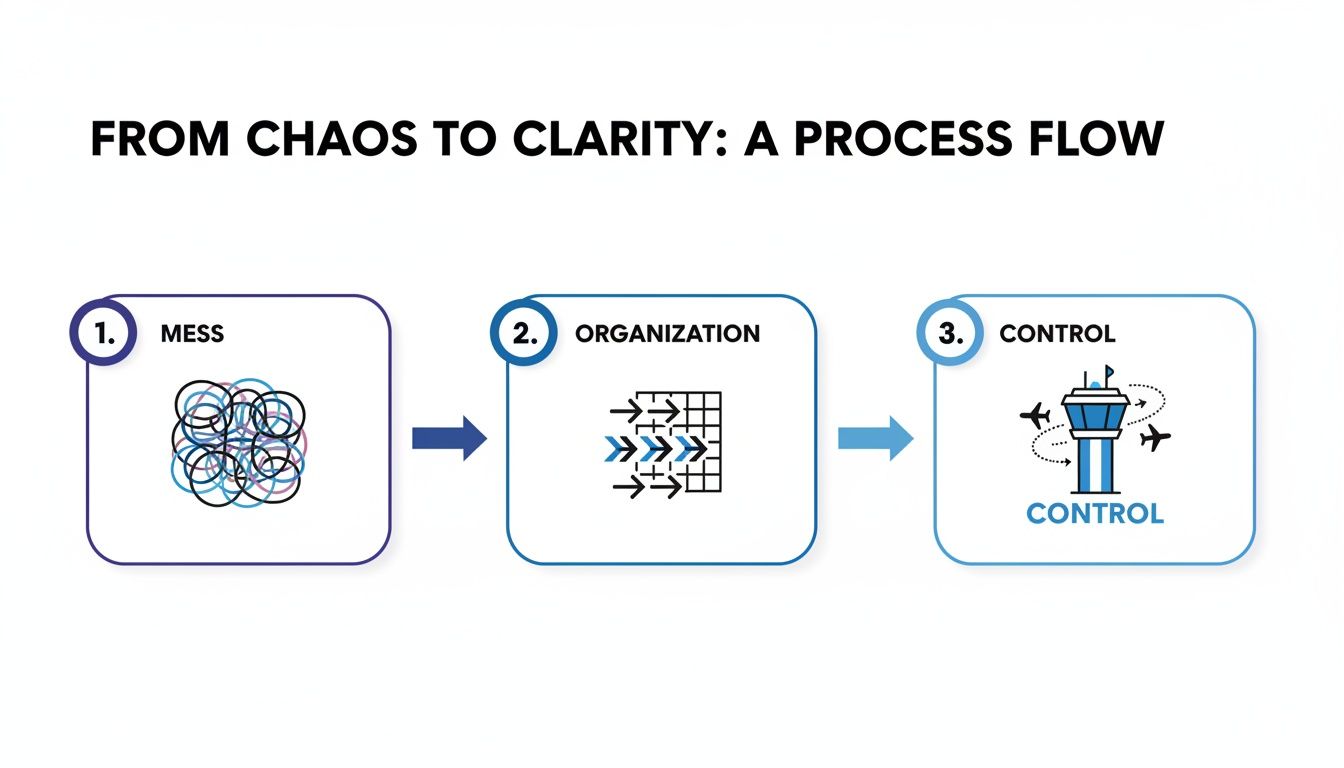
By plugging all your sales channels into one central hub, you swap out chaotic, error-prone spreadsheets for a clean, controlled operation that just works.
Think of an integrated inventory system as the central brain for your entire operation. It holds the master count for every single product you sell, no matter where it’s listed.
Here’s a simple, step-by-step look at how it works in real-time:
This all happens automatically. No more frantic spreadsheet updates or manual checks. If you want to get into the nitty-gritty of this, check out our guide on how to sync inventory for Shopee and Lazada.
Actionable Insight: The goal is to make your inventory data move as quickly as your business. When a sale happens, every connected channel should know about it almost instantly, preventing anyone from buying a product that’s already gone.
The difference between managing this manually versus with an automated system is like night and day, especially as you scale.
Here’s a quick look at how common tasks stack up when you compare a manual spreadsheet approach to a dedicated, automated platform.
| Operational Task | Manual Process (Spreadsheet) | Automated System (e.g., OneCart) |
|---|---|---|
| Updating Stock Levels | Manually adjust quantities in a spreadsheet after each sale, then log in to each marketplace to update the listing. Prone to human error. | System automatically deducts stock from a central pool and pushes the new quantity to all channels within seconds of a sale. |
| Preventing Overselling | High risk. A small delay in updating one channel can easily lead to selling out-of-stock items, resulting in cancellations and bad reviews. | Extremely low risk. Real-time syncing ensures that once a product is sold anywhere, its availability is updated everywhere almost instantly. |
| Time Spent on Admin | Hours per week spent on tedious data entry and cross-checking multiple sales channels. Time increases exponentially with more SKUs. | Minimal. The system handles all the repetitive tasks, freeing up your time to focus on marketing, customer service, and growing the business. |
| Handling Peak Sales (11.11) | Extremely stressful and nearly impossible to keep up with. Orders flood in, and manual updates can’t match the pace, leading to chaos. | The system handles high order volumes seamlessly, ensuring inventory accuracy even during the busiest sales events without any manual intervention. |
| Data Accuracy | Low. Typos, missed sales, and calculation errors in spreadsheets are common, leading to inaccurate stock counts and poor business decisions. | High. As a single source of truth, the system provides accurate, real-time data on stock levels, sales velocity, and low-stock alerts. |
Relying on spreadsheets might work when you’re just starting, but it quickly becomes a bottleneck that holds your business back. Automation is a necessity for serious multi-channel sellers.
The modern Singapore SME is increasingly “powered by cloud-based inventory management software,” giving owners real-time visibility and control over stock from any device. With the inventory management market in Asia Pacific forecast to grow at around 7.5% CAGR until 2033, the shift is well and truly on. For SMEs processing thousands of orders during peak events like 11.11, these platforms are non-negotiable for staying accurate.
Even with perfect syncing, life happens. A sudden viral TikTok video could wipe out your stock, or a supplier shipment gets delayed at the port. To shield your business from these surprises, you need a buffer stock (also known as safety stock). Use our free safety stock calculator to work out exactly how many units to hold back based on your demand variability and lead times.
A buffer is simply a small quantity of inventory you hold back from your online listings. It’s your emergency stash.
Moving beyond spreadsheets and manual counts is a huge first step. The next, and arguably more important, is to start measuring what actually matters. To really nail inventory management in Singapore, you need to track the right key performance indicators (KPIs) to see what’s working, what isn’t, and where the opportunities are to boost your profits.
Think of these metrics like a health report for your business. They tell you the real story: how fast your products are flying off the shelves, how much it costs you just to hold them, and every single time you miss out on a potential sale.
This is one of the big ones. Your Inventory Turnover Rate tells you how many times you’ve sold and replaced your entire stock over a specific period, usually a year. A higher number is generally a good sign—it points to strong sales and means you’re not sitting on dead stock.
The formula is pretty straightforward:
Inventory Turnover Rate = Cost of Goods Sold (COGS) / Average Inventory Value
Let’s put it into action. Imagine a Singapore-based online store selling skincare products. Their COGS for the year was S$200,000, and their average inventory value was S$40,000.
This means they sold through their entire inventory five times that year. For most e-commerce businesses, a turnover rate between 4 and 6 is a healthy sweet spot. If your rate is way higher, you might be under-ordering and leaving money on the table. If it’s too low, you’ve got too much cash tied up in products that just aren’t moving.
While turnover gives you the big picture, the Sell-Through Rate zooms in on how a specific product is doing. It’s a simple comparison of how many units you sold versus how many you received from your supplier in a given period, usually a month.
Here’s how you calculate it:
Sell-Through Rate (%) = (Units Sold / Units Received) x 100
This metric is your secret weapon for spotting your rockstar products and your shelf-warmers.
A sell-through rate above 80% is fantastic; it shows you’ve got a real winner on your hands. But if a product is lingering below 40%, it might be time to think about a promotion, bundle it with a bestseller, or even discontinue it to free up cash and warehouse space. Use our sell-through rate calculator to check your numbers instantly and compare them against industry benchmarks.
There’s no worse feeling than a customer ready to buy, only to find the item is “out of stock.” The Stockout Rate measures exactly how often this painful scenario happens. It’s the percentage of orders you couldn’t fulfil simply because you ran out of the product.
Keeping this number as low as humanly possible is absolutely critical for customer happiness and protecting your seller ratings on marketplaces like Shopee and Lazada.
Stockout Rate (%) = (Number of Out-of-Stock Orders / Total Number of Orders) x 100
A high stockout rate is a massive red flag. It’s telling you that your reordering process or your demand forecasting is off. You should aim to keep this well below 10%. For a deeper look into improving your store’s performance, you might want to check out the top e-commerce metrics and KPIs to track for business success.
Finally, you need to get a handle on how much it costs you just to have your stock sitting there. Carrying Costs, sometimes called holding costs, cover all the expenses tied to storing your unsold inventory.
These costs are often hidden, but they can quietly eat away at your profit margins. They typically include things like:
As a rule of thumb, carrying costs are often estimated to be around 20-30% of your total inventory value each year. Knowing this number helps you make smarter choices about how much stock to order and how urgently you need to clear out those slow-moving items.
By keeping a close eye on these four KPIs, you can transform your inventory from a simple operational chore into a powerful engine for growth for your Singaporean e-commerce business. To go deeper, try our free calculators: the EOQ calculator helps you find the optimal order quantity that minimises total cost, while the reorder point calculator tells you exactly when to place your next purchase order based on your lead time and demand.
Good inventory management in Singapore isn’t just about having the right numbers in your software. The real magic happens when that digital accuracy translates into moving physical products from your shelves into your customers’ hands, fast.
This is where your warehouse layout and courier processes become critical. Even small tweaks here can save you a surprising amount of time and money, directly impacting your speed and, ultimately, your customer’s happiness.
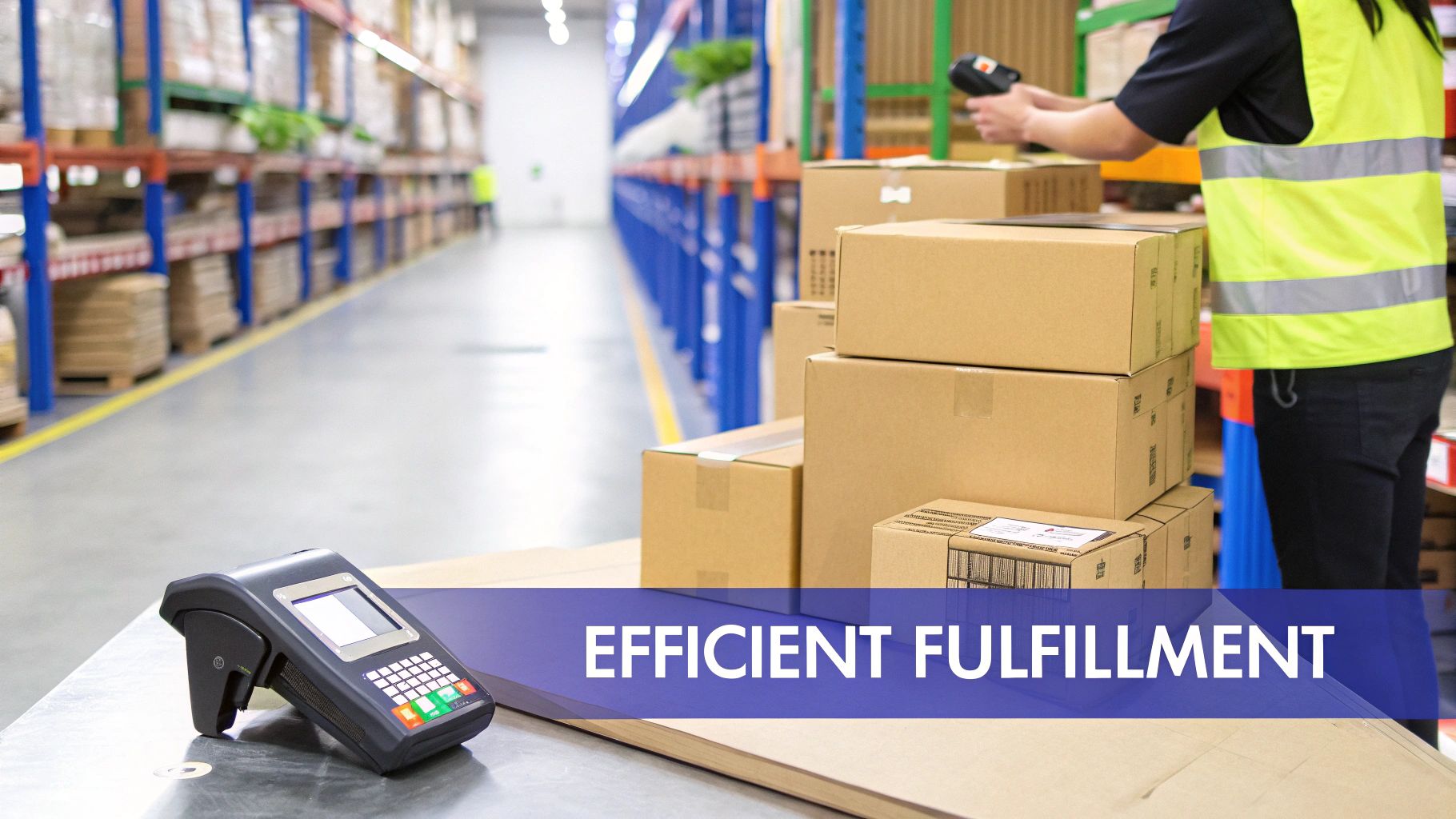
The goal is simple: slash the time it takes to find an item, pick it, pack it, and get it on its way. This means thinking logically about your storage space and smoothing out how your team works with local couriers like Ninja Van or J&T Express.
A messy, disorganised warehouse is a huge time-waster. Every minute your team spends wandering around searching for items is a minute you’re losing. Over hundreds of orders, this lost time really adds up and eats into your margins.
A few simple changes can make a massive difference.
Start with the basics: put your best-selling products closest to the packing station. It’s a common-sense move that minimises how far your team has to walk for the items they grab most often.
Ready to level up? Try implementing batch picking.
Practical Example: Batch picking is a workflow where your team grabs items for multiple orders in one single trip through the warehouse. Instead of picking one order at a time, they collect everything needed for a whole group of orders, drastically cutting down their total walking distance and speeding up the entire fulfilment process.
To pull this off without mistakes, you need technology. Using barcode scanners to verify every single item during picking and packing can boost your inventory accuracy to over 99%. This simple step stops you from sending out the wrong product, which saves you from dealing with costly returns and protects your precious seller ratings.
The final hurdle is getting the package out the door. For many Singaporean SMEs, manually booking shipments is a major bottleneck. Think about it: logging into different courier portals, copying and pasting customer details, and printing shipping labels one by one. It’s painfully slow.
An integrated inventory management system fixes this by talking directly to your local couriers.
This connection unlocks a few game-changing advantages:
This is where your digital records connect directly to the physical act of shipping. The moment a label is printed, the order status updates, and tracking info is fired back to the marketplace and your customer. It’s a seamless flow.
If you feel your physical operations are holding you back, it might be time to explore how you can modernise your warehousing and logistics with these kinds of integrated solutions.
By getting both your physical warehouse layout and your digital courier connections in sync, you build a fulfilment engine that’s fast, accurate, and ready to scale. It’s how you make sure the promise of quick delivery you make online is one you can actually keep.
Picking the right software for your inventory is a huge decision. Get it right, and it can unlock serious growth for your business. Get it wrong, and you’re looking at operational chaos, wasted money, and a whole lot of headaches.
The trick is to look past all the flashy marketing and focus on what a Singaporean multi-channel seller actually needs day-to-day.
Your goal is simple: find a system that can be the central, reliable hub for your entire e-commerce operation. It needs to be fast, accurate, and plug seamlessly into the local ecosystem of marketplaces like Shopee and Lazada. Think of it like hiring a new operations manager—you need someone who gets the local scene and won’t buckle under pressure.
When you start looking at different platforms, there are a few features that are completely non-negotiable. These are the things that solve the most painful problems for anyone selling on Shopee, Lazada, and TikTok Shop in Singapore.
Make sure any system you consider has these capabilities:
The whole point is to find a central system that gives you a live, accurate view of all your stock. Technology is there to cut down on human error and sync your inventory instantly, and that’s what you should be looking for.
A software demo is your chance to really put a platform through its paces. Don’t just sit back and let the salesperson run the show. Go in with a list of specific, tough questions that relate directly to how you run your business.
Here are a few essential ones to get you started:
The answers to these questions will tell you a lot more than any marketing brochure. They’ll show you whether the software can actually handle your real-world workflows. For a broader look at what to consider, check out our guide to the best multichannel inventory management software or our comparison of top multichannel listing tools.
Actionable Insight: Choosing inventory management software isn’t just about buying a tool; it’s about investing in an operational backbone for your business. The right choice will save you countless hours, prevent costly errors, and provide the stable foundation you need to scale confidently. Prioritise reliability and local market fit over a long list of unnecessary features.
Switching to a new inventory management system can feel like a massive undertaking. The good news is, you can make the whole process much smoother by breaking it down into a clear, step-by-step plan.
This checklist is designed to guide Singaporean SMEs through a clean implementation, helping you go live with confidence and keeping disruption to a minimum.

It helps to think of this less as a technical project and more as a fresh start for your operations. This is your chance to finally clean up old data, fine-tune your workflows, and build a solid foundation for real growth.
Before you even think about connecting your online stores, you need to get your house in order.
Starting with messy or inaccurate data is like building on a shaky foundation—it’s guaranteed to cause headaches down the line. A clean start is the single most important factor for a successful launch.
Actionable Insight: A common mistake is rushing this phase. Taking an extra day now to verify stock counts and standardise your SKUs will save you weeks of troubleshooting mismatched inventory and fulfilment errors later.
With a clean dataset ready to go, it’s time to build out your new central hub.
The key here is to move methodically. Connect and test one piece at a time to easily isolate any potential issues. Whatever you do, don’t try to connect everything at once.
Your fancy new system is only as good as the team using it.
Proper training and a controlled test run are absolutely essential to work out any kinks before you fully commit. This step makes sure everyone on the team understands their new roles and responsibilities.
Following this structured checklist turns a daunting project into a series of achievable steps. It paves the way for a smooth and successful rollout of your new singapore inventory management system.
The inventory management landscape in Singapore is shifting fast. In 2026, three trends are reshaping how local sellers operate—and they’re worth paying attention to if you want to stay ahead.
Rather than relying on gut feel or simple moving averages, more Singapore sellers are turning to AI-driven demand forecasting. These tools analyse historical sales data, seasonal patterns (think Hari Raya, 11.11, CNY), and even external signals like weather or competitor pricing to predict what you’ll need to stock. The result is fewer stockouts during peak periods and less dead stock gathering dust in your warehouse.
For sellers managing seasonal inventory, AI forecasting is particularly valuable because it accounts for the extreme demand swings that come with Southeast Asia’s packed promotional calendar.
Singapore sellers are no longer just selling domestically. With platforms like Temu opening up to third-party sellers, Amazon SG gaining traction, and cross-border e-commerce growing rapidly, many sellers now ship to Malaysia, Indonesia, the Philippines, and beyond.
This introduces new complexity: managing stock across multiple warehouses (local and overseas), navigating different marketplace fee structures, and coordinating with international 3PL partners. A centralised inventory system becomes even more critical when you’re dealing with lead times measured in weeks rather than days.
If you’re still tracking inventory in a spreadsheet, you’re in good company—but that company is shrinking fast. Our free inventory spreadsheet template is a great starting point, but most sellers who download it end up graduating to dedicated software within three to six months as their order volumes grow. The tipping point is usually around 50–100 orders per day, when manual updates simply can’t keep pace with real-time marketplace activity.
Here are some of the most common questions we hear from Singaporean e-commerce sellers about inventory management. We’ve got clear, straightforward answers to help you make the right call for your business.
The price tag on inventory management software can swing quite a bit. You could be looking at around S$50 a month for a basic plan that’s perfect for a small, growing store, all the way up to several hundred for a more powerful platform.
What drives the cost? It usually boils down to a few things:
A good rule of thumb is to pick a plan that handles your current order volume with a bit of room to spare, but make sure there’s a clear and affordable path to upgrade when you inevitably start growing.
Absolutely. When you’re just starting out, maybe handling fewer than 20 orders a day with a small product catalogue, a well-organised spreadsheet is perfectly fine. It gets the job done without any extra cost.
But here’s the catch: the moment you add a second sales channel—say, opening a Shopee store to go with your Lazada one—spreadsheets become a huge liability. The manual copy-pasting to keep stock levels in sync is a recipe for disaster. You’ll end up overselling, which tanks your seller ratings and breaks customer trust.
Think of spreadsheets as training wheels. They’re great for getting started, but you need to take them off when you’re ready to pick up speed.
Actionable Insight: The name of the game in Singapore inventory management is speed and accuracy, especially for a growing brand. Spreadsheets are slow and riddled with human error—two things you can’t afford when a big sale like 11.11 hits.
Setting up a proper inventory management system can take anywhere from a couple of days to a couple of weeks. The biggest factor? The state of your current product data.
If your SKUs are already clean, standardised, and you have an accurate count of your physical stock, you could be live in a day or two. It can be that fast.
However, if your data is a mess—scattered across different files with inconsistent names and SKUs—you’ll need to invest time in prep work. This means cleaning up product titles, standardising your SKUs, and doing a full stocktake. Rushing this cleanup phase is the single biggest reason why new system setups fail.
Your reorder point is the stock level at which you should place a new order to avoid running out. The basic formula is:
Reorder Point = (Average Daily Sales × Lead Time in Days) + Safety Stock
For example, if you sell 10 units per day of a product, your supplier takes 14 days to deliver, and you keep a safety stock buffer of 30 units, your reorder point is (10 × 14) + 30 = 170 units. When your stock hits 170, it’s time to order. Getting this right prevents both stockouts (ordering too late) and excess inventory (ordering too early).
Ready to stop juggling spreadsheets and prevent overselling for good? OneCart centralises your inventory from Shopee, Lazada, TikTok Shop, and Shopify into a single, real-time dashboard. Book a demo with OneCart today and see how you can streamline your operations.
Automate & Scale Your Online Business with OneCart
Start a Free TrialUsed by hundreds of merchants in Singapore & Southeast Asia