A Modern Guide to Retail Inventory Management 2026
Learn how to master retail inventory management with our guide on optimizing stock, tracking KPIs, and using technology to prevent stockouts and drive growth.
Learn how to master retail inventory management with our guide on optimizing stock, tracking KPIs, and using technology to prevent stockouts and drive growth.
Retail inventory management is the system you use for ordering, storing, and tracking your products. The goal is simple: meet customer demand without tying up all your cash in excess stock.
For anyone selling on multiple channels, this gets complicated fast. It means a sale on a platform like Lazada needs to instantly update the available quantity on all your other channels, whether that’s Shopee, TikTok Shop, or your own website. It’s the operational backbone that stops you from selling items you don’t actually have.
Think of your inventory like you’re the head chef of a busy restaurant. You need just the right amount of ingredients on hand to fulfill every order that comes into the kitchen. But you can’t have so much that food spoils and you’re literally throwing money away.
For an e-commerce seller, your products are your ingredients, and a sale is an order. Good management ensures your money isn’t just sitting on a shelf collecting dust as unsold goods. More importantly, it means you rarely have to tell a paying customer that dreaded phrase: “out of stock.”
The whole game is about finding that perfect balance. Too little stock, and you’re looking at missed sales and frustrated customers who will happily buy from a competitor. But too much stock creates its own set of headaches, like soaring storage costs, the risk of products becoming damaged or obsolete, and a serious cash flow crunch.
If you’re selling across multiple platforms, a single, centralized view of your inventory is essential for growth. Without it, you’re flying blind.
A sale on your Shopify store must immediately reduce the stock count available on Lazada and TikTok Shop. Trying to do this manually with spreadsheets is a recipe for disaster. It might work for a week or two, but as soon as order volume picks up, costly human errors are inevitable.
The consequences of getting this wrong are staggering. The global retail industry loses an eye-watering $1.73 trillion every single year from what’s called “inventory distortion”—a mix of having too much of the wrong stuff (overstocks) and not enough of the right stuff (out-of-stocks). That figure represents 6.5% of all global retail sales, which shows just how urgent it is to get a unified system in place. You can discover more insights about the retail inventory crisis from industry reports.
Actionable Insight: The first step to fixing this is to treat your entire stock as one central reserve that all your channels draw from in real-time. This single shift in mindset can drastically reduce overselling overnight. Stop thinking in terms of separate inventory pools for each sales channel.
A successful inventory strategy is built on several key pillars that must work together. Getting a grip on these components gives you a clear framework for building a system that can support your growth, make your operations more efficient, and protect your profit margins.
The table below breaks down the essentials. Think of it as your quick-reference guide to what a modern inventory system should be doing for you.
| Pillar | What It Involves | Why It Is Critical for Sellers |
|---|---|---|
| Ordering & Replenishment | Analyzing sales data to decide when and how much new stock to purchase from suppliers. | Prevents stockouts during peak demand and avoids tying up cash in slow-moving products. |
| Storage & Warehousing | Organizing physical inventory for efficient picking, packing, and shipping. | A well-organized warehouse reduces fulfillment time, minimizes errors, and lowers labor costs. |
| Tracking & Synchronization | Maintaining an accurate, real-time count of all items across every sales channel and location. | This is the key to preventing overselling and ensuring a consistent customer experience everywhere you sell. |
| Data & Analytics | Using key metrics to identify best-sellers, slow-movers, and overall inventory performance. | Data-driven decisions allow you to optimize purchasing, run effective promotions, and maximize profitability. |
Getting these four pillars right is the foundation of everything else. They are interconnected—strong data and analytics lead to smarter ordering, which makes warehousing more efficient and synchronization more accurate.
Great retail inventory management is about nailing the daily and weekly actions that keep your stock moving smoothly from supplier to customer. These core processes are the real engine of your operation.
Get these few activities right, and you’ll build a system that’s not just accurate but also surprisingly resilient when things go sideways.
The entire flow is actually pretty simple. You order inventory, you store it, and you track it until it’s sold. That’s it.
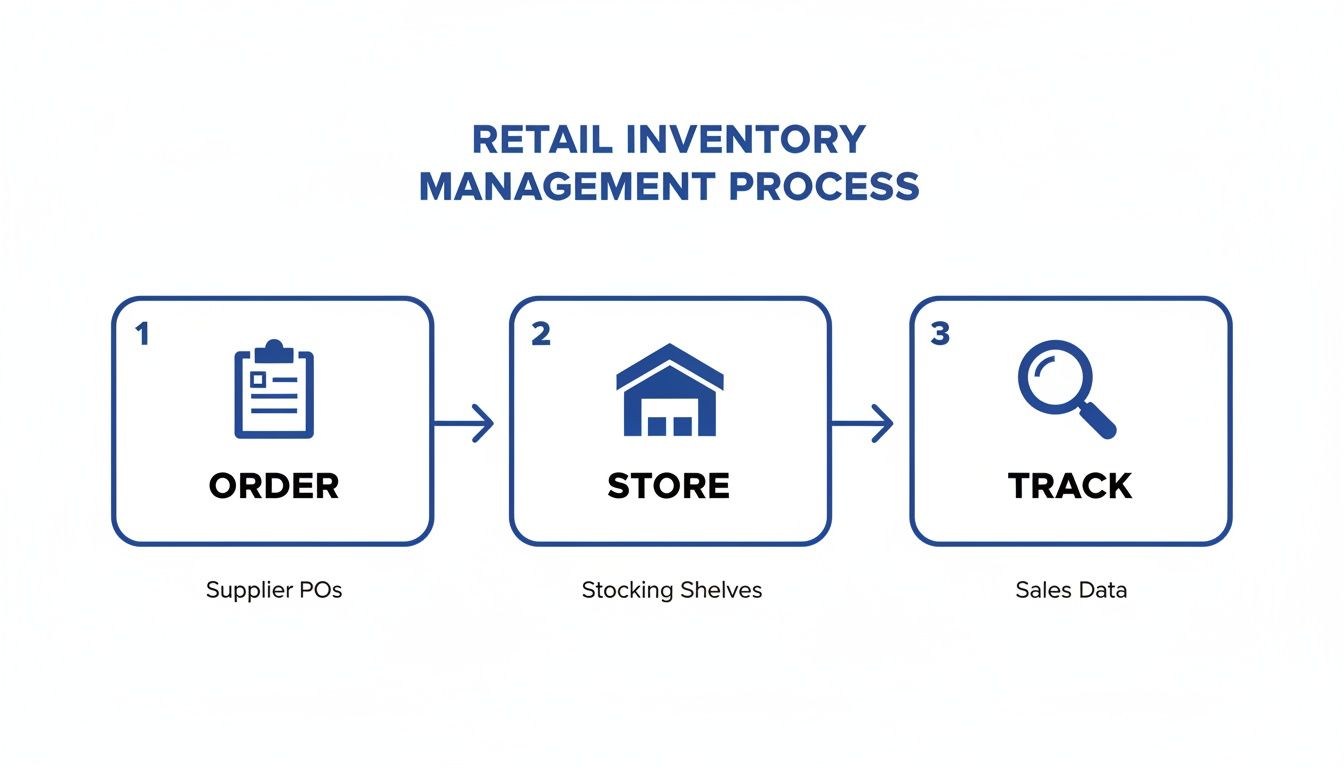
As you can see, each stage feeds into the next. A mistake in ordering creates a headache for storage, which then messes up your tracking. It’s all connected.
Knowing exactly when to reorder is one of the most stressful parts of inventory control. Wait too long, and you stock out, losing sales and customer trust. Order too soon, and you tie up precious cash in products just sitting on a shelf.
The trick is to stop guessing and start automating the decision with a reorder point (ROP).
A reorder point is just a specific stock level that automatically triggers a new purchase order. When your inventory for a particular SKU dips to this number, you know it’s time to restock—no panic, no last-minute scrambling.
Practical Example: Imagine a Shopee seller who moves about 10 units of their best-selling phone case every day. Their supplier takes 5 days to deliver a new shipment. To play it safe, they set their reorder point at 50 units (10 units/day x 5 days). The second their inventory count hits 50, their system flags it. They place the order, and the new batch arrives just as the last few are selling out.
This simple bit of math takes all the emotion and guesswork out of replenishment, making your ordering far more consistent and reliable.
Let’s be honest: a full, wall-to-wall physical inventory count is a nightmare. You have to shut down operations, pull staff off their real jobs, and spend days counting every single item.
A much smarter alternative is cycle counting. This just means checking small, specific portions of your inventory on a regular schedule.
Instead of one massive annual headache, you’re doing small, consistent checks throughout the year. This approach helps you catch discrepancies—like theft, damage, or simple data entry errors—almost as they happen. Over time, these small counts cover your entire warehouse without ever bringing your business to a halt.
Actionable Insight: Start by implementing cycle counting for your top 10% best-selling products. Count these high-velocity items once a week. This “A-item” focus will catch the most impactful discrepancies with minimal effort, immediately improving your overall inventory accuracy.
Of course, to master any of these processes, you have to start with clean, reliable numbers. The first step is to improve data quality—standardize your SKU naming, fix duplicate entries, and reconcile counts regularly—so you can actually trust the information your system gives you.
Supply chains are messy. Your supplier might have a production delay. A shipment could get stuck at the port. Or maybe a marketing campaign or an influencer shout-out causes a massive, unexpected spike in demand.
This is exactly what safety stock is for.
Safety stock is the extra inventory you deliberately hold as a buffer against all that unpredictability. Think of it as your insurance policy against stocking out due to things you can’t control. Without it, one bad shipping delay can bring your sales to a dead stop.
Here’s a straightforward way to calculate it:
(Maximum Daily Sales × Maximum Lead Time) - (Average Daily Sales × Average Lead Time).Practical Example: Let’s say your max daily sales are 20 units and the max lead time is 10 days. But your average is 10 units a day with a 5-day lead time. Your safety stock would be (20 x 10) - (10 x 5) = 150 units. That buffer of 150 units is what keeps you in business when the unexpected happens.
Great retail inventory management is built on data, not guesswork. If you want to make smart calls on purchasing, pricing, and promotions, you need to track the right Key Performance Indicators (KPIs). These metrics are what turn raw sales numbers into real insights, showing you what’s actually working and what’s quietly costing you money.
Flying blind without these figures is like trying to navigate a ship without a compass. Sure, you’re moving, but you have no idea if you’re heading toward profitability or sailing straight into a cash flow crisis. These numbers are the tools that help you steer the business.
Here’s a look at what a typical inventory analytics dashboard might show, highlighting some of the key metrics we’re about to break down.
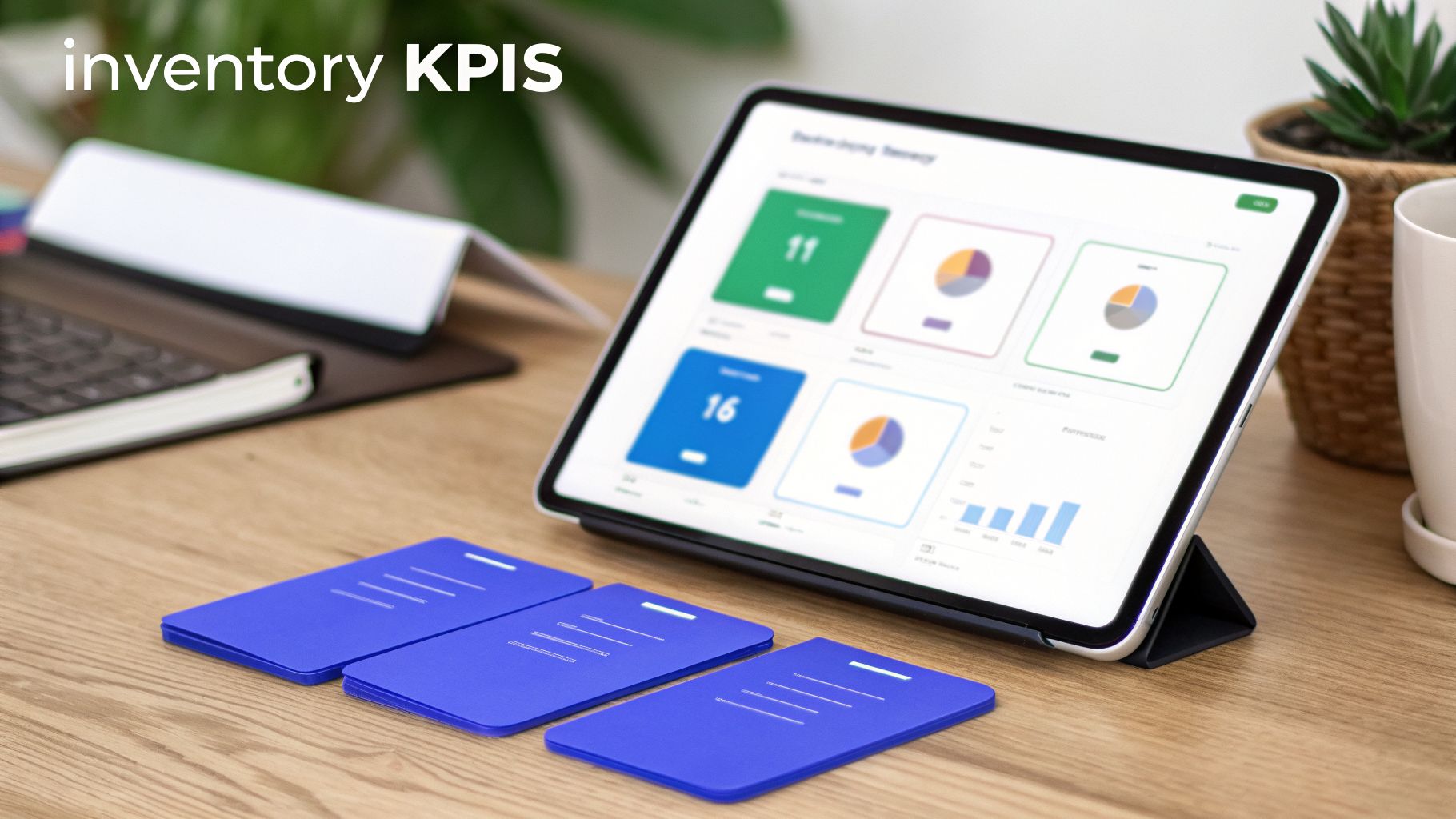
This kind of dashboard gives you a quick, high-level view of performance. It lets you spot trends in how fast your stock is moving, which products are selling through, and where your real profits are coming from.
One of the most powerful metrics you can track is the Inventory Turnover Rate. This number tells you how many times you sell through and replace your entire stock over a specific period, usually a year. A higher turnover rate is a good sign—it generally means you’re selling products quickly and not letting cash get tied up in stock.
Simple Formula: Cost of Goods Sold (COGS) / Average Inventory Value
A low turnover rate, on the other hand, can be a major red flag. It often points to slow-moving products, or “dead stock,” that are hogging capital and taking up precious warehouse space. Watching this metric helps you lean into your best-sellers and cut the products that just aren’t performing.
For a deeper dive, you can also calculate this in days to see exactly how long products sit on your shelves. Feel free to check out our guide on the inventory turnover ratio in days for more detail.
While turnover gives you the big picture, the Sell-Through Rate offers a much more focused look. It tells you how well a specific product is selling within a certain timeframe, typically a month. It simply compares the number of units you sold to the number of units you received from your supplier.
Simple Formula: (Units Sold / Units Received) x 100
Practical Example: Imagine you ordered 200 units of a new Bluetooth speaker at the start of the month. By the end of the month, you’ve sold 150 of them. Your sell-through rate for that speaker would be (150 / 200) x 100 = 75%.
This is a fantastic metric for judging the success of a marketing campaign or a new product launch. A high sell-through rate signals strong demand, while a low rate might mean your price is off or your marketing isn’t hitting the mark.
Finally, there’s Gross Margin Return on Investment (GMROI). This is the one that tells you exactly how much profit you’re making for every single dollar you invest in inventory. It’s the KPI that ties your inventory management directly to your bottom line.
Simple Formula: Gross Profit / Average Inventory Cost
A GMROI greater than 1 means you’re making more money than you’re spending on the inventory itself. For example, a GMROI of 2.5 means you earned $2.50 in gross profit for every $1.00 you invested in that stock. Tracking this helps you pinpoint your most profitable items, which aren’t always your fastest-selling ones.
The need for this kind of detailed analysis is pushing more and more businesses toward better technology. Industry research shows that the average retailer only achieves about 83% inventory accuracy—meaning nearly 1 in 5 items in their system doesn’t match reality. With real-time tracking and automation, businesses can push that accuracy well above 95%, a massive advantage for any serious seller. To learn more about these inventory management statistics, you can check out recent industry findings.
Selling across platforms like Lazada, TikTok Shop, and your own Shopify store is a fantastic way to grow your brand. But it also opens the door to some serious operational headaches. Without the right systems in place, you’ll quickly run into a few common, costly problems that can quietly sabotage your reputation and drain your profits.
These are direct threats to your business’s health. The good news? They are all completely preventable with a smart approach to multi-channel inventory management.
Overselling is the classic multi-channel trap, and it’s every seller’s worst-case scenario. It happens when a customer buys an item on one platform, but your inventory doesn’t update fast enough on your other channels. Before you can react, you’ve sold that one last item to two different people.
This immediately creates a terrible customer experience. You’re forced to cancel one of the orders, send an apology email, and process a refund. That kind of friction often leads to negative reviews and erodes the trust you’ve worked so hard to build. A recent study found that 70% of shoppers will just go to a competitor rather than wait for an out-of-stock item, showing just how quickly these mistakes cost you money.
The only real fix is a centralized system that syncs your stock levels across all channels in near real-time.
Practical Example: Imagine you have one unit left of a popular dress. A customer buys it on your Shopify site. A centralized inventory system instantly pushes that update, setting the stock to zero across your Lazada and TikTok Shop listings. The whole process takes seconds, making it impossible for another customer to buy something you no longer have.
A stockout is the flip side of the coin—you run out of a popular item and miss out on sales until you can restock. While it’s less embarrassing than overselling, stockouts are silent profit killers. It’s not just about the revenue you lose today; it can also hurt your search ranking on marketplaces, as their algorithms often penalize listings that are frequently unavailable.
Your best defenses here are solid forecasting and clear reorder points. By tracking the sales velocity for each product, you can anticipate demand spikes and make sure you have enough safety stock to cover the gap between placing a new order and having it arrive at your warehouse.
Dead stock is any item that’s been sitting on your shelf for a long time without selling. This isn’t just a storage problem; it’s frozen cash. Every dollar tied up in products that aren’t moving is a dollar you can’t invest in your best-sellers or use to grow your business.
Regularly analyzing your sell-through rates is the key to identifying slow-moving items before they officially become dead stock. Once you spot a product with a low sell-through rate, you can step in and take action.
Here are a few practical ways to deal with those slow-movers:
Things get even trickier when you introduce product bundles or run a flash sale. How do you track inventory for a gift set that contains three individual products? When you sell one set, your system needs to know to deduct one unit from each of its three components. To really get a handle on how all these moving parts fit together, it helps to understand how a multi-channel order management system can automate these complex workflows for you.
And during a flash sale, order velocity can skyrocket. A manual system simply can’t keep up, which leads directly to overselling. A robust, automated system is non-negotiable for managing these high-pressure events, ensuring your inventory counts stay accurate even when you’re processing hundreds of orders in an hour.
Let’s be blunt: trying to manage inventory across multiple channels with a spreadsheet is a recipe for disaster. It’s a direct path to overselling, frantic stock-outs, and operational chaos. The right software stack isn’t just a tool; it’s the central nervous system of your entire business.
Think of it as the plumbing that connects everything. The right tech automates the grunt work and gives you a single, reliable source of truth for your stock levels. It’s what transforms inventory management from a reactive, fire-fighting exercise into a genuine strategic advantage.
For most growing e-commerce brands, the tech stack boils down to a few key players that need to work together. Knowing what each one does helps you build a system that actually fits how you operate.
For the vast majority of multi-channel sellers, starting with a specialized IMS is the smartest move. It gives you the powerful inventory and order tools you need right now, and you can always integrate it with other systems as your business gets more complex.
The magic that connects these different platforms is something called an API (Application Programming Interface).
Don’t let the name scare you. Think of an API as a multilingual translator who allows different software programs to have a conversation and share information automatically, without any human needing to step in.
Practical Example: When a sale happens on Lazada, Lazada’s API instantly pings your Inventory Management Software with the order details. The IMS immediately updates its central stock count. It then uses another API to tell your Shopify and TikTok Shop listings, “Hey, we just sold one—reduce your available quantity by one.” This all happens in seconds.
This instant, automated communication is the absolute bedrock of modern multi-channel inventory management. Without solid API connections, your systems are just isolated islands of data, and you’re thrown right back into the world of manual updates, human error, and angry customers.
When you’re shopping around for software, cut through the marketing noise and focus on the features that solve your biggest headaches.
The shift to better tech is happening fast. Real-time inventory solutions are quickly becoming non-negotiable for multi-channel sellers. The benefits compound: fewer stockouts mean happier customers, accurate data means smarter purchasing, and automated syncing means your team spends less time on manual updates and more time growing the business.
Making the jump to a proper inventory management system can feel like a monster project. The good news is, you don’t have to do it all at once. Breaking it down into a few clear, manageable phases makes the whole thing a lot less painful and gets you results faster.
This is about a smart, phased approach that lets your team adapt, irons out the kinks as you go, and minimizes the chaos.
Before you even think about looking at software, you need to get brutally honest about where you are right now. This first step is everything—it defines the exact problems your new system needs to solve.
Start with a simple reality check. Go physically count your top 20 best-selling products and compare those numbers to what your spreadsheet or old system says — our free inventory spreadsheet template is a good starting point if you don’t have one yet. That gap you’ll almost certainly find? That’s the problem you’re here to fix.
From there, map out exactly how things get done today. How do you receive new stock? How does your team pick and pack a multi-item order for a marketplace? Get it all down on paper.
Now that you have a clear picture of your needs, you can start shopping for the right software. You’re looking for the system that directly solves the pain points you uncovered in Phase 1.
Key things to look for are real-time, multi-channel syncing, the ability to handle sudden sales spikes without crashing, and reporting tools that actually make sense.
Once you’ve picked a partner, the real prep work begins. This means cleaning up your product data. You need consistent SKUs, clean product titles, and accurate costs. Migrating messy data into a shiny new system is a recipe for disaster.
Actionable Insight: Your new software is only as good as the data you put into it. Taking the time to standardize SKUs and clean up product information before migration will save you countless headaches later.
This is where the plan becomes reality. You’ll work with your new software provider to connect your sales channels—your Shopify store, your Amazon account, your Shopee shop—and migrate your clean data into the system. A smart move here is to run the new software alongside your old methods for a week or two. This lets you compare results and build confidence that everything is working as it should.
At the same time, you have to get your team on board. Training needs to explain why this new process is better and how it makes their jobs easier, not harder.
Find one or two people on your team who are excited about the change and turn them into “champions.” Let them become the in-house experts who can help their colleagues. Peer-to-peer learning is often way more effective than a memo from management. When your team sees the benefits for themselves, they won’t just accept the new system—they’ll embrace it.
Even with the best plan, real-world questions always pop up when you’re dialing in a process as important as inventory management. Here are a few of the most common ones we hear from sellers, brand owners, and warehouse managers, along with some straight-shooting answers.
If you’re running a modern, real-time inventory system and doing regular cycle counts, a massive wall-to-wall physical count is usually only necessary once per year.
Think of it less as a daily tool and more as an annual audit. Its main job is to verify that your system’s data is truly accurate and to reset your baseline for the next twelve months. The whole point of a perpetual inventory system is to avoid the disruption of constant manual counts.
However, if you’re still working off spreadsheets or a system that doesn’t sync in real-time, you’ll need to do it more often. Quarterly, or even monthly, might be necessary to catch big discrepancies before they snowball into stockouts or overselling.
This one trips up a lot of new sellers, but it’s actually pretty simple. The key is to think internal vs. external.
Your SKU is for managing your own stock. The UPC is for identifying your product out in the big, wide world of retail.
Managing pre-orders is all about creating a “virtual” stock pool. You’re selling something you don’t physically have yet, so the number one rule is to keep that pre-order stock completely separate from your on-hand inventory. If you don’t, you’ll inevitably oversell the stock you do have.
Actionable Insight: In your inventory system, create a separate, non-physical warehouse location and name it something like “Pre-Orders” or “Incoming Stock.” When a pre-order sale comes in, allocate that unit from this virtual location. Once the new shipment actually arrives at your warehouse, you simply “transfer” the stock from the “Pre-Orders” location to your main physical warehouse and fulfill those waiting orders.
This simple trick turns a potentially chaotic process into a clean accounting exercise. It keeps your real-time available stock count accurate for immediate sales while giving you a perfect tally of how many units from your next shipment are already spoken for.
Ready to stop overselling and get a single, real-time view of your entire operation? With OneCart, you can centralize your inventory, orders, and listings across every sales channel. See how much time you can save at https://www.getonecart.com.
Automate & Scale Your Online Business with OneCart
Start a Free TrialUsed by hundreds of merchants in Singapore & Southeast Asia