Perpetual inventory system: Real-Time Stock Control for Your Business [2025]
Discover how a perpetual inventory system delivers real-time stock accuracy, reduces overselling, and simplifies management, learn its benefits and setup.
Discover how a perpetual inventory system delivers real-time stock accuracy, reduces overselling, and simplifies management, learn its benefits and setup.
Imagine trying to run your business without knowing how much money is in your bank account. You wouldn’t, right? A perpetual inventory system brings that same real-time clarity to your products. It’s a live, constantly updated view of your stock, recording every sale, return, and new delivery the moment it happens.
For any growing ecommerce business, this system helps you stop guessing and start making data-driven decisions.
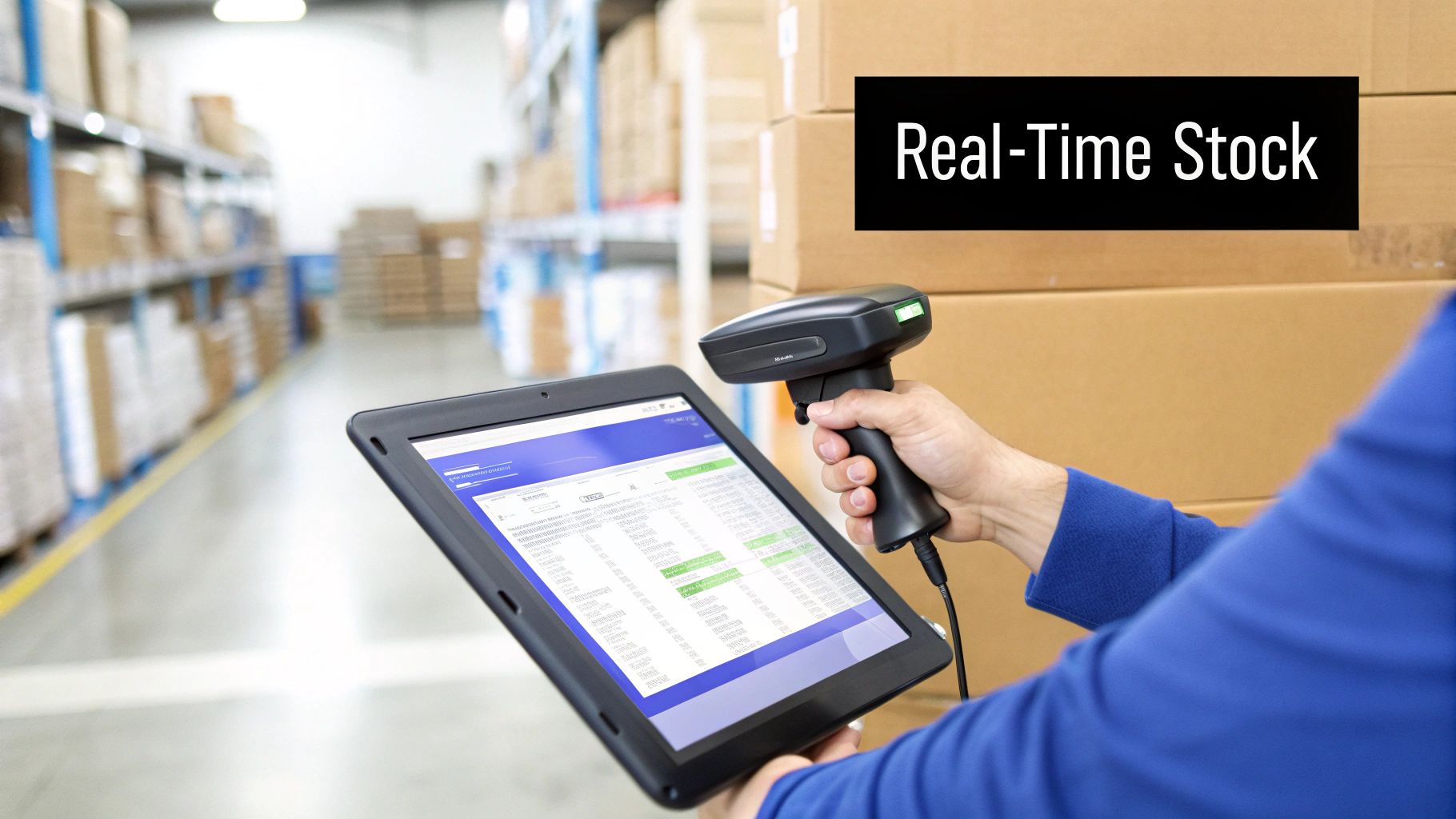
Think of your inventory like a live bank balance. Every time money goes in or out, your balance updates instantly. A perpetual system does the exact same for your products. It is a method of continuous stock tracking that gives you complete visibility over what you have, where it is, and when you need to order more.
This approach relies on technology to do the heavy lifting. When a product is scanned at your point-of-sale (POS) terminal or checked into your warehouse, the system immediately adjusts the stock count. This is a significant improvement over traditional methods that required shutting down operations for a large-scale, manual stocktake every few months.
The core function of a perpetual inventory system is to track every single product movement automatically. This involves a few key components working together to keep your stock records perfectly accurate. The second a transaction happens, it triggers an update in your central inventory database.
Here’s what that looks like day-to-day:
A reliable perpetual inventory system is built on a solid foundation of hardware and software that communicate with each other. These tools work in sync to capture data accurately and ensure your inventory records are always current. Attempting to maintain this level of accuracy manually would be incredibly difficult.
Practical Example: You run an online store selling skincare products. When a new shipment of 100 bottles of facial cleanser arrives, your team scans the barcode on the shipping box. The system instantly updates your stock from 25 units to 125 units. As orders are placed through your website, the software automatically reduces the count with each sale.
An actionable insight from this constant tracking is setting up automated reorder points. When your stock of cleanser drops to a preset level, say 30 units, the system can automatically flag it or even generate a purchase order to your supplier. This simple alert prevents stockouts and keeps sales flowing smoothly.
This kind of automation is powered by a few key pieces of tech:
By connecting these tools, you create a seamless flow of information. This integration transforms basic record-keeping into a powerful management tool, giving you the data needed for smarter forecasting, better purchasing decisions, and improved customer satisfaction.
To fully appreciate the value of a perpetual inventory system, it is helpful to compare it with the traditional method: periodic counting.
Imagine you’re trying to monitor traffic on a busy highway. A perpetual system is like having a live video feed, showing you every single car as it passes in real-time. A periodic system is like taking a single photo of the highway at midnight. You get a snapshot, but you’ve missed everything that happened during the day.
This difference in timing and data flow separates a nimble, responsive business from one that is always playing catch-up. With a live feed—the perpetual system—you can spot problems the moment they happen. For example, a sudden drop in your stock count for a popular item without a matching sale is a major red flag. It could be theft, damage, or a receiving error, and you can investigate it immediately, not a month from now.
Periodic systems leave you completely in the dark between counts. If a box of products goes missing in the first week of the month, you probably won’t know until you shut down operations for a physical stocktake weeks later. By then, the trail is cold, making it nearly impossible to determine what went wrong.
A periodic system is built entirely on manual, physical counts to determine inventory levels and calculate the cost of goods sold (COGS). It is an incredibly labour-intensive process that often forces you to halt your entire operation just to get an accurate count. This disruption is significant, and the process is also riddled with potential for human error—miscounts, typos during data entry, and entire sections of the warehouse being missed are common issues.
A perpetual inventory system automates the entire process. By using tools like barcode scanners and inventory management software, it logs every transaction as it occurs. This not only increases accuracy but also frees your team from the tedious task of manual counting. They can then focus on activities that grow the business, like fulfilling orders faster and improving customer service.
The impact of this real-time accuracy is substantial. It’s why perpetual systems have become the standard in Singapore’s fast-paced retail and logistics scene. An industry survey found that around 67% of medium to large businesses in Singapore use perpetual inventory management, citing better accuracy and fewer stockouts as key reasons.
The level of visibility each system offers directly impacts your ability to make smart, profitable decisions.
With a periodic system, you are always looking at past data. You are forced to make purchasing and marketing decisions based on old information. This dramatically increases the risk of overstocking items nobody wants while running out of your best-sellers.
This lack of current insight is a major handicap for any ecommerce seller. You might launch a big promotion for a product, only to discover you have far less stock than your last count suggested. This leads directly to overselling, which means cancelled orders, unhappy customers, and a damaged reputation. Knowing how to prevent overselling in ecommerce is critical, and a perpetual system provides the live data you need to do it effectively.
In stark contrast, a perpetual system gives you a forward-looking view of your business. With up-to-the-minute data on sales velocity, stock levels, and product performance, you can:
To make the differences clear, let’s break down the core operational distinctions between the two systems. Each approach has fundamental implications for how you run your business, from daily tasks to long-term strategy.
| Feature | Perpetual Inventory System | Periodic Inventory System |
|---|---|---|
| Stock Updates | Real-time, continuous updates with every transaction | Only updated at the end of a set period (e.g., monthly) after a physical count |
| Data Accuracy | High, as technology minimises human error in daily operations | Lower, susceptible to errors from manual counting and data entry |
| Labour Cost | Higher initial setup cost but lower ongoing labour for counting | Lower initial setup cost but high recurring labour costs for physical stocktakes |
| Stock Visibility | Complete, moment-to-moment visibility into inventory levels | Limited visibility between physical counts, creating blind spots |
| Overselling Risk | Low, as stock levels are synchronised across all sales channels in real-time | High, as there is no real-time data to prevent selling out-of-stock items |
Ultimately, the choice depends on what you value more: short-term cost savings with the periodic method, or long-term operational efficiency, accuracy, and growth potential with a perpetual system. For any serious multi-channel ecommerce merchant, the latter is usually the more strategic choice.

Switching to a perpetual inventory system is a strategic shift that yields tangible benefits. The most immediate advantage is pinpoint stock accuracy. When you know exactly what you have on hand at any given moment, you can eliminate overselling and significantly reduce the risk of stockouts.
These two problems are notorious for frustrating customers and can quickly damage your brand’s reputation. A constant, reliable stream of data provides the foundation for a healthier, more predictable business.
With accurate, live data at your fingertips, you can stop reacting to stock levels and start proactively forecasting. A perpetual inventory system provides clear insights into your products—it tells you which ones are selling quickly and which ones are collecting dust.
This clarity means you can allocate your capital more effectively. Instead of tying up cash in slow-moving items, you can invest in your bestsellers and ensure you are always ready to meet demand. This data-driven approach transforms purchasing from a guessing game into a precise science.
Actionable Insight: Make it a weekly habit to review your sales velocity reports. If a product’s sell-through rate is consistently low, consider running a promotion to clear it out instead of reordering. This keeps your cash flow nimble and your warehouse space free for items that actually make you money.
Large-scale, all-hands-on-deck physical stock counts are disruptive. They force you to halt operations and pull your team away from revenue-generating activities, like fulfilling orders and assisting customers.
A perpetual system dramatically reduces the need for these disruptive stocktakes. By automating the tracking process, your entire workflow becomes smoother. This efficiency frees up your team to focus on tasks that directly contribute to business growth. This is especially true in the manufacturing sector, where managing raw materials, work-in-progress, and finished goods is critical to keeping production lines running and deliveries on time.
A key benefit of a perpetual system is how quickly it flags problems. A mismatch between your system’s data and a quick spot-check can instantly uncover issues like theft, supplier short-shipments, or receiving errors before they escalate into significant financial problems.
This demand for efficiency is why adoption is increasing in the region. The Singapore inventory tracking system market is expected to grow at a compound annual growth rate (CAGR) of about 12.5% between 2025 and 2031. It’s clear that businesses are seeking these real-time solutions.
Ultimately, all these operational improvements lead to one thing: happier customers. When your inventory data is accurate, you deliver a reliable and smooth shopping experience every time.
Here’s how a perpetual inventory system directly improves the customer journey:
By consistently meeting customer expectations, you build the trust that fosters repeat business. A dependable, efficient operation, powered by a perpetual inventory system, is a cornerstone of your brand’s reputation and long-term success.
While a perpetual inventory system is incredibly powerful, making the switch requires careful planning. To succeed, you need to anticipate a few common challenges. Knowing what they are ahead of time allows you to prepare, ensuring your rollout is smooth and delivers the accuracy you’re after.
The biggest challenges businesses usually encounter are the initial costs, maintaining data cleanliness, and managing software integrations. Let’s break down each one and discuss practical ways to overcome them.
The first consideration for most business owners is the cost. Implementing a perpetual system involves investing in software (your inventory management platform) and sometimes hardware (like barcode scanners or POS systems). For smaller or growing businesses, this can feel like a significant expense.
However, viewing this as an investment rather than an expense is key. A good system pays for itself over time by reducing costly errors, preventing stockouts, and saving countless hours of manual labour.
Here’s how you can manage the cost effectively:
A perpetual inventory system’s effectiveness depends on the quality of its data. A simple human error, like a missed scan or a typo when receiving stock, can disrupt the entire system. This makes disciplined workflows and thorough team training non-negotiable. Without them, you risk automating mistakes.
The goal is to build a culture of accuracy where everyone understands their role in maintaining pristine data. This must start from day one.
Your system’s accuracy is a direct reflection of your team’s processes. A single unscanned return or a miskeyed receiving quantity can create a ripple effect, leading to incorrect stock counts, overselling, and very unhappy customers.
To protect your data integrity, focus on these steps:
Finally, a significant challenge is ensuring your new inventory software integrates with your other tools—your accounting platform, your website, and all the different online marketplaces you sell on. If your systems are disconnected, you will be stuck doing manual updates, which defeats the purpose of a real-time system.
Proper integration is what makes the system powerful. It ensures that when a sale is made on Shopee, your accounting software and central inventory dashboard are all updated instantly. For multi-channel sellers, a platform like OneCart is designed to be this central hub. It pulls in data from all your sales channels to maintain one single, reliable source of truth for your stock levels. This is how you prevent overselling and avoid logging into multiple platforms to update a quantity. Planning your integrations from the beginning is key to a truly seamless operation.
Switching to a perpetual inventory system is a deliberate process. A successful transition depends on a clear, step-by-step plan that covers everything from selecting the right software to training your team. By breaking it down into manageable stages, you’ll have a smoother rollout and start seeing the accuracy and efficiency gains you’re after.
Think of this roadmap as the foundation for your entire inventory management strategy. We’ll walk through the essential phases, from choosing your tools to empowering your team to maintain data integrity.
First, you need to select your inventory management software. This platform will be the central nervous system of your operation, so picking one that fits your business is crucial. Don’t just look at the price; focus on the features that will genuinely support your growth.
For anyone selling across multiple channels, certain features are non-negotiable. Your software must integrate seamlessly with the marketplaces you sell on—like Shopee and Lazada—as well as your own ecommerce store. This is the only way to ensure a sale on one channel instantly updates your stock count everywhere else, which is the key to avoiding overselling.
Here are the must-have features to look for:
Your new system is only as good as the data you put into it. Before you go live, you need to perform a thorough data cleanup and establish a perfect baseline with a full, initial stocktake. This is often the most labour-intensive part of the process, but cutting corners here will undermine your efforts.
Start by standardising all your product information. Ensure every item has a unique SKU, a clear product name, and correct supplier details. Inconsistent data, like having multiple SKUs for the same T-shirt, will create chaos in any system.
Once your product data is clean, you must perform a comprehensive physical stock count. This isn’t just a routine check; it is the definitive count that will serve as the starting point for your new perpetual system. Every single item needs to be counted and recorded accurately to establish your baseline inventory levels.
Think of this initial stocktake as calibrating your new system. An accurate starting number ensures that from day one, the real-time adjustments made by sales and receiving are building upon a foundation of truth, not guesswork.
The hurdles you’ll face—cost, data prep, and training—are the core of this process.
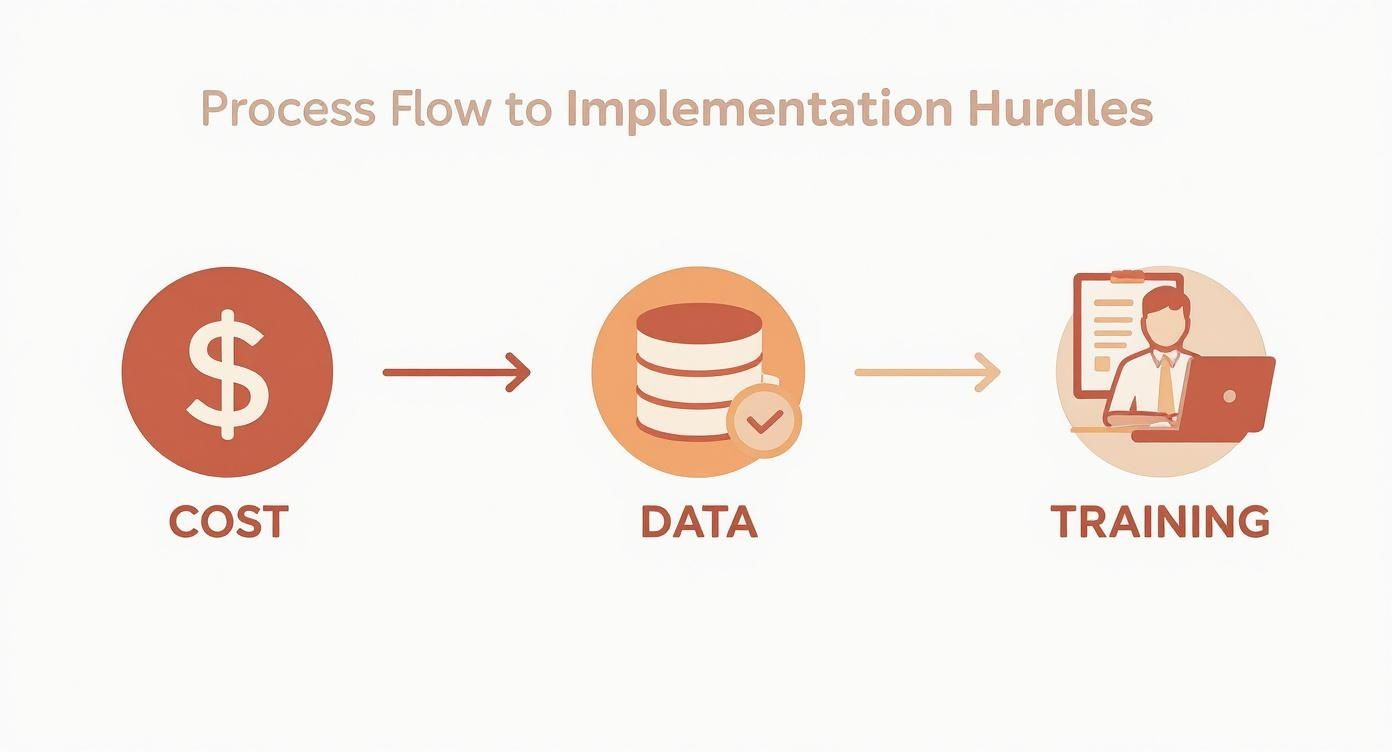
As you can see, managing costs, ensuring data accuracy, and investing in your team are the three pillars of a successful implementation.
With your software chosen and your data pristine, it’s time to integrate the hardware. This usually means barcode scanners for your warehouse team and point-of-sale (POS) systems if you have a physical shop. The goal is to create a seamless link where a physical action, like scanning a product, instantly triggers a digital update in your software.
Practical Example: Set up a dedicated receiving station where all incoming shipments are scanned against purchase orders. This simple workflow ensures new stock is added to your system the moment it arrives, making it available for sale across all channels immediately. Similarly, organise your picking and packing stations with scanners to ensure the right items are deducted from inventory as orders are fulfilled. To learn more, check out our detailed guide on the core components of an inventory management system.
The final, and arguably most important, step is training your team. Your technology is just a tool; it’s your people who make it work. A well-trained team that understands the importance of new procedures is your best defence against data drift and inaccuracies.
Good training should be hands-on and process-focused. Don’t just show them how to click buttons in the software; explain why each step matters. For example, explain that scanning an item upon return isn’t just busywork—it’s what makes that product visible and available for the next online customer.
Organise dedicated training sessions to cover key workflows:
When you invest time in solid training, you empower your team to become guardians of your inventory data. That’s what ensures the long-term success of your perpetual inventory system.
Once your perpetual inventory system is operational, its real value is revealed in the data. To determine its effectiveness, you’ll need to track a few essential key performance indicators (KPIs). Think of these metrics as health monitors for your stock, telling you what’s selling and where you need to make changes to improve cash flow and profits.
Monitoring these numbers helps you move beyond simply knowing your stock count. It gives you the power to understand how efficiently your inventory is generating revenue.
The Inventory Turnover Ratio is a critical metric. It tells you how many times your business has sold and replaced its entire stock over a specific period. A higher ratio is generally a positive sign, indicating strong sales and efficient management. Conversely, a low ratio might signal overstocking or sluggish sales.
Here’s the simple formula to calculate it: Cost of Goods Sold (COGS) / Average Inventory Value
Practical Example: If your total COGS for the year was S$100,000 and your average inventory was worth S$20,000, your turnover ratio would be 5. This means you sold through your entire inventory five times that year. Understanding this is a game-changer for efficiency, which is why we recommend mastering inventory turnover ratio calculation to fine-tune your operations.
While turnover provides a high-level view, the Sell-Through Rate focuses on the performance of specific products. It compares the number of units sold to the number you received from your supplier in a given period, typically a month. It’s an excellent way to identify your best- and worst-performing items.
The formula is straightforward: (Units Sold / Units Received) x 100
Actionable Insight: Imagine you received 100 units of a new phone case at the beginning of the month and sold 85 of them. Your sell-through rate for that product is a solid 85%. A high number like this is a clear signal that the product is popular, and you should probably reorder soon. Conversely, a product with a 10% sell-through rate may need a price reduction or marketing push to move.
Finally, there are Carrying Costs (also known as holding costs). These are the often-hidden expenses associated with storing unsold products. This includes warehouse rent, insurance, staff salaries, and potential losses from stock that becomes damaged or obsolete. This is typically calculated as a percentage of your total inventory’s value.
Understanding this metric is crucial because it highlights how much cash is tied up in products sitting on your shelves. If your carrying costs are increasing, it’s a clear sign you need to be more aggressive in clearing out slow-moving stock to free up capital. For a deeper look, check out our guide on mastering inventory analytics to optimise stock levels.
Let’s address some of the common questions business owners have when considering a switch to a perpetual inventory system.
Absolutely. While it may seem like a big step initially, the benefits are significant. You can expect fewer stockouts, more accurate financial data, and happier customers—all of which help a small business compete effectively.
Today, you don’t need a massive budget. Modern cloud-based systems are designed to scale with your business, often offering affordable monthly plans that are accessible even for small operations. The key is to choose a solution that can grow with you.
Yes, even with an excellent system, physical counts remain important. They serve as a reality check, helping you identify real-world issues like theft, damaged goods, or occasional data entry errors.
However, you can say goodbye to the disruptive annual stocktake that shuts down your entire operation. Most businesses transition to cycle counting. This simply means counting small, manageable sections of your inventory on a rotating schedule. For instance, you could count a handful of your best-selling SKUs every week. It’s far less disruptive and helps maintain high accuracy throughout the year.
Not directly, but this is where the power of integration comes in. Most modern inventory platforms are designed to connect seamlessly with your accounting software. When an item is sold, the system can instantly update your inventory asset account and record the Cost of Goods Sold (COGS).
This connection is a major advantage. It automates key bookkeeping tasks, reduces manual errors, and provides a constantly updated view of your business’s financial health and profitability—with no extra data entry required.
This link between your daily operations and your finances is one of the most powerful benefits of a well-implemented perpetual inventory system.
Ready to stop overselling and gain real-time control over your stock across every channel? OneCart centralises your inventory from Shopee, Lazada, TikTok Shop, and more, syncing stock levels in seconds to give you one source of truth. See how you can streamline your operations by visiting https://www.getonecart.com.
Automate & Scale Your Online Business with OneCart
Start a Free TrialUsed by hundreds of merchants in Singapore & Southeast Asia