Your Essential Ecommerce Packing List Template 2026
Stop fulfillment errors with our packing list template. Learn to create, customize, and automate your packing process for Shopify, Shopee, and Lazada.
Stop fulfillment errors with our packing list template. Learn to create, customize, and automate your packing process for Shopify, Shopee, and Lazada.
A packing list template is a document that standardises the contents, quantities, and other critical details for every order your warehouse team fulfils. Use it as a clear, repeatable checklist to drive accuracy and speed, helping you drastically reduce packing errors from the start.

If your fulfilment process feels chaotic during sales peaks, a clear, consistent packing list template can shift your operation from a source of costly errors into a streamlined engine for growth.
Standardisation helps you scale your e-commerce business without creating operational bottlenecks. For example, during a flash sale, instead of scrambling, your team works from a clear, unified document. This simple shift ensures every order is picked and packed correctly, every time.
The most immediate impact you’ll see from a good template is a sharp reduction in picking and packing mistakes. When every list follows the same format—clearly showing SKUs, product names, quantities, and bin locations—the room for human error shrinks dramatically.
This has a direct impact on your bottom line. You will minimise the costs tied to returns, redeliveries, and customer service hours spent fixing incorrect orders. For a deeper dive into optimising your operations, you can explore our complete guide to warehousing and logistics.
Consistency creates speed. When your warehouse staff knows exactly where to look for critical information on every document, they can process orders much faster. They aren’t deciphering handwritten notes or trying to understand different layouts from various sales channels.
This increased efficiency is crucial for meeting customer expectations for fast shipping and handling high-volume periods without needing to hire temporary staff. An actionable insight here is to train your team to read the template from top to bottom, left to right, every single time to build muscle memory and increase picking speed.
A well-organised packing list is a critical operational tool that communicates clear instructions from the sales channel directly to the warehouse floor. It bridges the gap between a digital order and the physical product.
The e-commerce landscape is growing at an incredible pace, placing immense pressure on fulfilment operations. Singapore’s e-commerce market continues to expand rapidly, with projections showing it could reach USD 11 billion by 2025. This explosive growth means local businesses are facing much higher transaction volumes and order complexity.
For platforms processing thousands of orders daily, efficient packing list generation is a critical component for survival and success. You can discover more insights about this market growth on Trade.gov’s Singapore eCommerce guide.
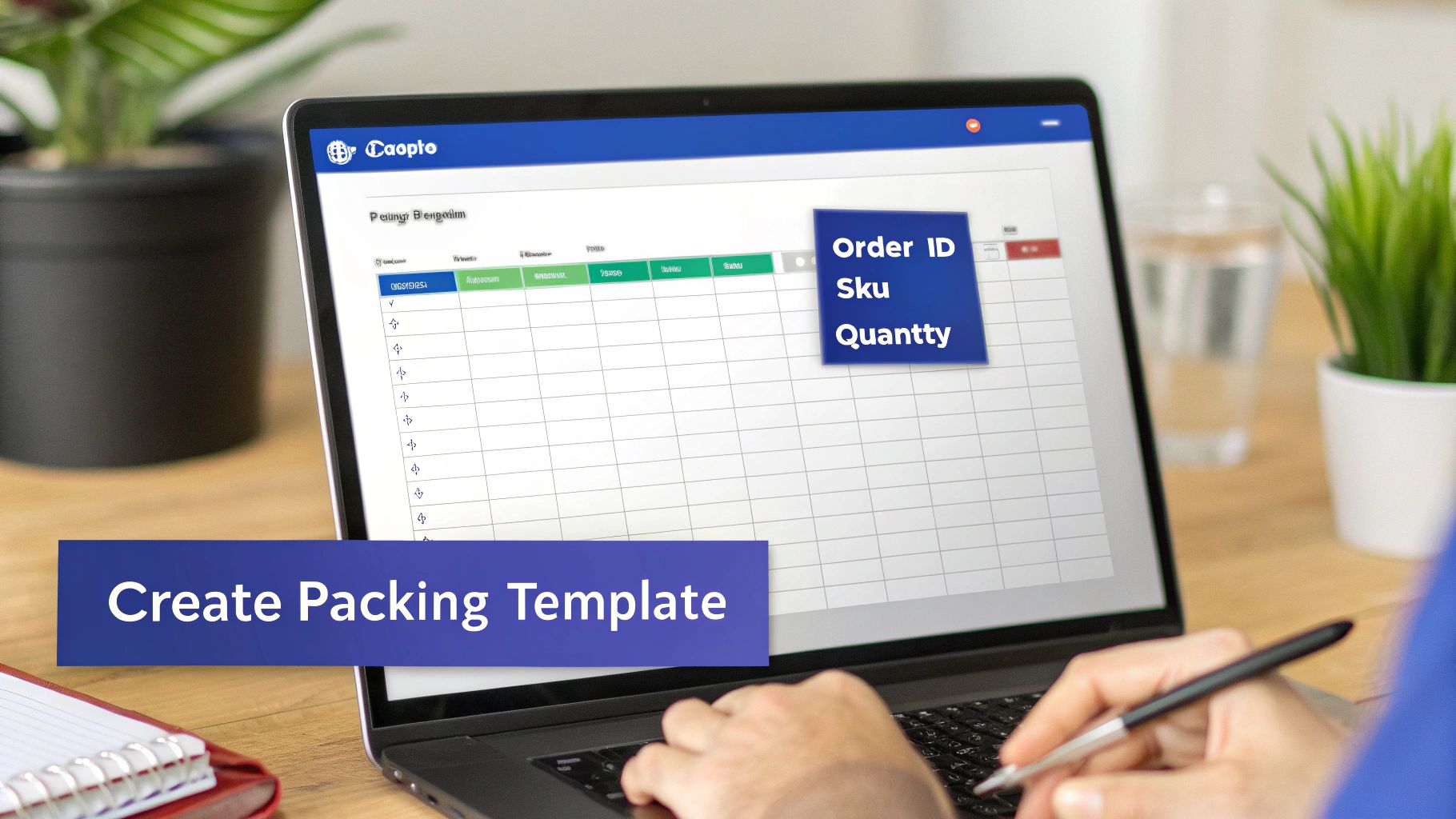
Before you dive into complex software, start with something you already have. Creating a solid, reusable packing list template in Google Sheets or Microsoft Excel is a massive first step toward bringing order to your fulfilment process. It’s flexible, free, and it works.
The goal is to build a master document you can duplicate daily, giving your warehouse team a consistent and clear guide for every single order.
If you’ve ever looked into creating packing slips for your store, the core principle is the same. You’re structuring information to prevent mistakes and make work faster. In fact, you can try our free packing slip template generator to create professional packing slips instantly. A well-designed packing list does exactly that for your business.
Getting started is simple. Open a new spreadsheet and think about the essential information your team needs to grab the right product and get it into the right box. Each of those essentials will become a column header.
First, let’s lay down the basic framework. These are the columns you absolutely cannot skip. They answer the who, what, and where for every single item that needs to be picked.
Here are the essential columns for any e-commerce packing list:
This simple structure is the backbone of your entire template. At a glance, a picker should know exactly what to grab, how many, and where to find it.
Once the basics are solid, you can add a few simple features that turn your static list into a dynamic tool. These small tweaks make a huge difference in managing the day’s workflow.
A great place to start is an Order Status column. Using the data validation feature in Sheets or Excel, you can create a simple drop-down menu with options like ‘To Pick’, ‘Picking in Progress’, ‘Packed’, and ‘Shipped’. This gives you a live look at where every order stands.
Another incredibly useful feature is Conditional Formatting. This lets you automatically highlight rows based on rules you set. For a practical example, create a rule that turns the entire row bright red if an order is marked for ‘Priority Shipping’. It’s a powerful visual cue that tells your team what to focus on first, no verbal instructions needed.
Your spreadsheet should be an interactive tool that guides your team’s actions. Simple features like drop-down menus and colour-coding transform it from a simple document into a dynamic workflow guide.
Below is a quick example of how you might set this up for an order with multiple items. Notice how each product gets its own row, even though they share the same Order ID. This line-item approach is fundamental for accuracy—it stops pickers from accidentally missing one item in a larger order.
| Order ID | SKU | Product Name | Quantity | Warehouse Location | Status |
|---|---|---|---|---|---|
| SHP-9871 | TBL-001-BLK | Black T-Shirt (L) | 2 | A-01-C | To Pick |
| SHP-9871 | JNS-004-BLU | Blue Jeans (32) | 1 | C-04-A | To Pick |
| LAZ-3345 | MUG-012-WHT | White Coffee Mug | 4 | B-02-F | Packed |
By building this foundational template, you’re creating a single source of truth for your fulfilment team. It’s a tangible, practical tool you can start using today to immediately boost accuracy and efficiency on your warehouse floor.
A single packing list template rarely fits every corner of an e-commerce operation. A good template is flexible. You need a solid foundation that can be easily tweaked for the specific demands of each sales channel and fulfilment method you use.
These small, targeted adjustments turn a generic document into a specialised tool that catches errors before they happen. Let’s walk through how to adapt your master template for three common scenarios.
When you’re a DTC brand, the customer experience is everything. Your packing list should reflect that by acting as a final quality check for personalisation and brand presentation. You are delivering the exact experience that customer paid for.
A few simple additions to your template can make all the difference. For your Shopify orders, try adding these columns:
For instance, an order for a skincare brand might have “Happy Birthday, Mum!” in the “Gift Message” column and “Yes” under “Special Packaging.” This instantly signals the packer to use the premium gift wrap and include the handwritten note, creating a memorable unboxing that builds customer loyalty.
Selling on marketplaces like Shopee and Lazada means your packing list needs to match their system. The goal here is matching the physical order to the digital record in the seller centre, which is vital for fast, accurate fulfilment.
Your marketplace-specific template should have columns for the platform’s unique identifiers front and centre. This simple change cuts out the confusion when you’re jumping between orders from different channels.
The goal is to make your internal document a mirror of the marketplace order page. This alignment reduces the mental friction for your team, allowing them to pick, pack, and ship faster and with fewer mistakes.
Here are the fields to consider:
A Lazada order on your list might show Order ID #305182947 and Carrier “SPX Express”. This immediately tells your team how to prioritise the package and which courier pile it belongs in, cleaning up the handover process at the end of the day.
If you’re outsourcing your fulfilment to a Third-Party Logistics (3PL) provider, your packing list transforms into a critical instruction manual. It has to be crystal clear, ensuring the 3PL’s team handles your products exactly as you intend—especially when they’re managing inventory for dozens of other clients.
Precise documentation is the foundation of good Singapore inventory management when you bring in outside partners.
Your 3PL-focused template must have fields that leave no room for guesswork and provide exact handling instructions.
Once you’ve got a solid packing list template, a few simple upgrades can completely change the game in your warehouse. Turning a basic list into a high-powered tool usually comes down to two key additions: barcodes and optimised pick paths.
These are smart, practical changes that cut down on human error and stop your team from wasting time wandering around the warehouse floor.
Embedding barcodes for your SKUs and Order IDs directly into your template is a massive step up. This simple move lets your packing team use handheld scanners to verify everything, confirming the right product is going into the right box with a quick scan.
This simple check practically eliminates common mistakes, like grabbing a similar-looking item or mixing up two different orders.
Actually adding a barcode to your packing list is more straightforward than it sounds. In Google Sheets or Excel, you just need to install a barcode font (like “Libre Barcode 39”) and apply it to the cells with your SKU and Order ID data.
When you print the list, those numbers will appear as scannable barcodes. The workflow then becomes beautifully simple:
This two-step verification process builds a powerful checkpoint right into your workflow, catching potential errors before they ever have a chance to leave your facility. Barcode systems can rocket inventory accuracy to 99%, a huge leap from the typical 63% accuracy of purely manual systems.
The next major upgrade is dialling in an optimised pick path. This involves adding a “Bin Location” or “Aisle” column to your packing list and then sorting the entire item list based on that location data.
The goal is to create a logical, snake-like route through the warehouse for your pickers. Instead of zigzagging across the floor to grab items for a single order, they follow a pre-planned path from one end of the warehouse to the other.
An optimised pick path turns a chaotic list of orders into a single, efficient mission. Imagine a team member fulfilling a batch of 50 orders by following one streamlined route, instead of backtracking endlessly. This is how a smart template transforms your physical workflow.
For instance, your sorted list might guide a picker from location A-01-C, then to A-02-F, followed by B-01-A, and so on.
This organised flow is especially powerful when you’re picking items for multiple orders at once (known as batch picking). It consolidates movement and has been shown to cut fulfilment time by more than 50%. By simply adding and sorting one extra column, you turn your template from a simple checklist into a strategic operational tool.
Manually creating packing lists in a spreadsheet is a solid start, but it doesn’t scale. When your daily order count starts climbing, the time you spend copying and pasting data becomes a serious bottleneck. A platform like OneCart can eliminate that manual grind and turn a multi-step chore into a single click.
It works by plugging directly into your sales channels—think Shopee, Lazada, TikTok Shop, and Shopify—to pull all your orders into one unified dashboard. That means no more logging in to four different seller centres just to figure out what you need to ship.
Here’s an infographic that shows the evolution from a basic list to a fully optimised workflow.
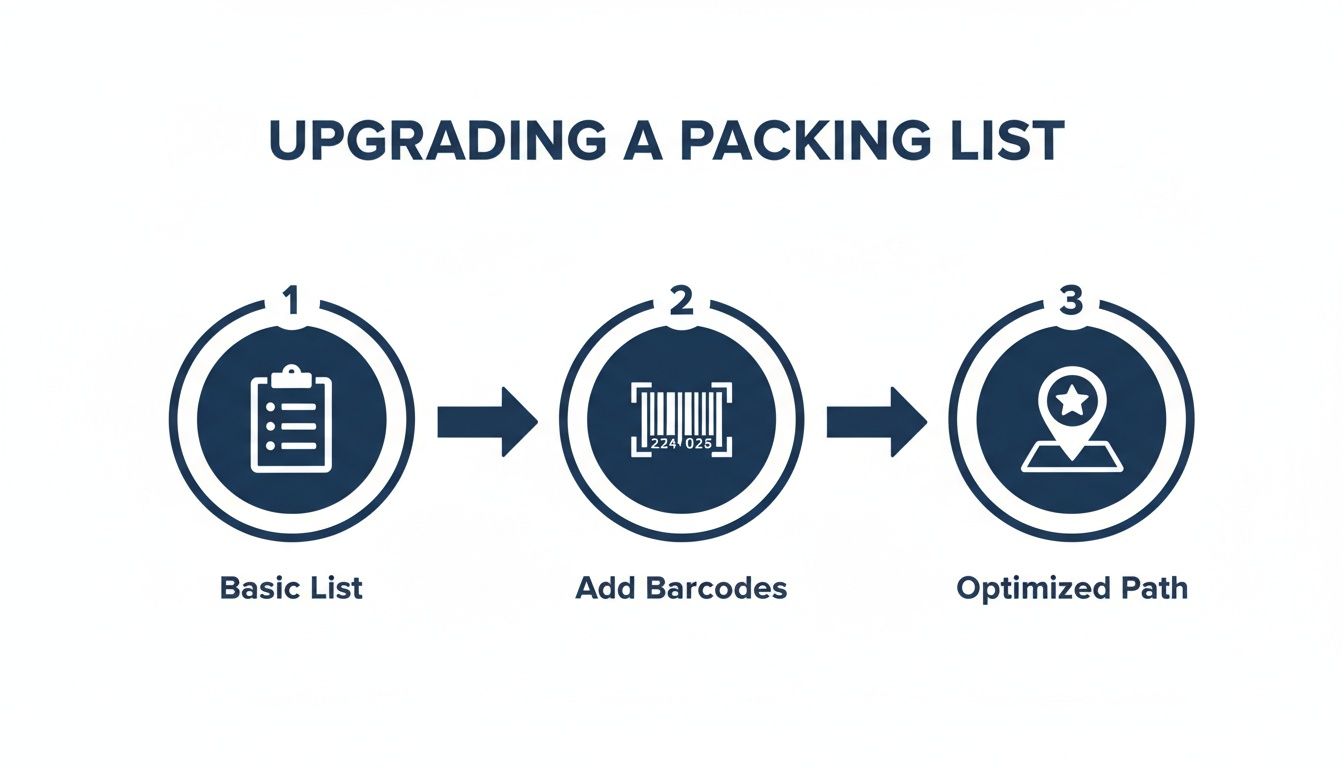
As you can see, adding barcodes and optimising pick paths are huge upgrades on a basic list. But automation is the final step that ties it all together for maximum efficiency.
The biggest win from automation is centralisation. Instead of juggling multiple spreadsheets or exporting CSV files from each marketplace, you get a single source of truth for all incoming orders. This simple change nearly eliminates the risk of missing an order or making a copy-paste mistake that leads to a wrong shipment.
From one screen, your team can see every order, its status, and what’s inside. This clear, comprehensive view allows them to plan the day’s picking and packing far more effectively.
Here is a glimpse of how OneCart brings orders from different platforms into one manageable view.

As shown, orders from various channels like Shopee and Shopify are displayed together. No more switching between tabs—your team gets a complete and organised overview right away.
The real power of automation is accuracy. By removing manual data entry, you eliminate the single biggest source of fulfilment errors, ensuring the customer gets exactly what they ordered, every time.
Once your orders are consolidated, you can select a batch of them—say, all orders received overnight—and generate a unified picking and packing list with one click. This document automatically includes all the crucial details like SKUs, quantities, and bin locations, all sorted for the most efficient pick path through your warehouse. You can learn more about the specifics of downloading daily order picklists in our help guide.
This automated process is especially critical for businesses tapping into international sales. Cross-border e-commerce is a massive trend in Singapore, with over half of online purchases coming from overseas sellers. This means your packing list template often needs to handle customs documentation and varying international shipping rules. Platforms that automate packing list creation while coordinating with multiple couriers are becoming essential for managing this complexity. For more details on Singapore’s e-commerce landscape, see the U.S. Commercial Service guide to Singapore eCommerce.
Ultimately, automation gives your warehouse team one clear, simple document to work from. This powerful workflow saves hours of admin work, prevents costly mistakes, and allows your business to handle serious order growth without adding operational chaos.
Even with a strong packing list template, questions always pop up when you’re trying to nail down your warehouse workflow. Getting ahead of these practical hurdles is what keeps your fulfilment process from grinding to a halt.
Here are some of the most common queries we see from e-commerce businesses that are starting to scale, along with some straightforward answers.
This is a frequent point of confusion, and it’s a critical one to get right.
A picking list is an internal document. Its purpose is to make your team’s life easier. It groups items from multiple orders and organises them by warehouse location (aisle, shelf, bin) so your pickers can grab everything they need in one efficient sweep.
A packing list (often called a packing slip) is what your customer sees. It goes inside the box and details exactly what’s in their specific order. It serves as a final checklist for both your packer and your customer.
Yes, absolutely. This is one of the smallest changes you can make with the biggest impact on accuracy.
Adding small product thumbnails gives your warehouse staff an instant visual check. For example, when they’re looking at two products with nearly identical SKUs or similar-looking boxes, that little image is the final confirmation they’ve grabbed the right item. It’s a simple trick that slashes picking errors.
For the customer, those images make it simple to verify their order. It boosts their confidence that they got exactly what they paid for and adds a professional touch to the unboxing experience.
A great packing list serves two masters: your internal team needs it for accuracy, and your customer needs it for clarity. Small additions like product images satisfy both with almost zero extra effort.
Bulk printing is another huge pain point, especially during a sales rush. Having your team print hundreds of individual lists is a massive time-sink.
The best way to handle this is with a platform that pulls all your orders from every channel into one place. From there, you can select a whole batch of orders and bulk-print everything you need—packing lists, shipping labels, and invoices—in a single click. This actionable step saves hours of manual labour each week.
Ready to stop the manual work and automate your entire packing list workflow? OneCart syncs your orders from every channel, generates optimised picklists with one click, and lets you bulk-print all your shipping documents in seconds. See how much time you can save at https://www.getonecart.com.
Automate & Scale Your Online Business with OneCart
Start a Free TrialUsed by hundreds of merchants in Singapore & Southeast Asia