
Lazada Seller Center Singapore: Fees, Setup & Tips [2026]
Lazada Seller Center Singapore in 2026 — registration, seller types, commission and FBL fees, LSR/cancellation penalty caps, Sponsored Solutions ads, and multichannel scaling.

Lazada Seller Center Singapore in 2026 — registration, seller types, commission and FBL fees, LSR/cancellation penalty caps, Sponsored Solutions ads, and multichannel scaling.
The Lazada Seller Center Singapore is your command hub for managing product listings, orders, shipping, and payouts — everything a seller needs in one dashboard. Whether you are registering for the first time or looking to optimise an existing store, understanding how the seller center works is the difference between a smooth launch and weeks of frustration.
This guide walks you through every step: choosing the right seller type, passing document verification, setting up fees and commissions, creating listings that convert, and scaling with promotions. We have kept it practical — real examples, actual Singapore requirements, and no filler.
Think of this initial setup as building the foundation of a house. A solid base allows you to build your e-commerce empire on top.
First, you need to decide what kind of seller you are. This choice determines your store’s features, the fees you pay, and how customers see you.
For example, if you are a local entrepreneur selling handmade soaps, you would sign up as a Local Marketplace seller. If you are the official Singapore distributor for a major electronics brand, you would apply for LazMall status to build that crucial brand trust.
This is a common hurdle where new sellers get stuck. A simple mistake here can lead to days, or even weeks, of delays. Get your documents right the first time.
If you’re an individual seller, you’ll need a clear, colour scan of your NRIC or FIN (both front and back). Ensure the name and ID number you type into the form match exactly what’s on the card.
For corporate sellers, your ACRA Business Profile is essential. The company name, registration number (UEN), and address must perfectly align with what’s on your official ACRA file. Accounts can be flagged for review over minor discrepancies like “Pte. Ltd.” versus “PTE LTD.”
Actionable Tip: Don’t type your company details from memory. Open your ACRA Business Profile PDF and copy-paste the company name and UEN directly into the Lazada sign-up fields. This simple action eliminates the risk of typos and verification failure.
Once Lazada approves your account, it’s time to set up your operational basics in the dashboard. This involves telling Lazada how to pay you and how you’ll deliver your products to customers.
Payment Information: You must link a Singapore-based bank account. It is critical that the bank account name is identical to your seller registration name—either your personal name or the exact registered company name. Mismatches are the top reason for failed payouts.
Shipping and Logistics: In Singapore, you’ll start by choosing your fulfilment method. The common options are “Pickup,” where Lazada’s courier partners like Ninja Van collect from your address, or “Drop-off,” where you bring your parcels to a collection point. Setting up your warehouse or pickup address accurately is crucial. You’ll also want to understand the pickup schedules in your area to maintain a good ship-on-time score from your very first order.
To get a better handle on the wider strategies, check out our deep-dive guide on how to sell on Lazada effectively.
Once your store is up and running, it’s time to create your product listings. A great listing is your tireless, 24/7 salesperson working to convince shoppers on the Lazada Singapore marketplace.
Familiarise yourself with this interface, as you’ll spend a lot of time here. Think of it as crafting the digital storefront for each product you sell. Every field you fill out contributes to how customers find, perceive, and ultimately decide to buy your items.
Your product title is the first impression you make. It needs to be clear, descriptive, and filled with the keywords that Singaporean shoppers use in the search bar.
A simple title like “Power Bank” will likely get lost among thousands of similar items.
A powerful title gives the customer all the essential information upfront. For instance: “Anker PowerCore 10000mAh Power Bank - Fast Charging Portable Charger for iPhone & Samsung (Black)”. This title includes the brand, model, key feature (10000mAh), primary benefit (Fast Charging), compatible devices, and colour.
Your product description should answer every potential question a customer might have before they think to ask it. This proactive approach builds confidence and reduces pre-sale enquiries.
Use a mix of short paragraphs and bullet points to make the information easy to scan.
If you want to go deep on optimising every element of your page, you should check out our guide on the 10 things you need to get more sales from your product listing.
Managing products with different sizes, colours, or configurations can become a logistical challenge without a solid system. A logical Stock Keeping Unit (SKU) structure within the Lazada Seller Center Singapore is your best tool for this.
A well-planned SKU helps you track inventory for each variation with precision. Let’s look at a practical example for sellers on Lazada SG.
Real-World Scenario: Selling a USB-C Cable
Imagine you sell a USB-C cable that comes in two colours (Black, White) and three lengths (1m, 2m, 3m). Instead of creating six separate listings, you create one listing with variants. Your SKU system could look like this:
| Product Variant | Proposed SKU |
|---|---|
| Black USB-C Cable, 1 metre | USBC-BLK-1M |
| Black USB-C Cable, 2 metres | USBC-BLK-2M |
| Black USB-C Cable, 3 metres | USBC-BLK-3M |
| White USB-C Cable, 1 metre | USBC-WHT-1M |
| White USB-C Cable, 2 metres | USBC-WHT-2M |
| White USB-C Cable, 3 metres | USBC-WHT-3M |
This simple, readable format tells you everything at a glance: product type, colour, and length. This structure makes inventory counts, order picking, and sales data analysis much easier. This is especially vital in competitive categories like electronics accessories, which remain among the most popular categories on Lazada Singapore in 2026. A consistent SKU naming convention also becomes essential when you start selling across multiple channels, as it provides a single reference system for tracking stock across Lazada, Shopee, and your own webstore.
Key Takeaway: A structured SKU system is the backbone of efficient inventory management, especially as your business scales. It ensures you know exactly which variant is a bestseller and when to reorder, preventing stockouts on your most popular items. This is a foundational practice for any serious seller using the Lazada Seller Center Singapore. Not sure where to start with your SKU system? Read our full guide on what a SKU number is and how to create one, or use our free AI SKU generator to build structured codes instantly.
Making a sale is a great feeling, but the moment a customer clicks “Buy Now,” the real work begins. Getting orders out quickly and accurately is what turns a one-time buyer into a loyal fan. This whole process—from printing the label to the courier scanning it—builds your reputation, drives good seller ratings, and keeps customers happy.
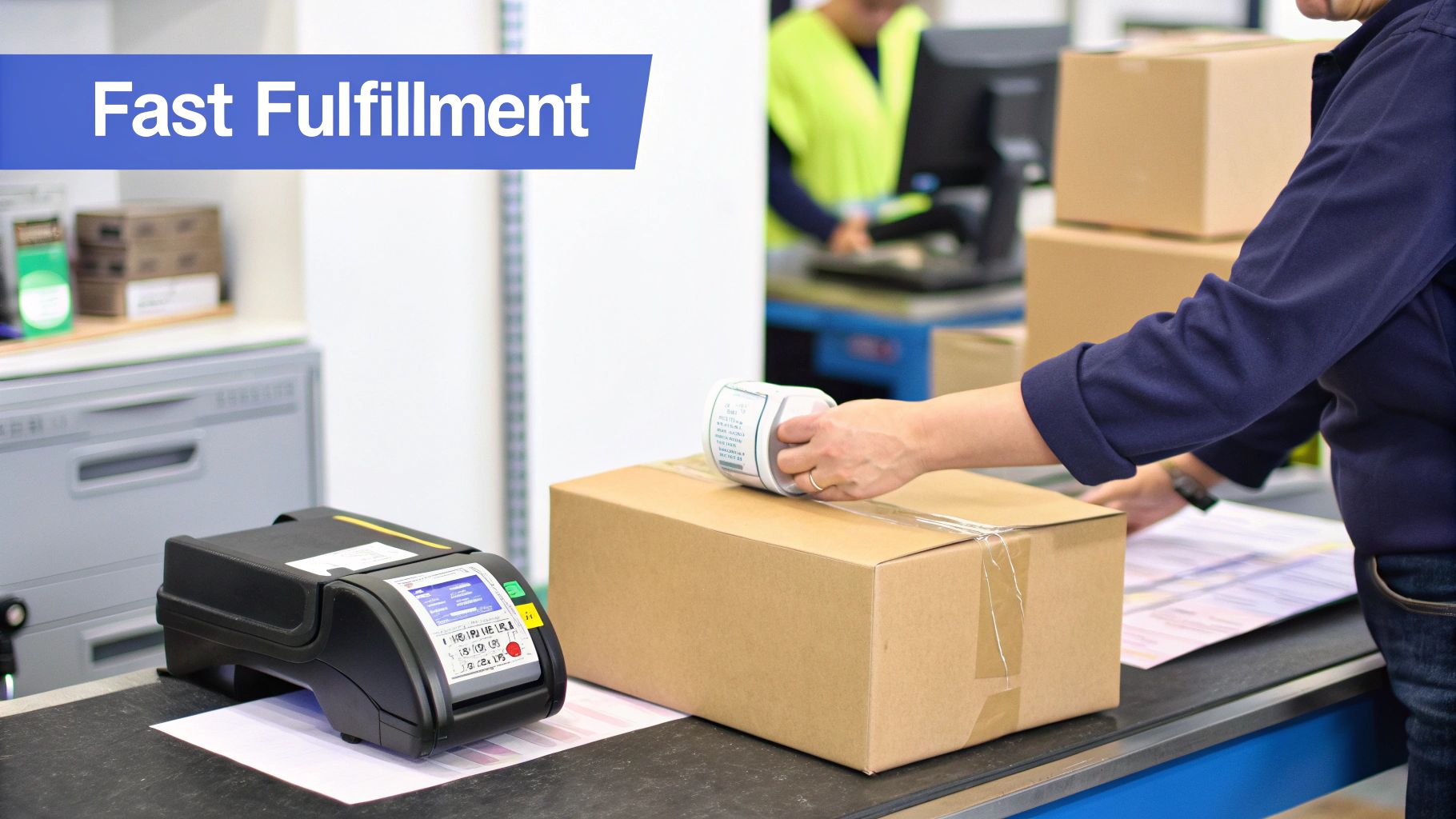
The Lazada Seller Center Singapore has all the tools you need to manage this entire workflow. You can handle everything from your dashboard, which simplifies handing off packages to Lazada’s logistics partners.
In Singapore, Lazada offers two main ways to get parcels into their delivery network. The best choice depends on your daily order volume, location, and how you run your business.
Actionable Insight: Lazada usually starts new sellers on the “Drop-off” method. Once your order volume grows consistently, you can request a switch to “Pickup” in the Seller Center. A good practice is to process your orders in batches, which streamlines the process whether you’re dropping them off or preparing for a pickup.
For a deeper dive into the nuts and bolts of the entire delivery journey, it’s worth reading up on mastering ecommerce order fulfillment. It gives you a great overview of industry best practices.
When a new order appears in your dashboard, having a set routine is your best defence against mistakes and delays. The main goal is to move the order status from “Pending” to “Ready to Ship” as quickly and accurately as possible.
Here’s a simple, practical flow:
As your business grows, juggling inventory and logistics across different sales channels can get complicated. This is when looking into integrated warehousing and logistics can seriously streamline your operations.
Returns are a normal part of e-commerce. How you handle them can either protect your seller metrics or turn an unhappy customer into a repeat buyer.
When a customer initiates a return, you’ll receive a notification in the Seller Center. You can review their reason and decide whether to accept it.
For a “change of mind” return, the item should come back in its original, unopened condition. For a defect, you’ll need to inspect it upon return before issuing a refund. Always maintain professional communication using the platform’s chat feature. Processing valid refunds quickly is key to maintaining a positive store rating.
Your Lazada Seller Center Singapore dashboard gives you more than order management — it is your performance command centre. Lazada tracks several key metrics that directly affect your store’s visibility, eligibility for campaigns, and even whether your account remains in good standing.
Understanding what Lazada measures helps you focus your daily operations on the right priorities. Here are the metrics to watch in 2026:
| Metric | What It Measures | Target |
|---|---|---|
| Ship-On-Time (SOT) | % of orders shipped within your committed timeframe | >95% |
| Cancellation Rate | % of orders cancelled by you (not the customer) | <2% |
| Response Rate | % of customer chat messages responded to within 24 hours | >85% |
| Return/Refund Rate | % of delivered orders that result in returns or refunds | Keep below category average |
| Positive Ratings | % of 4-5 star reviews from customers | >80% |
These are not just vanity numbers. Lazada uses them to determine:
Actionable Insight: Check your Seller Center performance dashboard at least weekly. If your SOT is trending below 95%, the fix is usually operational: batch your orders earlier in the day, set realistic pickup time slots, and keep your bestselling items pre-packed and ready to go.
The Analytics section in the Lazada Seller Center provides data on your traffic, conversion rates, and revenue trends. Use it to identify which products are getting views but not converting — these are candidates for better images, lower prices, or improved descriptions. Compare week-over-week trends to spot seasonal patterns in your niche.
For a broader view of how your Lazada store compares to other channels, understanding the differences between Lazada and Shopee can help you allocate your time and marketing budget more effectively.
Listing great products is only half the battle. To succeed on the Lazada Singapore marketplace, you need to actively attract shoppers to your store and give them a reason to buy.
The Lazada Seller Center is packed with powerful tools to get your products noticed and increase your average order value. You don’t need a massive marketing budget to use them. These tools can help turn casual browsers into loyal customers.
Let’s break down how you can use them effectively.
One of the quickest ways to increase revenue is to encourage each customer to spend more per transaction. Lazada Seller Center offers simple yet effective tools for this.
Here’s a practical example: imagine you sell electronic accessories. Instead of just selling a single charging cable, you could create a Flexi Combo that gives a discount if a customer buys a cable, a wall plug, and a power bank together. This not only increases the sale value but also offers a convenient bundle your customer will appreciate.
Mega campaigns like 11.11, 12.12, and Lazada’s Birthday Sale are the biggest dates on the e-commerce calendar. Participating is essential for growth. How well you prepare in the Lazada Seller Center is what separates the top sellers from the rest.
During these massive sales, traffic on Lazada can easily surge by more than 10 times the normal volume. Being prepared allows you to capture a share of that traffic.
To ensure you’re ready for the rush, here’s a practical checklist to follow.
Preparing for a big sale requires planning. A bit of foresight helps ensure everything runs smoothly and you achieve good profitability.
| Preparation Phase | Action Item | Recommended Timing |
|---|---|---|
| Product Nomination | Select your best-selling products with healthy profit margins. Nominate them for campaign flash sales and special deals. | 4-6 weeks before the campaign |
| Stock Optimisation | Analyze past sales data to forecast demand. Ensure you have enough stock for your nominated items to last the entire event. | 3-4 weeks before the campaign |
| Pricing Strategy | Finalize your campaign prices. Your discounts need to be genuine and competitive to attract buyers. | 2-3 weeks before the campaign |
| Store Decoration | Use Lazada’s tools to update your store banners and layout to match the campaign theme (e.g., 11.11 branding). | 1 week before the campaign |
A well-prepared store not only looks more professional but is also more likely to convert the wave of new visitors that these campaigns bring.
Sponsored Discovery is Lazada’s own advertising platform. It lets you pay to promote your products, pushing them to the top of search results and other key spots on the site. With a smart approach, it can be a valuable tool.
You don’t need a large budget. Start with a small, manageable daily budget—even $10-$20 a day is enough to start gathering data. Focus your ad spend on a few key products rather than your entire catalogue:
Make it a habit to check your ad performance in the Seller Center. Keep an eye on the click-through rate (CTR) and return on investment (ROI). If an ad isn’t performing well after a week, don’t be afraid to pause it and reallocate that budget to one that is working.
To get the most out of your sales on Lazada, it’s also a good idea to look at broader ecommerce marketing strategies that can support your selling efforts beyond the platform’s tools.
Mastering the Lazada Seller Center Singapore is a significant accomplishment, but it’s just the beginning. Real growth happens when you expand your presence to other major platforms like Shopee, TikTok Shop, or even your own Shopify store.
While expansion is exciting, it can also create major operational challenges. Juggling inventory, processing orders, and updating listings across multiple dashboards can lead to mistakes, wasted time, and burnout. To sell across multiple channels effectively, you need a scalable system.
Picture this: you’re running a flash sale on Lazada, and a popular set of wireless earbuds is selling quickly. At the same time, a few orders for the same earbuds come through on your Shopee store.
Without a central system, you’re tracking stock manually. You might sell your last pair on Lazada, but before you can update your Shopee listing, another order comes in. Now you’ve oversold. This results in a cancelled order, a disappointed customer, and a negative mark on your seller rating. Repeating this across dozens of products and channels can seriously damage your business. If you are already selling on both platforms, our guide on how to sync inventory between Shopee and Lazada explains the practical steps to avoid this exact problem.
This is where a multi-channel management platform like OneCart becomes essential. Instead of logging into multiple seller centres, you get a single dashboard that connects all your stores, becoming the single source of truth for your entire e-commerce operation.
OneCart syncs your inventory across all channels in near real-time. When one of those earbuds sells on Lazada, the stock count is automatically updated on Shopee, Shopify, and everywhere else you sell—all within seconds.
Key Insight: The goal isn’t just to be on more channels; it’s to build an efficient, error-proof workflow. A central hub eliminates tedious manual tasks, freeing you up to focus on growth activities like marketing and sourcing new products.
Let’s see how a centralised system transforms your day-to-day tasks. The chaos is replaced by a clear, repeatable process.
Your morning routine becomes much more efficient. All your new orders—from Lazada, Shopee, your website—are displayed on a single screen in OneCart. No more switching between browser tabs or referencing messy spreadsheets.
Think about managing the influx of orders from Lazada’s promotional tools plus orders from other platforms, all in one place.
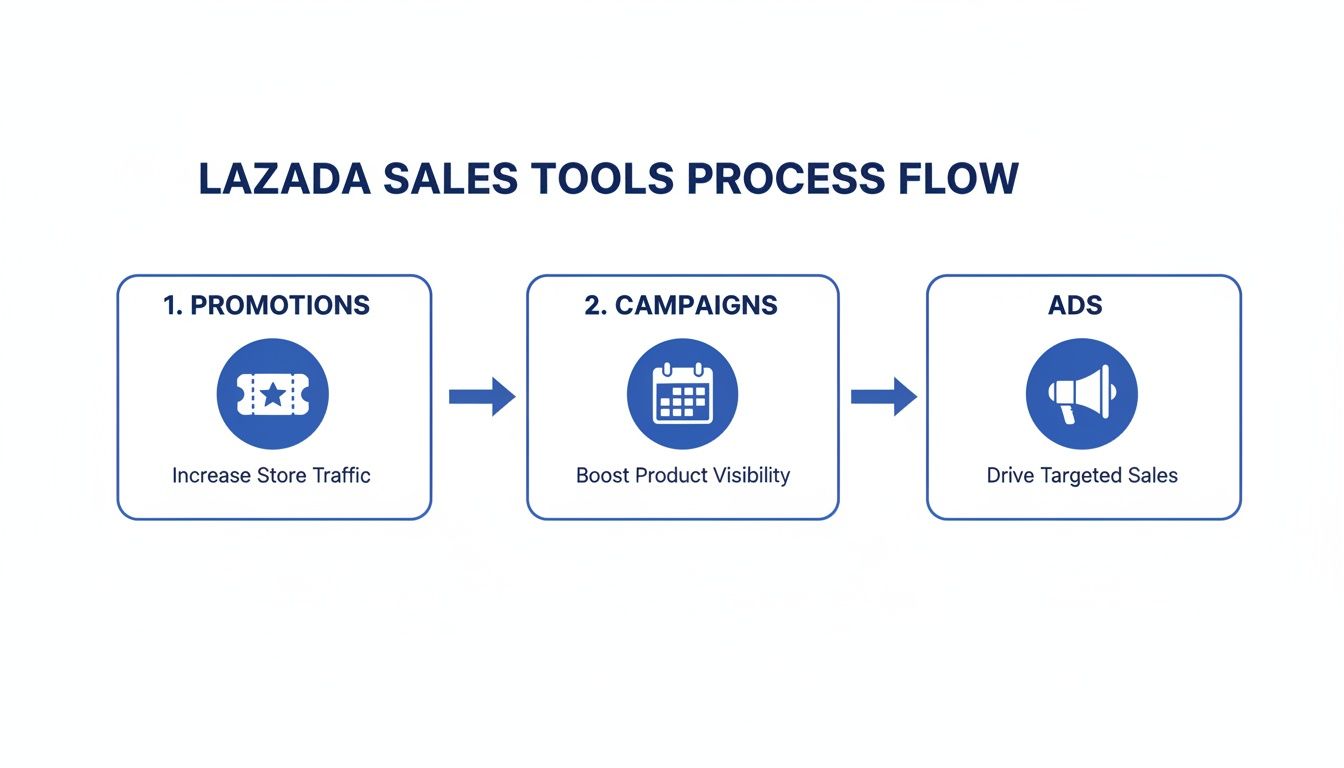
This kind of flow is fantastic for driving sales, but it also creates an order volume that can be overwhelming without an efficient management system.
With all your orders consolidated, you can generate a single, combined picklist for your team. This list tells them exactly which items to grab from the warehouse and in what quantities, covering every sale for the day.
Once everything’s picked, you can select all your orders and bulk print the necessary documents. OneCart automatically generates the correct shipping labels for each courier—Ninja Van for your Lazada orders, SPX Express for Shopee, and so on—all in a single print job. This eliminates the task of printing labels one by one from different seller centres.
Let’s consider the 11.11 sale. Orders are pouring in from multiple channels simultaneously. Managing this manually is nearly impossible.
With a system like OneCart, the workflow remains the same—it just handles a much higher volume.
Ultimately, scaling beyond the Lazada Seller Center Singapore requires you to build systems like a true multi-channel business. If you want to compare your options, our rundown of the best multichannel listing software breaks down the leading platforms. Centralising your operations with a tool like OneCart is how you achieve that growth without getting buried in manual work.
The Lazada Seller Center in 2026 is not the same dashboard you onboarded into a year ago. Lazada has tightened several seller-facing policies, and the changes hit Singapore sellers harder than most because the SG market is now the regional benchmark for performance metrics. Missing one of these shifts can quietly cost you visibility, payouts, and campaign access — without any obvious notification in the dashboard.
Here is what changed in 2026 and what each shift means for a Singapore seller working out of the Lazada Seller Center.
| Policy area | What changed in 2026 | What it means for SG sellers |
|---|---|---|
| Late Shipment Rate (LSR) cap | Hard performance cap tightened from rolling 5% to 2% of orders over a 30-day window. Breaches now suppress listings within 7 days, not 30. | Same-day pickup discipline is no longer optional. Sellers shipping >50 orders/day need a buffer for pickup misses on public holidays. |
| Cancellation Rate cap | Seller-initiated cancellations capped at 1% of monthly orders. Excludes buyer-cancelled orders. | Cancelling out-of-stock orders is now the dominant violation. Inventory accuracy at SKU level matters more than ever. |
| Sponsored Discovery consolidation | Sponsored Search and Sponsored Products merged into Sponsored Discovery with unified bidding and shared reporting; May 2026 added a one-click Sponsored Max upgrade. | One on-platform campaign now competes across both search and discovery placements; budget pacing logic changed. Old Sponsored Search and Sponsored Products playbooks need re-baselining. |
| Fulfilment by Lazada (FBL) fees | Per-cubic-metre storage fees increased ~5–8% in 2026; long-tenure (>90-day) storage surcharges expanded to all categories. | Slow-moving SKUs in FBL warehouses now bleed margin faster. Categorise inventory by velocity before committing to FBL. |
| Cross-border GST and de minimis | Singapore retained its S$400 low-value-goods (LVG) GST registration threshold; IRAS enforcement on platform-collected GST tightened from Q1 2026. | LazGlobal sellers above the threshold must register for OVR (Overseas Vendor Registration) GST. Plan pricing to include the 9% GST. |
| AI Overview and search shifts | Lazada Singapore product pages now appear in Google AI Overview clusters; in-Lazada search increasingly augmented by AI recommendations. | Title structure (brand → model → key feature) matters more for AI summaries; thin product descriptions get demoted in AI surfaces. |
Actionable Insight: Print the policy table above and pin it next to your packing station. The single most expensive 2026 mistake we see is sellers running their old 5% LSR mental model into a 2%-cap environment — they assume one bad week is recoverable when it now triggers listing suppression within days.
If you also sell on other marketplaces, run a quick comparison of these caps against your other channels. Our Lazada vs Shopee guide breaks down how the two SEA platforms now differ on penalties, commissions, and buyer demographics in 2026.
The Lazada Seller Center scores you continuously on four operational metrics, and the 2026 penalty point system is sharper than the 2024–2025 version. Every breach costs points; accumulated points trigger consequences ranging from reduced search visibility to full account suspension. Singapore sellers who treat these as soft KPIs end up wondering why their organic traffic quietly dropped 30–40%.
| Metric | 2026 Cap (SG marketplace seller) | First-breach consequence | Repeat-breach consequence |
|---|---|---|---|
| Late Shipment Rate (LSR) | ≤ 2% over rolling 30 days | Listings deprioritised in search | Listing suppression + flash deal lockout |
| Cancellation Rate (CR) | ≤ 1% over rolling 30 days | Warning + remediation plan | Penalty points + reduced ad eligibility |
| Late Delivery Rate (LDR) | ≤ 3% over rolling 30 days | Visibility throttle (top categories) | Penalty points |
| Return/Refund Rate (RRR) | Category-dependent (typical: ≤ 5%) | Performance review | Category demotion |
A penalty point accumulates each time you breach a cap during a measurement window. The Seller Center shows your live points balance under Performance → Penalty Points. The thresholds that matter:
Recovery is not just about hitting the cap once. The system measures whether your three consecutive 30-day windows stay clean before lifting visibility throttles. This is why one bad campaign can echo through your traffic for 60+ days.
The fastest recovery levers in the Seller Center:
Actionable Insight: Build a Monday-morning ritual: pull your performance dashboard, screenshot the four metrics, and note the trend versus the prior week. If any metric is within 0.5 percentage points of the cap, schedule the remediation action before Tuesday’s orders flow in. Reactive recovery costs three weeks; proactive intervention costs one day.
For a deeper view on how Lazada penalises late shipments compared to Shopee’s 4% LSR ceiling and TikTok Shop’s 2-day SLA, see our breakdown of marketplace penalty caps in our backorders guide — the 2026 marketplace snapshot section walks through the exact thresholds side by side.
In 2026 Lazada consolidated two of its on-platform paid placements — Sponsored Search and Sponsored Products — into a single product called Sponsored Discovery. Sponsored Discovery sits inside Lazada’s broader Sponsored Solutions suite, alongside Sponsored Brand Search, Sponsored Display, the off-platform Sponsored Affiliate programme, and — from May 2026 — the new Sponsored Max one-click upgrade from Sponsored Discovery campaigns. For sellers managing budgets out of the Lazada Seller Center Singapore, the Search-into-Discovery merge is the most consequential on-platform ad change since the platform launched paid ads.
The old playbook of running separate Sponsored Search and Sponsored Products campaigns no longer works the same way. Sponsored Discovery runs a unified auction across both placements, shares budget across them, and reports on a single conversion stack. If you have not re-baselined your ad strategy since the merge, your cost-per-click numbers in the dashboard may look fine while your blended return on ad spend (ROAS) is quietly halving.
Three structural shifts every Singapore seller needs to understand:
For a single-SKU launch in the SG marketplace, a working starting frame:
| Stage | Daily budget | Bid strategy | Optimisation goal |
|---|---|---|---|
| Cold start (Days 1–7) | S$15–S$25/day | Manual Bid, narrow keyword set | Click data on 3–5 head terms |
| Calibration (Days 8–21) | S$25–S$50/day | Manual Bid + 2 long-tail keywords | First conversion data |
| Scale (Days 22–60) | S$50–S$150/day | Smart Bid (after ≥30 conversions) | ROAS ≥ 4x on Lazada SG |
| Mature (Day 60+) | Variable | Smart Bid + manual override for campaigns | ROAS ≥ 5x + brand defence on competitor keywords |
Actionable Insight: Pull your Sponsored Discovery report weekly and compute true ROAS using net margin, not revenue. Lazada’s default report shows gross sales / ad spend — that hides commission, payment processing, and FBL costs. A 6x “gross ROAS” on a 12%-commission low-margin category can be a 0.8x net ROAS once everything is netted off.
To run the same maths cleanly, plug your Lazada SG numbers into our Lazada fee calculator. It includes category-specific commission rates, payment processing, and Sponsored Discovery ad cost — so you see the true take-home before you scale the campaign budget.
The single most common operational mistake we see in 2026 from Singapore sellers is treating the Lazada Seller Center as a complete operating system rather than one channel of many. Once you are selling on Lazada plus Shopee plus your own webstore plus (often) TikTok Shop, the Seller Center dashboards from each platform stop reconciling with each other within a few weeks. Stock counts drift, oversold orders cascade, and your performance metrics suffer for reasons that have nothing to do with your Lazada operation.
A representative example we modelled with a SG seller running 500 active SKUs across Lazada + Shopee + Shopify:
| Cost vector | Manual sync | With unified middleware (e.g. OneCart) | Annual delta |
|---|---|---|---|
| Oversell incidents (cancellations) | ~12/month × S$45 lost revenue + penalty | <1/month | ~S$5,800/year |
| Hours spent reconciling stock | 18–22 hours/week × S$30/hr loaded | ~2 hours/week | ~S$26,000/year |
| Cancellation Rate impact on Sponsored Discovery ROAS | -15% ad efficiency | Restored | ~S$8,400/year |
| Inventory write-down (unsynced overstock) | 4% of catalog value | 1% of catalog value | ~S$12,000/year |
| Total annual leak | ~S$52,000/year |
Even at a fraction of that scale, the maths supports integration. The point of multichannel software is not the feature list; it is the elimination of the silent operational tax sitting between the Lazada Seller Center and every other dashboard you log into.
A properly connected Lazada Seller Center Singapore feeds into and out of a single inventory record. The integration pattern that works:
The current OneCart plan ladder (May 2026, billed annually) gives a sense of where this typically sits for SG sellers:
| Plan | Monthly | Best for | Includes |
|---|---|---|---|
| Starter | S$83/mo | Solo seller, 2 channels | Inventory sync, order management, 1 user seat |
| Trader | S$199/mo | Growing seller, 3 channels | + Shipping integration, basic reporting |
| Growth | S$499/mo | Multichannel SG seller, 10–15 channels | + Advanced reporting, multi-warehouse, 3 user seats |
| Business | S$868/mo | High-volume, hundreds of integrations | + Full multichannel suite, 5 user seats, priority support |
Full pricing including add-ons, annual-billing savings, and the AI Agent layer is on the OneCart pricing page. For most Singapore Lazada sellers running 3–5 channels and 500+ SKUs, the Trader or Growth tier is the right starting point.
Key Insight: The Lazada Seller Center Singapore is excellent at managing your Lazada store. It is not designed to manage your entire ecommerce business. When you cross the threshold of two active channels and ~200 SKUs, switching from manual reconciliation to an integrated middleware typically pays back inside one to two months.
Even with a good plan, you’ll likely have questions as you navigate the Lazada Seller Center. Here are some straightforward answers to common queries from new sellers.
The good news is Lazada does not charge a monthly subscription fee. Their model is based on successful sales, so you only pay when you make a sale. New Marketplace sellers also pay no commission at all for their first 90 days on the platform, which is one of several timing rules covered in our full Lazada seller fees breakdown.
Here are the main costs to factor into your pricing:
For example, if you sell an item for S$30, you might pay a 4% commission (S$1.20) plus a 2% payment fee (S$0.60). This leaves you with S$28.20 before shipping costs.
Actionable Insight: Always check the latest fee schedule in your Seller Center under the ‘Finance’ section. Rates can change, and it’s important to stay informed. To quickly estimate your net profit after all Lazada fees, use our free Lazada fee calculator — it includes category-specific commission rates, payment processing, and shipping cost estimates.
The process is generally quite fast. In Singapore, if all your documents are in order, expect verification to take about 3 to 5 business days.
Actionable Insight: The most common cause for delay is mismatched documents. A minor error, like typing “ABC Pte. Ltd.” when your ACRA registration is “ABC PTE. LTD.,” can trigger a manual review and add days to your wait time.
To ensure a smooth approval process, make sure every detail—your name, address, and UEN—is an exact match to your ACRA file or NRIC/FIN card. Use clear, high-resolution scans; blurry photos can slow things down.
Yes, you can. Lazada has a program called LazGlobal designed for international sellers.
It allows you to list your products on Lazada Singapore and ship them directly from your home country. You’ll get access to a special LazGlobal Seller Center to manage everything, including cross-border logistics. Lazada also offers partnered shipping solutions to simplify the process.
Remember, you are responsible for any import duties or taxes that may apply. These can affect your pricing and the final cost to the customer, so research them beforehand.
Your Pick-up Time Slot (PTS) is a commitment. It’s the daily window when you guarantee Lazada’s couriers that your parcels will be packed, sealed, and ready for collection.
Consistently meeting this window is critical for your Ship-On-Time (SOT) rate.
SOT is a major metric in Lazada’s seller performance algorithm. A high SOT rate signals to Lazada that you are a dependable seller, which can lead to better visibility in search results and eligibility for major campaigns like 11.11.
If you frequently miss your pickup slot, your SOT score will drop. This can result in your listings getting lower visibility, which means fewer impressions and sales. It is better to set a realistic pickup time you can meet consistently than an ambitious one you often miss.
If you are already selling on Shopee and want to expand to Lazada, you do not need to recreate every listing from scratch. You can use a multichannel tool to bulk copy your listings from Shopee to Lazada — including titles, descriptions, images, and pricing — in a few clicks. This can save hours of manual data entry, especially if you have dozens or hundreds of products.
Both are accessed through the same Lazada Seller Center platform, but the experience and benefits differ. Regular marketplace sellers have standard visibility and tools. LazMall sellers receive a verified badge, priority placement in search results, exclusive campaign slots, and higher customer trust due to authenticity guarantees. The trade-off is stricter onboarding requirements — you need to be an official brand owner or authorised distributor with trademark documentation. For most new Singapore sellers, starting as a marketplace seller and upgrading to LazMall later once you have brand documentation is the recommended path.
If you use Xero, QuickBooks, or another accounting tool, you can connect it to Lazada through a middleware platform like OneCart. This automates the flow of order and revenue data from Lazada into your accounting system, reducing manual reconciliation. OneCart supports Lazada-to-Xero integration and Lazada-to-QuickBooks integration, among others.
Yes. The Lazada Seller Center itself has no monthly subscription fee for marketplace sellers in Singapore — Lazada makes money from commission and payment processing on actual sales. The only situations where a recurring fee applies are LazMall sellers (additional brand-protection programme fees apply) and FBL users (per-cubic-metre warehousing fees billed monthly based on stored inventory). For a typical marketplace seller, your only Seller Center cost is the 2–5% commission + 2% payment processing on each completed order.
Late Shipment Rate (LSR) is capped at 2% of orders over a rolling 30-day window for Singapore marketplace sellers in 2026 — down from the 5% rolling cap that applied in 2024–2025. Breaching the 2% cap triggers listing deprioritisation in search within 7 days, and repeated breaches escalate to listing suppression and flash deal lockout. Recovery typically requires three consecutive clean 30-day windows. If your daily order volume exceeds 50 orders, build a same-day pickup discipline rather than relying on next-day catch-up — the rolling-window maths punishes any slack.
You connect Lazada Seller Center to your other channels through a multichannel middleware that holds a single source of truth for stock and orders. Native Lazada-to-Shopify or Lazada-to-Shopee links do not exist; you need a third-party connector. Platforms like OneCart authorise into each Seller Center via API once, then sync inventory near-real-time across all channels. The setup typically takes 30–60 minutes per integration. The pay-off is that stock movements on one channel (a sale on Lazada, a return on Shopee) update everywhere automatically — eliminating the manual reconciliation that drives most cancellation-rate breaches. See how to sync inventory between Shopee and Lazada for the practical SG-focused setup.
Yes — and they remain the single biggest organic traffic spike of the year for most categories. The 2026 mega campaign calendar still revolves around 11.11, 12.12, Lazada Birthday Sale (March), Mid-Year 6.6, and the National Day 8.8 push for SG sellers. What changed in 2026 is that campaign eligibility now reads from your live Sponsored Solutions performance and your rolling-30-day LSR — sellers below the 95% Ship-On-Time threshold or above the 2% LSR cap get auto-excluded from flash deals up to 4 weeks before the event. Nomination should still happen 4–6 weeks ahead; performance discipline starts 6–8 weeks ahead.
Juggling inventory, orders, and listings across Lazada, Shopee, and Shopify can feel like a circus act. OneCart brings everything into a single, clean dashboard. It syncs your stock in real-time to kill overselling and lets you process all your orders from one screen. Stop the chaos and scale your business the smart way by seeing what OneCart can do for you.
OneCart pushes your existing listings to Lazada and keeps inventory in lockstep across every platform.
Connect Lazada freeUsed by hundreds of merchants in Singapore & Southeast Asia