
Over 1000 merchants trust OneCart to automatically sync inventory, centralize orders, and save 10+ hours weekly managing their Shopee and Lazada stores.
Join 1,000+ merchants already saving time with OneCart




Connect Shopee and Lazada in under 10 minutes with OneCart's guided setup.
Shopee and Lazada are the two largest marketplaces in Southeast Asia, and most sellers run both at once. Kept separate, they mean duplicate listing work and constant stock juggling between two seller centres. OneCart links a Shopee shop and a Lazada store so one inventory pool feeds both and every order from each marketplace lands in a single dashboard.
Shopee and Lazada draw from one stock pool in OneCart. When a unit sells on Shopee, OneCart reduces the matching SKU on Lazada, and the same applies in reverse, so the item is not sold twice across the two marketplaces.
Orders from both Shopee and Lazada are brought into OneCart automatically and land in a single dashboard, so you work one order queue instead of checking two seller centres.
Create listings for both from Listings > New. Shopee's own rule limits titles to 10 to 120 characters and OneCart converts the Shopee description to plain text and replaces the '&' character, while Lazada accepts HTML in the description. Map the Variant SKU in OneCart to the SKU in Shopee and the Seller SKU in Lazada.
Connect Shopee first: go to Settings > My Platforms > Manage Connections, open the Inactive Shops tab, click Refresh Shopee, log in to Shopee Seller Centre, and click Confirm Authorization.
Connect Lazada using its 2024 method, which has more steps. Open the Lazada Marketplace page for OneCart in your store's country, select 'Authorization Only' and 'Half a year', agree to the terms, then enter your Lazada Seller Centre login. If you run multiple Lazada stores, repeat this for each one.
Create listings on both from Listings > New. Shopee's own rule limits titles to 10 to 120 characters, and OneCart automatically converts the Shopee description to plain text and replaces the '&' character so it is accepted. Lazada accepts HTML in the description. Map the Variant SKU in OneCart to the SKU in Shopee and to the Seller SKU in Lazada.
When a unit sells on Shopee, OneCart reduces the matching SKU on Lazada in real time, so the same item is never sold twice across the two stores.
Lazada authorisations expire. If Lazada Seller Centre shows an expiry date that differs from OneCart, the yellow Update Lazada Expiry Date button on the shop's Settings page in OneCart brings them back into line.
Everything you need to know about connecting Shopee and Lazada with OneCart.
No. Shopee authorises in one pass inside Seller Centre. Lazada's 2024 method is longer: you open the Lazada Marketplace page for OneCart, choose Authorization Only and Half a year, accept the terms, then log in. Each Lazada store has to be authorised one by one.
Lazada supports HTML in descriptions. For Shopee, OneCart automatically converts the description to plain text and replaces the '&' character, and Shopee's own rule limits titles to between 10 and 120 characters.
Lazada is connected per store using its 2024 method, where you open the Lazada Marketplace page for OneCart in your store's country, so you authorise each regional store on its own. Shopee is authorised inside Shopee Seller Centre. You can run multiple stores of each and manage them together.
Yes. Because both marketplaces share one stock pool in OneCart, a sale on one reduces the matching SKU on the other, and if stock would go negative OneCart sends zero. This helps stop you promising units you have already sold.
Here's what businesses like yours have achieved by connecting Shopee and Lazada.
"OneCart didn't just fix our operations, it gave me my sanity back. After struggling with platforms that broke everything, I finally found a system that's reliable, affordable, and backed by real support. If you're still not on OneCart, you're leaving time, money, and peace of mind on the table."

"OneCart saved our business during the pandemic. Stock automatically syncs between platforms and I can manage everything remotely. We've cut inventory discrepancies by 100% and fulfillment time by 75%."

"Order processing that used to take 3 hours now takes just 20 minutes with OneCart. Our warehouse efficiency increased 400%, deliveries are faster, and customer satisfaction scores are up 32% since implementation."

"The OneCart team's support is outstanding. When we needed help expanding to Lazada, they worked with us one-on-one until everything was perfect. We've increased sales by 47% with no additional staff since connecting our platforms."






Expanding to Lazada from Shopee used to take days. OneCart makes it happen in hours. Copy your entire product catalog with one click - complete with descriptions, images, variants, and pricing. Get selling on Lazada without the manual work.
"I expanded to Lazada in a single afternoon using OneCart. What would have taken my team a week took just hours."
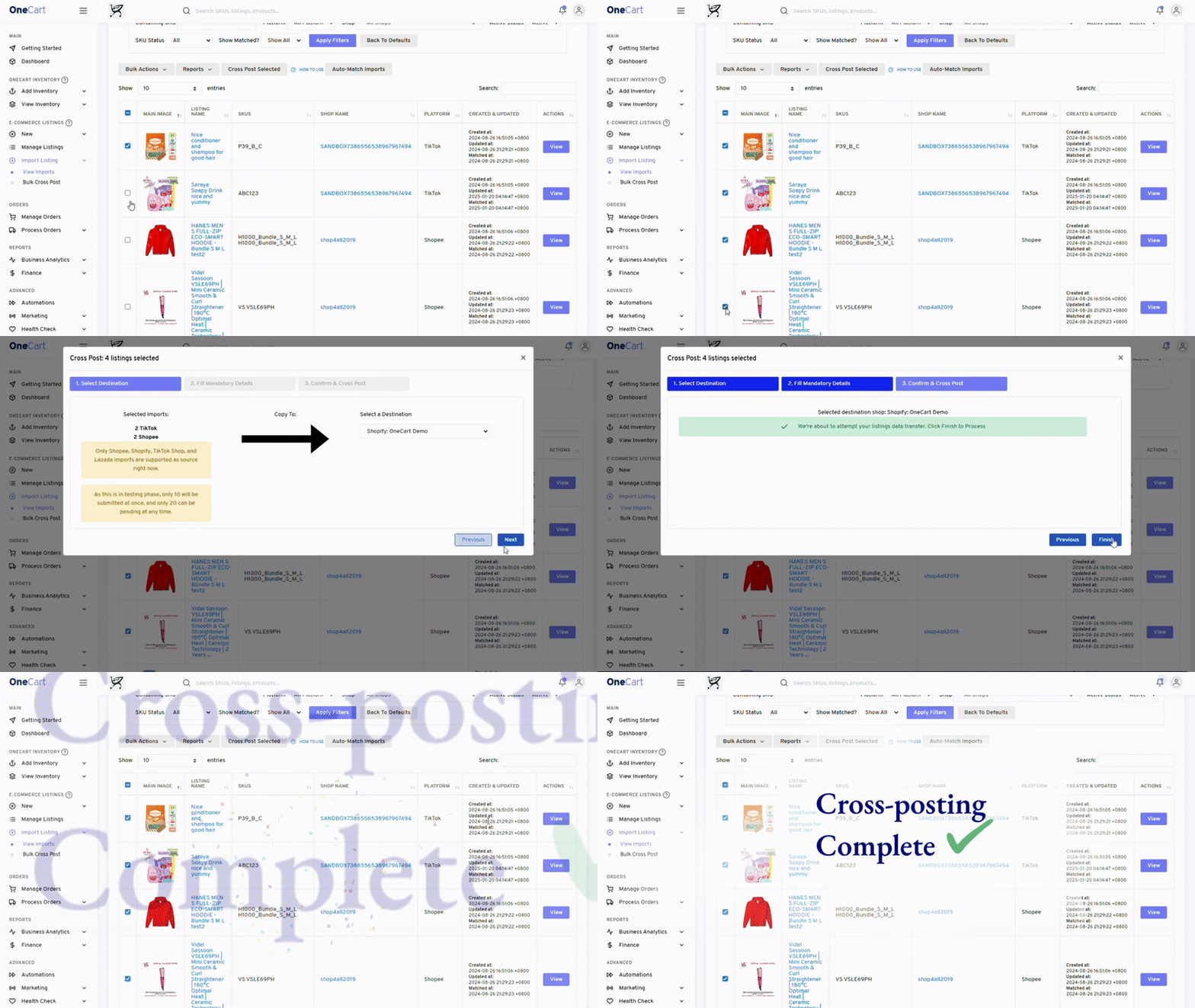
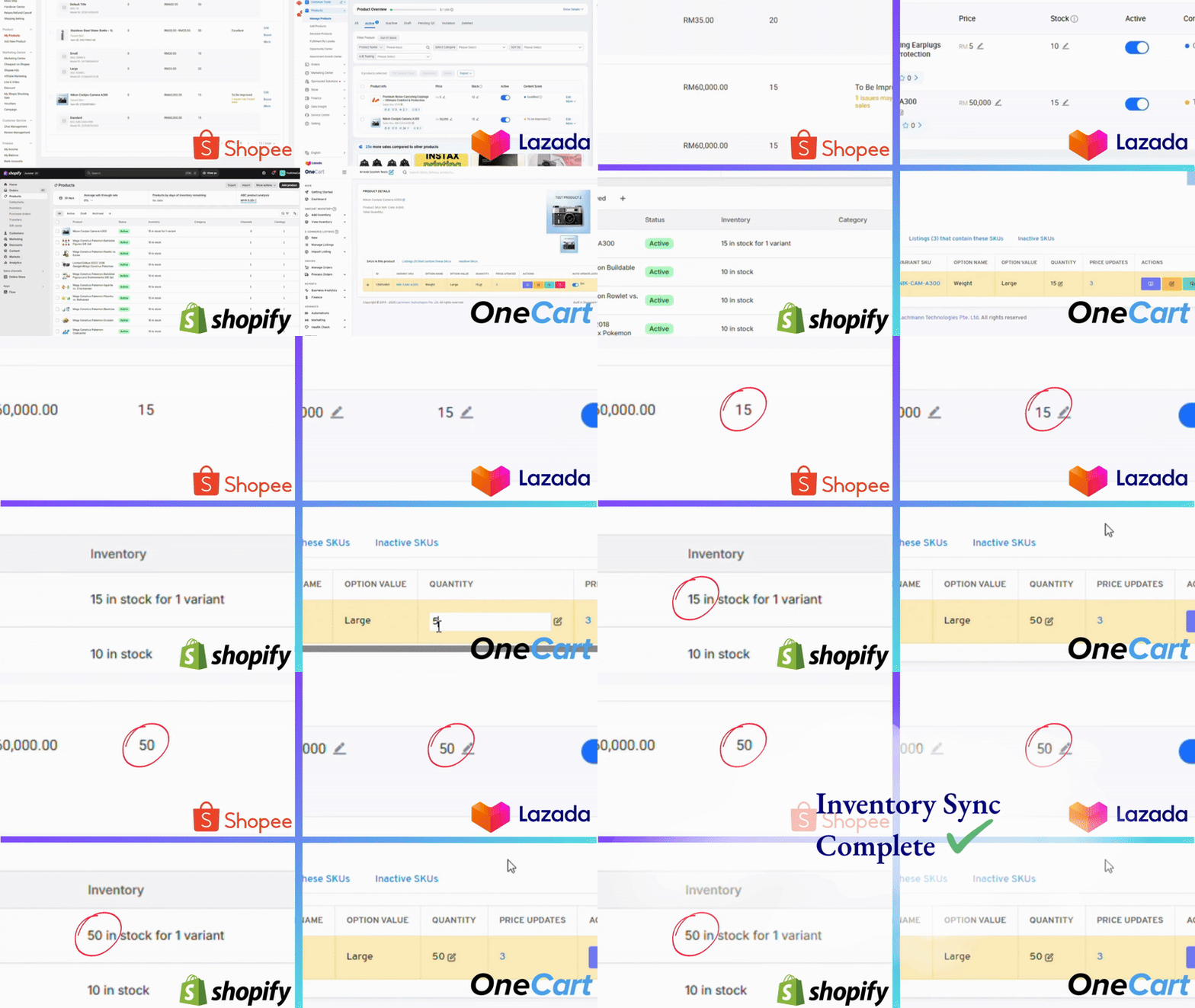
The average multi-channel seller loses $2,000+ monthly to inventory discrepancies. OneCart eliminates this entirely. When a product sells on Shopee, we instantly update Lazada's stock level, and vice versa.
Manage everything from one dashboard. Set low-stock alerts, track inventory across warehouses, and make bulk adjustments that apply to all your sales channels instantly.
"Since using OneCart, we've completely eliminated overselling issues that used to cost us thousands monthly."
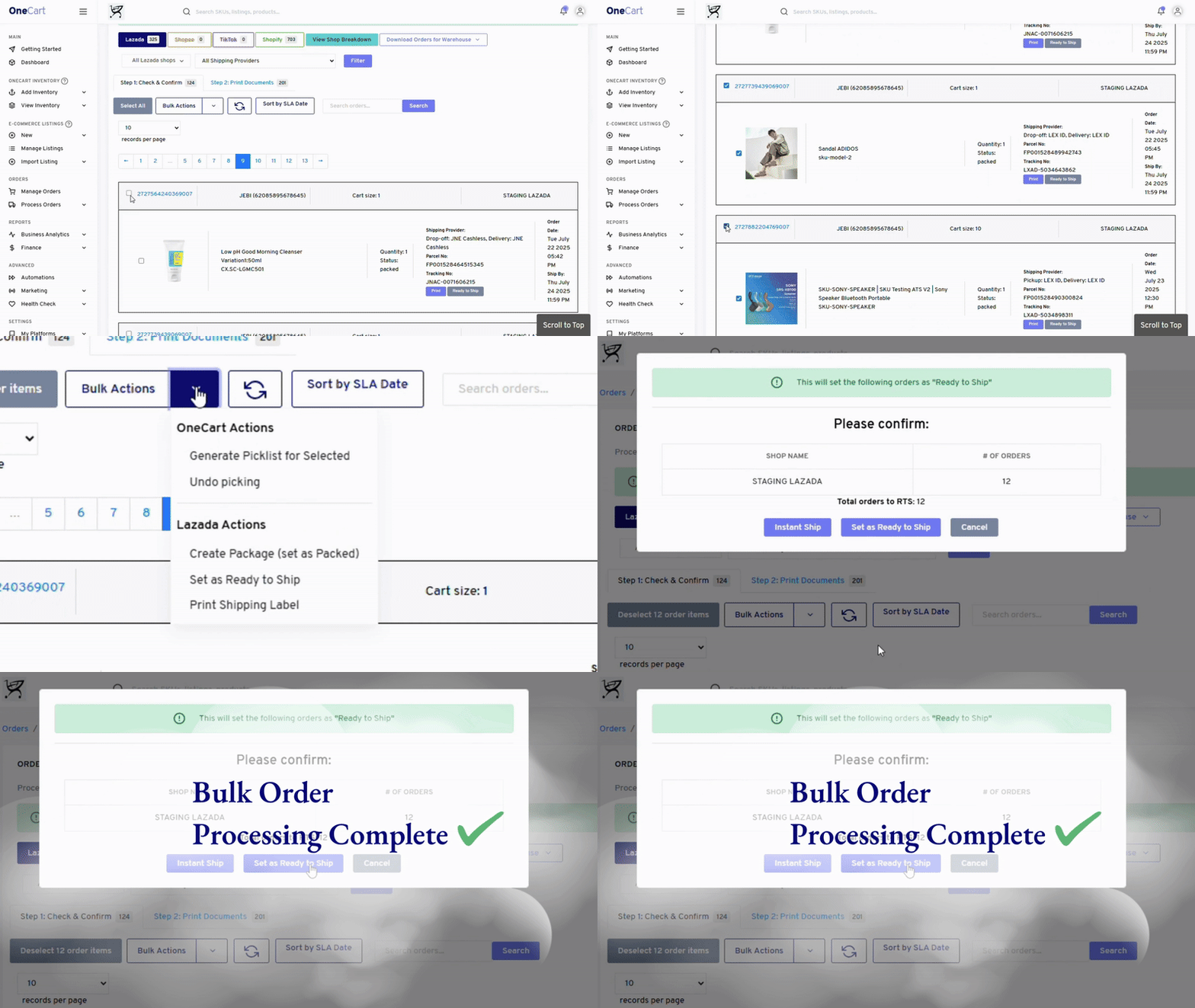
Stop the daily platform-switching nightmare. OneCart consolidates all your Shopee and Lazada orders into a single, intuitive dashboard. See everything at a glance and fulfill orders in batches.
Our customers report processing times dropping from hours to minutes. Faster fulfillment means happier customers, better reviews, and higher platform rankings.
"Order processing that took 3 hours now takes 20 minutes. OneCart completely transformed our fulfillment process."
See how much you could save by connecting Shopee and Lazada with OneCart.
The all-in-one solution for Shopee & Lazada sellers who want to grow without the headaches.
Never worry about stock levels again. Our instant, 24/7 synchronization updates Shopee and Lazada within seconds of any change.
Cut admin work by 75%. Automate the tedious tasks of updating multiple platforms and reconciling inventory discrepancies.
Manage products, inventory, and orders for Shopee, Lazada, and all your other channels from one intuitive interface.
Add new sales channels or handle 10X order volume without adding staff. OneCart scales with your business without added complexity.
Get help when you need it. Our responsive team is based in Singapore and provides personalized assistance for your integration.
No credit card required • Cancel anytime
Everything you need to know about connecting your stores with OneCart.
OneCart creates a real-time connection between your stores that works 24/7:
This happens automatically without any manual work, preventing overselling and inventory discrepancies that cost merchants thousands in lost sales and customer goodwill.
Our customers report saving 75-90% of the time previously spent on order management:
For a merchant processing 50 orders daily across multiple platforms, this typically saves 2-3 hours every day, time you can invest in growing your business instead.
Most merchants complete the basic setup in under 10 minutes:
Your inventory will begin syncing immediately. Our onboarding team is available to help if you need assistance, and we offer premium onboarding services for larger merchants with complex requirements.
OneCart is designed for complex catalogs with variations, bundles, and kits:
This ensures that even sophisticated product catalogs with thousands of SKUs and variations maintain perfect accuracy across all your sales channels.
OneCart scales to support businesses of all sizes:
We have clients ranging from small merchants with 10 orders/day to large enterprises processing thousands of orders daily across multiple channels. The system is designed to grow with your business.
Our integration experts are ready to help you connect Shopee and Lazada seamlessly.
Our simple 3-step process gets you up and running fast.
Create your OneCart account and connect your Shopee and Lazada stores through our guided setup.
Time: 10 minutes
Choose how products, inventory, and orders sync between platforms based on your business needs.
Time: 15 minutes
Begin managing your Shopee and Lazada stores from one dashboard with real-time synchronization.
Time: Immediate
Most merchants complete setup in under 30 minutes!
Start Your Free 14-Day TrialJoin 1,000+ merchants who have automated their Shopee and Lazada operations with OneCart.
30-Day Money-Back Guarantee • Singapore-Based Support
