
Connect Microsoft Dynamics 365 to WooCommerce and eliminate manual data entry. OneCart automatically syncs inventory, pushes products, and writes orders back to your ERP.
Join 1,000+ merchants connecting their ERP to e-commerce




Our integration team gets Microsoft Dynamics 365 and WooCommerce live with you.
OneCart connects to Microsoft Dynamics 365 through a fast, fully documented REST API with clean JSON. ERP integrations run on your own business rules, so our integration specialists work alongside your IT team or vendor to map your data and get you live. You get a guided setup, not a DIY project.
Your WooCommerce store on WordPress needs to mirror what Dynamics 365 says you have, and your orders need to land in the ERP automatically. OneCart connects WooCommerce to Dynamics 365 Business Central so products push out, inventory syncs in real time, and WooCommerce orders write back as sales orders.
Push SKUs, pricing, and stock from your Dynamics 365 item list to WooCommerce, so your storefront reflects your ERP master data.
Dynamics 365 drives inventory, and OneCart pushes quantities to WooCommerce in real time so you never show out of stock items as available.
WooCommerce orders become Dynamics 365 sales orders with line items and customer detail, so fulfillment and finance work from clean ERP data.
Connect Dynamics 365: point your Business Central integration at OneCart's documented REST API (developers.getonecart.com) using an API key. OneCart imports your items and inventory so D365 stays the source of truth.
Connect WooCommerce: add your WooCommerce store in OneCart and approve the connection to your WordPress site. OneCart imports your WooCommerce products and orders.
Map D365 items to WooCommerce products, then turn on product push, real-time inventory sync, and order writeback between Dynamics 365 and WooCommerce.
Push SKUs, pricing, and stock from your Dynamics 365 item list to WooCommerce so your storefront reflects your ERP master data.
WooCommerce orders become Dynamics 365 sales orders with line items and customer detail, so fulfillment and finance run from one source of truth.
Everything you need to know about connecting WooCommerce and Microsoft Dynamics 365 with OneCart.
Yes. OneCart pushes your Dynamics 365 item data to WooCommerce, then keeps inventory and orders synced so your storefront and ERP stay aligned.
Yes. D365 drives stock levels, OneCart syncs them to WooCommerce in real time, and WooCommerce orders flow back into Dynamics 365 as sales orders.
OneCart connects Dynamics 365 Business Central through its documented REST API (developers.getonecart.com) with API-key auth, so inventory stays aligned with WooCommerce and WooCommerce orders become D365 sales orders.
OneCart has plans for sellers at different order and SKU volumes. You can compare plans and what each includes at /pricing/.
Here's what businesses like yours have achieved by connecting their ERP to e-commerce.
"OneCart didn't just fix our operations—it gave me my sanity back. After struggling with platforms that broke everything, I finally found a system that's reliable, affordable, and backed by real support."

"OneCart saved our business during the pandemic. Stock automatically syncs between platforms and I can manage everything remotely. We've cut inventory discrepancies by 100%."

"Order processing that used to take 3 hours now takes just 20 minutes with OneCart. Our warehouse efficiency increased 400%."

"The OneCart team's support is outstanding. We've increased sales by 47% with no additional staff since connecting our platforms."






Your Microsoft Dynamics 365 system holds your master product data. OneCart lets you push your entire catalog—SKUs, descriptions, pricing, images—directly to WooCommerce without re-entering anything.
"We launched on WooCommerce in one afternoon. What would have taken weeks of manual entry took hours with OneCart."
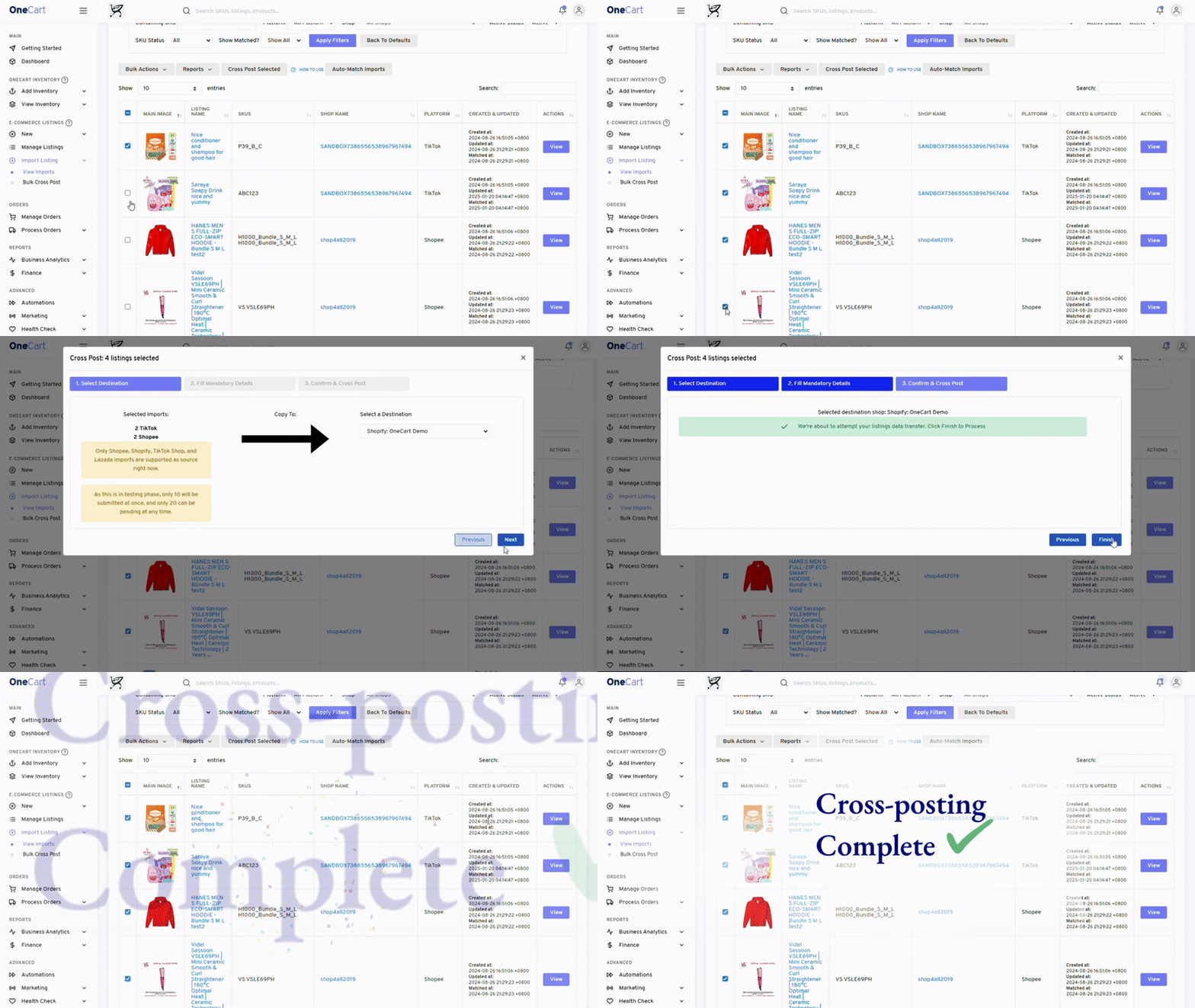
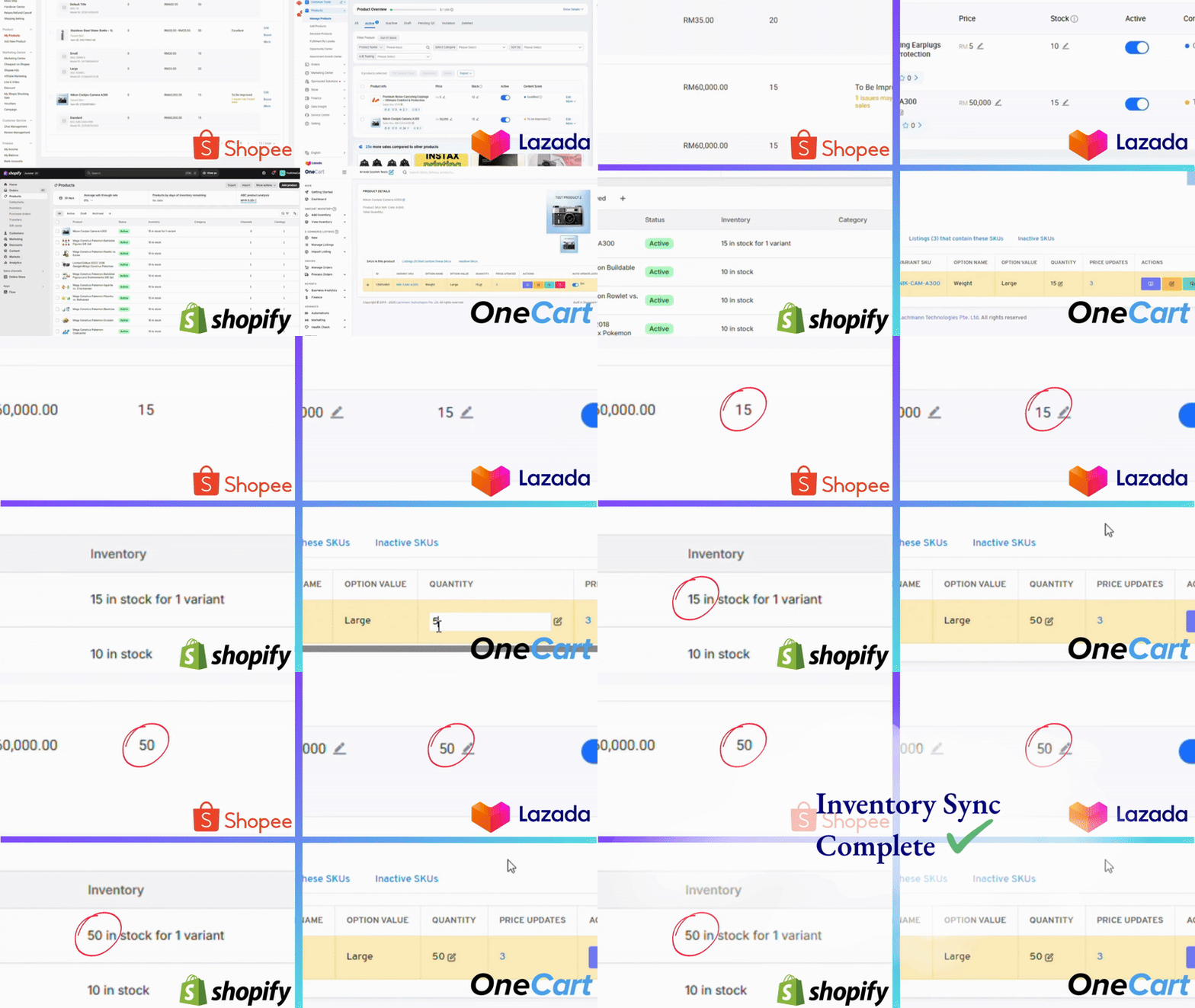
Your Microsoft Dynamics 365 is the source of truth for inventory. OneCart continuously syncs stock levels to WooCommerce, so you never oversell or show out-of-stock items as available.
When inventory changes in Microsoft Dynamics 365—from sales, returns, or receiving—WooCommerce updates automatically.
"Since connecting our ERP to our channels, we've eliminated the overselling issues that used to cost us thousands monthly."
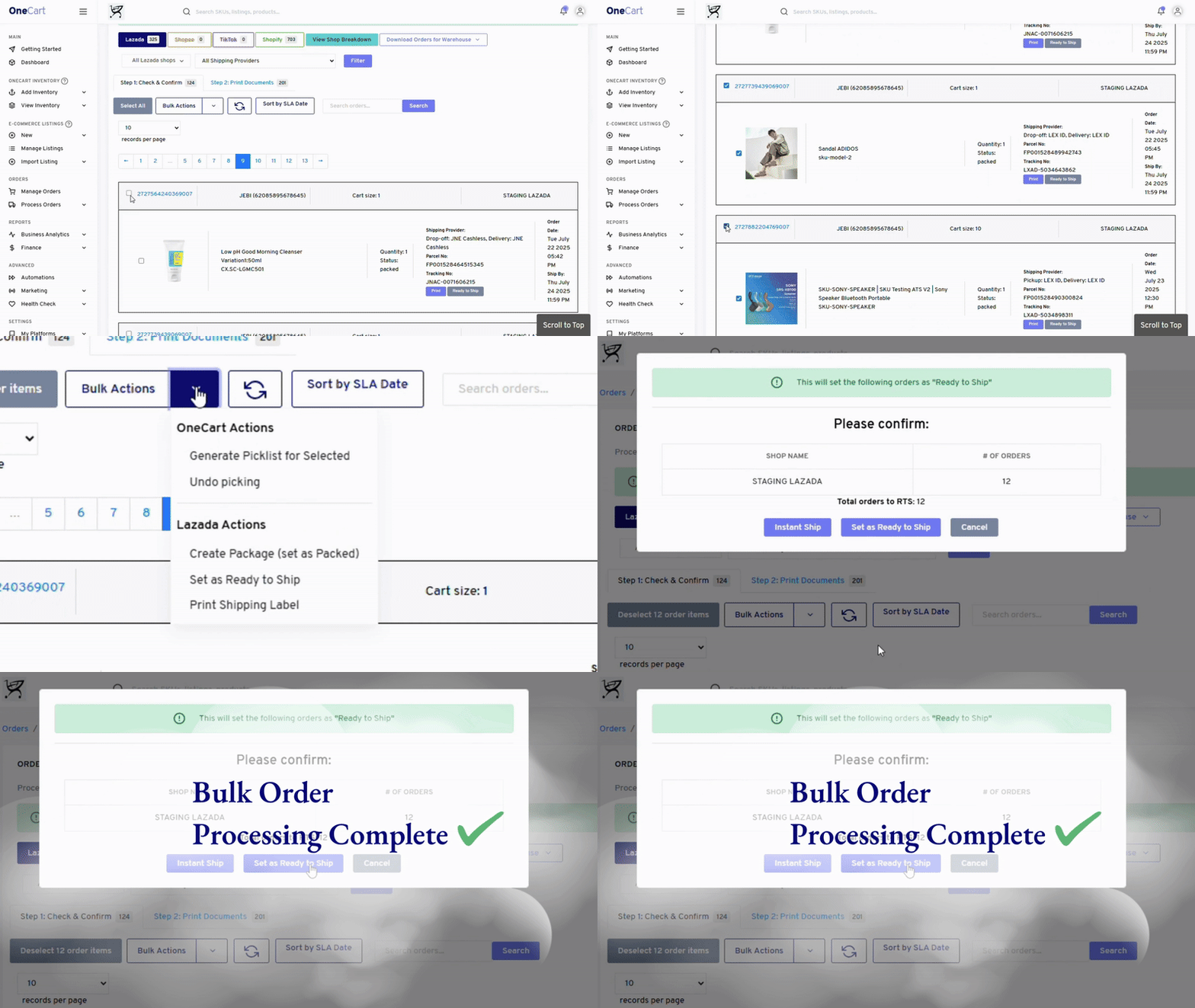
When a customer orders on WooCommerce, OneCart writes the order directly into Microsoft Dynamics 365. No manual entry, no CSV imports, no reconciliation headaches.
Your finance team gets accurate revenue data. Your warehouse gets pick lists. Your ERP stays the single source of truth.
"Order processing that took 3 hours now takes 20 minutes. Our accounting team finally has real-time visibility."
See how much you could save by connecting Microsoft Dynamics 365 to WooCommerce.
The all-in-one ERP-to-e-commerce solution for growing businesses.
Microsoft Dynamics 365 remains your master system. All data flows from ERP to channels, keeping everything consistent.
Inventory pushes out, orders flow back. Your ERP and WooCommerce stay perfectly synchronized.
Orders auto-post to Microsoft Dynamics 365. Revenue, costs, and inventory valuations are always accurate.
Add channels, handle 10X orders—without hiring data entry staff. OneCart scales with you.
Our team understands Microsoft Dynamics 365 integrations. Get help from people who know your systems.
A quick call to scope your Microsoft Dynamics 365 setup
Common questions about connecting your ERP to e-commerce.
OneCart connects to Microsoft Dynamics 365 via API and monitors inventory changes. When stock levels change in your ERP—from sales, receipts, or adjustments—we automatically push the updated quantities to WooCommerce. This happens in near real-time, preventing overselling.
When an order is placed on WooCommerce, OneCart captures it and creates the corresponding sales order in Microsoft Dynamics 365. Customer details, line items, pricing, and shipping info all transfer automatically. Your warehouse and finance teams see orders in their familiar ERP interface.
Basic setup takes 1-2 hours for standard configurations. Connect your Microsoft Dynamics 365 account, connect WooCommerce, map your products, and you're syncing. Complex setups with custom fields or multi-subsidiary configurations may take longer—our team provides guided onboarding.
Yes. OneCart supports multi-subsidiary and multi-location setups. You can map specific warehouses to specific channels, route orders to the right subsidiary, and maintain separate inventory pools—all while keeping everything synchronized.
OneCart connects Microsoft Dynamics 365 to 15+ sales channels including Shopee, Lazada, Amazon, Shopify, TikTok Shop, and more. Manage all your channels from one dashboard, with inventory syncing across all of them from your single ERP source of truth.
Most merchants are up and running the same day.
Link your Microsoft Dynamics 365 account to OneCart using our secure API connection. We'll import your products and inventory.
Time: 30 minutes
Authorize your WooCommerce store. Map products between systems and configure sync settings.
Time: 15 minutes
Enable sync and watch your systems work together. Inventory flows out, orders flow back—automatically.
Time: Immediate
Our team guides your Microsoft Dynamics 365 setup end to end.
Book a DemoJoin 1,000+ merchants who have automated their ERP-to-e-commerce operations with OneCart.
Singapore-Based Support • Talk to a real integration specialist
