How to Sell on Lazada in 2026: Complete Setup Guide [Singapore] 2026
Start selling on Lazada with this step-by-step guide. Covers seller registration, listing optimisation, fees (2-8% commission), and logistics setup for Singapore sellers.
Start selling on Lazada with this step-by-step guide. Covers seller registration, listing optimisation, fees (2-8% commission), and logistics setup for Singapore sellers.
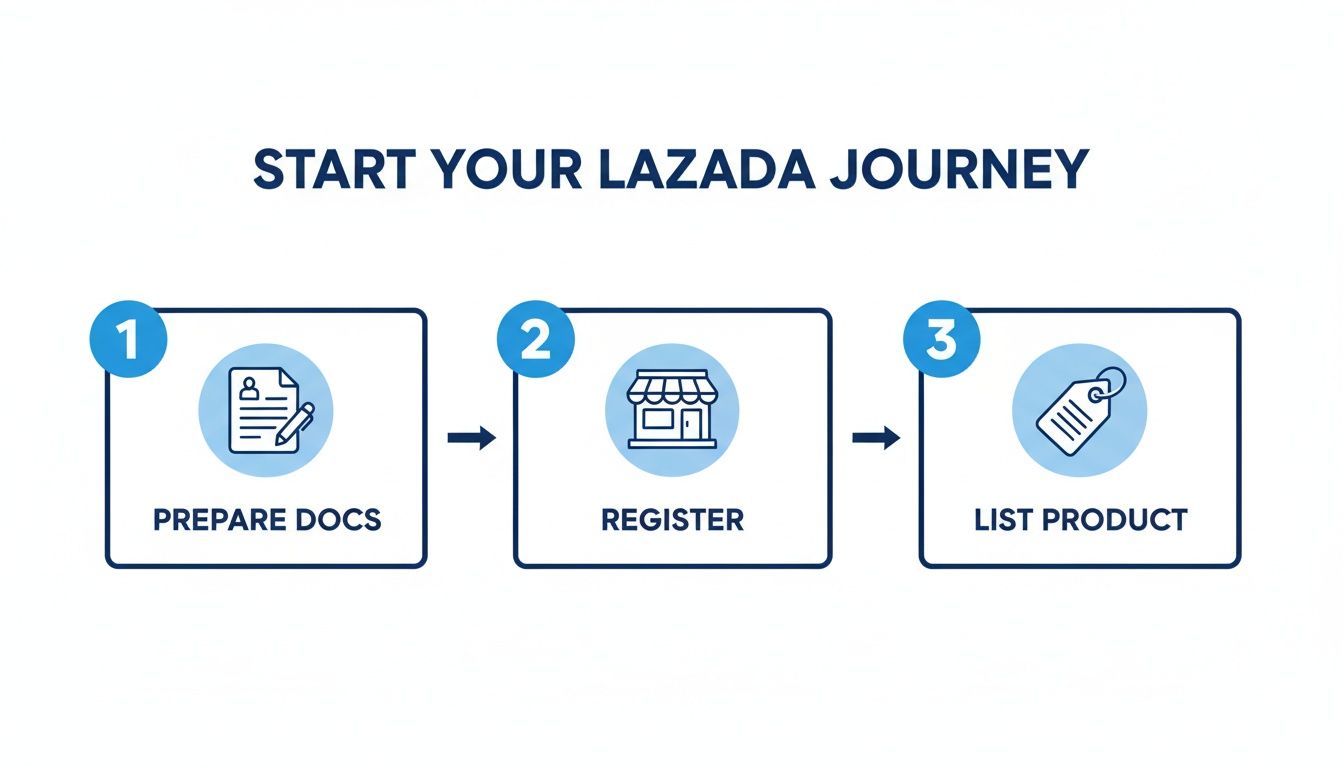
So you’re ready to start selling on Lazada? Great choice. Getting your store live involves three key actions: registering your seller account, listing your products with clear details, and linking your bank account so you can get paid.
Completing these first few steps in the Lazada Seller Centre is your fastest route to reaching millions of shoppers across Singapore.
Before diving in, it’s worth understanding why Lazada is such a powerful sales channel here. It’s a massive opportunity with a huge, ready-to-buy audience. Think of the Lazada Seller Centre as your new command centre—it’s where you’ll manage everything from product listings and inventory to order fulfilment and customer chats.
Industry data shows that Lazada is a dominant force, pulling in around 5–6 million monthly visits in Singapore alone. While Shopee might have more traffic, Lazada commands a serious chunk of the market, accounting for roughly 30–35% of the total marketplace gross merchandise value (GMV). This makes it an essential channel for any serious e-commerce business.
A little prep work goes a long way. Before you even hit the registration page, getting your documents and details in order will make the whole process incredibly smooth. You don’t want to be scrambling for information mid-application.
Think of it like preparing ingredients before you start cooking—get everything ready, and the actual process is much easier.
To make this simple, I’ve put together a quick checklist. Run through this before you start, and you’ll save yourself time later.
Use this checklist to gather the essential documents and information needed before you start the Lazada seller registration process.
| Requirement | Details Needed | Why It’s Important |
|---|---|---|
| Business Information | ACRA BizFile profile (for companies) or NRIC/FIN (for individuals). | This verifies your legal status. Companies need their UEN, while individuals use personal identification. |
| Bank Account Details | A local Singaporean bank account. | Your sales proceeds need somewhere to go! The account name must match your registered seller name. |
| Contact Information | A valid Singapore mobile number and an active email address. | Lazada uses these for account verification, two-factor authentication, and important seller updates. |
Once you have these items handy, the actual setup is pretty straightforward. You’ll find the process is designed to get you from sign-up to selling as quickly as possible.
A common question is, “How much does it cost to sell on Lazada?”
Good news: there are no setup or listing fees. However, Lazada does take a commission and a payment processing fee from each sale. These rates change depending on the product category, so it’s important to factor them into your pricing from day one.
I recommend using a Lazada fee calculator to figure out your profit margins. It helps you set competitive prices that still leave you with a healthy profit on every single sale.
Having a solid foundation in e-commerce principles is invaluable. The core concepts of good product presentation, competitive pricing, and efficient operations apply universally, whether you are selling in Singapore or elsewhere.
To really get a handle on the fundamentals of building a successful online business, it’s worth exploring a guide to ecommerce basics for online success. These broader strategies will perfectly complement the Lazada-specific tactics we’re covering here, giving you a much stronger playbook for growth.
Think of your Lazada storefront as your digital handshake. The first impression you make with a professional, well-organised store builds instant trust, making shoppers feel confident handing over their money. It all starts in the Lazada Seller Centre, the command hub where you’ll bring your shop to life.
The first big decision is what kind of seller you’ll be. Each option is built for a different business structure, so getting this right from the beginning will save you a lot of hassle down the road.
The seller type you pick determines the paperwork you’ll need and the features you can access. For sellers in Singapore, Lazada offers three main account types.
Most people start as an Individual or Corporate seller. You can always aim to upgrade later once your business grows and you meet the LazMall criteria.
After you’ve picked your seller type, it’s time to fill out your profile. This is about proving your store is legitimate. You’ll be asked for key details like your business information and, of course, your bank account for payouts.
This screenshot from the Lazada Help Centre shows the straightforward interface for your address details.
Don’t rush through this part. Accurate address information is absolutely essential for calculating correct shipping fees and making sure logistics run smoothly with Lazada’s delivery partners.
Next comes verification. It’s simple, but you have to get it right. You’ll need to upload clear scans of your documents—your NRIC if you’re an individual seller, or your ACRA BizFile if you’re a corporate one.
Actionable Insight: Make sure the name on your bank account is an exact match to the name on your NRIC or business registration. Mismatched names are one of the top reasons for payout delays. A quick double-check here can save you a lot of trouble later.
Lazada’s team will review your submission, which usually takes a couple of business days. Clear, correct documents are the key to a speedy approval, so take your time and get it right the first time.
Account verified? Awesome. Now for the fun part: designing your storefront. A generic, default-looking store page doesn’t inspire confidence. Thankfully, Lazada’s ‘Store Builder’ tools are intuitive and let you customise your page with banners, logos, and product highlights—no coding needed.
Treat your storefront like a physical shop’s window display. A good design needs to:
A polished storefront has a direct impact on how buyers see you and can genuinely lift your conversion rates. It shows that you’re a serious, professional seller who cares about the customer experience.
Once your store is set up and looking sharp, you might be thinking about how to manage it alongside other sales channels. For those selling on multiple platforms, you can find some great advice on how to connect Lazada to OneCart to get your operations synced up from day one.
Alright, your store is officially live. Now it’s time to make sales. This is where your product listings come in. Think of each listing as your digital salesperson, working 24/7 to convince shoppers to hit that “Add to Cart” button.
A fantastic product with a weak listing will simply get lost in the noise. You have to craft a listing that grabs attention, answers questions, and builds enough trust for someone to make a purchase. This requires understanding both Lazada’s algorithm and what your customer actually wants.
Let’s start with the basics. When you shop online, you type what you need into the search bar. Your customers do the same. Lazada SEO is all about making sure your product pops up when they search for something you sell.
This is all about keywords—the exact words and phrases people are using. Your job is to find those keywords and use them strategically in your product title and description. A good title is a magnet for search traffic.
For example, a title like “Wireless Earbuds” is too vague and will get buried.
A much stronger, SEO-optimised title would be something like: “Wireless Earbuds with Noise Cancelling, Bluetooth 5.3, 30-Hour Playtime for iPhone & Android”. This version targets multiple search queries at once and gives the customer key information immediately.
Actionable Insight: Don’t just go for obvious, broad keywords. The real value is in “long-tail keywords”—more specific, multi-word phrases. A search for “earbuds” is just browsing, but someone searching for “sweatproof wireless earbuds for running” knows exactly what they want. Winning those specific searches brings you customers who are ready to buy.
Once a shopper clicks on your listing, your product description has to do the heavy lifting. This isn’t the place for a boring list of technical specs. You need to tell a story and focus on the benefits, not just the features.
A feature is what your product has (e.g., “5,000 mAh battery”). A benefit is what that feature does for the customer (e.g., “Enjoy up to two full days of use on a single charge, so you never have to worry about your phone dying”).
Here’s a simple framework that works well for writing compelling descriptions:
If you’re dealing with a huge catalogue of products, creating detailed listings for every single item can be a massive time-sink. This is where bulk upload tools can be a lifesaver, helping you get accurate, high-quality listings up quickly without burning out your team.
On Lazada, your photos are your product. Shoppers can’t touch, feel, or try it out, so your images have to bridge that gap. Blurry, dark, or unprofessional photos are an instant turn-off and will destroy a customer’s trust.
Your image gallery should tell a complete visual story. Make sure you include a mix of:
Filling out every single attribute in the Lazada Seller Centre might feel tedious, but it’s crucial. This structured data is what Lazada’s algorithm uses to categorise your product and show it to the right people. Don’t skip it.
Pricing is a balancing act. You need to be competitive enough to attract shoppers but not so low that you eliminate your profit margins. Your first step should be to research your competitors on Lazada. See what they are charging for similar items to get a baseline.
It’s also smart to understand the local market. In Singapore, for instance, electronics and small home appliances are consistently top performers on Lazada. The average order value is quite healthy, and with nearly 60% of internet users buying something online every week, there’s a clear appetite for quality products. This insight can inform your strategy—maybe bundling products or offering a premium version could work well for your brand.
Once that order confirmation pops up in your Lazada Seller Centre, the clock officially starts ticking.
For shoppers in Singapore, fast and reliable delivery is a basic expectation. Your ability to get products into your customers’ hands quickly and professionally will directly impact your store’s rating and your chances of getting repeat business.
Lazada runs on a massive logistics network, and your performance is tied directly to how well you operate within it. The platform is built around third-party sellers, with estimates suggesting around 98% of gross merchandise value comes from sellers just like you.
This means that success depends on mastering Lazada’s fulfilment standards. You’ve got to understand everything from shipping fees to hitting the strict delivery timelines that Singaporean shoppers expect.
In Singapore, Lazada offers a few different ways to get your orders out the door. The right choice really comes down to your product type, how many orders you’re getting, and how much hands-on control you want.
Let’s get practical. Imagine you just sold a “Portable Bluetooth Speaker.” The order lands in the “To Pack” tab in your Seller Centre.
Most sellers start with an integrated 3PL partner, so we’ll walk through that process. Here’s exactly what you do next:
Actionable Insight: Always pack and arrange your shipment within Lazada’s Ship-on-Time (SOT) deadline. This is typically within 24 hours of receiving the order. Missing this metric repeatedly will lower your store’s visibility in search results.
Picking the right logistics strategy from the get-go will save you a lot of trouble later. To make it easier, here is a quick comparison to help you figure out what fits your business best.
| Fulfilment Method | Best For | Key Advantages | Considerations |
|---|---|---|---|
| Integrated 3PL | Most new and small-to-medium sellers with standard products. | Super easy to use, automated tracking, and you get access to Lazada’s negotiated shipping rates. | Less control over the final delivery experience; you’re bound by standard service-level agreements. |
| Seller Own Fleet | Sellers of bulky items, perishables, or products requiring installation. | You get full control over the delivery schedule and can ensure delicate items are handled properly. | You are 100% responsible for meeting delivery deadlines and handling all customer shipping queries. |
| Fulfilment by Lazada (FBL) | High-volume sellers or brands looking to scale without managing logistics. | Guarantees fast delivery promises, cuts down your workload, and Lazada handles all returns. | Incurs storage and handling fees, so you need to be on top of your inventory planning. |
Ultimately, think of your logistics as the physical handshake with your customer. A smooth delivery process builds trust and, more importantly, encourages the positive reviews that are the lifeblood of any successful Lazada store.
For those of you dealing with more complex logistics, our guide on last-mile delivery services offers a deeper dive into optimising that final, critical step of the customer journey.
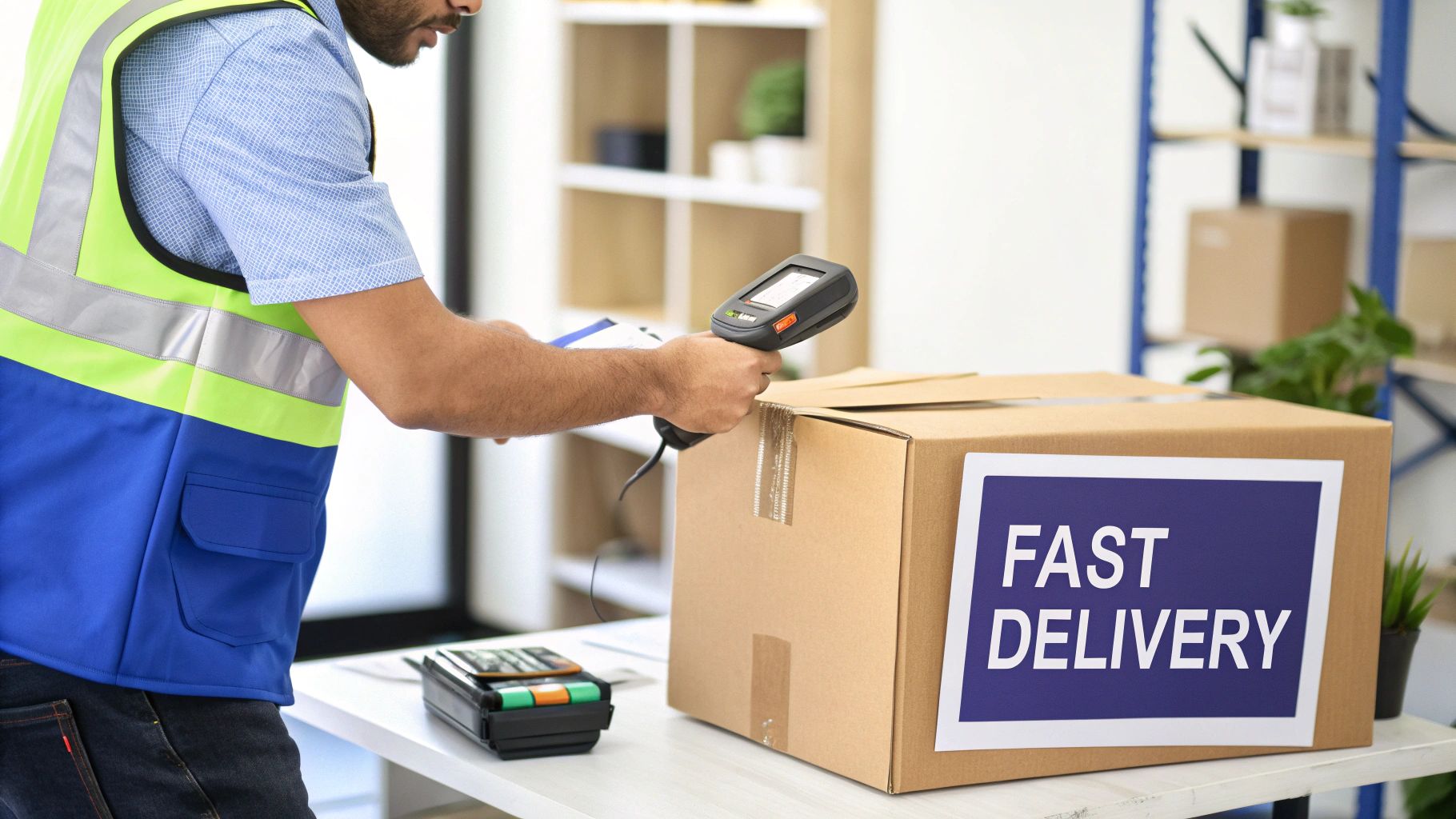
So, your store is set up and the first few orders are trickling in. That’s a great start, but now the real work begins. To scale your Lazada business, you need to get proactive by mastering two things: Lazada’s promotional tools and the story your sales data is telling you.
Think of the tools in the Seller Centre as levers you can pull. Each one attracts a different type of shopper, from the bargain hunter looking for a deal to a loyal customer stocking up. Learning when and how to pull these levers is what separates a hobbyist from a professional seller.
Promotions are your best friend for creating buzz and urgency. They’re designed to make your listings more attractive and visible. Inside the Lazada Seller Centre, you’ll find a whole suite of options, each with a specific job.
Here are the heavy hitters you should get familiar with:
Practical Example: Match your promotion to a specific business goal. If you want people to buy more items per order, a “Buy 3, get 15% off” Flexi Combo makes sense. If you’re trying to attract brand new customers, a store-wide voucher is a great way to encourage that very first purchase.
Running promotions without looking at the numbers is like driving blind. You need to know what’s working and what isn’t. That’s where the Business Advisor dashboard in your Lazada Seller Centre comes in – it’s your GPS for navigating growth.
Start by focusing on just a few key performance indicators (KPIs). Don’t overwhelm yourself.
For instance, if you notice one of your products gets a lot of traffic but has a poor conversion rate, that’s a clear signal to investigate. Is your price too high compared to competitors? Are the product photos blurry? Use the data to spot the problem, then test a solution.
Your seller rating is more than just a score; it’s a massive factor in Lazada’s search algorithm. A higher rating means more visibility. It’s that simple. It all boils down to two core things: customer service and order fulfilment.
Make it a habit to respond to all customer chats as quickly as you can. Lazada actually measures your chat response rate, and it directly impacts your overall store health.
Likewise, shipping orders out on time and making sure the product is exactly what you described will naturally lead to positive reviews. These reviews are pure gold. They act as social proof for new shoppers, building trust and directly boosting your conversion rate. Proactively managing your reputation is a fundamental part of learning how to sell on Lazada successfully.
Jumping into a new marketplace like Lazada always brings up a few questions. As you get your store ready to launch, some common queries are bound to pop up. Let’s get them sorted so you can move forward with confidence.
This is usually the first thing on every new seller’s mind: what’s it going to cost? The good news is, Lazada doesn’t charge you anything just to list your products. But there are a couple of key fees you’ll need to build into your pricing.
For a standard marketplace seller, your main costs boil down to two things: a commission fee and a payment fee.
Beyond these basics, you might run into other costs for optional services. For example, if you decide to join a big campaign like 11.11 or use Fulfilment by Lazada (FBL), those services will have their own fee structures. It’s always a smart move to factor these potential costs into your pricing strategy right from the get-go to protect your profit margins.
Returns are a normal part of e-commerce, and Lazada has a clear system to keep things fair for everyone. When a customer requests a return, you’ll see a notification pop up in your Seller Centre.
You’ll have a specific window of time to look over the request. If the reason is valid – say, the item arrived damaged or you sent the wrong one – you simply accept the return. Lazada’s own logistics partners typically handle the return shipment, which makes the whole process pretty painless.
Once you get the item back, you just need to give it a quick inspection to confirm its condition before you process the refund.
An effective way to keep your return rate low is to focus on getting the details right upfront. Make sure your product descriptions are hyper-accurate, your photos are crystal clear, and your items are packed securely to prevent damage in transit. This proactive approach saves time and keeps your performance metrics high.
Yes, you absolutely can. Lazada Singapore makes it easy for individuals to sell on the platform without needing a registered company.
During the sign-up process, you can just choose the ‘Individual’ seller account type. From there, Lazada will ask for your NRIC/FIN and personal bank details for verification. It’s a fantastic, low-barrier way to test out a product idea or run a small side hustle.
That said, as your store starts to gain momentum, you should consider registering your business. Making the switch to a Corporate seller account adds a layer of professionalism and trust. More importantly, it’s a necessary step if you ever want to join LazMall, which is Lazada’s premium channel for official brands and authorised distributors.
Ready to manage your Lazada store alongside Shopee, TikTok Shop, and Shopify without the chaos? OneCart centralises your orders, inventory, and listings into a single dashboard. Stop overselling, process orders faster, and scale your business with a system built for growth.
Discover how OneCart can streamline your e-commerce operations today.
Automate & Scale Your Online Business with OneCart
Start a Free TrialUsed by hundreds of merchants in Singapore & Southeast Asia