How to Sell on Lazada Singapore [2026]: Fees, Setup & Listings
Start selling on Lazada Singapore in 2026: choose your seller account, understand the 1–8% commission and 2% payment fees, create listings that convert, pick a fulfilment option, and run promotions that grow sales.
by OneCart Team
Jan 2, 2026
29 min read
How to sell on Lazada Singapore in 2026: this guide walks you through account setup, the 1–8% commission fees (plus 2% payment gateway fee), product listings, fulfilment options, and promotion tools, the exact path from registration to your first sale. Works whether you’re a local SME, an established brand, or a cross-border seller using LazGlobal.
Lazada Singapore Seller Quick Facts (2026)
Detail
Summary
Commission fees
1–8% per sale depending on product category
Payment gateway fee
2% on every transaction
Monthly/setup fees
None. Free to start selling
Account types
Local Marketplace, LazMall (invite-only), LazGlobal (cross-border)
NRIC/passport (individual) or ACRA registration (corporate)
Your first decision is the most important one: picking the right type of seller account. Let’s break it down.
How to Sell on Lazada Singapore: Your Complete Blueprint
Getting your store up and running on Lazada can seem like a massive project, but it’s really just a series of manageable steps. Think of this guide as your roadmap, starting with the foundational choice of your seller account. Getting this right from day one sets the entire tone for your store’s success.
Why Lazada in Singapore? Let’s Talk Numbers
Lazada isn’t just another marketplace; it’s a powerhouse in Southeast Asia’s most mature e-commerce market. Singapore’s e-commerce market surpassed $10 billion in GMV in 2025 and continues to grow in 2026, driven by rising mobile commerce adoption and cross-border trade.
What’s really appealing for sellers is the average order value, which remains among the highest in Southeast Asia. As part of the Alibaba Group, Lazada benefits from deep logistics infrastructure and regional reach across six countries. Combined with its rivalry with Shopee for Singapore’s marketplace share, it’s a channel you simply can’t afford to ignore if you’re serious about online retail.
Tapping into this massive, ready-to-buy audience is the goal, but it demands a smart approach. Before you even think about listing your first product, you need a solid plan that covers everything from your store’s identity to your day-to-day operations.
The Three Seller Account Types
First things first: you need to pick the seller account that actually fits your business model. Each one comes with its own set of perks, rules, and requirements.
To make it easier, I’ve put together a quick comparison to help you figure out where you fit in.
Choosing Your Lazada Seller Account
This table gives you a direct comparison to help you select the right seller account type for your business goals in Singapore.
Feature
LazMall Seller
Local Marketplace Seller
LazGlobal Seller
Best For
Official brand owners, trademark holders, and authorised distributors.
Small to medium-sized businesses and individual sellers based in Singapore.
International businesses located outside of Singapore wanting to sell to the SG market.
Requirements
Invitation-only. Requires brand/trademark certification or distributor agreement.
A valid Singapore business registration (ACRA) or personal ID (for individuals).
A valid business registration from your home country.
Key Benefit
LazMall badge builds instant customer trust and provides access to exclusive campaigns.
Low barrier to entry. The quickest and easiest way to start selling on Lazada.
Access to the Singapore market without needing a local entity.
Commission Fees
Higher commission rates compared to Marketplace sellers.
Lower commission rates, making it ideal for new or smaller sellers.
Varies; generally competitive but subject to cross-border fees.
Operational Control
Full control over store, but must adhere to strict LazMall policies and KPIs.
Full control over listings, pricing, and promotions.
Products are shipped to Lazada’s fulfilment centres, which handle local logistics.
Each account type is designed for a specific kind of seller. LazMall is the premium, trusted tier; Local Marketplace is the flexible starting point for most Singaporean businesses; and LazGlobal is the bridge for international brands.
Let’s look at these in a bit more detail.
Local Marketplace Seller: This is the go-to for most people starting out. If you’re a small or medium-sized business based in Singapore, selling anything from handmade soaps to electronics, this is your entry ticket. It’s the most common and accessible option.
LazMall Seller: Think of this as the VIP section. It’s an invitation-only tier for official brand owners and authorised distributors. Getting the LazMall badge gives your products a stamp of authenticity, which boosts customer trust and gets you into exclusive campaigns. If you’re an authorised reseller for a big electronics brand, for example, this is the goal.
LazGlobal Seller: This one’s for businesses headquartered outside of Singapore. It lets international merchants tap into the lucrative Singaporean market without needing a local setup. You simply ship your products to a Lazada fulfilment centre, and they take care of the last-mile delivery. If you’re shipping cross-border, use a landed cost calculator to factor in duties, taxes, and freight before setting your prices.
Actionable Insight: For most new sellers, the smartest move is to start as a Local Marketplace seller. It’s the fastest way to get your store live and start making sales. You can build up your sales history, gather those crucial customer reviews, and always aim to upgrade to LazMall later once your brand grows and you meet their criteria.
Setting Up Your Store for Success
So you’ve chosen your seller account type. Great. Now comes the real work: actually building your store. This part is absolutely crucial. Think of it like laying the foundation for a physical shop. Get it right now, and you’ll save yourself from massive headaches like payment delays, shipping mix-ups, and confused customers later on.
The first hurdle is always verification. Lazada needs to know you are who you say you are to keep the marketplace safe and trustworthy for everyone. It’s a straightforward process, but the devil is in the details.
Nailing the Verification Process
To get your account approved without any hiccups, you need to have all your documents ready to go. The requirements change slightly depending on whether you’re signing up as an individual or a registered business.
For Individual Sellers: Get a clear, coloured scan of your NRIC (both front and back if you’re Singaporean) or a valid passport. Make sure the images are sharp and every single word is readable. Blurry photos are a common reason for rejection.
For Corporate Sellers: You’ll need your business registration number from ACRA (Accounting and Corporate Regulatory Authority) and your exact legal company name. This has to match your official business records down to the last letter.
You’ll also need to link a bank account so you can actually get paid. The bank statement you submit must clearly show the account holder’s name and the account number. Critically, these details must match what you provided during registration. Any mismatch will flag your account and cause delays.
Actionable Insight: I see this mistake all the time: new corporate sellers trying to use a personal bank account. Don’t do it. Always use a dedicated business bank account. It prevents verification problems and makes your bookkeeping much cleaner down the line.
Once your documents are in, you can start building your store’s personality. This is your first real chance to make an impression on shoppers.
Crafting a Memorable Store Identity
Your store name and profile are the very first things a potential customer sees. A generic name like “SG Online Store” is forgettable and does nothing to build trust. Your goal is to create a brand.
A solid store name should be short, easy to spell, and give a clue about what you sell. For instance, if you’re selling artisanal coffee beans, “Kopi Kulture SG” is worlds better than “Ben’s Coffee Supplies”. It’s catchy, brandable, and connects with a local audience.
Think of your store description as your brand’s elevator pitch. In just a couple of sentences, tell people who you are, what you sell, and why they should buy from you.
Weak Description: “We sell good quality home goods.”
Strong Description: “At Urban Living SG, we believe a beautiful home shouldn’t be expensive. We handpick stylish and affordable décor from across the region to help Singaporeans create spaces they love.”
The second one tells a story and connects with what the customer actually wants. If you want to get deeper into managing your new store, it’s worth learning more about the Lazada Seller Centre in Singapore.
Designing Your Storefront and Settings
Lazada gives you tools to customise your store with banners and a logo. You don’t need to be a professional graphic designer. A free tool like Canva is more than enough to create slick-looking banners that feature your top products or announce a sale.
A great banner usually includes:
Your store logo
High-quality product photos
A clear call-to-action, like “Shop Our New Collection” or “11.11 Deals Inside”
Finally, let’s talk about the most critical step: your payment and shipping settings. Inside the Seller Centre, triple-check that your warehouse address, operating hours, and chosen shipping provider are all correct. A simple typo in your address can cause failed pickups and delayed orders, which quickly leads to poor seller ratings, and those are a nightmare to recover from.
Creating Product Listings That Convert
Alright, once your store is up and running, the real work begins. Your product listings are your salespeople, working for you 24/7. A well-crafted listing builds trust, answers questions before they’re asked, and makes it dead simple for a customer to hit “Add to Cart.”
Think about it: a shopper can’t physically touch or test your product online. Your listing, the words, the photos, the layout, has to do all the heavy lifting. Getting this right is often the difference between making a sale and being just another ignored product in a sea of search results.
The Anatomy of a High-Converting Title
Your product title is the single most important factor for getting found on Lazada. A weak title makes you invisible. A strong one puts you right in front of buyers who are ready to spend.
Thankfully, there’s a simple, proven formula that works for almost any product.
The Title Formula: Brand + Model/Type + Top 3 Keywords + Category
Let’s see this in action. Say you’re selling a popular Bluetooth speaker.
Weak Title:Portable Speaker
Strong Title:Anker Soundcore Motion+ Bluetooth Speaker Waterproof BassUp Tech (Electronics)
The strong title is packed with information that helps both Lazada’s algorithm and the customer. It has the brand (Anker), the model (Soundcore Motion+), and crucial keywords people are actually searching for, like “Bluetooth speaker” and “waterproof.”
Actionable Insight: Not sure what keywords to use? Just type your product type into the Lazada search bar and see what auto-suggestions pop up. These are the exact phrases real customers are using. Pick the top three most relevant ones and work them into your title naturally. For instance, if you type “yoga mat,” you might see “yoga mat non slip,” “yoga mat thick,” and “yoga mat with strap.” Add these to your title.
Writing Descriptions That Sell Benefits, Not Features
So many sellers fall into the trap of listing dry, technical specs and calling it a day. While features are important, people buy based on benefits. They need to know how your product will solve their problem or make their life better.
Your job is to translate every feature into a clear benefit.
Feature
Benefit (What you should write)
“5,000 mAh battery”
“Enjoy up to 24 hours of non-stop music on a single charge.”
“IPX7 waterproof rating”
“Take your music to the beach or pool without worrying about splashes.”
“Made with aircraft-grade aluminium”
“Built to last with a durable, lightweight frame that resists drops.”
Always frame your description around the customer. Instead of saying, “This blender has a 1200-watt motor,” say, “Effortlessly crush ice and frozen fruit for perfectly smooth smoothies in seconds.”
Making Your Listings Pop with Lorikeet
A wall of text is an instant conversion killer. This is where Lorikeet, Lazada’s own content enhancement tool, becomes your best friend. It lets you break up your product description with images, banners, and formatted text, creating a visually engaging page that looks professional and is way easier to read.
Here’s how to use it effectively:
Add Lifestyle Images: Show your product being used in a real-world setting. A photo of a person wearing a fitness tracker during a run is more persuasive than the tracker alone.
Use Banners: Create simple graphics to highlight key benefits or promotions. For example, a banner that says “Free Shipping with $50 Spend.”
Incorporate Text Overlays: Place key information directly onto images for maximum impact. A picture of a backpack could have an overlay pointing out the “Water-Resistant Laptop Compartment.”
A listing beefed up with Lorikeet can seriously increase conversion rates because it helps customers visualise the product in their own lives, making it feel more tangible and trustworthy.
Your Product Photography Checklist
Your photos are the closest a customer gets to holding the item before they buy. Poor, blurry, or insufficient images will absolutely kill your sales. You don’t need a professional studio, but you do need to get the basics right. See our full ecommerce product photography guide for equipment, lighting, and marketplace-specific image rules across Shopee, Lazada, and more.
Here’s a quick checklist for every product you list:
High-Resolution Main Image: Your first photo must be on a pure white background, crystal clear, and well-lit. No exceptions.
Multiple Angles: Show the front, back, and sides. Let customers see every detail.
In-Use/Lifestyle Shot: Show someone using the product. A photo of a person wearing the watch is far more compelling than the watch sitting by itself.
Scale and Size Reference: Place the product next to a common object (like a phone or a coin) so customers can accurately judge its size.
Detail Shot: Zoom in on a key feature, like the stitching on a bag, the texture of a fabric, or the ports on a speaker.
You should aim for at least five to seven high-quality photos per listing. The more visual information you provide, the more confident a customer will feel about their purchase.
Choosing the Right Categories and Attributes
Finally, don’t get lazy with the small details. When you list a product, Lazada asks you to select a category and fill out various attributes (like colour, material, size, warranty type). It’s tempting to rush this part, but it’s a huge mistake.
These attributes are the backbone of Lazada’s filter system.
When a customer searches for “running shoes” and then filters by “Size 10,” “Brand Nike,” and “Colour Black,” your product will only appear if you’ve correctly tagged those attributes. By being thorough here, you ensure your products show up in these highly specific, filtered searches, capturing motivated buyers who know exactly what they want.
Mastering Inventory and Order Fulfilment
Getting your product listings just right is what wins you the sale. But what happens after the customer clicks “Buy Now”? That’s where the real work begins.
Efficient operations are what keep customers happy, your reviews glowing, and your seller rating high. This is where so many new sellers trip up. Managing your stock and getting orders out the door quickly and accurately is the absolute backbone of a successful Lazada store.
Let’s walk through the day-to-day grind that truly defines your reliability as a seller. We’ll start inside the Lazada Seller Centre, your mission control for everything from tracking stock to shipping out that very first order.
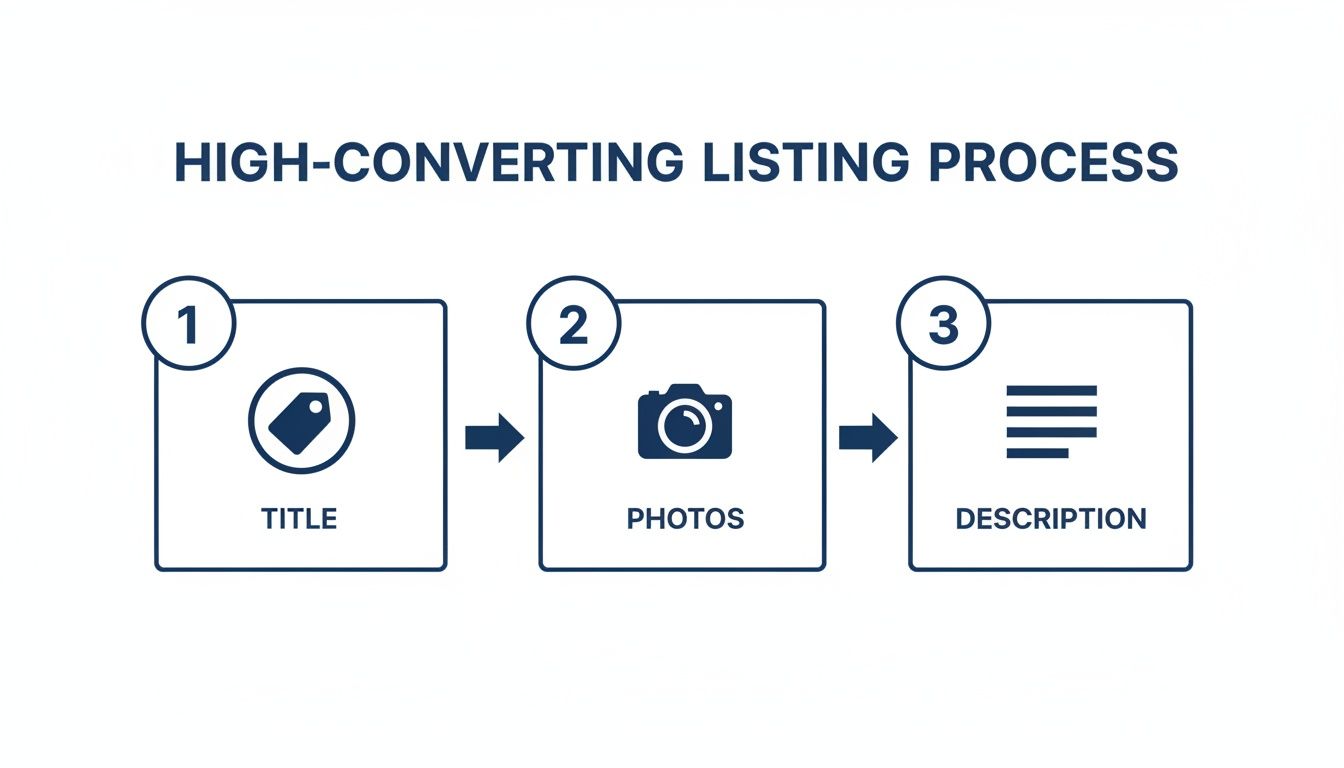
This is a good reminder of what leads to an order in the first place, the stuff you’ll need to fulfil perfectly every time.
Nailing your titles, photos, and descriptions brings the orders in. Nailing your fulfilment is what turns those orders into loyal, repeat customers.
Day-to-Day Operations in the Seller Centre
Your Seller Centre dashboard is where the action happens. The second an order notification pops up, the clock starts ticking. Lazada’s performance metrics are no joke, and maintaining a high Ship-on-Time (SOT) rate, Lazada’s measure of your overall on-time-delivery performance, is non-negotiable if you want to keep a good seller rating.
Your goal should be to get every single order packed and ready for pickup within 24 hours. This means printing the airway bill, packing the item securely, and slapping on the shipping label correctly. To really speed things up, investing in a reliable label printer is a small investment that pays off big by making your labels look professional and saving you heaps of time. For non-Lazada orders or manual shipments where LEX doesn’t auto-generate the label, you can produce a clean 4x6 label in seconds with our free shipping label template generator.
Handling returns is another critical task managed from the Seller Centre. When a customer requests a return, don’t panic. Respond quickly and professionally. A smooth, no-hassle return process can actually transform a potentially negative experience into a positive one, sometimes even earning you a customer for life.
Deciding Your Fulfilment Strategy
When it comes to getting products to your customers, you’ve got two main paths: do it all yourself, or let Lazada handle the heavy lifting. Each has its pros and cons, and the best choice really boils down to your business model and how you want to operate.
To make it clearer, here’s a simple breakdown of your options for fulfilling orders on Lazada Singapore.
Fulfilment Options on Lazada Singapore
Aspect
Seller Fulfilled
Fulfilled by Lazada (FBL)
Control
You have complete control over inventory, packing, and quality checks. Great for adding personal touches like thank-you notes.
Lazada’s team handles everything from their warehouse. Less control, but highly standardised and efficient.
Cost
Generally more cost-effective for low order volumes or large, bulky items. You only pay for what you ship.
Involves storage fees. Best for high-volume, fast-moving products where the automation justifies the cost.
Workload
You’re responsible for picking, packing, and arranging courier pickups. Can be very time-consuming as you scale.
Almost completely hands-off. Once your stock is at their warehouse, Lazada takes over the moment an order is placed.
Shipping Speed
Reliant on your own efficiency and courier pickup schedules.
Products are often eligible for faster shipping options and badges (like “Priority Delivery”), which can significantly boost sales.
For most new sellers, starting out with self-fulfilment is the most practical way to go. You’ll learn the entire pick, pack, and ship process inside and out. Once you reach a point where packing orders is taking up most of your day, that’s the perfect signal to start looking into moving your best-selling products over to FBL, or exploring warehouse management software to streamline your operations.
The Multi-Channel Seller’s Biggest Headache
So, what happens when you decide to grow and sell not just on Lazada, but also on Shopee, TikTok Shop, or your own Shopify site? You create a massive operational nightmare for yourself: overselling.
Picture this: you have 10 units of a popular product. You list all 10 on Lazada and all 10 on Shopee. An order for five units comes in on Lazada. Now you have to scramble to manually update your Shopee stock before another customer there buys more than the five you actually have left. During a flash sale, this is virtually impossible.
This is exactly how you end up with cancelled orders, furious customers, and penalty points that destroy your seller rating.
It’s the number one reason why successful multi-channel sellers rely on a centralised inventory management system. A tool like OneCart connects to all your online stores and syncs your inventory in real-time. When an item sells on Lazada, the stock count is automatically reduced across all your other channels instantly. You can learn more about how to prevent overselling without manual work.
This one change completely eliminates overselling, saves you countless hours of manual data entry, and protects your hard-earned store reputation. If you’re planning to sell across multiple platforms, check out our guide to the best multichannel listing software to compare your options. You might also want to explore TikTok Shop or Temu as additional channels, or Carousell as a low-cost local marketplace for clearing stock and reaching Singapore buyers. For deeper operational knowledge, our warehousing and logistics guide covers everything from storage to last-mile delivery in Singapore.
5 Common Mistakes New Lazada Sellers Make (and How to Avoid Them)
Before you dive into promotions and marketing, let’s talk about the avoidable mistakes that trip up most new Lazada sellers. Fixing these early can save you months of frustration and lost revenue.
1. Ignoring Inventory Counts Across Channels
The single most damaging mistake is listing the same stock on Lazada, Shopee, and TikTok Shop without syncing your quantities. One double-sale during a flash event can trigger cancellation penalties on both platforms. Using a centralised inventory management tool eliminates this risk entirely.
2. Pricing Without Calculating All Fees
Many sellers price based on the product cost plus a rough margin, forgetting about Lazada’s commission (1–8%), the 2% payment gateway fee, and any Free Shipping program fees. On a $50 item with a 6% commission, fees alone eat $5 before shipping. Always run your numbers through a Lazada fee calculator before setting prices.
3. Neglecting Product Attribute Fields
Lazada’s filters are how customers narrow down from thousands of results to a handful. If you leave the “Material,” “Warranty,” or “Size” attributes blank, your products become invisible to any buyer using filters, and that’s most of them.
4. Slow Response to Customer Messages
Lazada tracks your chat response rate and time. Letting enquiries sit unanswered for more than a few hours tanks your response metrics and pushes buyers to competitors who reply faster. Set up Lazada’s auto-reply for common questions and check messages at least three times a day.
5. Skipping Campaign Preparation
Mega sales events like 11.11 and 12.12 can generate weeks’ worth of revenue in a single day, but only if you’ve stocked up, pre-set your vouchers, and nominated products in advance. Sellers who scramble at the last minute routinely run out of stock by mid-afternoon. Start preparing at least four weeks before every major campaign.
Actionable Insight: Track your exact costs per order using a profit margin calculator and review your margins weekly. Small fee increases or shipping cost changes can quietly erode your profitability if you’re not watching.
Driving Sales with Marketing and Promotions
Getting your store set up and your operations running smoothly is a huge milestone. But a perfectly optimised store with no traffic is like a beautiful shop on a deserted street. It won’t generate sales.
Now it’s time to shift gears. We need to focus on actively bringing customers to your product pages, and the best way to do that is by using Lazada’s powerful suite of marketing and promotional tools.
These tools aren’t just fancy add-ons; they’re essential for cranking up your store’s visibility, boosting your conversion rate, and ultimately, growing your average order value. Once you get the hang of them, you can turn passive browsers into active buyers and start carving out a bigger piece of the market for yourself.
Mastering Lazada’s In-Platform Promotional Tools
The Lazada Seller Centre is packed with tools designed to help you create compelling offers that get customers to buy more. Successful sellers don’t just rely on a single discount. Instead, they layer different promotions to create a real sense of urgency and value that shoppers can’t ignore.
Three of the most effective tools you have right at your fingertips are Seller Picks, Vouchers, and Flexi Combos.
Seller Picks: Think of this as putting your star products in the front window of your shop. It lets you feature specific products, pushing them higher in your store’s search results. Use it to boost the visibility of new arrivals, your proven bestsellers, or even items you need to clear out.
Vouchers: Vouchers are incredibly versatile and a customer favourite. You can create store-wide vouchers (e.g., “$5 off a minimum spend of $50”) to encourage larger purchases, or you can create product-specific vouchers to drive sales for a particular item. Tiered vouchers are especially effective; for instance, offering a 5% discount for a $30 spend and a 10% discount for a $60 spend is a great way to nudge customers to add more to their cart.
Flexi Combos: This is your go-to tool for increasing the number of items per order. You can set up deals like “Buy 2, Get 10% Off” or create bundles of complementary products. A classic example is offering a discount on a phone case when a customer buys a new phone. It’s a simple trick that not only increases your average order value but also helps you move more stock. For more inspiration, you can explore other innovative ecommerce promotion ideas to see what might work for your store.
Preparing for Major Sales Campaigns
Mega campaigns like 11.11, 12.12, and Lazada’s Birthday Sale are the biggest events of the year on the e-commerce calendar. For sellers in Singapore, these are golden opportunities to hit massive sales volumes, but they absolutely require careful planning.
For example, Lazada’s recent 9.9 Mega Brands Sale delivered record-breaking performance where the top sellers saw growth of more than 49 times year-over-year. LazMall also reported nearly 30% growth in average order value, which tells us that shoppers are primed and ready to spend big on brands they trust during these events.
Actionable Insight: Start preparing for a major campaign at least four to six weeks in advance. Seriously. Use this time to nominate your best deals for campaign inclusion, stock up on your best-selling inventory, and design your campaign-specific store banners and creative assets. Running out of stock mid-sale is the biggest and most avoidable mistake you can make.
Demystifying Lazada Sponsored Solutions
Beyond the free promotional tools, Lazada offers a pay-per-click (PPC) advertising platform called Sponsored Solutions. This can feel intimidating for new sellers, but it’s a seriously powerful way to get your products in front of high-intent buyers who are actively searching for what you sell.
You can start small. With a daily budget of just $5 to $10, you can launch a Sponsored Discovery campaign. This lets you target specific keywords that customers are typing into the search bar. So, if you sell “organic dog treats,” you can bid on that exact keyword to ensure your product appears at the top of the search results when a potential customer looks for it.
Start with a small, focused campaign on one or two of your top products. Keep a close eye on your click-through rate (CTR) and conversion rate right inside the Seller Centre. If a keyword is getting a lot of clicks but no sales, it might be too broad. On the other hand, if another keyword is converting well, consider increasing your bid to capture more of that valuable traffic. The key is to start small, analyse the data, and scale what works.
Remember, building a sustainable business is about more than just getting the first sale. You need to turn those new buyers into repeat customers. Focusing on proven customer retention strategies will help you maximise the lifetime value of every customer you bring in.
Lazada itself doesn’t expose buyer email addresses for off-platform contact, so most retention happens inside Lazada’s chat, follow, and voucher programmes. But for every order you also fulfil from your own Shopify or WooCommerce storefront, or where you collect emails through inserts, warranty registration, or a giveaway, an ecommerce email marketing flow (welcome, abandoned cart, post-purchase, win-back) is the highest-ROI retention channel for the customers you actually own. Treat the marketplace as the discovery layer and your owned channels as the retention engine.
Got Questions About Selling on Lazada?
Jumping into a new marketplace like Lazada always kicks up a bunch of questions. As you get the hang of selling in Singapore, you’ll hit situations where you need a quick, clear answer. Let’s tackle the most common queries I hear from new sellers to help you get past these initial hurdles.
What Are the Fees for Selling on Lazada Singapore in 2026?
Getting your head around the cost structure is make-or-break for pricing your products profitably. Lazada doesn’t charge any setup or monthly fixed fees, which is a massive plus when you’re just starting out.
But you do need to account for several variable costs on every sale:
Commission fee: Ranges from 1% to 8% depending on your product category. Fashion and accessories tend to be on the higher end, while electronics and groceries are lower. Check the official Lazada Seller Centre for the latest rates.
Payment gateway fee: A standard 2% on every transaction to cover payment processing.
Free Shipping Max Program: An optional service fee (typically 2-4%) on successful orders that lets you offer free shipping to customers, highly recommended as free shipping significantly boosts conversion.
Cashback Program: A percentage fee applied to attract buyers who love cashback rewards.
For a quick breakdown: on a $100 sale in a category with a 4% commission, you’d pay $4 commission + $2 payment fee = $6 in fees, leaving $94 before shipping costs. If you’re also on the Free Shipping program at 3%, that’s another $3. Commission rates are category-specific and Lazada revises them, so our Lazada seller fees guide walks through every charge, when each one starts (new sellers pay no commission for their first 90 days), and how to read your own live rate in Seller Centre. Understanding your markup vs margin is critical here. A 50% markup only gives you a 33% margin, and fees eat into that fast.
Actionable Insight: Before you price any new product, calculate your net profit after subtracting the commission, payment fee, and any marketing fees. Use a tool like our Lazada fee calculator to work out your exact margins. Factoring this in from day one is how you build a business that actually makes money.
How Do I Improve My Seller Rating?
Think of your seller rating as the big, shiny trust signal on your store page. A high rating pulls customers in, while a low one can send them running to your competitors. Nailing your rating really comes down to being excellent in a few key areas that Lazada watches like a hawk.
The three biggest things that move the needle on your rating are:
Ship-on-Time (SOT) Rate: This is all about how fast you pack and get your orders to the courier. Your goal should be to have every single order ready for pickup within 24 hours. A consistently speedy SOT rate is the single most powerful way to boost your rating.
Seller-Fault Cancellation Rate: This tracks any orders you have to cancel because you ran out of stock or messed up a listing. The only way to keep this number near zero is with rock-solid inventory management.
Customer Reviews: It’s simple. Good reviews of your products and store push your overall score up.
Here’s a practical tip that works wonders: slip a small, nicely printed thank-you card into your packages. A short note showing your appreciation and gently asking for a review if they’re happy with their order can make a huge difference.
Can I Sell Without a Registered Business?
Yes, you can. You can absolutely start on Lazada Singapore as an Individual Marketplace Seller without registering a business. In fact, this is how most new entrepreneurs dip their toes in the water.
To sign up as an individual, you’ll just need to provide some personal ID. If you’re a Singaporean citizen or PR, that means a clear copy of your NRIC. For foreigners living in Singapore, you’ll need your passport along with a valid pass (like an Employment Pass or Dependant’s Pass).
That said, if you’re serious about building a proper, scalable business, you’ll eventually need to register with ACRA (Accounting and Corporate Regulatory Authority). Having a registered business is a non-negotiable step if you ever want to apply for the LazMall program, which gives your store a massive badge of authenticity and trust.
Should I Sell on Lazada or Shopee in 2026?
The honest answer: sell on both. Lazada and Shopee each serve slightly different customer demographics in Singapore, and most successful sellers operate on both platforms simultaneously. Lazada tends to attract higher average order values and has stronger brand-focused features through LazMall, while Shopee excels at flash sales and has a larger share of casual, impulse-driven shoppers.
The real question isn’t which platform to choose. It’s how to manage both efficiently. Running separate inventories manually is a recipe for overselling and operational chaos. This is where multichannel inventory management tools become essential. For a detailed side-by-side comparison of the two platforms, read our Lazada vs Shopee breakdown.
How Long Does Lazada Take to Approve My Seller Account?
For most Local Marketplace sellers, approval takes 1 to 3 business days once you’ve submitted all the required documents. The most common cause of delays is mismatched information, for example the name on your bank statement not matching your registration name, or a blurry NRIC photo.
To speed things up: double-check that your bank account holder name matches your registration exactly, upload high-resolution document scans (not phone photos of paper printouts), and make sure your ACRA business name is letter-perfect if you’re registering as a corporate seller. LazMall applications take longer since they involve brand verification and are by invitation only.
What Are the Best-Selling Categories on Lazada Singapore?
The top-performing categories in 2026 are Health & Beauty, Home & Living, Electronics, and Fashion Accessories. Health and Beauty consistently leads in volume, while Electronics drives higher average order values. If you’re deciding what to sell, focus on categories where you have genuine product knowledge or supplier relationships rather than chasing trends.
One smart approach: check Lazada’s “What’s Trending” section in the Seller Centre for real-time data on rising search terms and popular categories. Pairing trending demand with your expertise gives you the best shot at standing out.
How Do I Qualify for LazMall?
LazMall is invitation-only, but the criteria Lazada uses are well understood. To get on the shortlist, you generally need three things: (1) you must be the brand owner (registered trademark) or hold an authorised distributor agreement with the brand, (2) you must demonstrate operational reliability at Local Marketplace level first, typically a track record of strong Ship-on-Time and Positive Review rates over a few months of trading, and (3) you must commit to LazMall’s tighter service standards (faster shipping, tighter return windows, higher chat-response expectations).
Once invited, you submit brand verification documents (trademark certificate or distributor letter), any category-specific compliance documents (for example, SFA approvals for Health & Beauty), and your operational track record. Plan to keep selling as a Local Marketplace seller through the process, because applying for LazMall does not pause your existing revenue. The LazMall badge can lift conversion meaningfully in premium categories, so model the higher commission against the expected conversion gain with our Lazada fee calculator before accepting an invitation.
What Products Are Prohibited on Lazada?
Lazada is incredibly strict about what’s allowed on its platform. They have to be, to keep the marketplace safe and legal for everyone. Listing something you shouldn’t can lead to real trouble, from having your product deleted to getting penalties or even having your account shut down for good.
The banned list includes the obvious stuff like illegal drugs, weapons, and fake goods. But it also covers things that might not seem so obvious, like certain medical devices that need special licenses or telco equipment that hasn’t been approved by the right authorities in Singapore.
Before you even think about sourcing a new product, your very first move should be to read the official “Prohibited and Controlled Items Policy” in the Lazada Seller Centre. This document is your bible. It’s updated regularly and breaks down exactly what you can and can’t sell. Pleading ignorance won’t get you out of trouble, so make a habit of checking it.
Ready to scale your e-commerce business without the operational headaches? OneCart brings your inventory and orders from Lazada, Shopee, TikTok Shop, and more into a single dashboard. Stop overselling, simplify your fulfilment, and grow faster. Learn how OneCart can transform your operations.