How to Sell on Lazada Singapore: Seller Guide [2026] 2026
Step-by-step guide to selling on Lazada Singapore in 2026 — account types, seller fees (1–8%), product listings, fulfilment options, and promotion strategies that convert.
Step-by-step guide to selling on Lazada Singapore in 2026 — account types, seller fees (1–8%), product listings, fulfilment options, and promotion strategies that convert.
Want to sell on Lazada Singapore in 2026? This guide covers everything from account setup and commission fees (ranging from 1% to 8% depending on category) to product listings, fulfilment, and promotions. Whether you’re a local SME, an established brand, or a cross-border seller, you’ll find the exact steps to go from registration to your first sale.
| Detail | Summary |
|---|---|
| Commission fees | 1–8% per sale depending on product category |
| Payment gateway fee | 2% on every transaction |
| Monthly/setup fees | None — free to start selling |
| Account types | Local Marketplace, LazMall (invite-only), LazGlobal (cross-border) |
| Fulfilment options | Self-fulfilled or Fulfilled by Lazada (FBL) |
| Shipping target | Ship within 24 hours to maintain seller rating |
| Key selling tools | Seller Picks, Vouchers, Flexi Combos, Sponsored Solutions |
| Required documents | NRIC/passport (individual) or ACRA registration (corporate) |
Your first decision is the most important one: picking the right type of seller account. Let’s break it down.
Getting your store up and running on Lazada can seem like a massive project, but it’s really just a series of manageable steps. Think of this guide as your roadmap, starting with the foundational choice of your seller account. Getting this right from day one sets the entire tone for your store’s success.
Lazada isn’t just another marketplace; it’s a powerhouse in Southeast Asia’s most mature e-commerce market. Singapore’s e-commerce market surpassed $10 billion in GMV in 2025 and continues to grow in 2026, driven by rising mobile commerce adoption and cross-border trade.
What’s really appealing for sellers is the average order value, which remains among the highest in Southeast Asia. As part of the Alibaba Group, Lazada benefits from deep logistics infrastructure and regional reach across six countries. Combined with its rivalry with Shopee for Singapore’s marketplace share, it’s a channel you simply can’t afford to ignore if you’re serious about online retail.
Tapping into this massive, ready-to-buy audience is the goal, but it demands a smart approach. Before you even think about listing your first product, you need a solid plan that covers everything from your store’s identity to your day-to-day operations.
First things first: you need to pick the seller account that actually fits your business model. Each one comes with its own set of perks, rules, and requirements.
To make it easier, I’ve put together a quick comparison to help you figure out where you fit in.
This table gives you a direct comparison to help you select the right seller account type for your business goals in Singapore.
| Feature | LazMall Seller | Local Marketplace Seller | LazGlobal Seller |
|---|---|---|---|
| Best For | Official brand owners, trademark holders, and authorised distributors. | Small to medium-sized businesses and individual sellers based in Singapore. | International businesses located outside of Singapore wanting to sell to the SG market. |
| Requirements | Invitation-only. Requires brand/trademark certification or distributor agreement. | A valid Singapore business registration (ACRA) or personal ID (for individuals). | A valid business registration from your home country. |
| Key Benefit | LazMall badge builds instant customer trust and provides access to exclusive campaigns. | Low barrier to entry. The quickest and easiest way to start selling on Lazada. | Access to the Singapore market without needing a local entity. |
| Commission Fees | Higher commission rates compared to Marketplace sellers. | Lower commission rates, making it ideal for new or smaller sellers. | Varies; generally competitive but subject to cross-border fees. |
| Operational Control | Full control over store, but must adhere to strict LazMall policies and KPIs. | Full control over listings, pricing, and promotions. | Products are shipped to Lazada’s fulfilment centres, which handle local logistics. |
Each account type is designed for a specific kind of seller. LazMall is the premium, trusted tier; Local Marketplace is the flexible starting point for most Singaporean businesses; and LazGlobal is the bridge for international brands.
Let’s look at these in a bit more detail.
Local Marketplace Seller: This is the go-to for most people starting out. If you’re a small or medium-sized business based in Singapore—selling anything from handmade soaps to electronics—this is your entry ticket. It’s the most common and accessible option.
LazMall Seller: Think of this as the VIP section. It’s an invitation-only tier for official brand owners and authorised distributors. Getting the LazMall badge gives your products a stamp of authenticity, which boosts customer trust and gets you into exclusive campaigns. If you’re an authorised reseller for a big electronics brand, for example, this is the goal.
LazGlobal Seller: This one’s for businesses headquartered outside of Singapore. It lets international merchants tap into the lucrative Singaporean market without needing a local setup. You simply ship your products to a Lazada fulfilment centre, and they take care of the last-mile delivery. If you’re shipping cross-border, use a landed cost calculator to factor in duties, taxes, and freight before setting your prices.
Actionable Insight: For most new sellers, the smartest move is to start as a Local Marketplace seller. It’s the fastest way to get your store live and start making sales. You can build up your sales history, gather those crucial customer reviews, and always aim to upgrade to LazMall later once your brand grows and you meet their criteria.
So you’ve chosen your seller account type. Great. Now comes the real work: actually building your store. This part is absolutely crucial. Think of it like laying the foundation for a physical shop—get it right now, and you’ll save yourself from massive headaches like payment delays, shipping mix-ups, and confused customers later on.
The first hurdle is always verification. Lazada needs to know you are who you say you are to keep the marketplace safe and trustworthy for everyone. It’s a straightforward process, but the devil is in the details.
To get your account approved without any hiccups, you need to have all your documents ready to go. The requirements change slightly depending on whether you’re signing up as an individual or a registered business.
For Individual Sellers: Get a clear, coloured scan of your NRIC (both front and back if you’re Singaporean) or a valid passport. Make sure the images are sharp and every single word is readable. Blurry photos are a common reason for rejection.
For Corporate Sellers: You’ll need your business registration number from ACRA (Accounting and Corporate Regulatory Authority) and your exact legal company name. This has to match your official business records down to the last letter.
You’ll also need to link a bank account so you can actually get paid. The bank statement you submit must clearly show the account holder’s name and the account number. Critically, these details must match what you provided during registration. Any mismatch will flag your account and cause delays.
Actionable Insight: I see this mistake all the time: new corporate sellers trying to use a personal bank account. Don’t do it. Always use a dedicated business bank account. It prevents verification problems and makes your bookkeeping much cleaner down the line.
Once your documents are in, you can start building your store’s personality. This is your first real chance to make an impression on shoppers.
Your store name and profile are the very first things a potential customer sees. A generic name like “SG Online Store” is forgettable and does nothing to build trust. Your goal is to create a brand.
A solid store name should be short, easy to spell, and give a clue about what you sell. For instance, if you’re selling artisanal coffee beans, “Kopi Kulture SG” is worlds better than “Ben’s Coffee Supplies”. It’s catchy, brandable, and connects with a local audience.
Think of your store description as your brand’s elevator pitch. In just a couple of sentences, tell people who you are, what you sell, and why they should buy from you.
The second one tells a story and connects with what the customer actually wants. If you want to get deeper into managing your new store, it’s worth learning more about the Lazada Seller Centre in Singapore.
Lazada gives you tools to customise your store with banners and a logo. You don’t need to be a professional graphic designer. A free tool like Canva is more than enough to create slick-looking banners that feature your top products or announce a sale.
A great banner usually includes:
Finally, let’s talk about the most critical step: your payment and shipping settings. Inside the Seller Centre, triple-check that your warehouse address, operating hours, and chosen shipping provider are all correct. A simple typo in your address can cause failed pickups and delayed orders, which quickly leads to poor seller ratings—and those are a nightmare to recover from.
Alright, once your store is up and running, the real work begins. Your product listings are your salespeople, working for you 24/7. A well-crafted listing builds trust, answers questions before they’re asked, and makes it dead simple for a customer to hit “Add to Cart.”
Think about it: a shopper can’t physically touch or test your product online. Your listing—the words, the photos, the layout—has to do all the heavy lifting. Getting this right is often the difference between making a sale and being just another ignored product in a sea of search results.
Your product title is the single most important factor for getting found on Lazada. A weak title makes you invisible. A strong one puts you right in front of buyers who are ready to spend.
Thankfully, there’s a simple, proven formula that works for almost any product.
The Title Formula: Brand + Model/Type + Top 3 Keywords + Category
Let’s see this in action. Say you’re selling a popular Bluetooth speaker.
The strong title is packed with information that helps both Lazada’s algorithm and the customer. It has the brand (Anker), the model (Soundcore Motion+), and crucial keywords people are actually searching for, like “Bluetooth speaker” and “waterproof.”
Actionable Insight: Not sure what keywords to use? Just type your product type into the Lazada search bar and see what auto-suggestions pop up. These are the exact phrases real customers are using. Pick the top three most relevant ones and work them into your title naturally. For instance, if you type “yoga mat,” you might see “yoga mat non slip,” “yoga mat thick,” and “yoga mat with strap.” Add these to your title.
So many sellers fall into the trap of listing dry, technical specs and calling it a day. While features are important, people buy based on benefits. They need to know how your product will solve their problem or make their life better.
Your job is to translate every feature into a clear benefit.
| Feature | Benefit (What you should write) |
|---|---|
| “5,000 mAh battery” | “Enjoy up to 24 hours of non-stop music on a single charge.” |
| “IPX7 waterproof rating” | “Take your music to the beach or pool without worrying about splashes.” |
| “Made with aircraft-grade aluminium” | “Built to last with a durable, lightweight frame that resists drops.” |
Always frame your description around the customer. Instead of saying, “This blender has a 1200-watt motor,” say, “Effortlessly crush ice and frozen fruit for perfectly smooth smoothies in seconds.”
A wall of text is an instant conversion killer. This is where Lorikeet, Lazada’s own content enhancement tool, becomes your best friend. It lets you break up your product description with images, banners, and formatted text, creating a visually engaging page that looks professional and is way easier to read.
Here’s how to use it effectively:
A listing beefed up with Lorikeet can seriously increase conversion rates because it helps customers visualise the product in their own lives, making it feel more tangible and trustworthy.
Your photos are the closest a customer gets to holding the item before they buy. Poor, blurry, or insufficient images will absolutely kill your sales. You don’t need a professional studio, but you do need to get the basics right.
Here’s a quick checklist for every product you list:
You should aim for at least five to seven high-quality photos per listing. The more visual information you provide, the more confident a customer will feel about their purchase.
Finally, don’t get lazy with the small details. When you list a product, Lazada asks you to select a category and fill out various attributes (like colour, material, size, warranty type). It’s tempting to rush this part, but it’s a huge mistake.
These attributes are the backbone of Lazada’s filter system.
When a customer searches for “running shoes” and then filters by “Size 10,” “Brand Nike,” and “Colour Black,” your product will only appear if you’ve correctly tagged those attributes. By being thorough here, you ensure your products show up in these highly specific, filtered searches, capturing motivated buyers who know exactly what they want.
Getting your product listings just right is what wins you the sale. But what happens after the customer clicks “Buy Now”? That’s where the real work begins.
Efficient operations are what keep customers happy, your reviews glowing, and your seller rating high. This is where so many new sellers trip up. Managing your stock and getting orders out the door quickly and accurately is the absolute backbone of a successful Lazada store.
Let’s walk through the day-to-day grind that truly defines your reliability as a seller. We’ll start inside the Lazada Seller Centre, your mission control for everything from tracking stock to shipping out that very first order.
This is a good reminder of what leads to an order in the first place—the stuff you’ll need to fulfil perfectly every time.
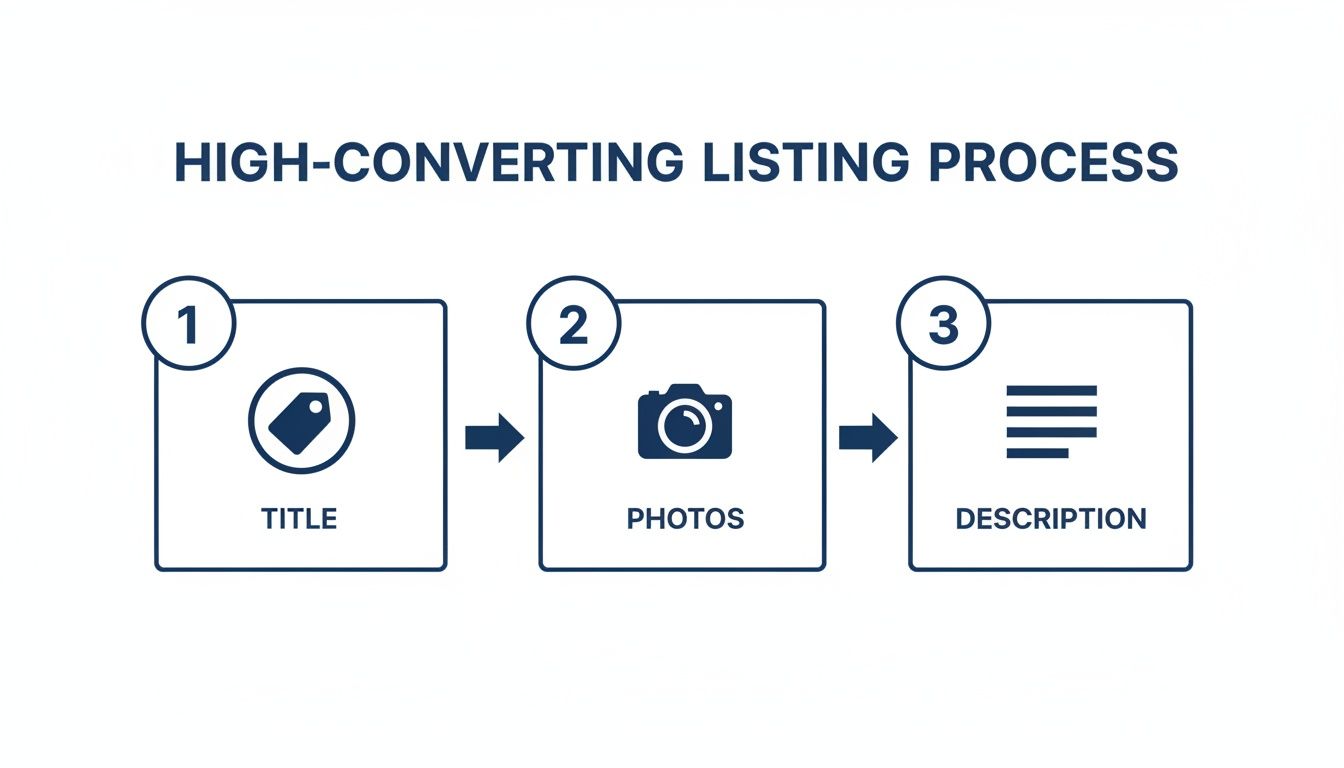
Nailing your titles, photos, and descriptions brings the orders in. Nailing your fulfilment is what turns those orders into loyal, repeat customers.
Your Seller Centre dashboard is where the action happens. The second an order notification pops up, the clock starts ticking. Lazada’s performance metrics are no joke, and maintaining a high Ship-on-Time (SOT) rate is non-negotiable if you want to keep a good seller rating.
Your goal should be to get every single order packed and ready for pickup within 24 hours. This means printing the airway bill, packing the item securely, and slapping on the shipping label correctly. To really speed things up, investing in a reliable label printer is a small investment that pays off big by making your labels look professional and saving you heaps of time.
Handling returns is another critical task managed from the Seller Centre. When a customer requests a return, don’t panic. Respond quickly and professionally. A smooth, no-hassle return process can actually transform a potentially negative experience into a positive one, sometimes even earning you a customer for life.
When it comes to getting products to your customers, you’ve got two main paths: do it all yourself, or let Lazada handle the heavy lifting. Each has its pros and cons, and the best choice really boils down to your business model and how you want to operate.
To make it clearer, here’s a simple breakdown of your options for fulfilling orders on Lazada Singapore.
| Aspect | Seller Fulfilled | Fulfilled by Lazada (FBL) |
|---|---|---|
| Control | You have complete control over inventory, packing, and quality checks. Great for adding personal touches like thank-you notes. | Lazada’s team handles everything from their warehouse. Less control, but highly standardised and efficient. |
| Cost | Generally more cost-effective for low order volumes or large, bulky items. You only pay for what you ship. | Involves storage fees. Best for high-volume, fast-moving products where the automation justifies the cost. |
| Workload | You’re responsible for picking, packing, and arranging courier pickups. Can be very time-consuming as you scale. | Almost completely hands-off. Once your stock is at their warehouse, Lazada takes over the moment an order is placed. |
| Shipping Speed | Reliant on your own efficiency and courier pickup schedules. | Products are often eligible for faster shipping options and badges (like “Priority Delivery”), which can significantly boost sales. |
For most new sellers, starting out with self-fulfilment is the most practical way to go. You’ll learn the entire pick, pack, and ship process inside and out. Once you reach a point where packing orders is taking up most of your day, that’s the perfect signal to start looking into moving your best-selling products over to FBL — or exploring warehouse management software to streamline your operations.
So, what happens when you decide to grow and sell not just on Lazada, but also on Shopee, TikTok Shop, or your own Shopify site? You create a massive operational nightmare for yourself: overselling.
Picture this: you have 10 units of a popular product. You list all 10 on Lazada and all 10 on Shopee. An order for five units comes in on Lazada. Now you have to scramble to manually update your Shopee stock before another customer there buys more than the five you actually have left. During a flash sale, this is virtually impossible.
This is exactly how you end up with cancelled orders, furious customers, and penalty points that destroy your seller rating.
It’s the number one reason why successful multi-channel sellers rely on a centralised inventory management system. A tool like OneCart connects to all your online stores and syncs your inventory in real-time. When an item sells on Lazada, the stock count is automatically reduced across all your other channels instantly. You can learn more about how to prevent overselling without manual work.
This one change completely eliminates overselling, saves you countless hours of manual data entry, and protects your hard-earned store reputation. If you’re planning to sell across multiple platforms, check out our guide to the best multichannel listing software to compare your options. You might also want to explore TikTok Shop or Temu as additional channels. For deeper operational knowledge, our warehousing and logistics guide covers everything from storage to last-mile delivery in Singapore.
Before you dive into promotions and marketing, let’s talk about the avoidable mistakes that trip up most new Lazada sellers. Fixing these early can save you months of frustration and lost revenue.
The single most damaging mistake is listing the same stock on Lazada, Shopee, and TikTok Shop without syncing your quantities. One double-sale during a flash event can trigger cancellation penalties on both platforms. Using a centralised inventory management tool eliminates this risk entirely.
Many sellers price based on the product cost plus a rough margin, forgetting about Lazada’s commission (1–8%), the 2% payment gateway fee, and any Free Shipping program fees. On a $50 item with a 6% commission, fees alone eat $5 before shipping. Always run your numbers through a Lazada fee calculator before setting prices.
Lazada’s filters are how customers narrow down from thousands of results to a handful. If you leave the “Material,” “Warranty,” or “Size” attributes blank, your products become invisible to any buyer using filters — and that’s most of them.
Lazada tracks your chat response rate and time. Letting enquiries sit unanswered for more than a few hours tanks your response metrics and pushes buyers to competitors who reply faster. Set up Lazada’s auto-reply for common questions and check messages at least three times a day.
Mega sales events like 11.11 and 12.12 can generate weeks’ worth of revenue in a single day — but only if you’ve stocked up, pre-set your vouchers, and nominated products in advance. Sellers who scramble at the last minute routinely run out of stock by mid-afternoon. Start preparing at least four weeks before every major campaign.
Actionable Insight: Track your exact costs per order using a profit margin calculator and review your margins weekly. Small fee increases or shipping cost changes can quietly erode your profitability if you’re not watching.
Getting your store set up and your operations running smoothly is a huge milestone. But a perfectly optimised store with no traffic is like a beautiful shop on a deserted street—it won’t generate sales.
Now it’s time to shift gears. We need to focus on actively bringing customers to your product pages, and the best way to do that is by using Lazada’s powerful suite of marketing and promotional tools.
These tools aren’t just fancy add-ons; they’re essential for cranking up your store’s visibility, boosting your conversion rate, and ultimately, growing your average order value. Once you get the hang of them, you can turn passive browsers into active buyers and start carving out a bigger piece of the market for yourself.
The Lazada Seller Centre is packed with tools designed to help you create compelling offers that get customers to buy more. Successful sellers don’t just rely on a single discount. Instead, they layer different promotions to create a real sense of urgency and value that shoppers can’t ignore.
Three of the most effective tools you have right at your fingertips are Seller Picks, Vouchers, and Flexi Combos.
Seller Picks: Think of this as putting your star products in the front window of your shop. It lets you feature specific products, pushing them higher in your store’s search results. Use it to boost the visibility of new arrivals, your proven bestsellers, or even items you need to clear out.
Vouchers: Vouchers are incredibly versatile and a customer favourite. You can create store-wide vouchers (e.g., “$5 off a minimum spend of $50”) to encourage larger purchases, or you can create product-specific vouchers to drive sales for a particular item. Tiered vouchers are especially effective; for instance, offering a 5% discount for a $30 spend and a 10% discount for a $60 spend is a great way to nudge customers to add more to their cart.
Flexi Combos: This is your go-to tool for increasing the number of items per order. You can set up deals like “Buy 2, Get 10% Off” or create bundles of complementary products. A classic example is offering a discount on a phone case when a customer buys a new phone. It’s a simple trick that not only increases your average order value but also helps you move more stock. For more inspiration, you can explore other innovative ecommerce promotion ideas to see what might work for your store.
Mega campaigns like 11.11, 12.12, and Lazada’s Birthday Sale are the biggest events of the year on the e-commerce calendar. For sellers in Singapore, these are golden opportunities to hit massive sales volumes, but they absolutely require careful planning.
For example, Lazada’s recent 9.9 Mega Brands Sale delivered record-breaking performance where the top sellers saw growth of more than 49 times year-over-year. LazMall also reported nearly 30% growth in average order value, which tells us that shoppers are primed and ready to spend big on brands they trust during these events.
Actionable Insight: Start preparing for a major campaign at least four to six weeks in advance. Seriously. Use this time to nominate your best deals for campaign inclusion, stock up on your best-selling inventory, and design your campaign-specific store banners and creative assets. Running out of stock mid-sale is the biggest—and most avoidable—mistake you can make.
Beyond the free promotional tools, Lazada offers a pay-per-click (PPC) advertising platform called Sponsored Solutions. This can feel intimidating for new sellers, but it’s a seriously powerful way to get your products in front of high-intent buyers who are actively searching for what you sell.
You can start small. With a daily budget of just $5 to $10, you can launch a Sponsored Discovery campaign. This lets you target specific keywords that customers are typing into the search bar. So, if you sell “organic dog treats,” you can bid on that exact keyword to ensure your product appears at the top of the search results when a potential customer looks for it.
Start with a small, focused campaign on one or two of your top products. Keep a close eye on your click-through rate (CTR) and conversion rate right inside the Seller Centre. If a keyword is getting a lot of clicks but no sales, it might be too broad. On the other hand, if another keyword is converting well, consider increasing your bid to capture more of that valuable traffic. The key is to start small, analyse the data, and scale what works.
Remember, building a sustainable business is about more than just getting the first sale. You need to turn those new buyers into repeat customers. Focusing on proven customer retention strategies will help you maximise the lifetime value of every customer you bring in.
Jumping into a new marketplace like Lazada always kicks up a bunch of questions. As you get the hang of selling in Singapore, you’ll hit situations where you need a quick, clear answer. Let’s tackle the most common queries I hear from new sellers to help you get past these initial hurdles.
Getting your head around the cost structure is make-or-break for pricing your products profitably. Lazada doesn’t charge any setup or monthly fixed fees, which is a massive plus when you’re just starting out.
But you do need to account for several variable costs on every sale:
For a quick breakdown: on a $100 sale in a category with a 4% commission, you’d pay $4 commission + $2 payment fee = $6 in fees, leaving $94 before shipping costs. If you’re also on the Free Shipping program at 3%, that’s another $3. Understanding your markup vs margin is critical here — a 50% markup only gives you a 33% margin, and fees eat into that fast.
Actionable Insight: Before you price any new product, calculate your net profit after subtracting the commission, payment fee, and any marketing fees. Use a tool like our Lazada fee calculator to work out your exact margins. Factoring this in from day one is how you build a business that actually makes money.
Think of your seller rating as the big, shiny trust signal on your store page. A high rating pulls customers in, while a low one can send them running to your competitors. Nailing your rating really comes down to being excellent in a few key areas that Lazada watches like a hawk.
The three biggest things that move the needle on your rating are:
Here’s a practical tip that works wonders: slip a small, nicely printed thank-you card into your packages. A short note showing your appreciation and gently asking for a review if they’re happy with their order can make a huge difference.
Yes, you can. You can absolutely start on Lazada Singapore as an Individual Marketplace Seller without registering a business. In fact, this is how most new entrepreneurs dip their toes in the water.
To sign up as an individual, you’ll just need to provide some personal ID. If you’re a Singaporean citizen or PR, that means a clear copy of your NRIC. For foreigners living in Singapore, you’ll need your passport along with a valid pass (like an Employment Pass or Dependant’s Pass).
That said, if you’re serious about building a proper, scalable business, you’ll eventually need to register with ACRA (Accounting and Corporate Regulatory Authority). Having a registered business is a non-negotiable step if you ever want to apply for the LazMall program, which gives your store a massive badge of authenticity and trust.
The honest answer: sell on both. Lazada and Shopee each serve slightly different customer demographics in Singapore, and most successful sellers operate on both platforms simultaneously. Lazada tends to attract higher average order values and has stronger brand-focused features through LazMall, while Shopee excels at flash sales and has a larger share of casual, impulse-driven shoppers.
The real question isn’t which platform to choose—it’s how to manage both efficiently. Running separate inventories manually is a recipe for overselling and operational chaos. This is where multichannel inventory management tools become essential. For a detailed side-by-side comparison of the two platforms, read our Lazada vs Shopee breakdown.
For most Local Marketplace sellers, approval takes 1 to 3 business days once you’ve submitted all the required documents. The most common cause of delays is mismatched information — for example, the name on your bank statement doesn’t match your registration name, or your NRIC photo is blurry.
To speed things up: double-check that your bank account holder name matches your registration exactly, upload high-resolution document scans (not phone photos of paper printouts), and make sure your ACRA business name is letter-perfect if you’re registering as a corporate seller. LazMall applications take longer since they involve brand verification and are by invitation only.
The top-performing categories in 2026 are Health & Beauty, Home & Living, Electronics, and Fashion Accessories. Health and Beauty consistently leads in volume, while Electronics drives higher average order values. If you’re deciding what to sell, focus on categories where you have genuine product knowledge or supplier relationships rather than chasing trends.
One smart approach: check Lazada’s “What’s Trending” section in the Seller Centre for real-time data on rising search terms and popular categories. Pairing trending demand with your expertise gives you the best shot at standing out.
Lazada is incredibly strict about what’s allowed on its platform. They have to be, to keep the marketplace safe and legal for everyone. Listing something you shouldn’t can lead to real trouble, from having your product deleted to getting penalties or even having your account shut down for good.
The banned list includes the obvious stuff like illegal drugs, weapons, and fake goods. But it also covers things that might not seem so obvious, like certain medical devices that need special licenses or telco equipment that hasn’t been approved by the right authorities in Singapore.
Before you even think about sourcing a new product, your very first move should be to read the official “Prohibited and Controlled Items Policy” in the Lazada Seller Centre. This document is your bible. It’s updated regularly and breaks down exactly what you can and can’t sell. Pleading ignorance won’t get you out of trouble, so make a habit of checking it.
Ready to scale your e-commerce business without the operational headaches? OneCart brings your inventory and orders from Lazada, Shopee, TikTok Shop, and more into a single dashboard. Stop overselling, simplify your fulfilment, and grow faster. Learn how OneCart can transform your operations.
Related guides: How to Sell on Shopee · How to Sell on TikTok Shop · Shopee Seller Fees · Lazada Fee Calculator · Lazada vs Shopee · Pick, Pack, and Ship Guide · Profit Margin Calculator
Automate & Scale Your Online Business with OneCart
Start a Free TrialUsed by hundreds of merchants in Singapore & Southeast Asia