Why is SKU missing in Qoo10 listing?
When creating a listing in QSM, regardless if it is a single or multiple products, use the Combination (matrix) option. Read on to learn why and how to do it.
When creating a listing in QSM, regardless if it is a single or multiple products, use the Combination (matrix) option. Read on to learn why and how to do it.
When there are no SKU to confirm and save, it means that you have key in your Seller SKU Code in the single option instead of the combination (matrix) option. Due to Qoo10 API limitations OneCart is only able to pull the quantity from the combination option. 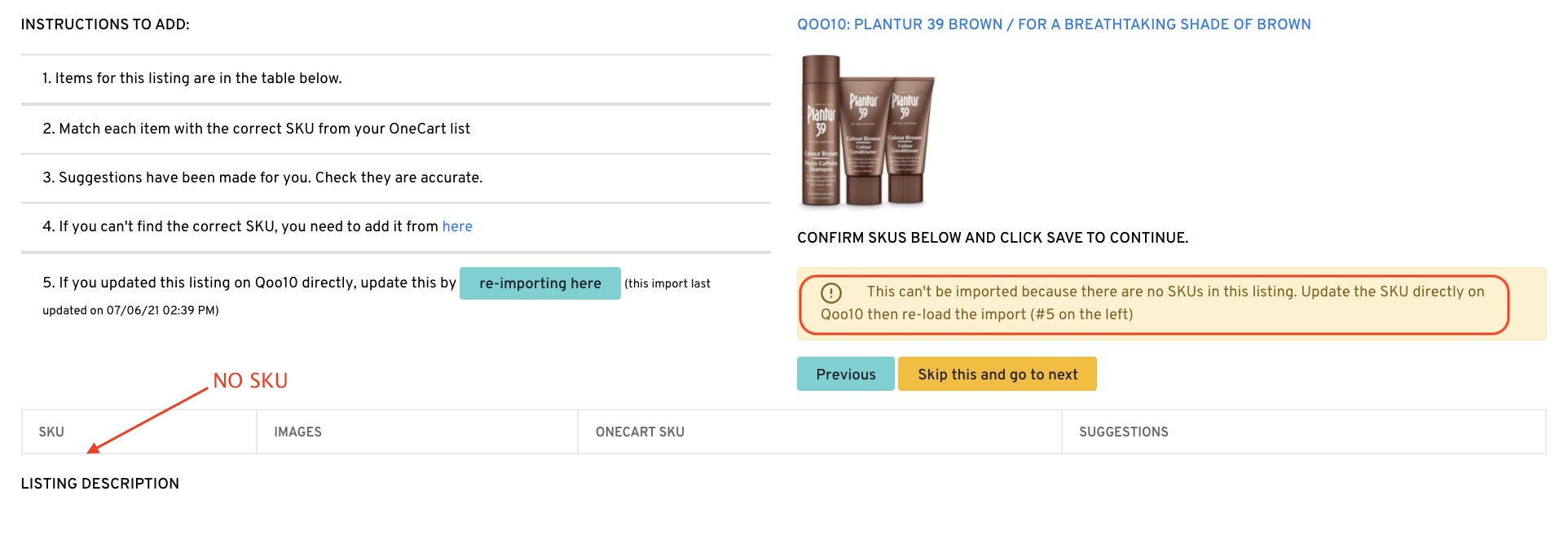
Log in to QSM,
Go to: Listing & Pricing > Listing & Editing
Select on the affected listing and go to “Options”

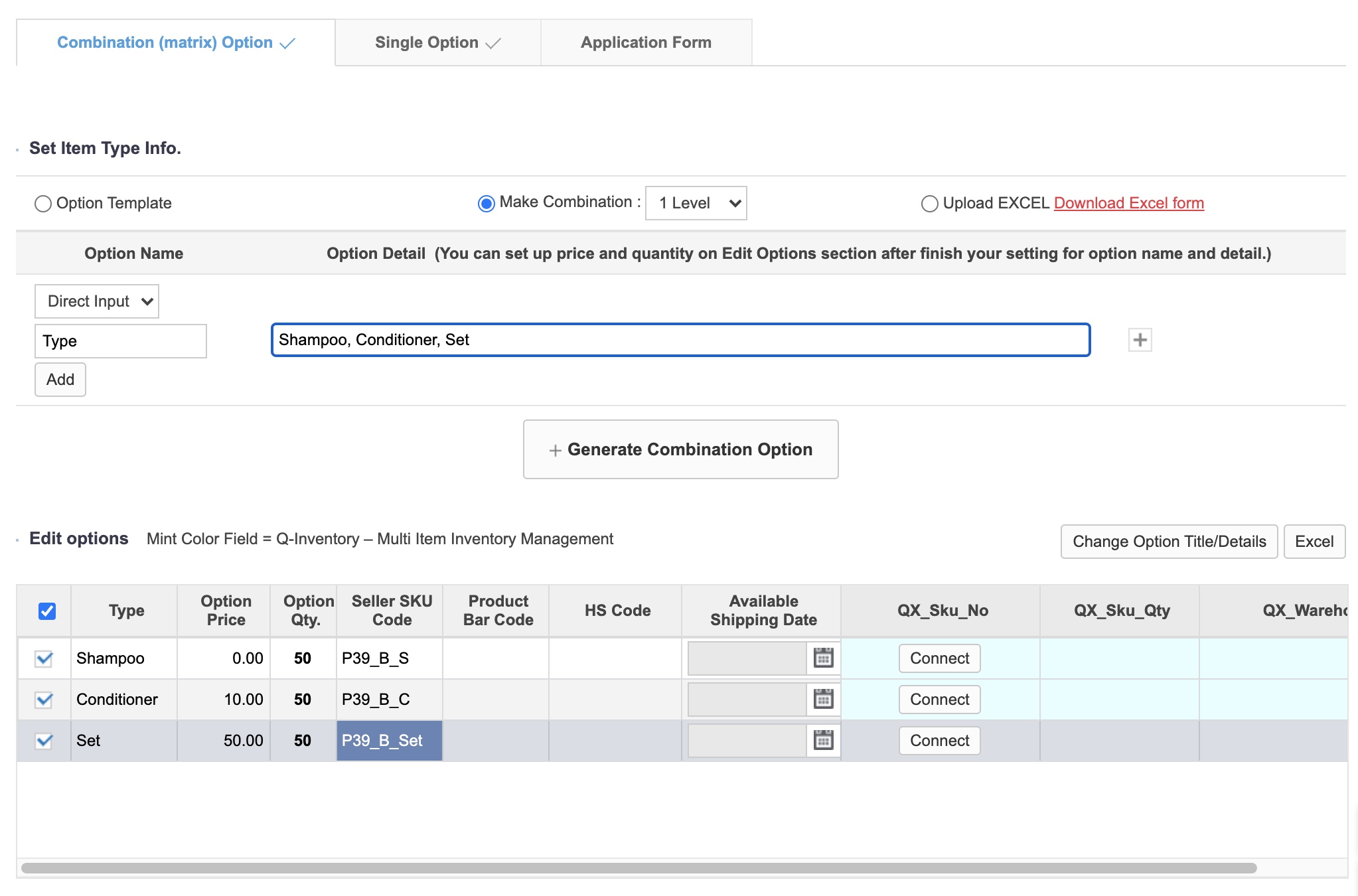
Go to Combination (matrix) Option and key in the Seller SKU Code. Ensure that it is the same with OneCart. Option Price is the additional price on top of the sell price you have set prior.
Click on “Save” and return to OneCart.
Don’t forget to re-import your listing, match the SKUs and save them for OneCart to track and manage your orders and inventory. :)