What is the Image Summary page in OneCart?
View image usage statistics and identify products without images using the Image Summary page in OneCart.
View image usage statistics and identify products without images using the Image Summary page in OneCart.
The Image Summary page in OneCart summarises the following information about your OneCart account:
a high level summary of image usage and storage for your OneCart Products
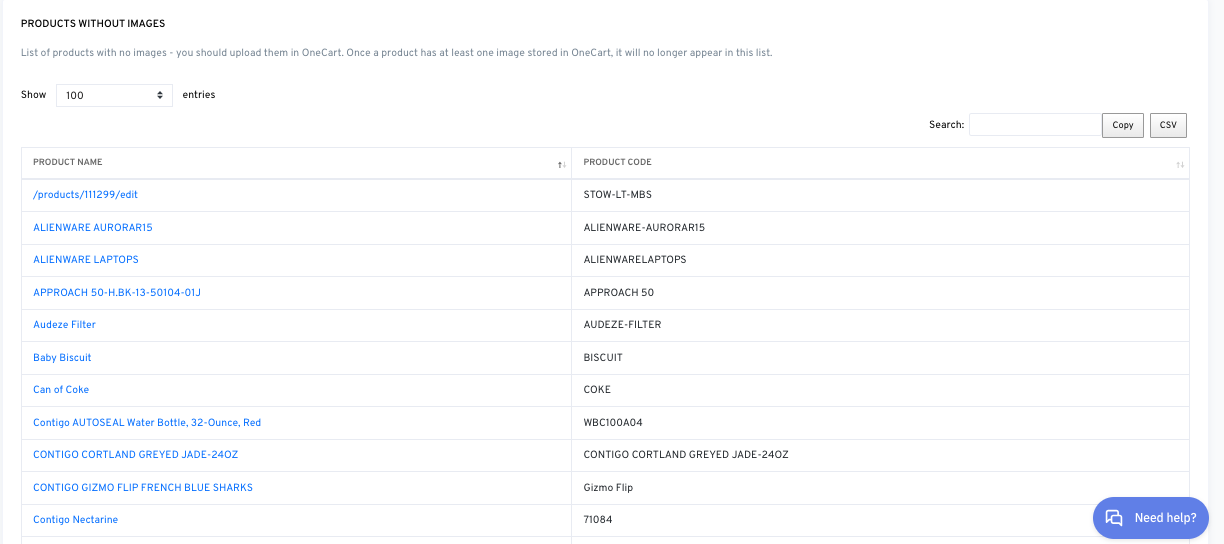
OneCart Products without images
Image Usage in a OneCart account:

Total Product Images : refers to the storage load for main product images (excluding secondary images). In the example above, 82 OneCart products contain a main image, totaling a capacity of 27.3 MB.
Total Listing Images : refers to the storage load for secondary product images (exclusing main images). In the example above, 90 OneCart products contain secondary images, totaling a capacity of 22.6 MB.
Total Image Storage : refers to the total image storage load of main product images and secondary images. In the example above, the OneCart account stores 49.9 MB of images.
OneCart Products without images:
This section compiles a list of OneCart products with missing images - in order to add images to these products, you can click the OneCart Product name to navigate to the Product sheet edit page. Click on Browse > select images > Update Product
Ensuring that OneCart products have images is useful when using OneCart’s cross-posting feature, specifically in Step 4: Load Images, to quickly pull up product images in the listing staging area.
To learn more about OneCart’s cross-posting abilities, you can refer to the following article: https://www.getonecart.com/help/how-to-cross-post-to-platforms