Managing Orders in OneCart
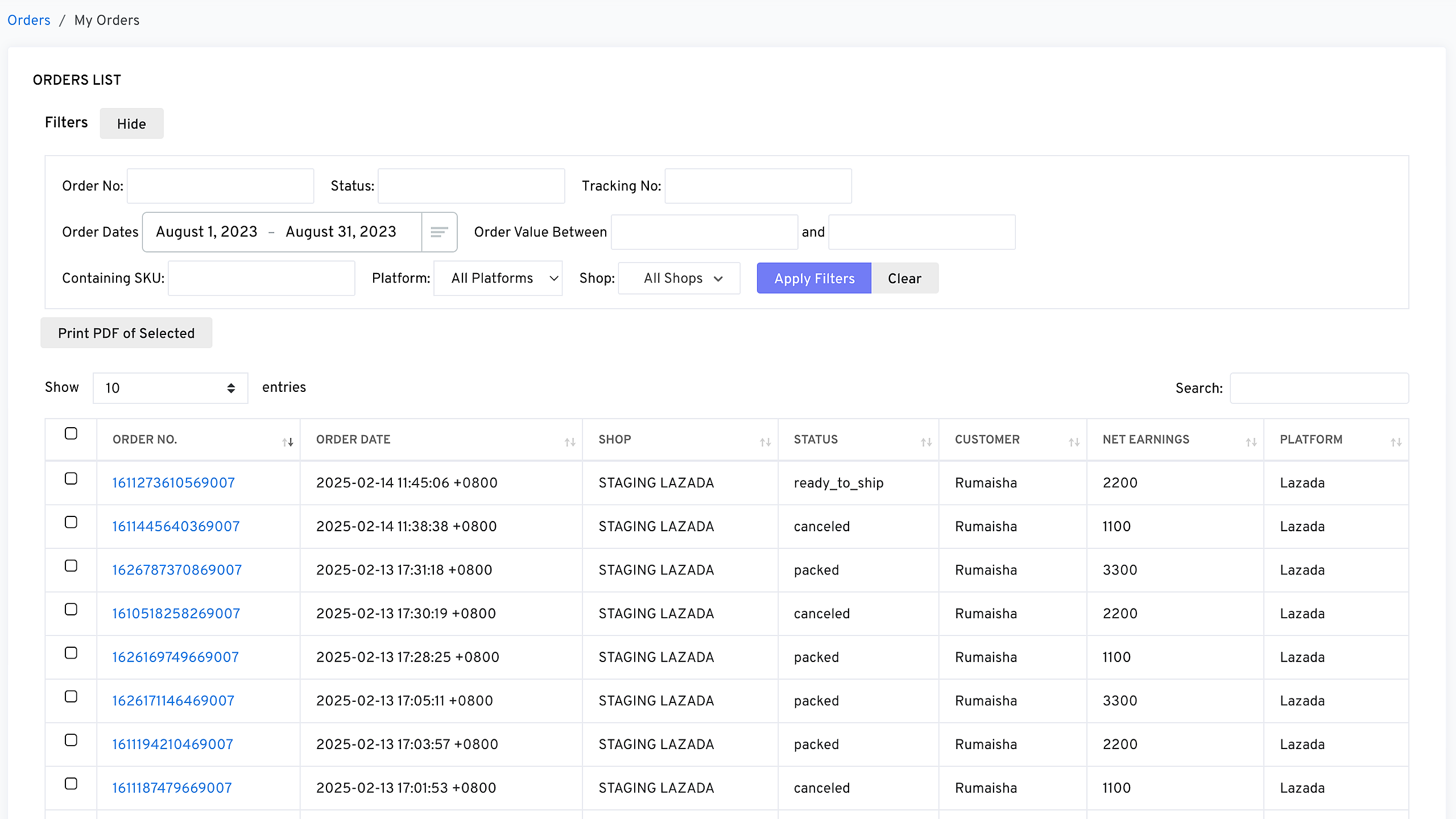
The Orders List in OneCart provides a comprehensive view of all orders across your connected platforms. This section allows you to track order statuses, search for specific orders, and filter results based on various criteria.
Help Article
Last updated Feb 16, 2025
1 min read
Accessing the Orders List
To view and manage your orders in OneCart:
Navigate to Manage Orders
Understanding the Order List Columns
**Using Filters to Search for Orders
 **
**
You can quickly find specific orders by using the built-in search and filter options:
Search by Order Number
Filter by Status
Adjust Entries Per Page
Navigate Between Pages
Managing Orders Efficiently
- Regularly check order statuses to ensure timely fulfillment.
- Use the search and filters to quickly locate orders that require action.
- Verify platform synchronization if an order appears missing or outdated.
For additional support, please reach out to OneCart Customer Support.