Updating Listing Description

Edit listing descriptions in OneCart and push updates directly to your connected marketplace platforms.

Help Article Last updated Jun 30, 2021 1 min read
  1. Go to:

Listings > Manage Listings

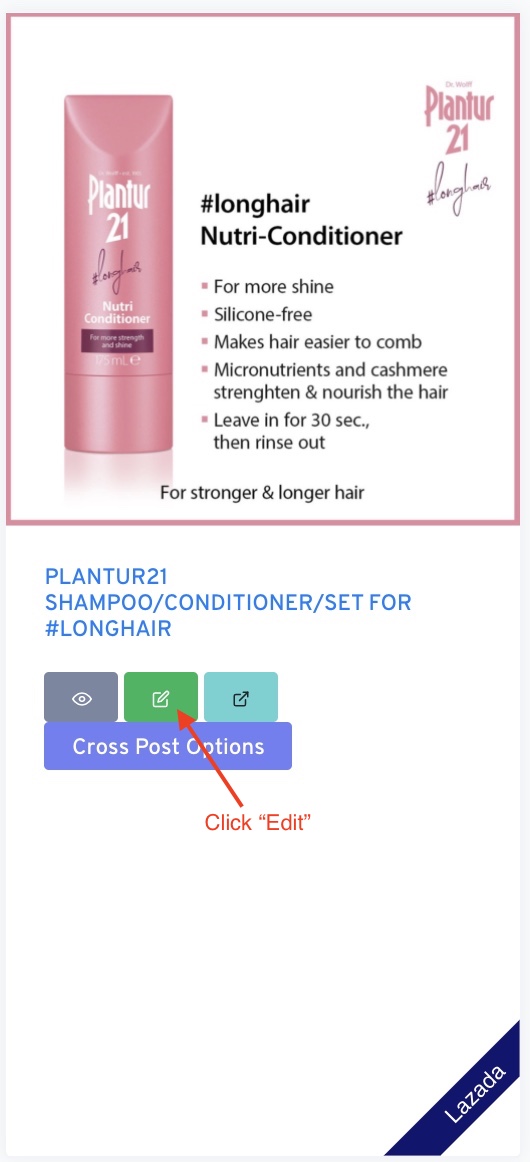
  1. Find the listing that you want to edit and click on “Edit”


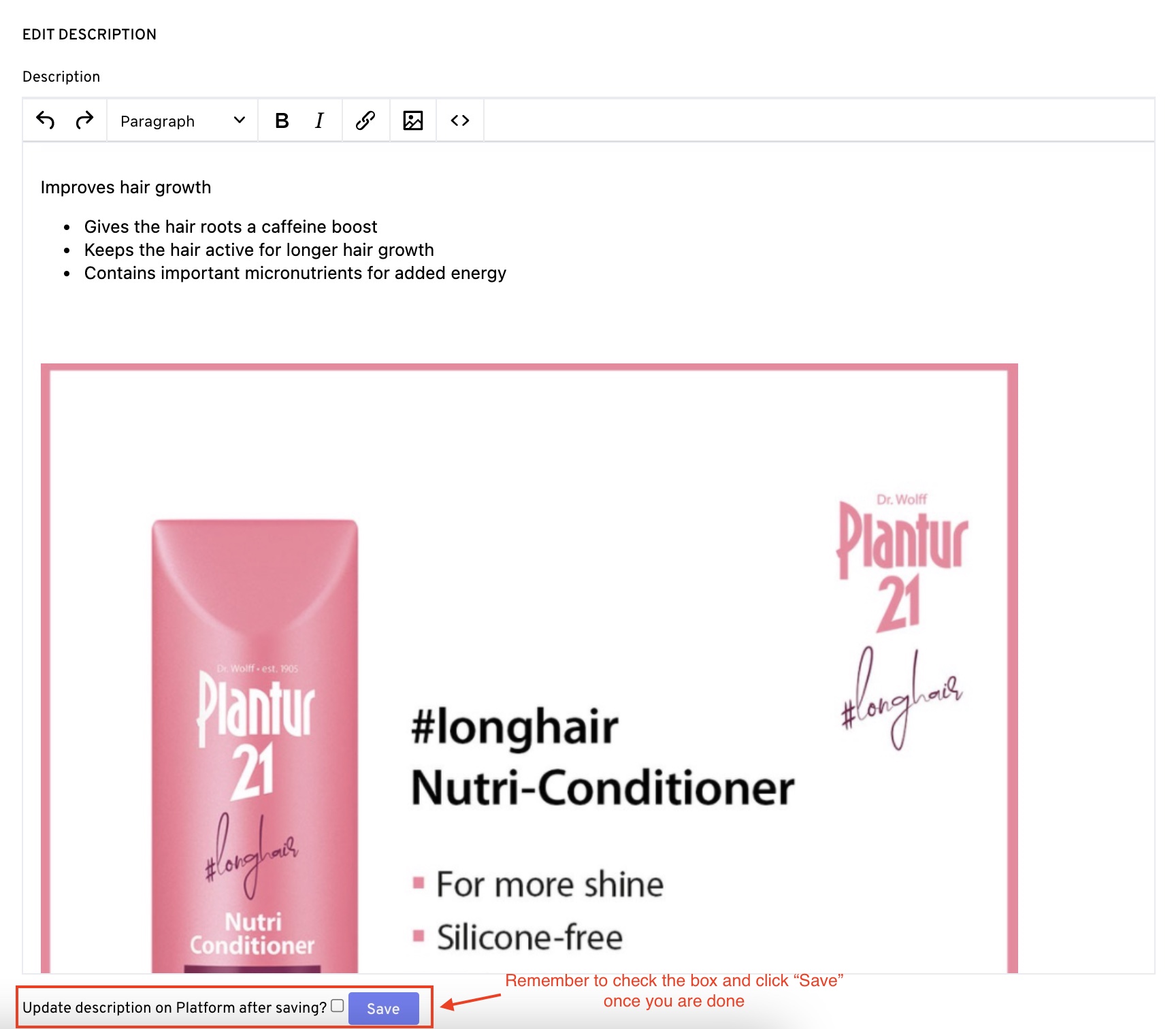
  1. This will bring you to the “Edit Description” page. Once you are done editing the description, remember to check on the ‘Update description on Platform after saving" box and click save.