Unlinked Variants Report in OneCart
This report in OneCart helps you identify SKUs that are not currently linked to any platform listings. This report is essential for ensuring all your SKU variants are properly listed across your integrated sales channels, maximizing their visibility and sales potential.
Help Article
Last updated Nov 8, 2024
2 min read
Why Use the Unlinked Variants Report?
Unlinked variants can lead to inconsistencies in inventory management and missed sales opportunities. By identifying and linking these SKUs, you can ensure seamless synchronization between OneCart and your sales platforms, improving product availability and order management.
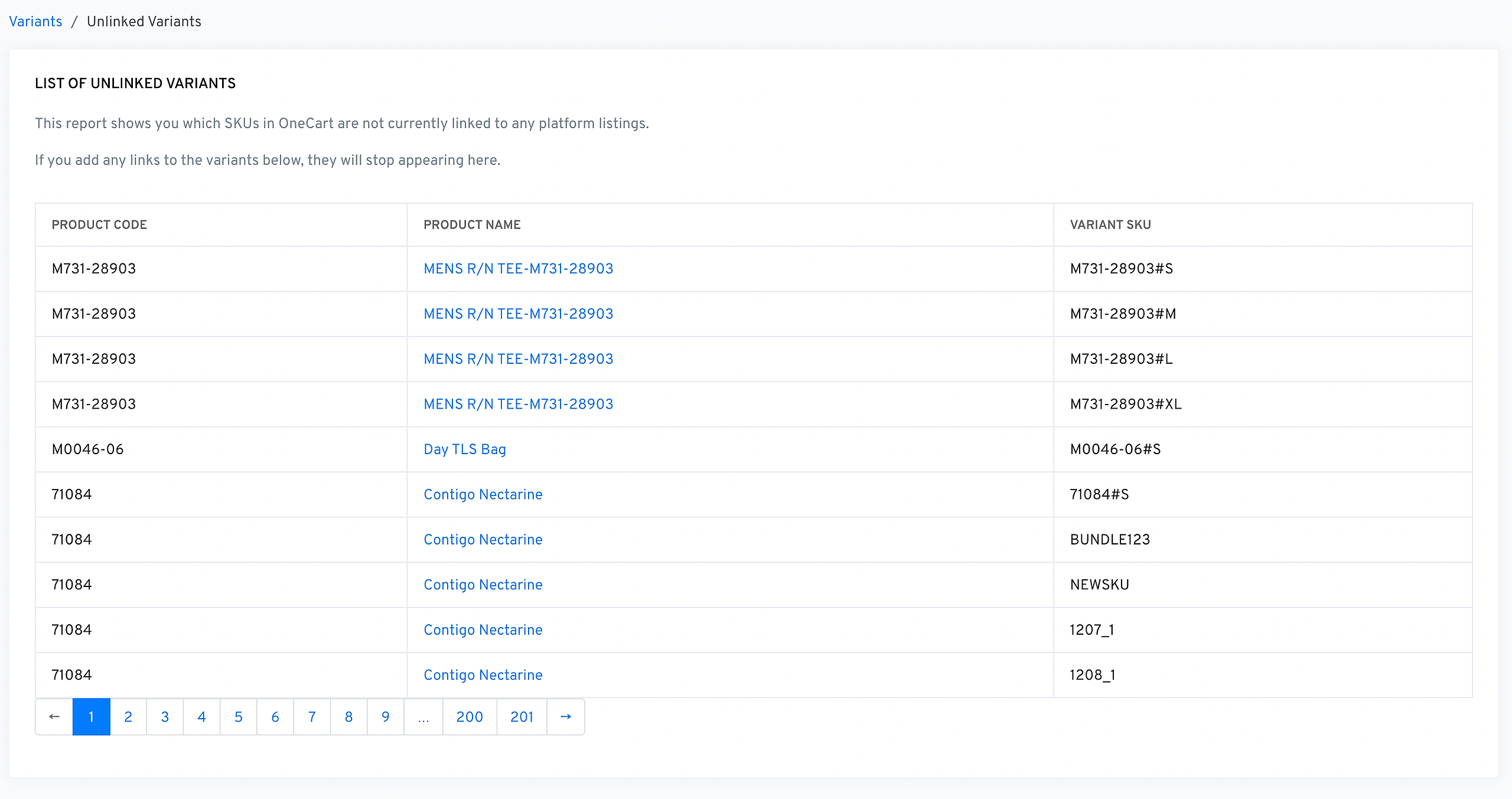
Go to Advanced > Health Check > Unlinked Variants
**
Report Features**
- Identify Missing Links : Shows a list of SKUs in OneCart that are not linked to any platform listings.
- Quick Link Management : Once you link a variant SKU to a platform listing, it will be removed from this report automatically.
- Detailed Information : Provides details like product code, product name, and variant SKU, allowing you to easily locate and manage unlinked items.
How to Link Unlinked Variants
- Review the Report : Navigate to the Unlinked Variants report to view the list of SKUs that are not yet linked to any platform listings.
- Locate the Variant : Use the product code or variant SKU to identify the specific product you need to link.
- Link the SKU : Go to the relevant product’s settings in OneCart and link the variant to its corresponding listing on your sales platform (e.g., Shopify, Lazada, Shopee).
- Verify Changes : After linking the variant, it will be automatically removed from the Unlinked Variants report
Tips for Managing Unlinked Variants
- Regularly Monitor the Report : Check the Unlinked Variants report frequently to ensure all new products and variants are properly linked.
- Improve Product Visibility : Ensure that all product variants are listed on all integrated platforms to maximize sales opportunities.
The Unlinked Variants report is a valuable tool for maintaining a fully synced product catalog across your sales channels, helping you reduce inventory discrepancies and enhance your sales performance.
You can find more information about synchronising marketplace listings to OneCart SKUs here: https://www.getonecart.com/help/matching-your-platform-listings-in-onecart