Toggling on Inventory Sync
For OneCart to do its magic, turn this on!
Note: You’ll need to have matched your SKUs to Listings already before following the steps here. Learn about matching your listings here: https://www.getonecart.com/help/matching-your-platform-listings-in-onecart
OneCart lets you control which SKUs to track inventory for. You can track none, some, or all your SKUs in OneCart.
Once you listings are matched, you can switch on inventory tracking for individuals SKUs, or for every SKU present in your account.
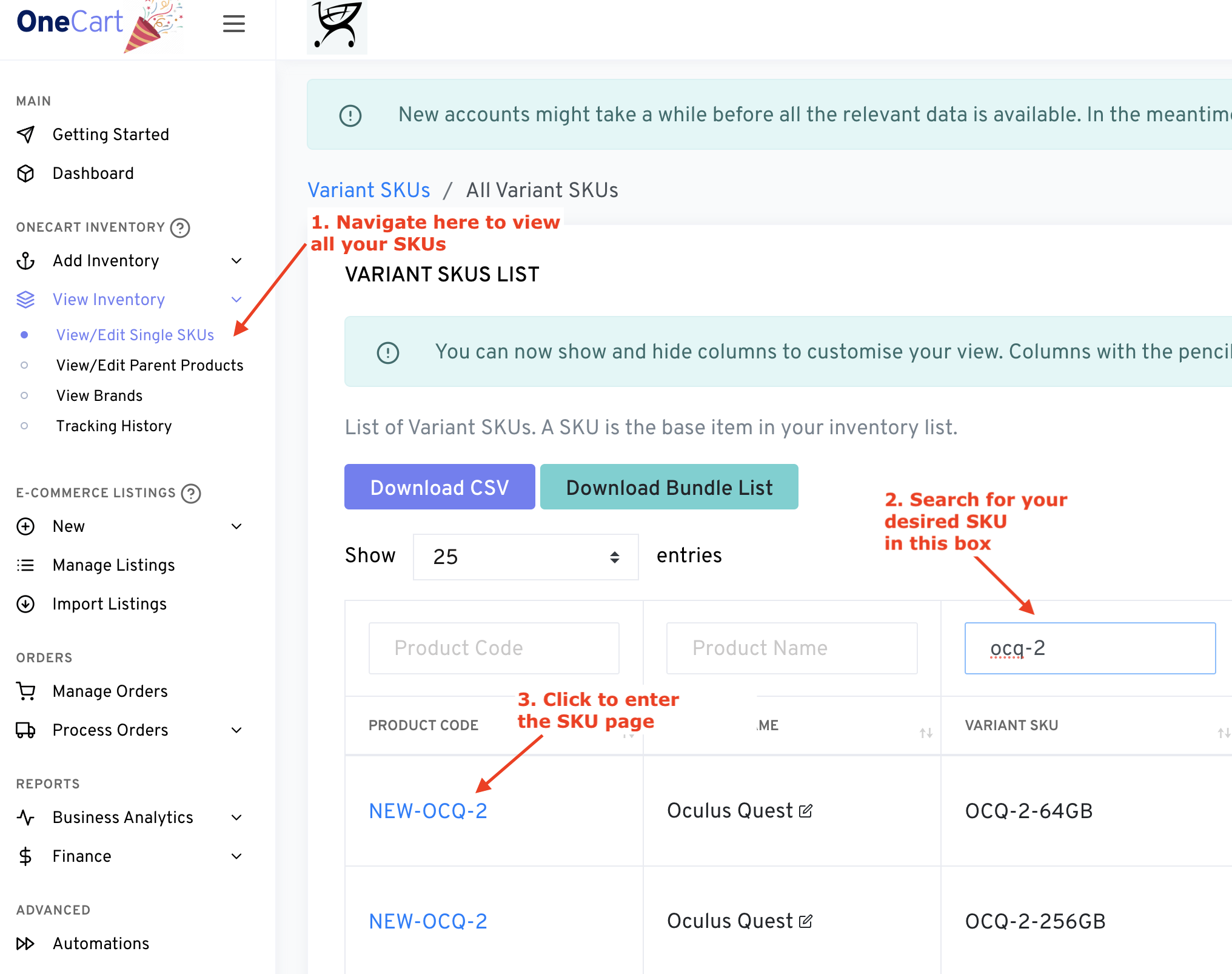
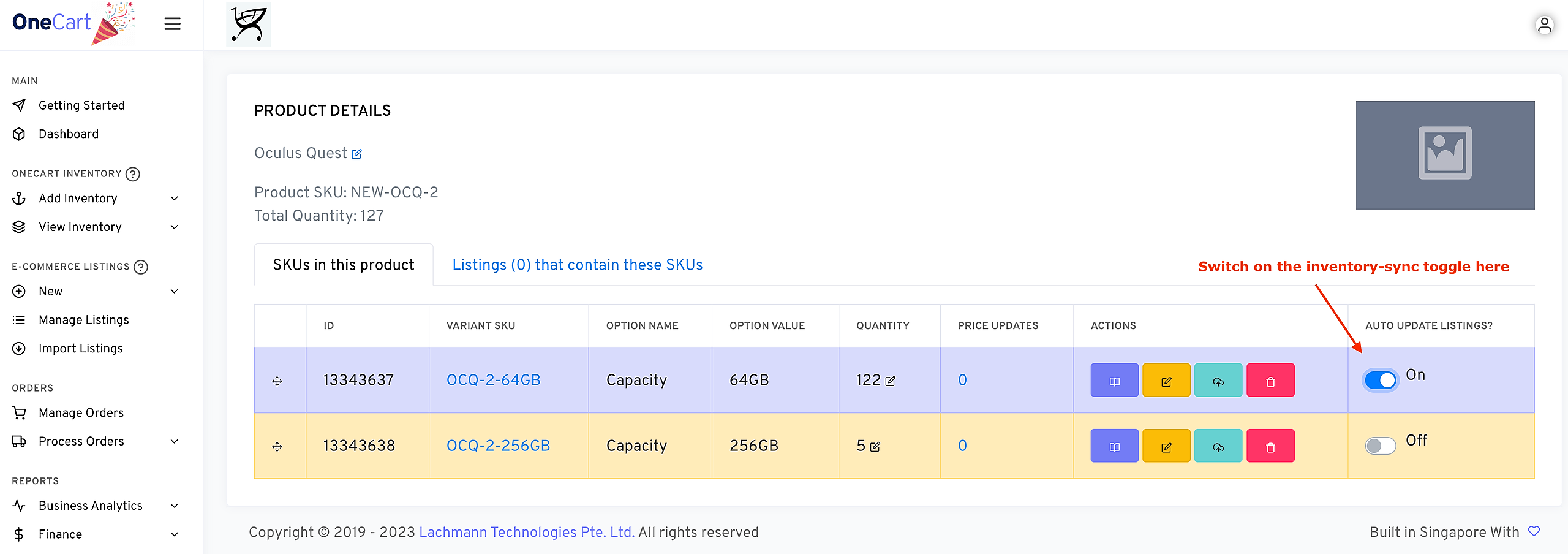
To Toggle on One-by-One:
To Toggle on ALL SKUs in your OneCart account:
Advanced > Automations from the left sidebar navigation.
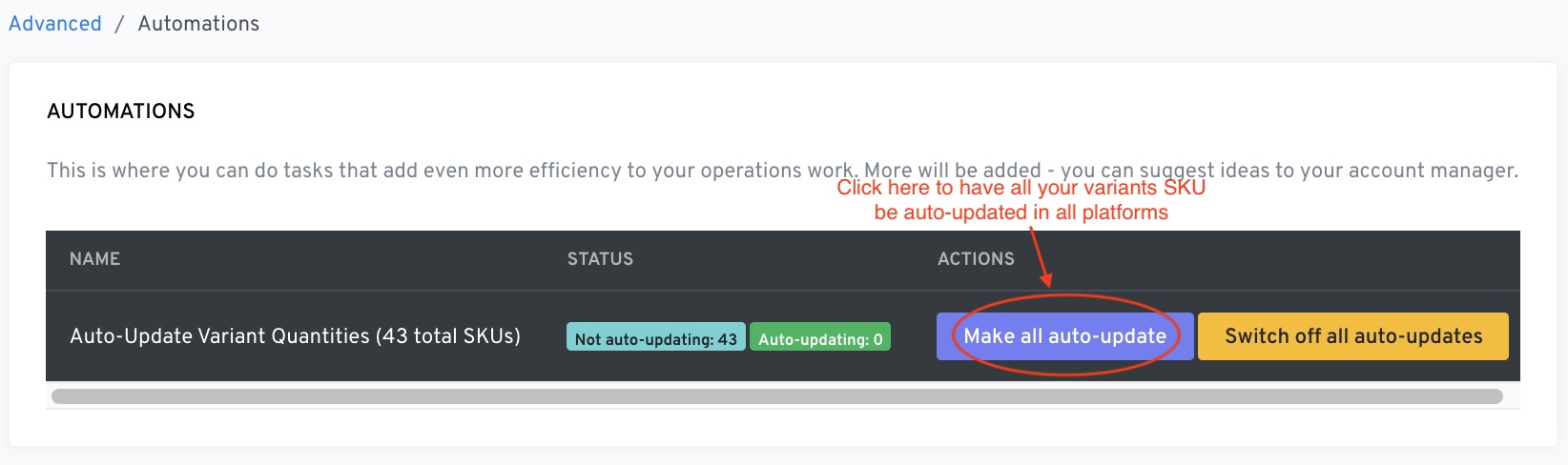
Please note that toggling on the switch DOES NOT update your inventory on platforms. Inventory updates will only occur for FUTURE inventory adjustments.
If you would now like to “push” your OneCart inventory to all platforms, read this: https://www.getonecart.com/help/force-push-quantity-to-all-platforms