Simple Stock Planner in OneCart
This helps you track your recent sales and forecast potential inventory shortfalls for each SKU over a 3-month period. It provides a quick and visual way to identify potential stockouts, helping you make informed decisions about restocking.
Help Article
Last updated Nov 8, 2024
2 min read
Go to Advanced > Health Check > Simple Stock Planner
Report Features
- 3-Month Sales View : Displays the sales data for each SKU over the last 3 months, helping you identify trends and anticipate future demand.
- Shortfall Detection : Highlights potential stockouts in red, indicating SKUs at risk of running out of stock within the next 3 months.
- Inventory Summary :
- Qty on Hand : Shows the current quantity available for each SKU.
- Total Inventory Cost : Displays the total cost of the available inventory.
- Monthly Average Sales : Provides an average of monthly sales for the SKU, helping you gauge the demand rate.
- Months to Stockout : Estimates how many months it will take for the SKU to stock out based on current sales trends.
How to Use the Report
- Search and Filter : Use the search bar to quickly find specific SKUs.
- Show/Hide Columns : Customize your view by showing or hiding columns based on your preferences.
- Sort Data : Click on column headers to sort the data. This helps you easily identify SKUs with the highest risk of stockout or those with significant inventory on hand.
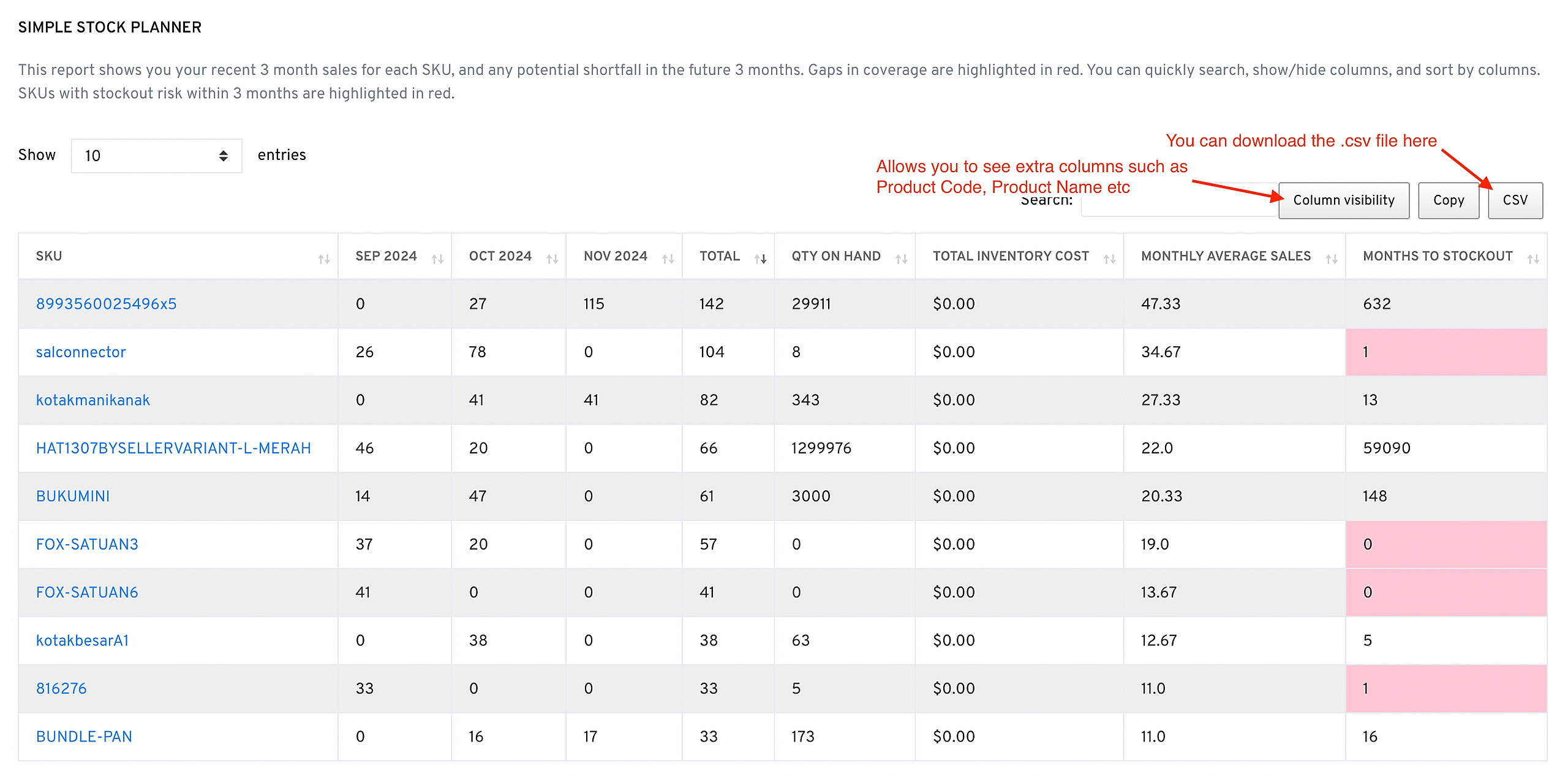
Note: SKUs with a risk of stockout within 3 months are highlighted in red, helping you prioritize restocking actions.
Tips for Managing Inventory
- Monitor High-Risk SKUs : Pay close attention to SKUs highlighted in red, as these are at risk of stockout.
- Plan Restocking : Use the Months to Stockout column to identify when to place orders for more inventory.
- Optimize Inventory Costs : Review the Total Inventory Cost to manage budget allocation for restocking and reduce overstock issues.
This tool helps streamline your inventory planning process, ensuring you maintain optimal stock levels and avoid potential sales loss due to stockouts.