In-Store Pickup for Orders
The In-Store Pickup feature in OneCart enables customers to collect their orders directly from your physical store. This feature is currently in beta, and businesses interested in participating can contact us to join the trial.
Help Article
Last updated Nov 20, 2024
2 min read
With the In-Store Pickup functionality, you can validate a customer’s pickup code and retrieve their order details seamlessly.
How to Use the In-Store Pickup Feature
1. Access the In-Store Pickup Module
Navigate to the Orders section in OneCart and select the In-Store Pickup option
https://app.getonecart.com/in_store_pickup
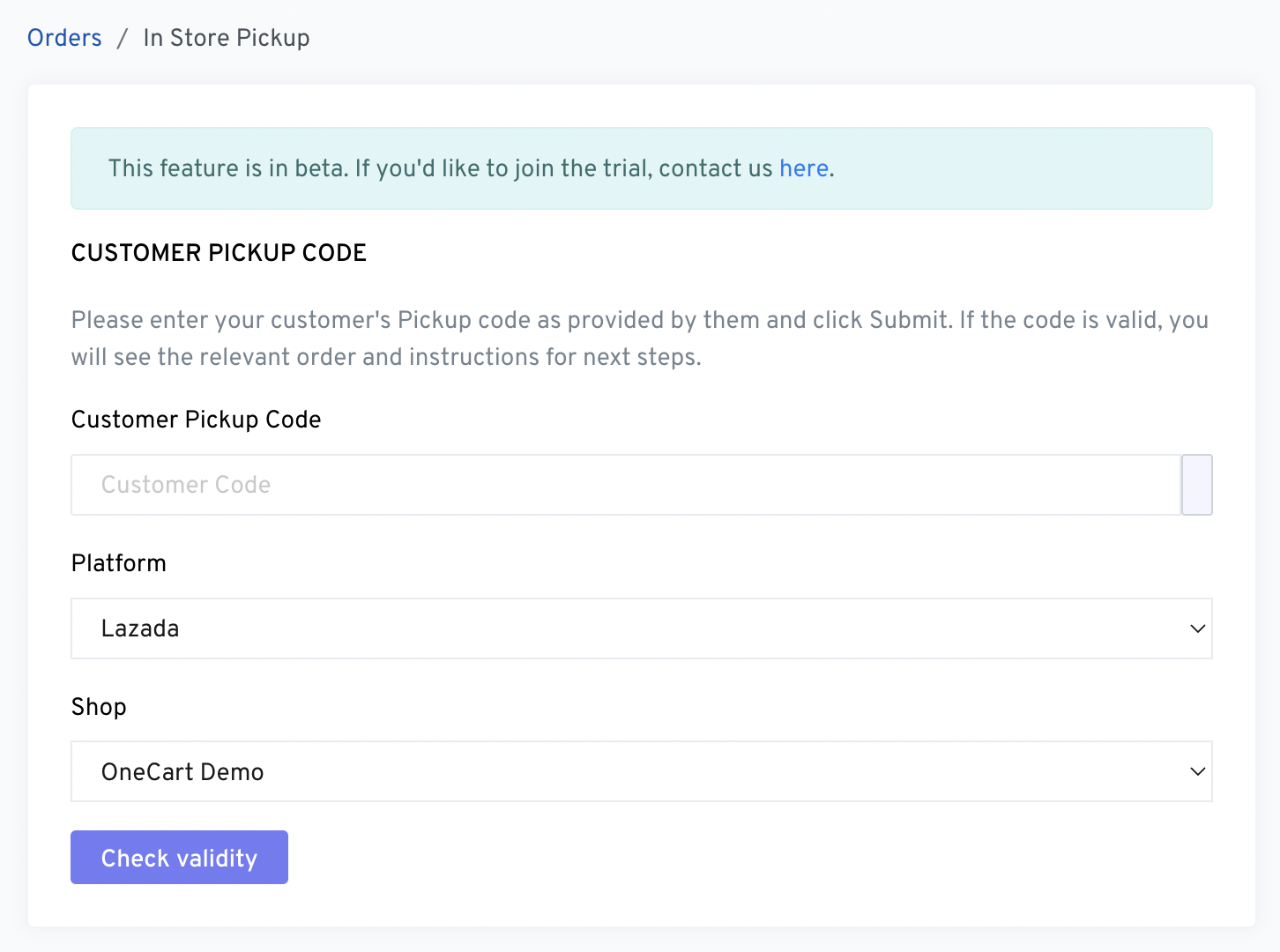
2. Obtain the Customer’s Pickup Code
Ensure the customer provides their unique Pickup Code for order verification. This code is shared with the customer during the order confirmation process.
3. Enter the Pickup Code
- Input the provided Pickup Code into the designated field.
- Click the Submit button to validate the code.
4. Verify the Order
If the code is valid:
- The associated order will be displayed, including the Platform (e.g., Lazada) and Shop (e.g., OneCart Demo).
- Follow the instructions shown for completing the pickup process.
Key Features
- Streamlined Verification : Validate customer pickup codes quickly to ensure secure and accurate order collection.
- Platform Integration : Works seamlessly with supported platforms like Lazada.
- Order Details at a Glance : View all necessary order information and next steps once a valid code is entered.
This feature is currently in beta testing. Businesses interested in accessing this feature can contact us here to join the trial and provide feedback for further improvements.
Frequently Asked Questions
Q: What if the Pickup Code is invalid?
A: If the code is invalid, ensure the customer provides the correct code. If issues persist, contact support for assistance.
Q: Can I use this feature for multiple shops?
A: Yes, the In-Store Pickup feature supports multiple shops integrated with OneCart.
Q: How does the customer receive their Pickup Code?
A: The Pickup Code is generated during the order confirmation process and sent to the customer via email or app notification.
Q: Is there a fee to use this feature during the beta phase?
A: There is no additional charge during the beta testing phase.