Importing your Listings from Platforms
Learn how to import your existing e-commerce listings into OneCart. Once your platforms are connected, importing your listings takes just a few clicks.
Learn how to import your existing e-commerce listings into OneCart. Once your platforms are connected, importing your listings takes just a few clicks.
Once you’ve connected your e-commerce platforms to OneCart, the next step is to import your existing listings. This brings your product data from Shopee, Lazada, Shopify, and other platforms into OneCart so you can match them to your Item Master.
Make sure you have:
Automatic Imports: OneCart automatically imports new listings from your connected platforms daily after trading hours. This keeps your listings in sync without manual intervention.
Manual Imports: You can trigger an import at any time to get your listings immediately, which is useful when you’ve just connected a new platform or added new products.
1. Navigate to the Import Listings Page
Go to: E-Commerce Listings > Import Listings > View Imports

2. Start the Manual Import
Click on the “Manually Import now” button.
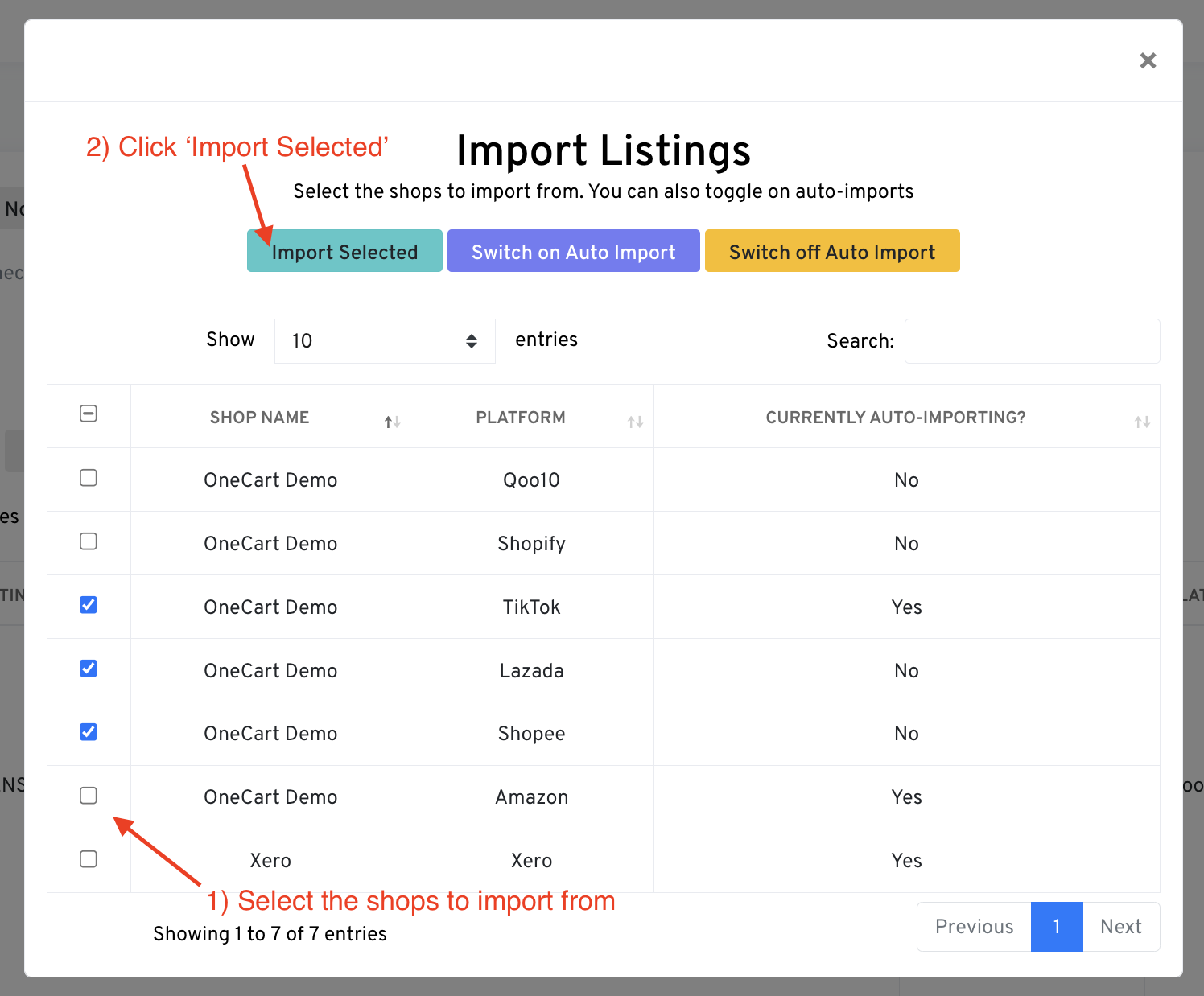
3. Select the Platforms to Import From
Choose which connected shops you want to import listings from, then click “Import Selected”.
4. Wait for the Import to Complete
OneCart will fetch your listings from the selected platforms. This may take a few minutes depending on how many products you have.
After importing, your listings will appear in the Imports section. These are listings that:
Important: Imported listings do not automatically sync inventory until they are matched to SKUs in your Item Master.
Once your listings are imported, you need to:
For more details on how imports and listings work together, see What Are Platform Listings and Imports.