How to remove a listing in OneCart?

Learn how to delete a synced listing from OneCart using the Manage Listings page.

Help Article Last updated Sep 8, 2023 1 min read

Go to:

Listings > Manage Listings

  1. Search for the listing that you want to delete and click on “View in OneCart”

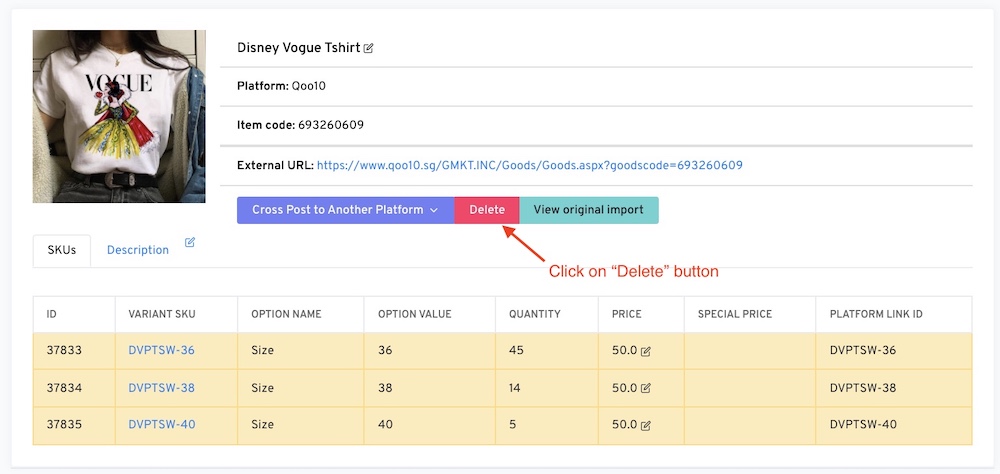
  1. Click on the “Delete” button

  1. Once its done, OneCart will tell you that the listing was successfully destroyed. :)