How to re-upload files (mass update) in Shopee?
Have your SKUs and ready to edit them in Shopee. Read on to learn how to do it via mass update. A quick and effective way to do so.
Have your SKUs and ready to edit them in Shopee. Read on to learn how to do it via mass update. A quick and effective way to do so.
Before you mass update by uploading your file, do check that -
If your listing has only 1 product, fill up under the Parent SKU column.
If your listings have multiple products, fill in under the SKU column.
After filling in the Mass Update template that you have exported, you are now ready to upload it.
Click here
Or
In your Shopee Seller Centre,
Go to: Product > My Products
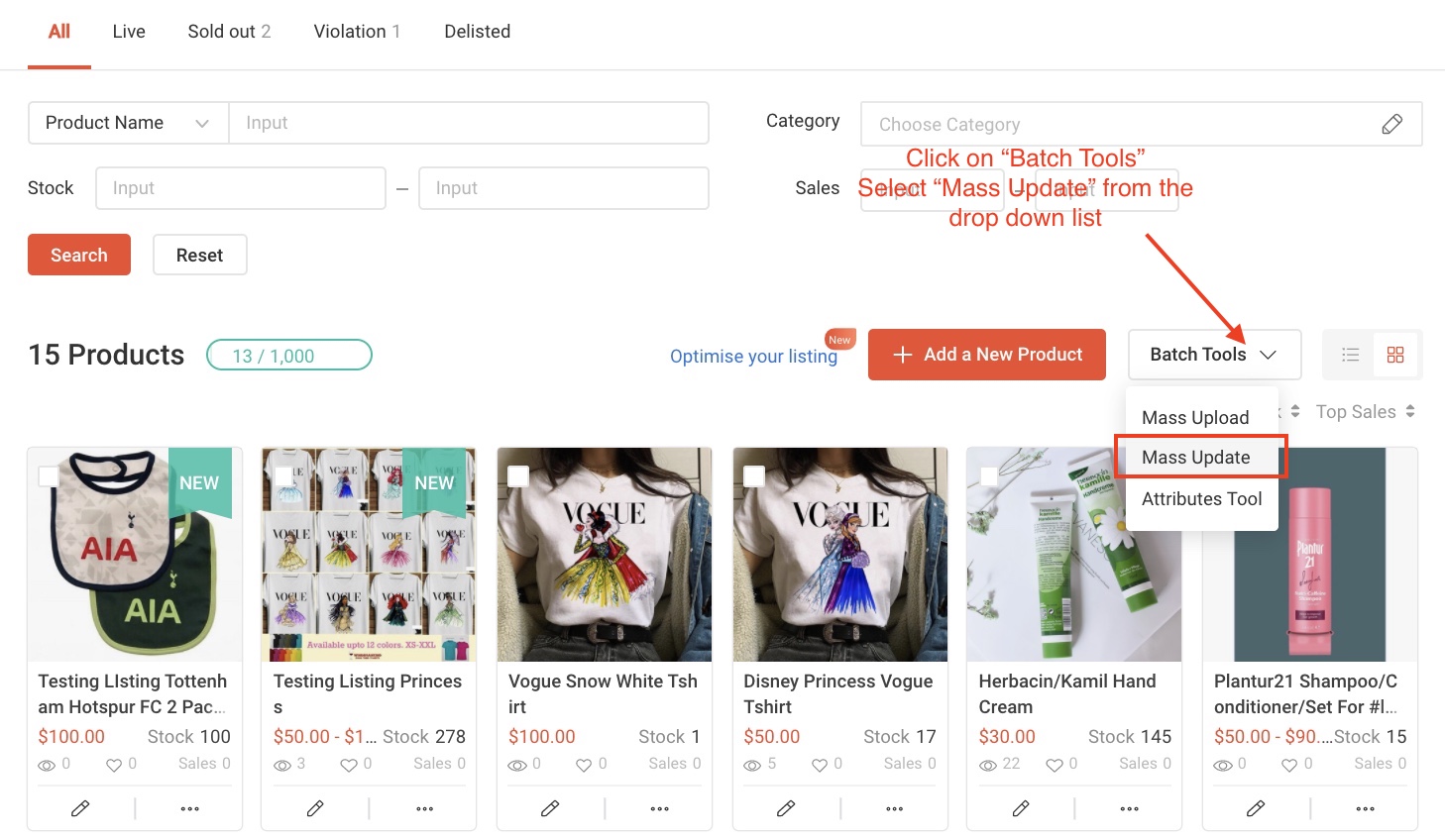

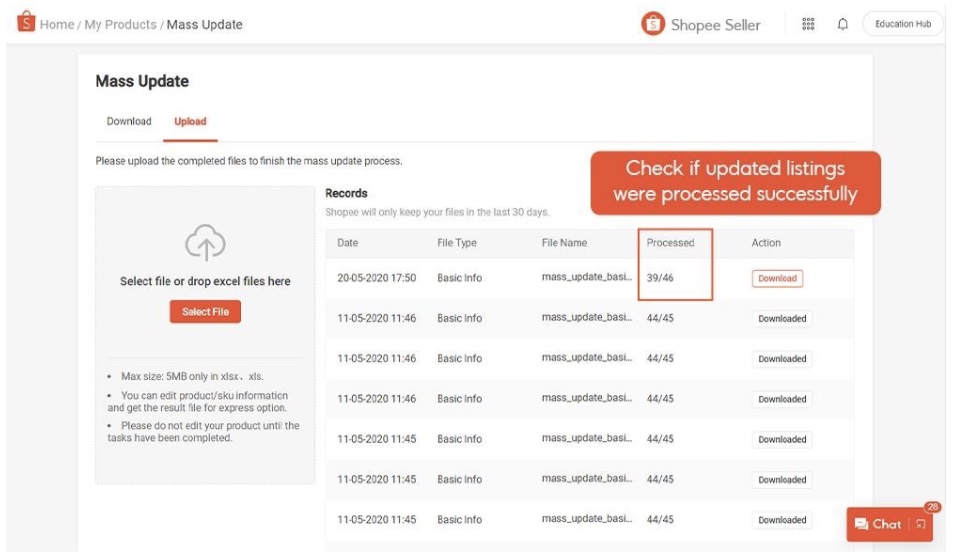
If there are listings that were not processed from your uploaded Mass Update template, click on the " Download" button to retrieve your template.
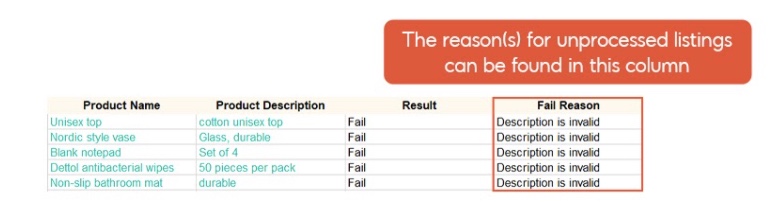
Find out why under the “Fail Reason” column at the end of the template. Then, amend the template and re-upload it.
To learn more, head over to Shopee Seller Education Hub.