
How to import Product List to TikTok Shop?
If you need to add or update products in TikTok Shop in bulk, here's how you can upload a product spreadsheet.

If you need to add or update products in TikTok Shop in bulk, here's how you can upload a product spreadsheet.
If you are updating existing TikTok Shop products, first export your product list from TikTok Shop.
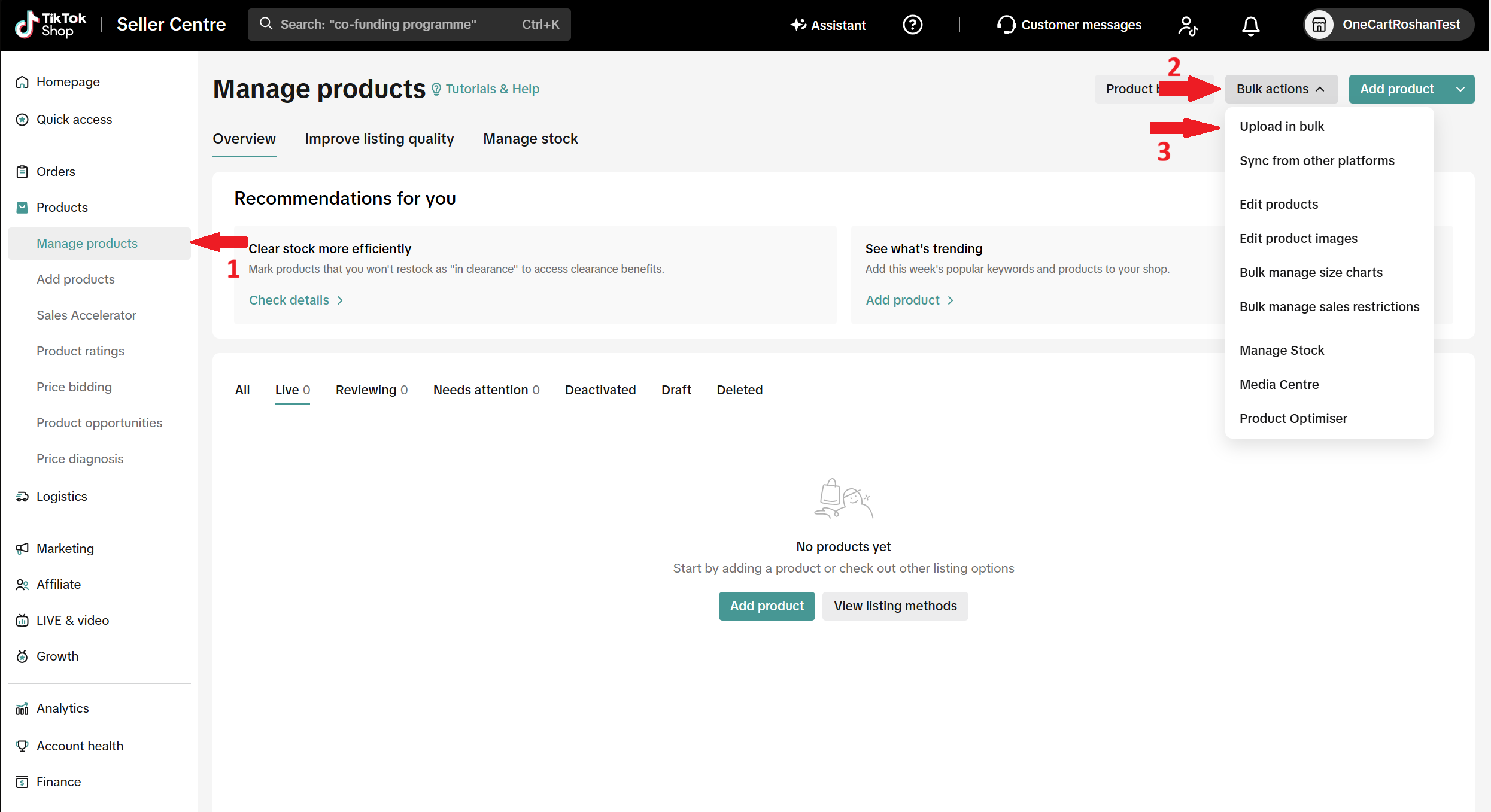
Log in to your TikTok Shop Seller Centre account.
On the left-hand side menu, go to:
Products > Manage products
Click Bulk actions in the top-right corner, then select Upload in bulk.
Under Step 1: Download template, select the product category. TikTok Shop will generate the template for that category. Select the brand if needed, then click Download template.
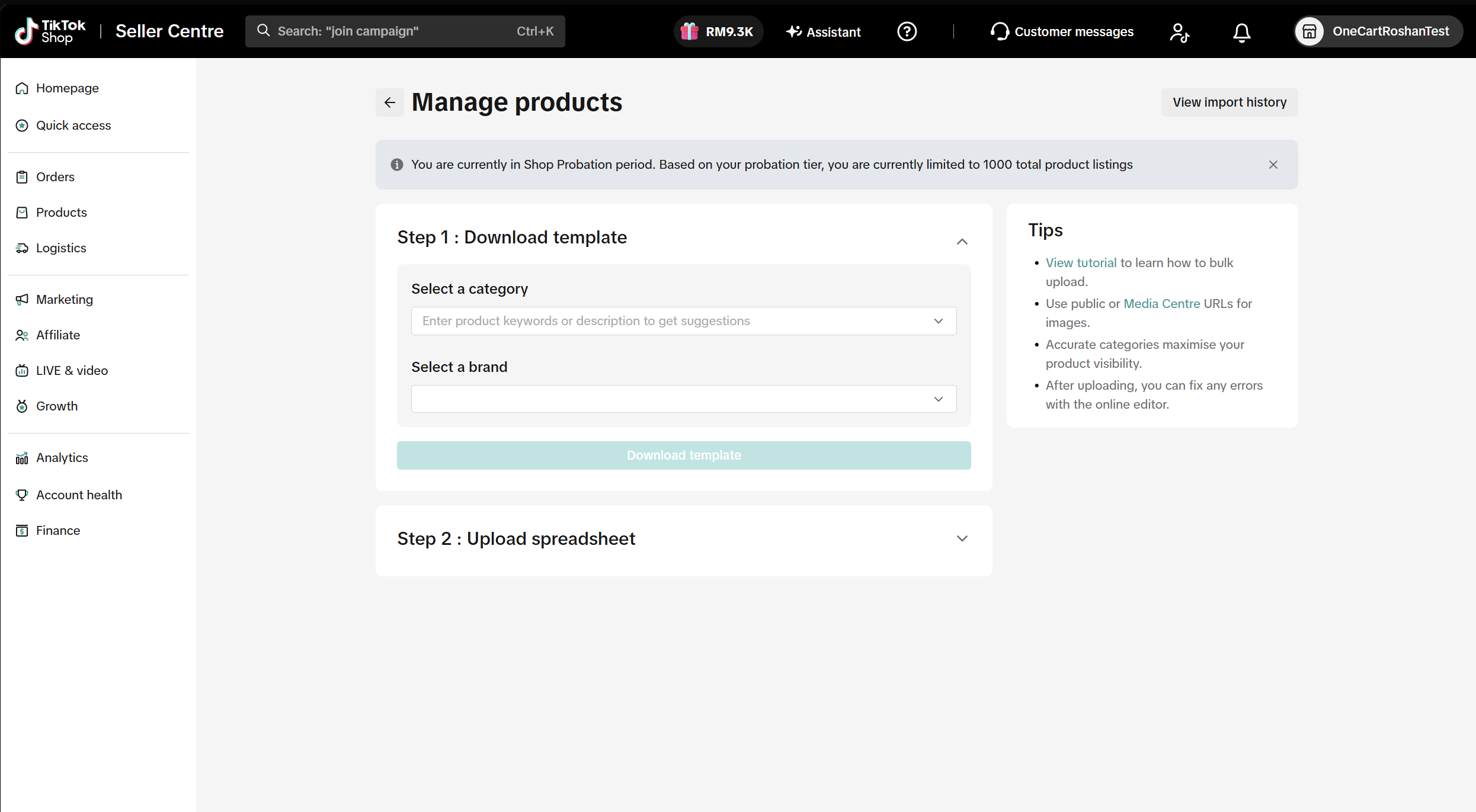
Open the downloaded template, fill in the product information, and save the file in .xlsx format.
Under Step 2: Upload spreadsheet, attach your completed spreadsheet. The maximum file size is 20 MB.
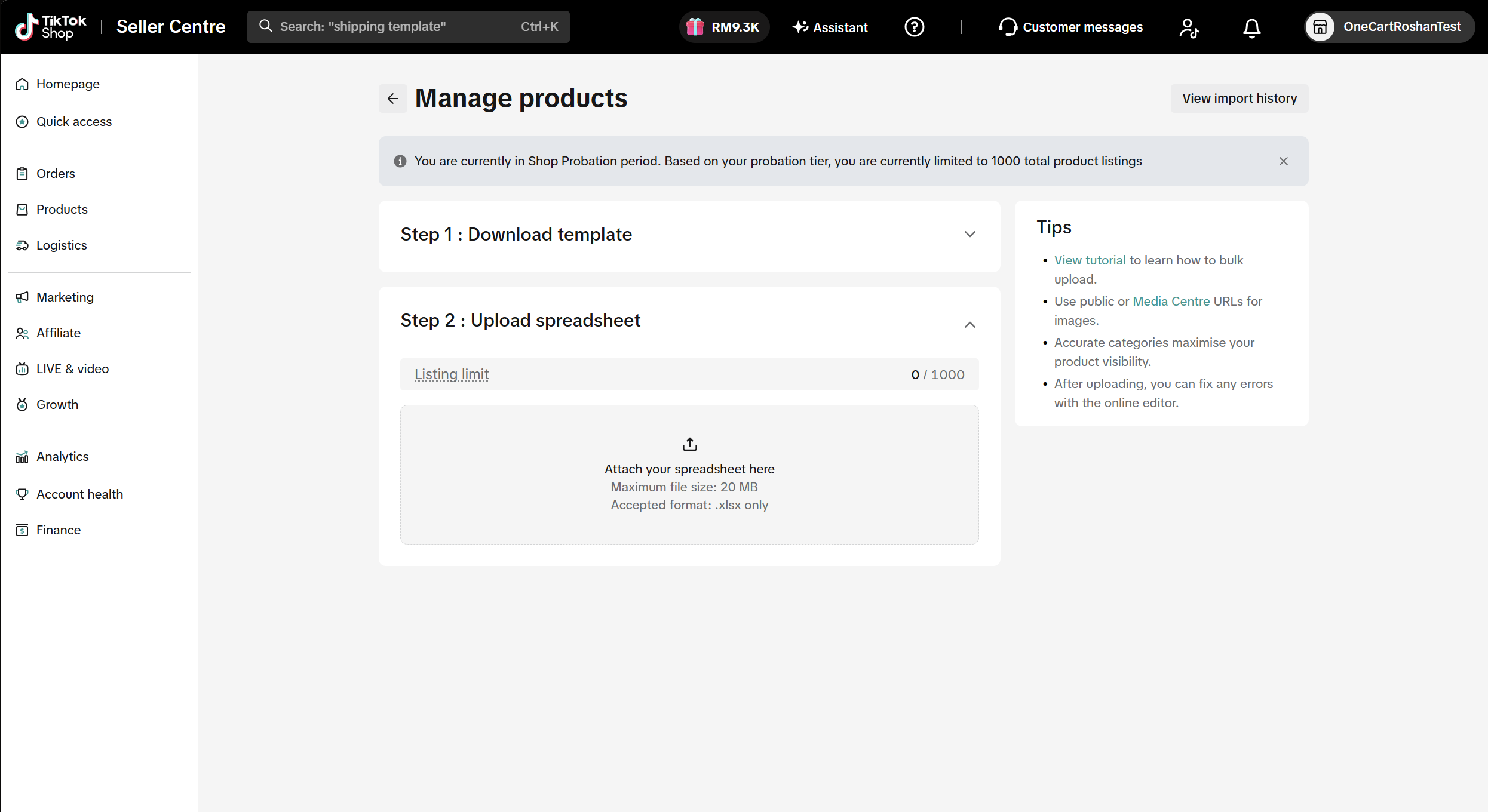
Follow the prompts in TikTok Shop to review and complete the import.
To download a new product list or template, follow this article: How to export Product List from TikTok Shop?
**Note: Need help generating SKUs? You can use our Free AI SKU Generator here: https://www.getonecart.com/tools/free-ai-sku-generator/