
How to import Product List to Shopify?
If you need to add or update products in Shopify in bulk, here's how you can import a product CSV file.

If you need to add or update products in Shopify in bulk, here's how you can import a product CSV file.
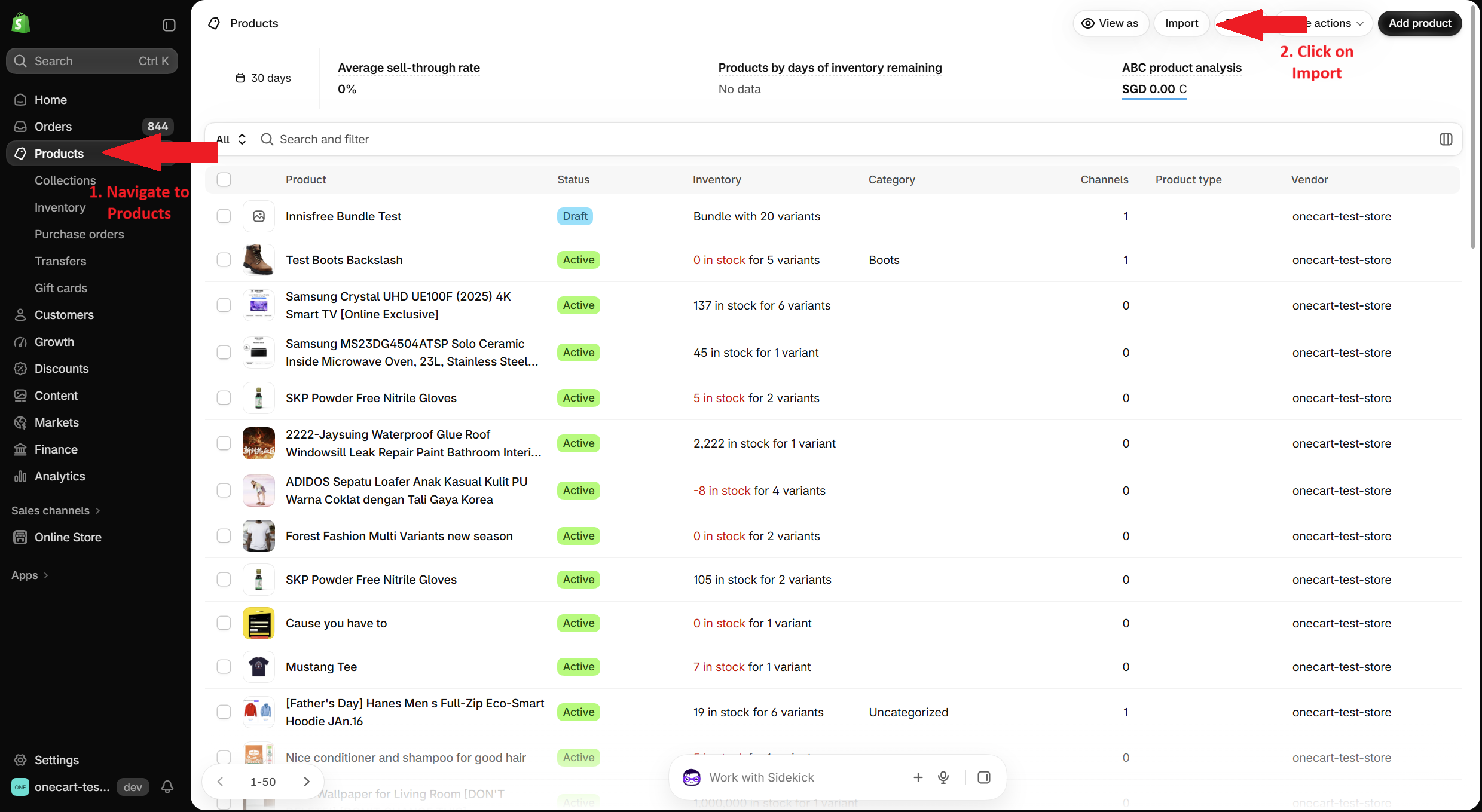
Log in to your Shopify admin.
On the left-hand side menu, go to:
Products
Click Import in the top-right corner.
The Import products window will open. Your CSV file must use Shopify’s product CSV format. If needed, click Download sample CSV to get a template.
Click Upload file and select your completed CSV file.
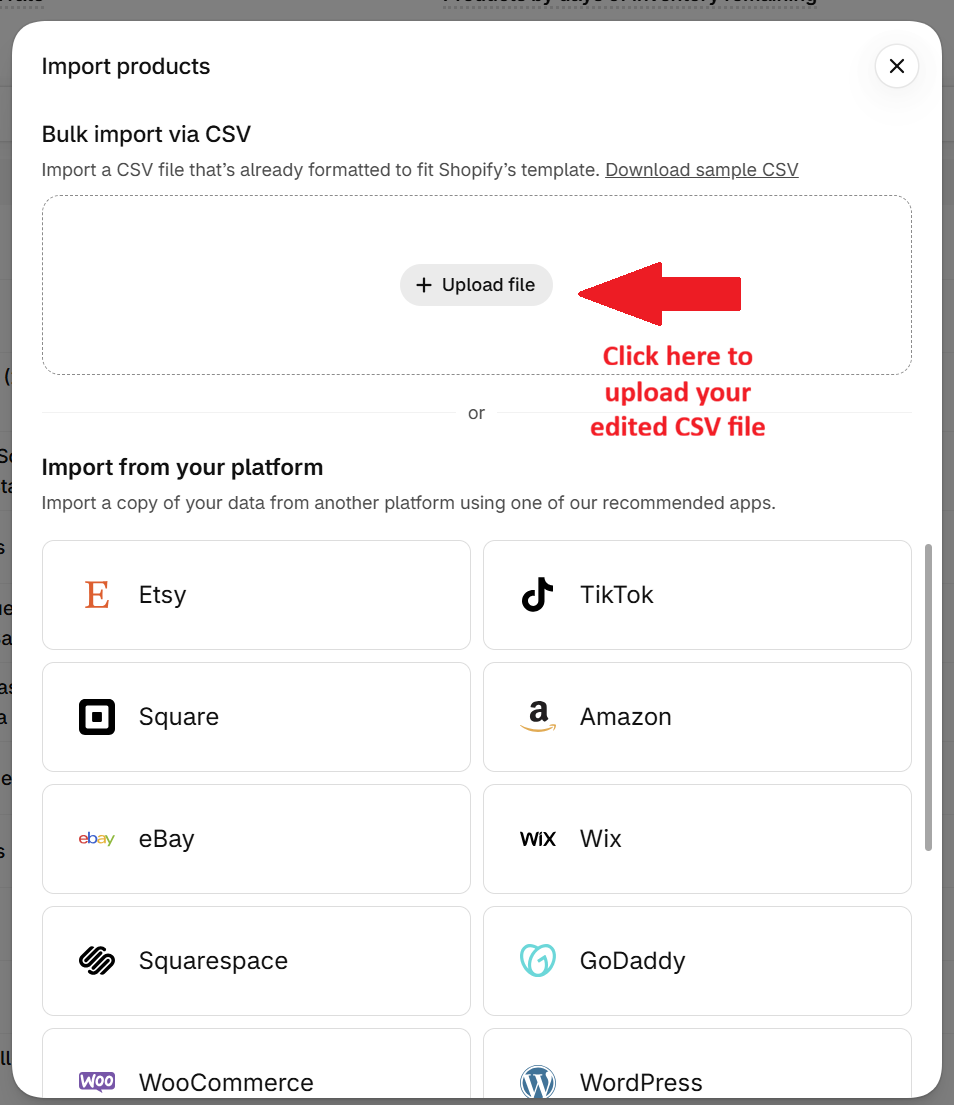
Follow the prompts in Shopify to review and complete the import.
**Note: Need help generating SKUs? You can use our Free AI SKU Generator here: https://www.getonecart.com/tools/free-ai-sku-generator/