How to export Product List from Shopee?
If you need to bulk update your SKUs into Shopee Seller Center, here's how you can do it.
If you need to bulk update your SKUs into Shopee Seller Center, here's how you can do it.
Log in to your Seller Centre Account
On the left-hand side menu,
Home > Product > My Products
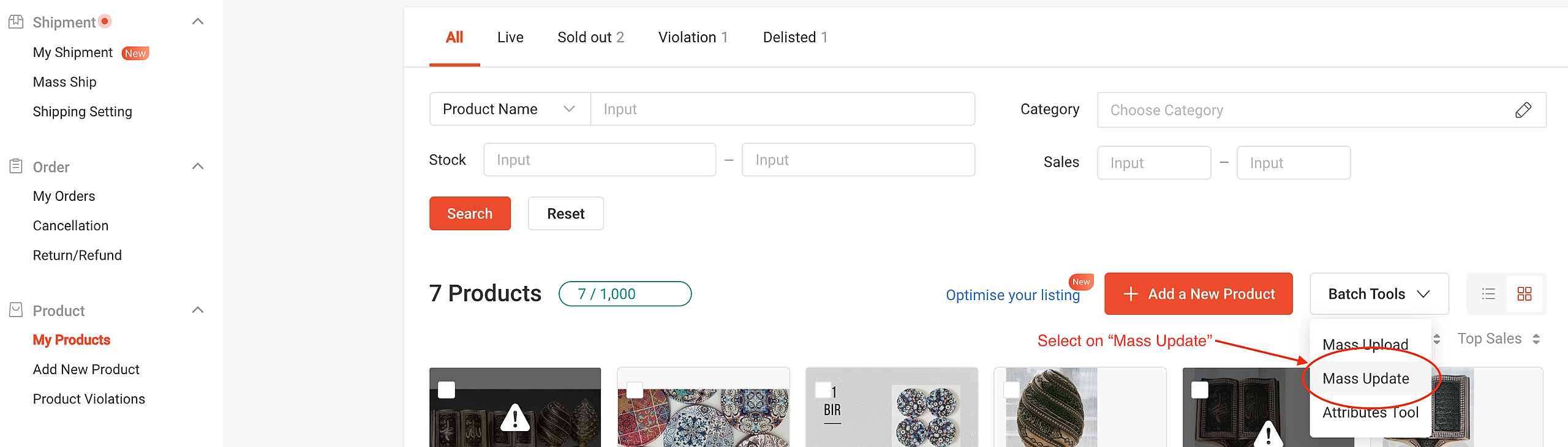
Click on the button “Batch Tools” and select “Mass Update” from the drop down.
At the “Mass Update” page, generate the “Sales Info” template.
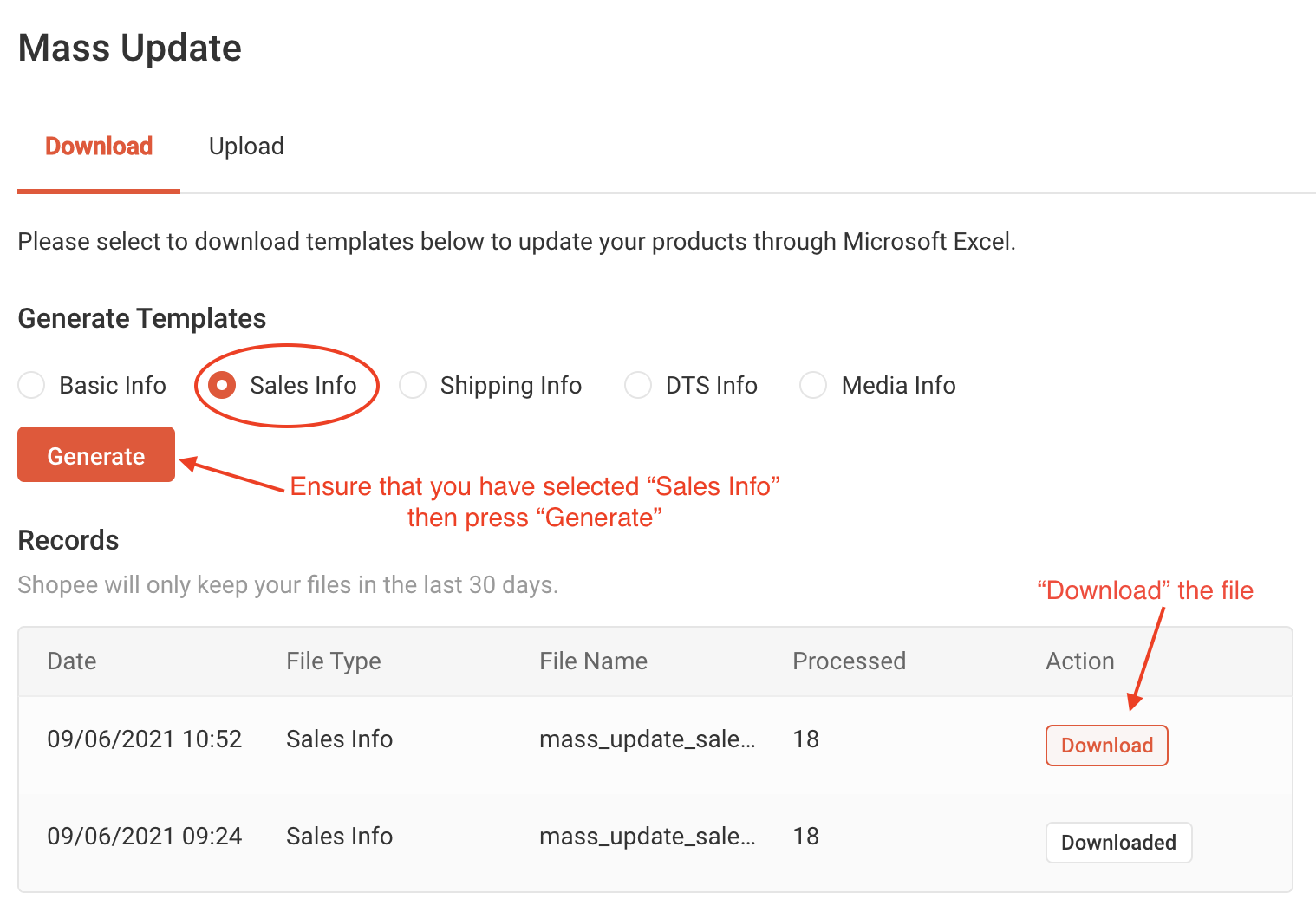
Click download once the file is generated.
Once your SKUs are filled out, you can re-upload your file by following the article here: How to re-upload files (mass update) in Shopee?
**Note: Need help generating SKUs? You can use our Free AI SKU Generator here: https://www.getonecart.com/tools/free-ai-sku-generator/