How to edit SKUs in Qoo10/QSM?
Unlike other platforms, QSM bulk-edit does not have an option to change the Seller SKU. Read on to learn and understand more.
Unlike other platforms, QSM bulk-edit does not have an option to change the Seller SKU. Read on to learn and understand more.
On QSM, click here
Or,
go to the left side menu
Listing & Management > Item Management > Listing & Editing
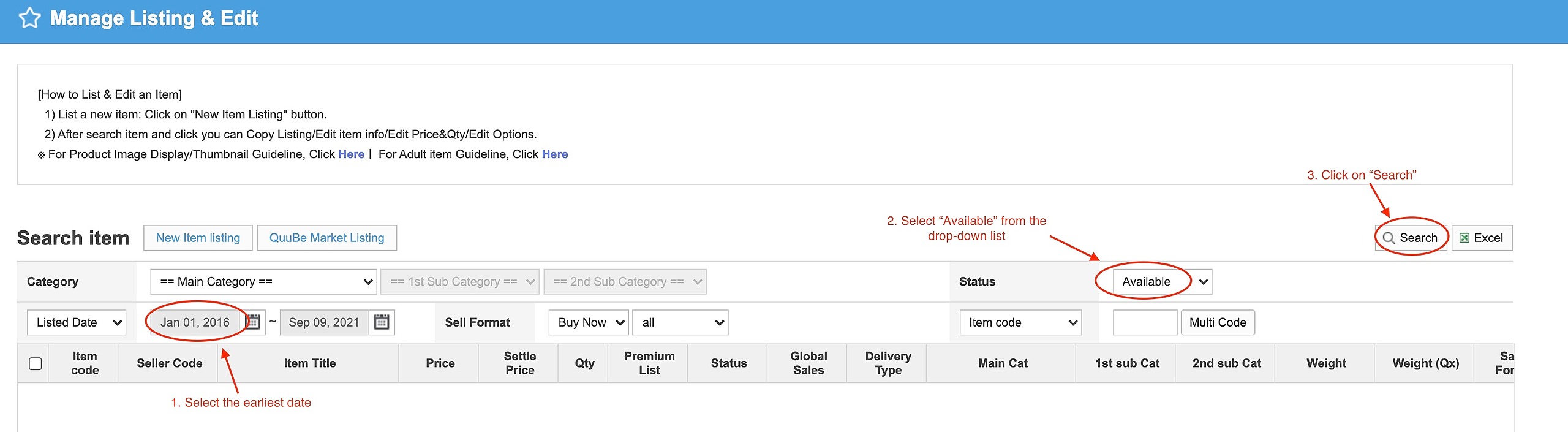
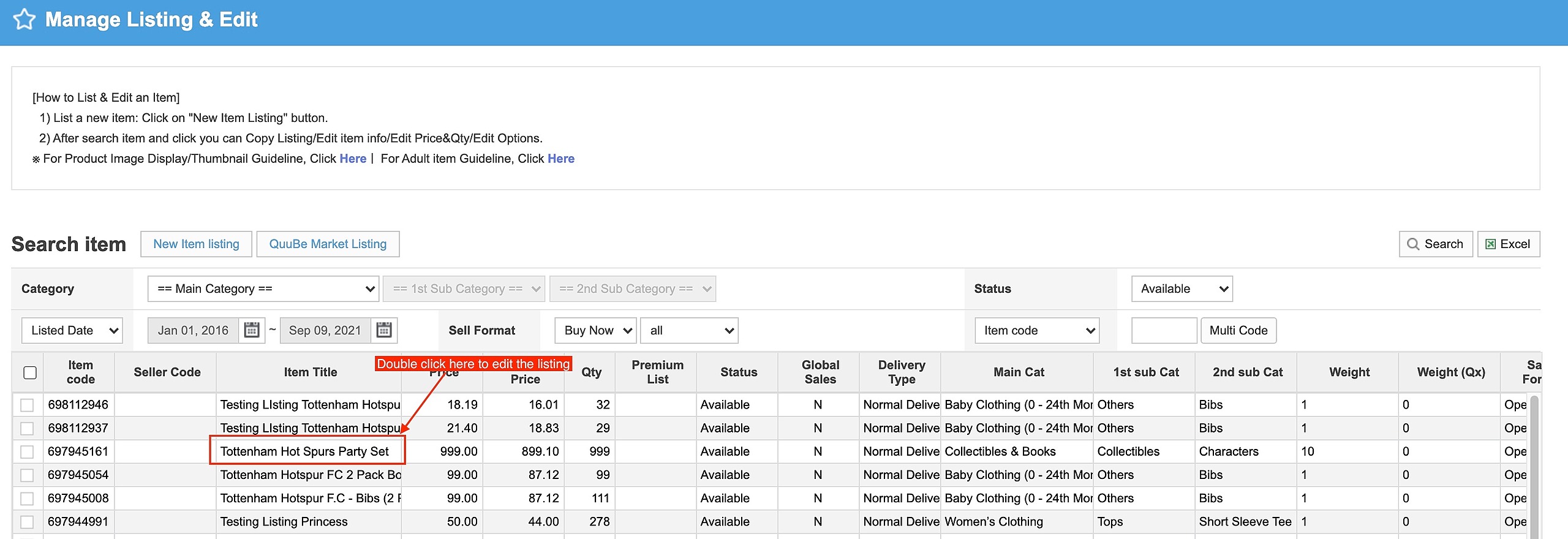
1 . Find out if you have SKUs in your Qoo10 listings.
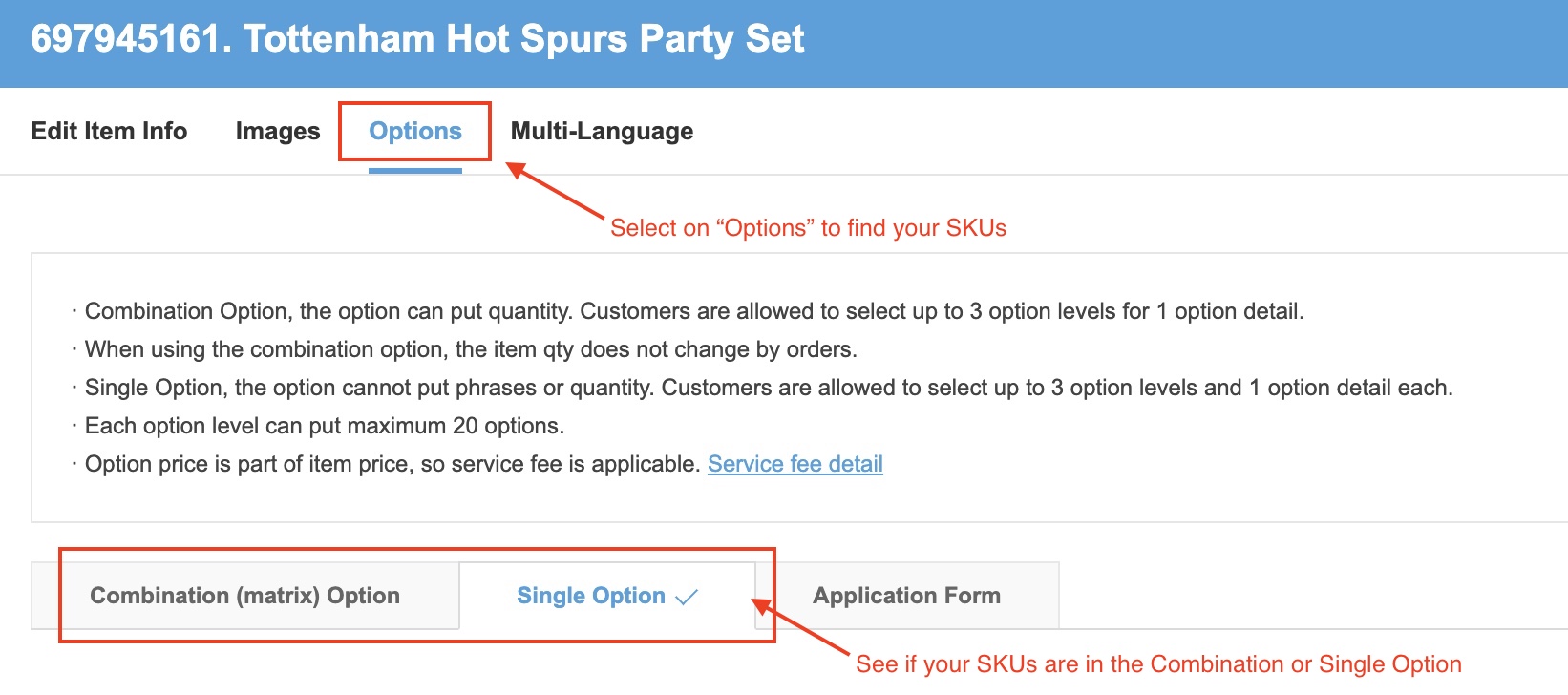
2. If yes, see if its under Single Option
Or, Combination Option
If under Single Option,
kindly input it in Combination Option as it allows OneCart to track the quantity.
As explained in the article here.
If under Combination Option,
do ensure that the SKUs are the same in OneCart and across other platforms.
Bulk edit in QSM are experiecing some issues. We will closely monitor and will advise more in time.
Do reach out to us at hello@lachmann-tech.com should you encounter any problems.
We will be more than happy to assist you! :)