How to download SKU tracking history in OneCart?
Export the quantity and price change history for individual SKUs as a CSV file from OneCart's tracking history feature.
Export the quantity and price change history for individual SKUs as a CSV file from OneCart's tracking history feature.
OneCart allows you to download the history of quantity and price updates for individual SKUs, via the tracking history downloads.
To download your SKU tracking history in CSV format, follow these steps:
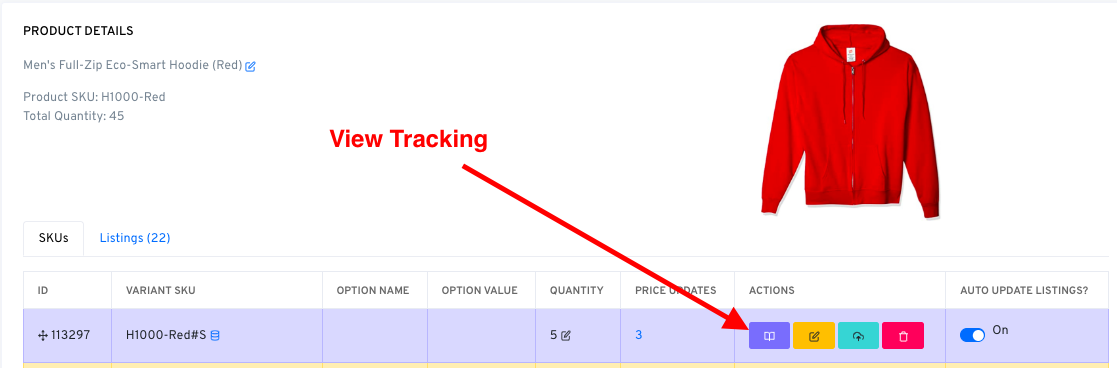
Navigate to the SKU product page
Click on the purple icon ‘View Tracking History’
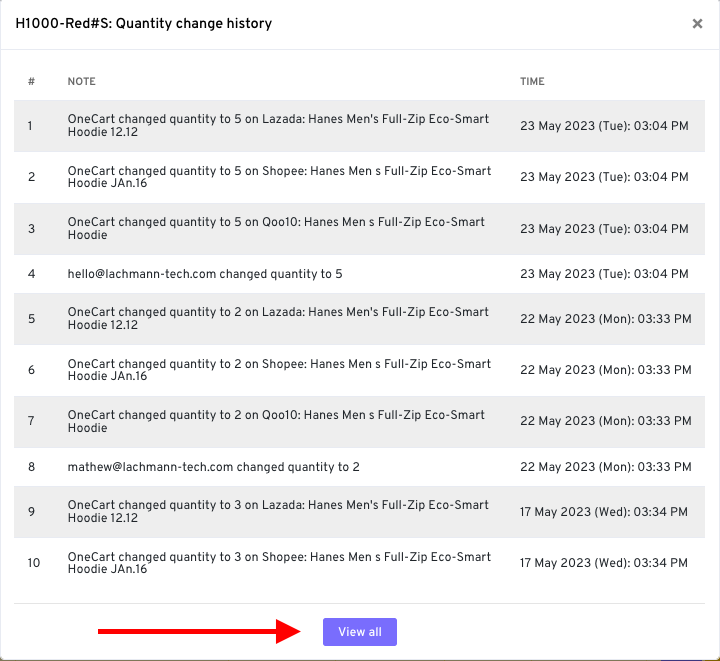
Click on ‘View all’
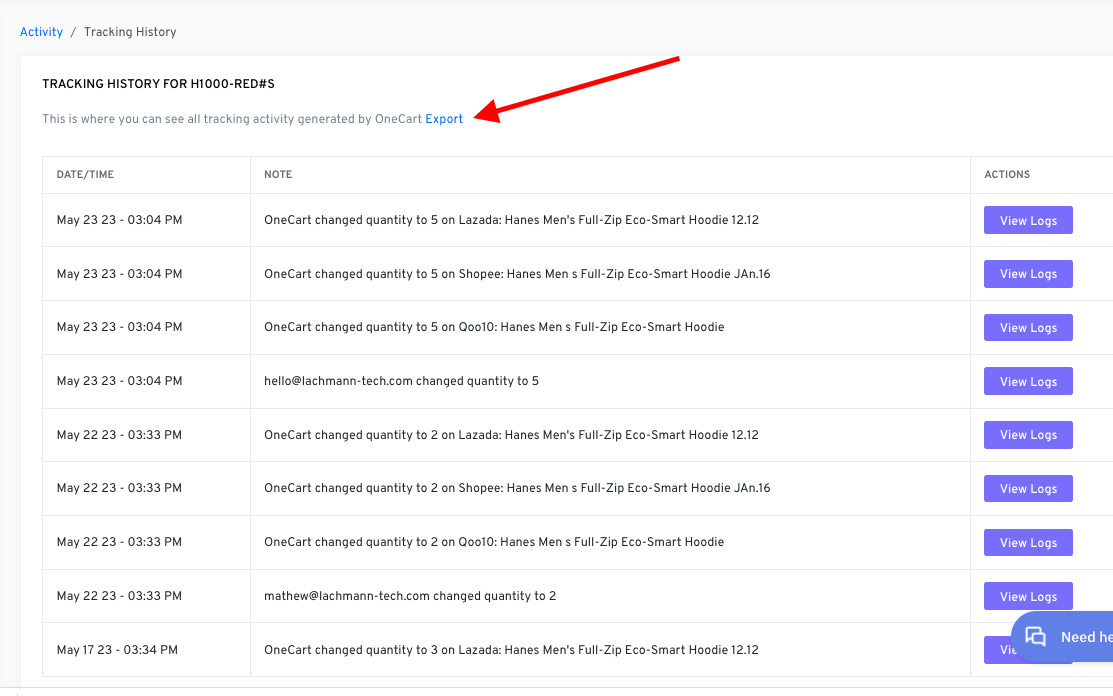
Click on ‘Export’