How to do a bulk cross-post in OneCart?
Bulk cross posting in OneCart allows you to efficiently publish multiple products across different marketplace channels simultaneously. This guide explains the step-by-step process for performing bulk cross posts.
Help Article
Last updated Oct 25, 2024
1 min read
Navigate to “E-Commerce Listings”
Select “Manage Listings”
Click on “View Imports”
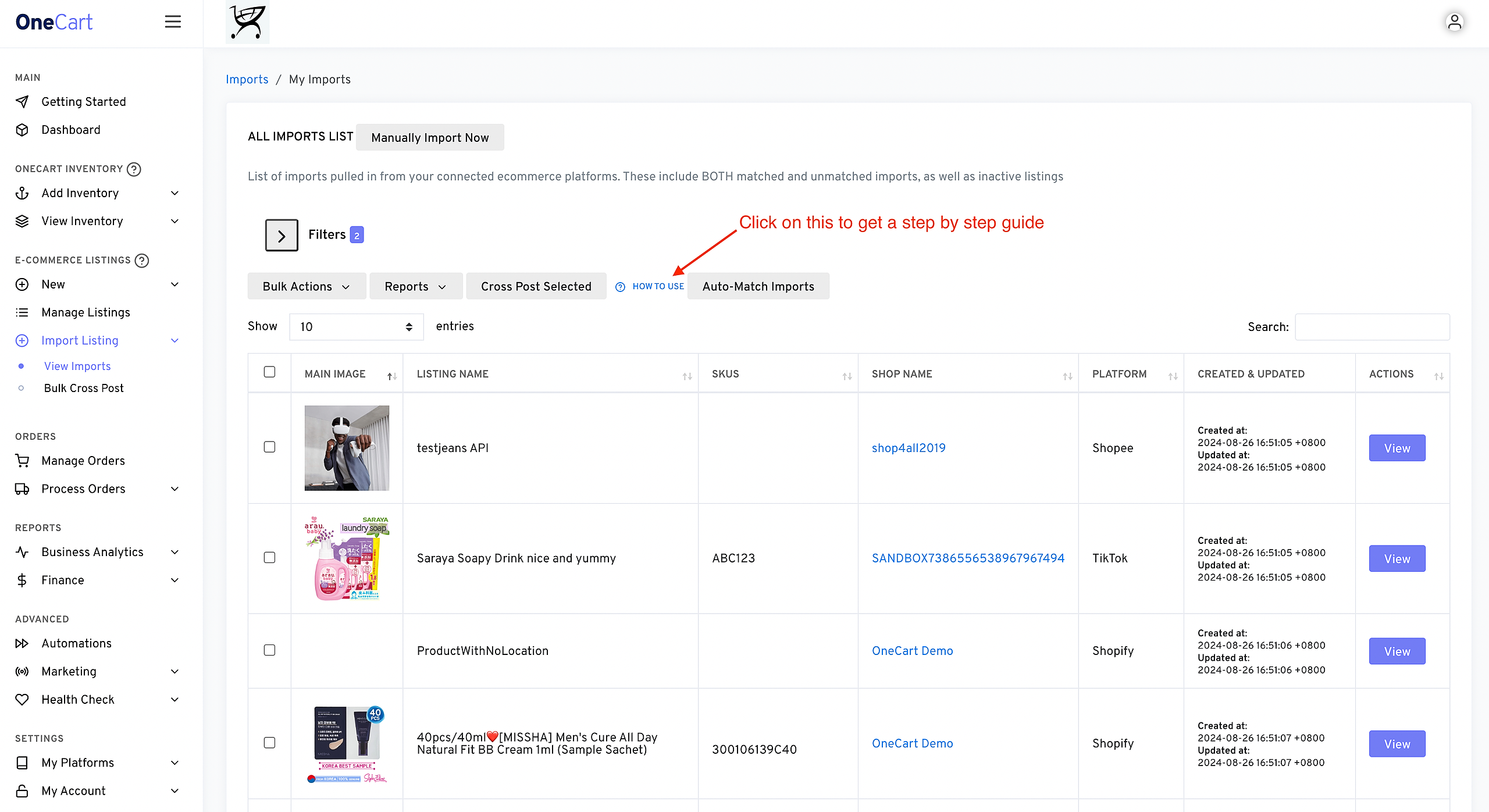
Cross Post Instructions
First, select the imports you want to transfer. You can select all or some.
Adjust Filters - You can adjust the filters here if you want to find other listings
Once you have selected your imports, click the ‘Cross-Post Selected’ and follow the instructions in the popup
Happy Cross Posting!
That’s all! You can get started, or click here to view a video walkthrough
https://www.loom.com/share/3ef4414ddc1c4b848ec97fd277ef23eb?sid=c9ce73af-5076-4189-94e7-8c37a1fb9604