How to cross-post to platforms?
Learn the best main feature that OneCart has - Cross-post. This saves you alot of time and leave the admin work to us.
Learn the best main feature that OneCart has - Cross-post. This saves you alot of time and leave the admin work to us.
There are 2 methods to do a cross-post in OneCart.
On the OneCart left hand menu go to E-Commerce Listings > Manage Listings
Search for the listing that you would like to cross-post to your other connected platform
Go to your selected listing and click on ‘Cross Post Options’ 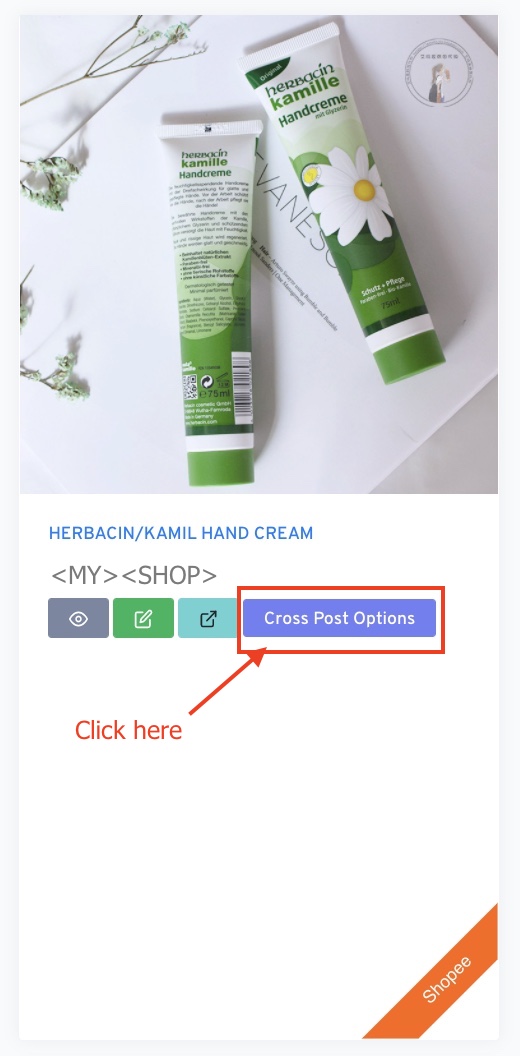
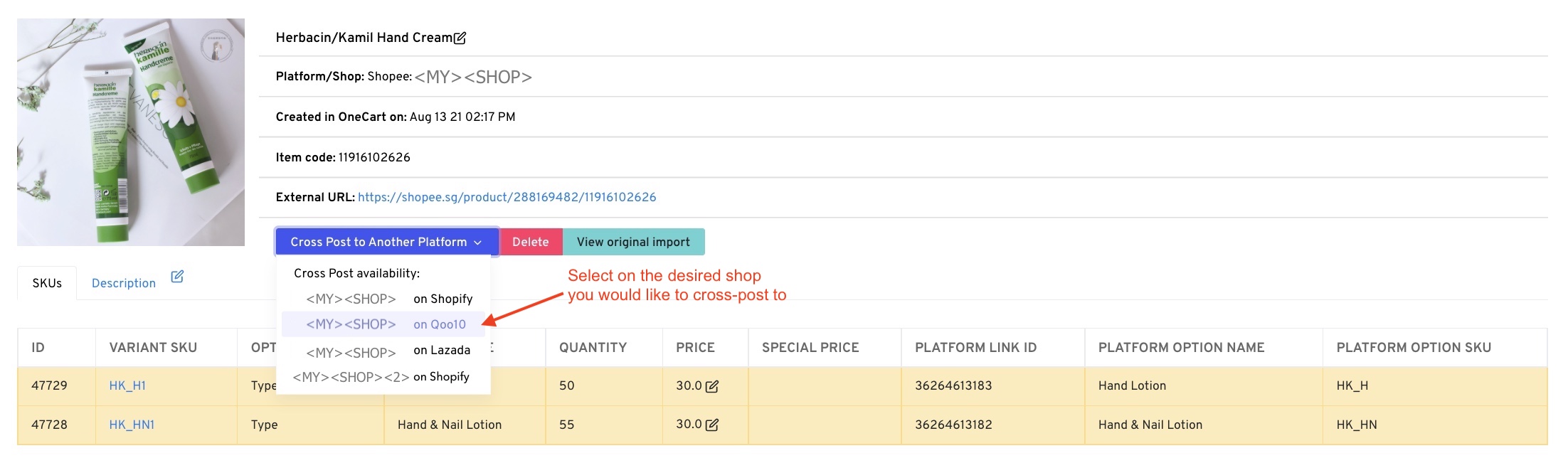
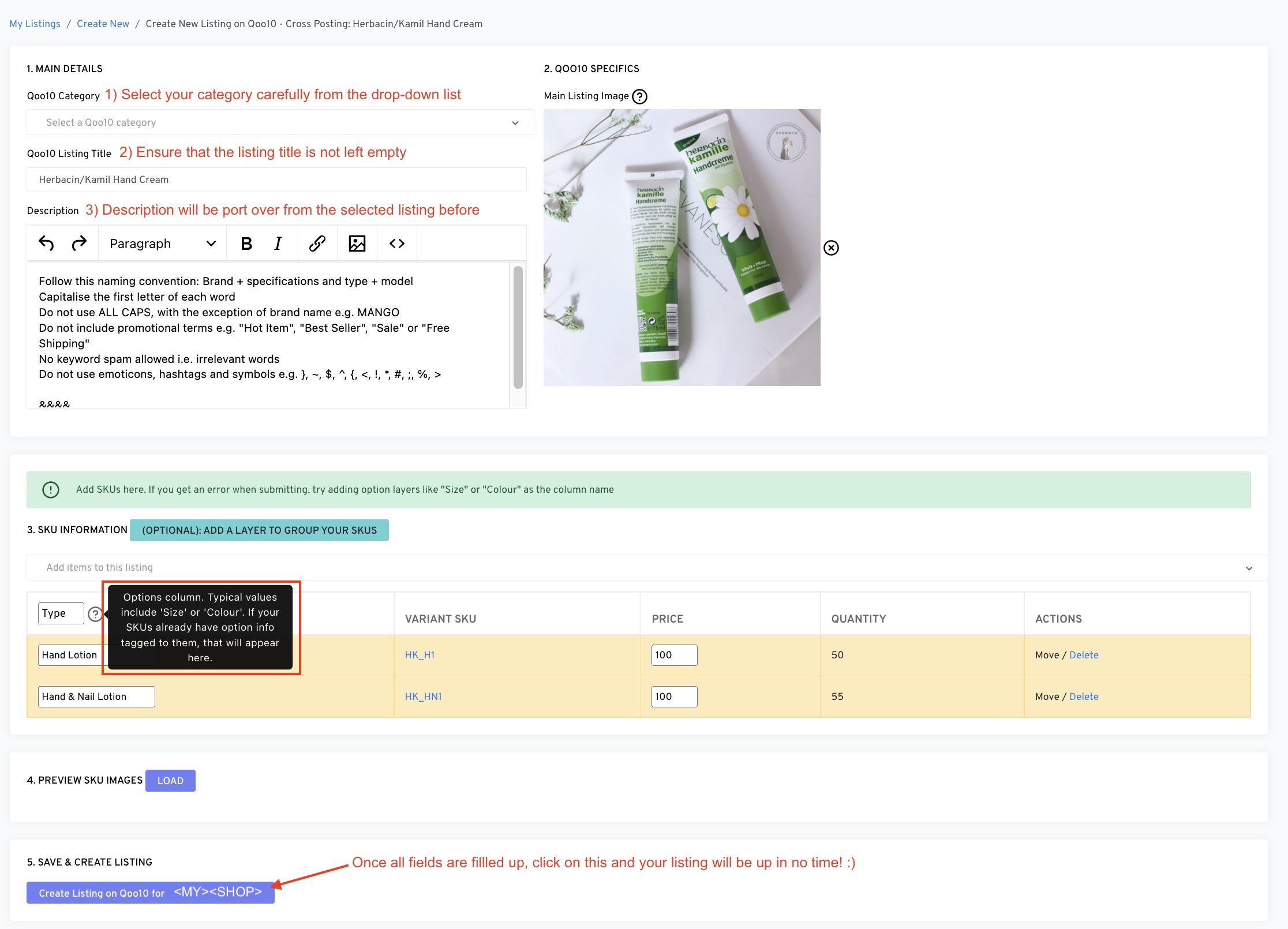
Select which shop you would like to cross post the listing to