How to create a Bundle?
Product bundling helps to generate more sales, saves on marketing & distribution and simplifies the customer's experience. Read on how you can create a bundle in OneCart.
Product bundling helps to generate more sales, saves on marketing & distribution and simplifies the customer's experience. Read on how you can create a bundle in OneCart.
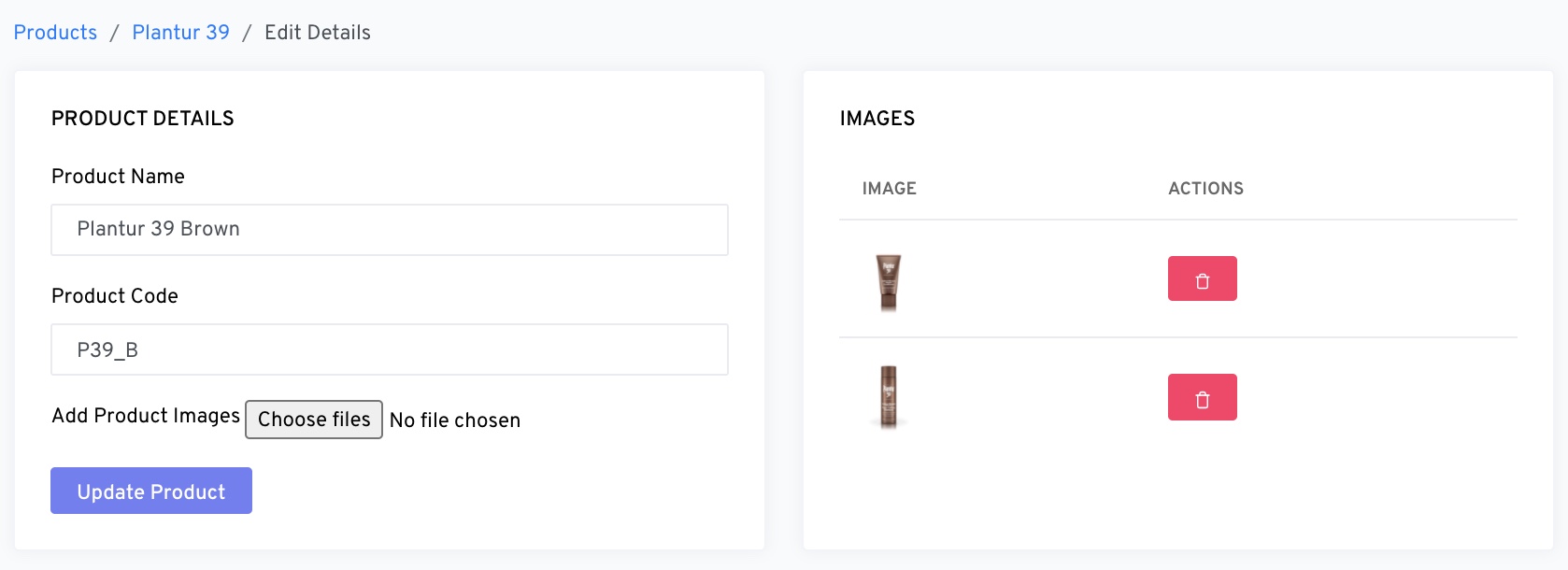
A bundle is a group of variants SKUs grouped together under 1 Product Code. This is for OneCart to track the inventory.
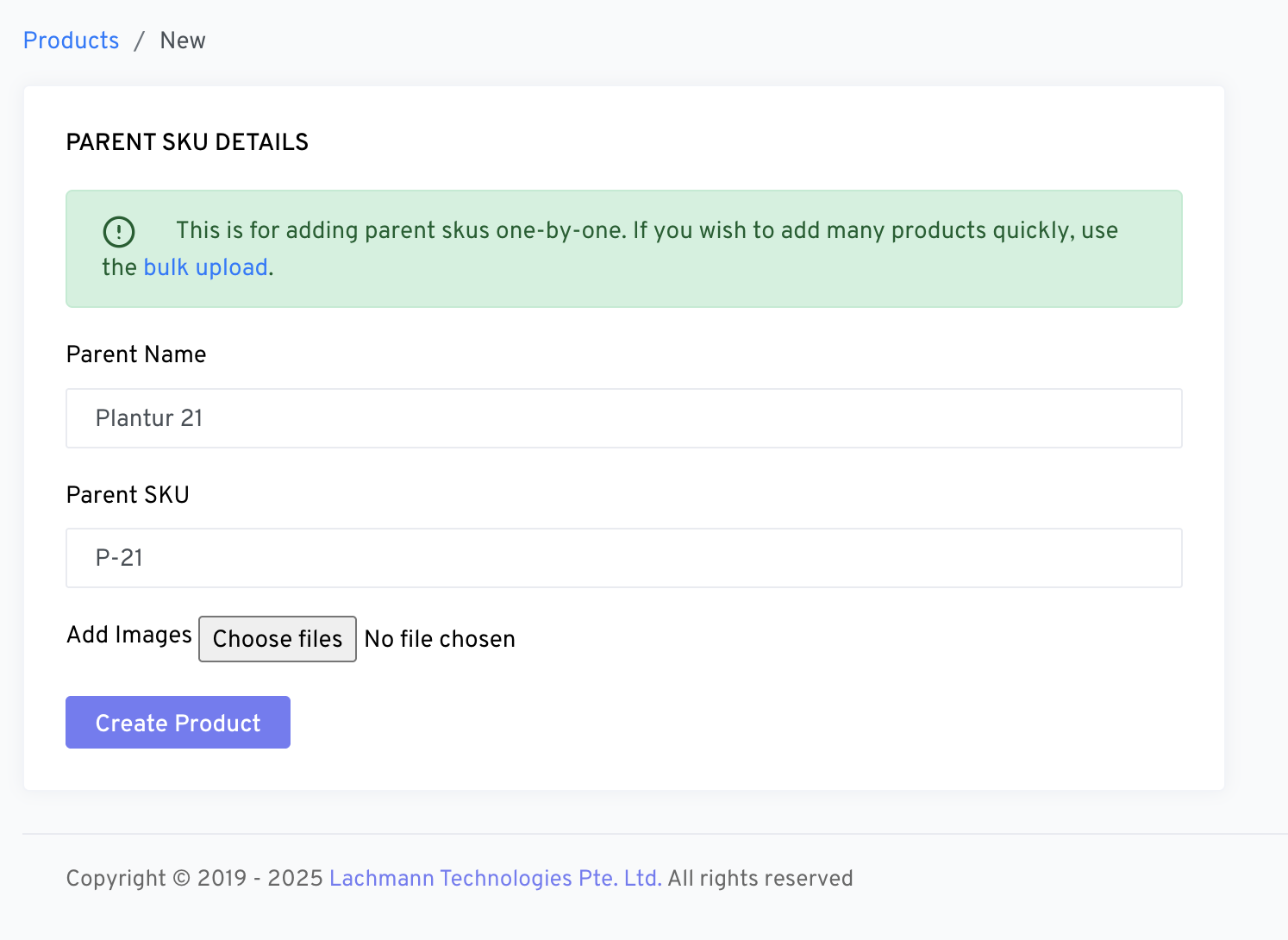
Go to:
OneCart Inventory > Add Inventory > Add Parent Product
Go to:
OneCart Inventory > Add Inventory > Add Bundle SKU
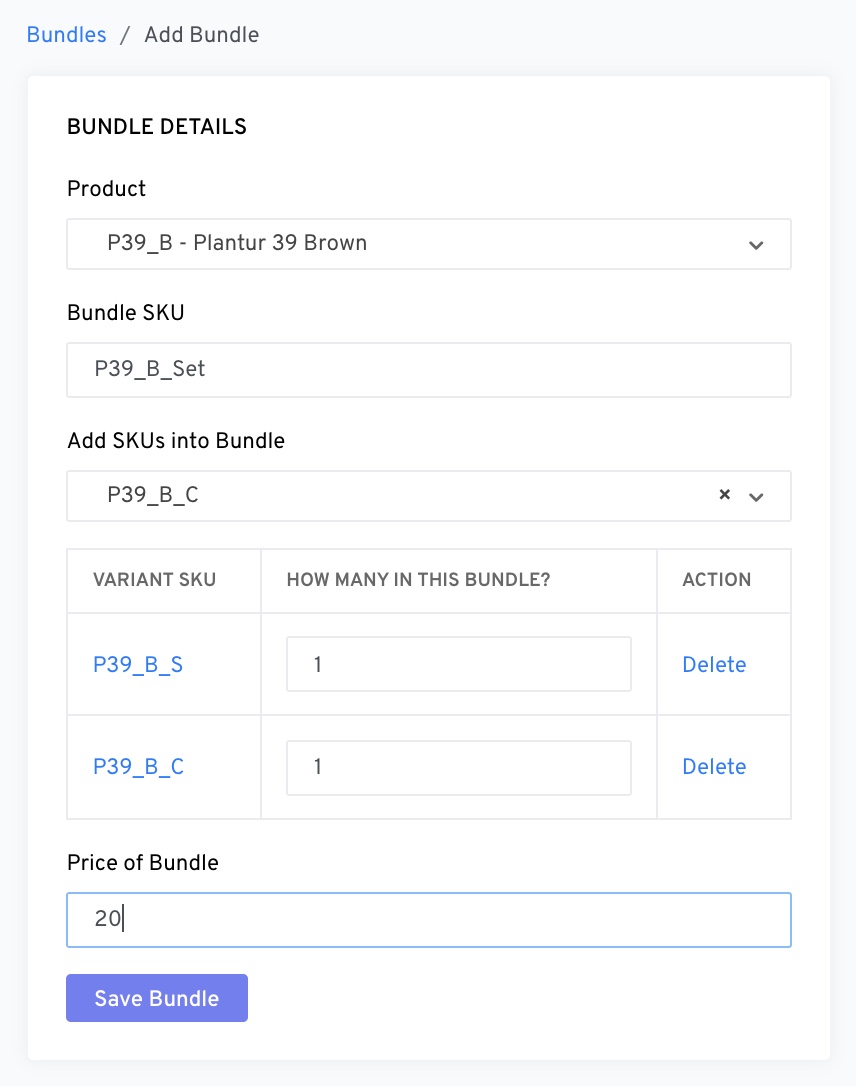
Remember to pick the correct product.
Create a unique SKU for the bundle.
Add the SKUs you would like to have in the bundle.
Click “Save Bundle”
Your bundle is created successfully. :)
If you prefer, here is a short video tutorial for you!
https://drive.google.com/file/d/1E9mCzQIF33hoIc8rzOJJo_-Qtp1sy2hY/preview