How to connect Magento to OneCart?
Follow these steps to integrate Magento with OneCart and start syncing your inventory seamlessly.
Follow these steps to integrate Magento with OneCart and start syncing your inventory seamlessly.
**Note: Please make sure you whitelist OneCart app if you are using any firewall applications such as Cloudfare or others on your Magento website.
Part 1: Setting Up the Integration in Magento
Log in to your Magento Admin Panel
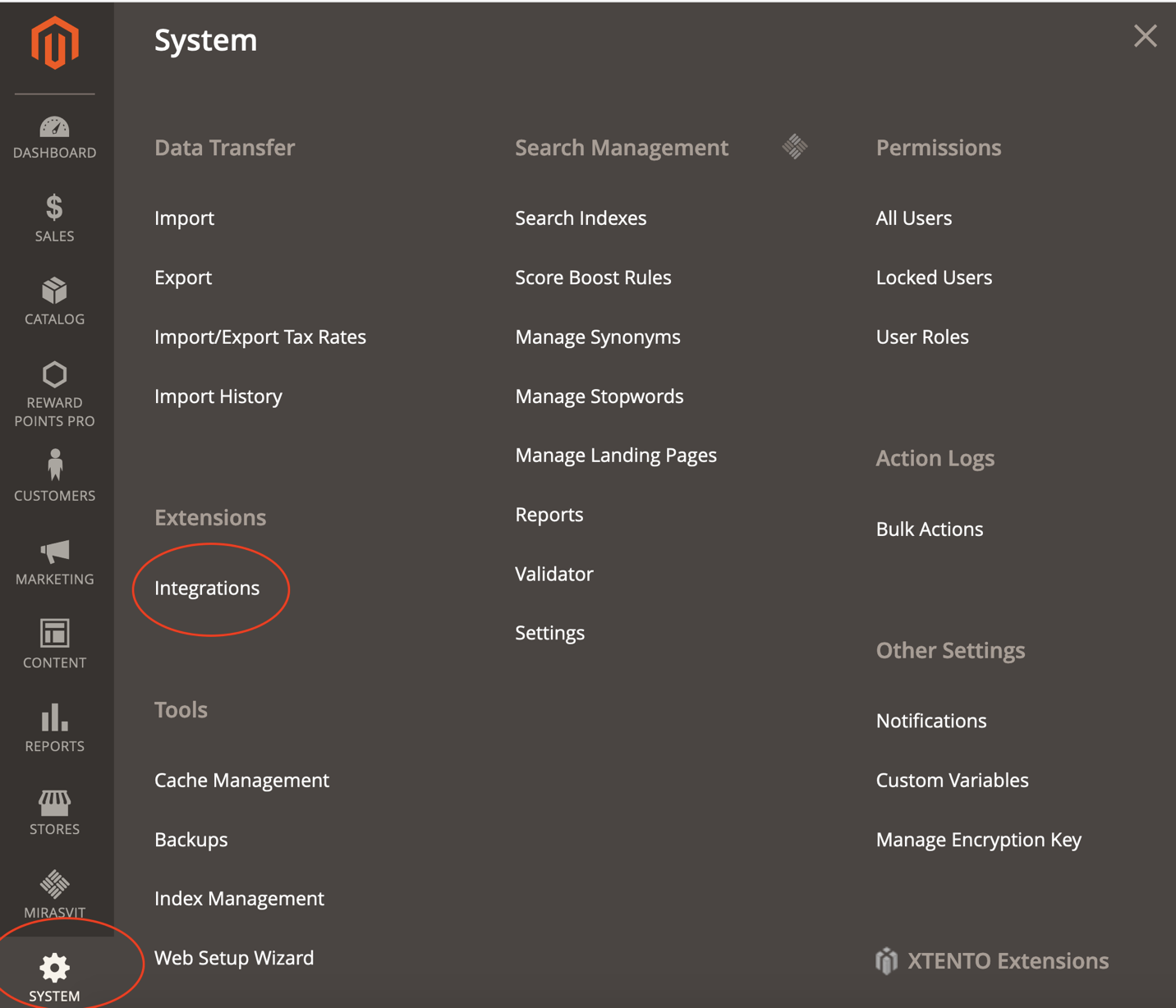
Navigate to: **System > Integrations
 **
**

Name : OneCart
Password (under Current User Identity Verification): Your Magento admin password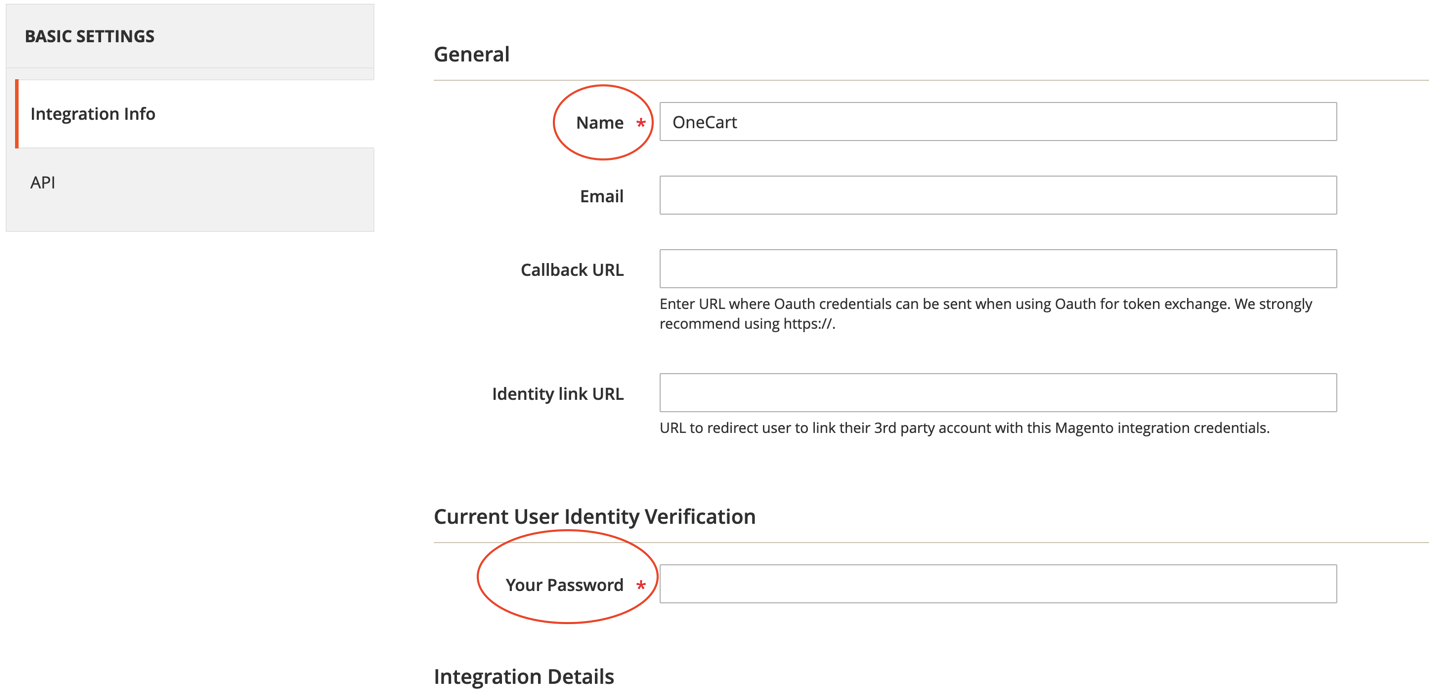
Go to the API tab
Under Resource Access , choose: All
Click Save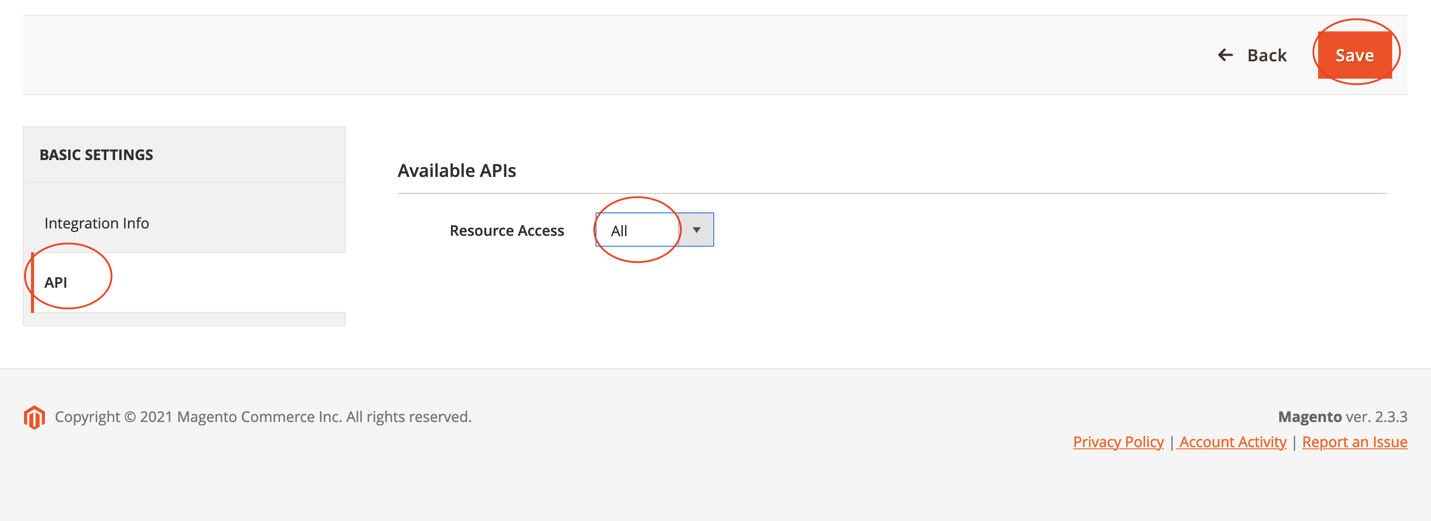
Find your integration on the list
Click Activate , then Allow
You will now see your Access Token
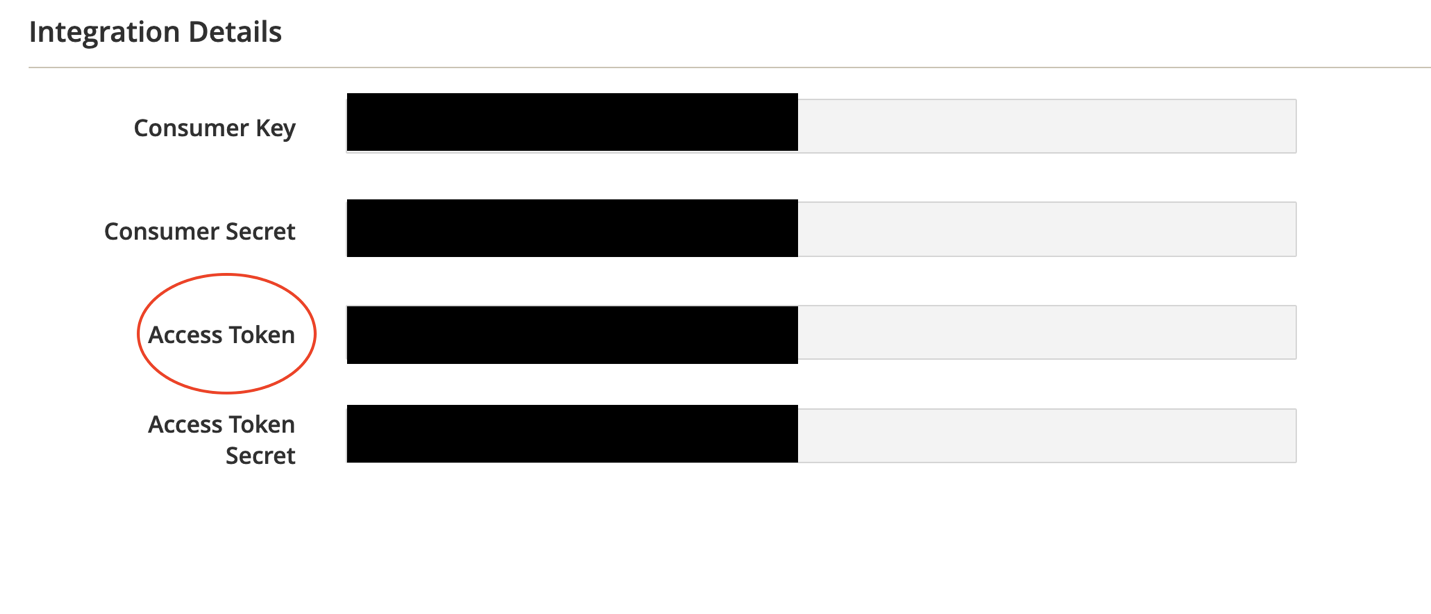 📌 Please copy and keep these 2 pieces of information ready:
Your Magento Store URL
The Access Token from Step 5
──────────────────────────────────────────────────────────
Or navigate to: Settings > My Platforms > Manage Connections
Click “Add New”
Select “Add Connection for Magento”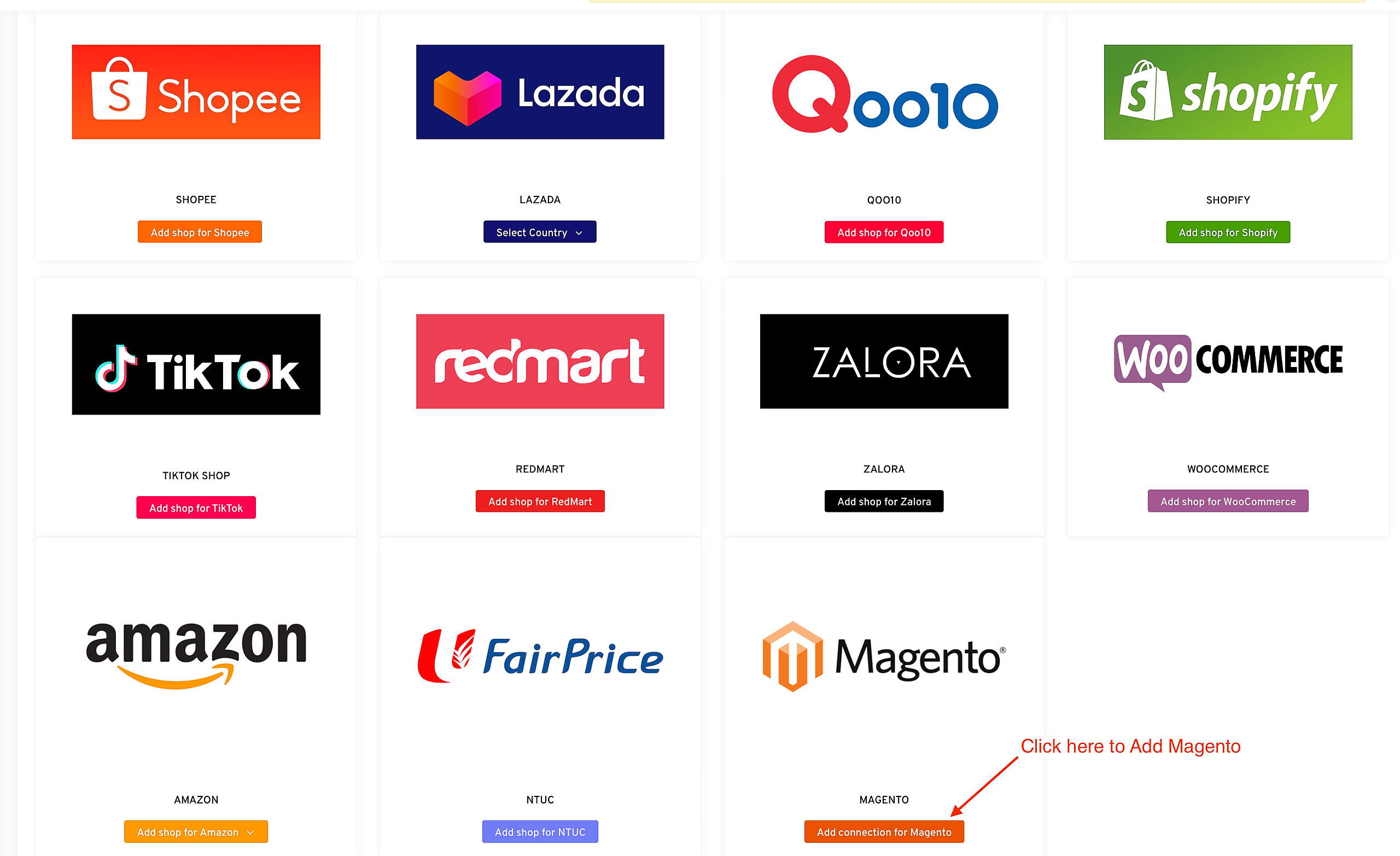
Enter your:

💬 Need help?
Chat with our support team if you get stuck or need assistance at any step.