How to change a default Shopify Location?
Learn how to update the default Shopify location for your store.
Learn how to update the default Shopify location for your store.
Go to Settings > My Platforms > Manage Connections
Click on ’<Shop> Settings’ for the desired shop
You can select and choose the default location as image below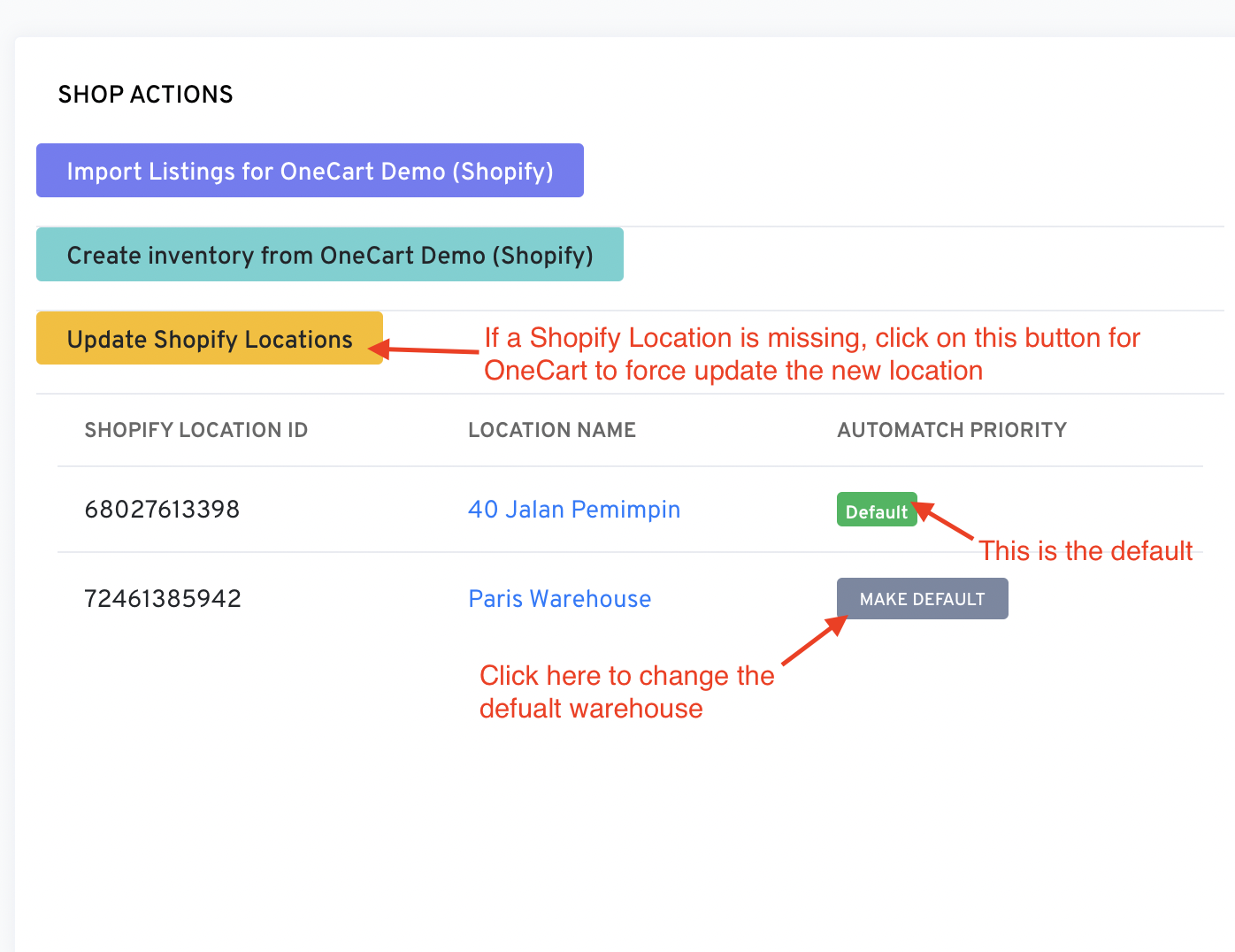
What does it mean to set a default location?
a) To make a location “default” - it is used for the automatch location hence it helps accuracy
b) User can click any Shopify location in their account and they will see the listings matched to that location