Product images (Batch upload)
This guide will show how to check list of products with no images and how to batch upload product images.
This guide will show how to check list of products with no images and how to batch upload product images.
Steps to check list of products with no images
Goto - Advance - Health Check - Click Image Summary

This page shows a list of products without images. There is two ways for you to upload images to OneCart.
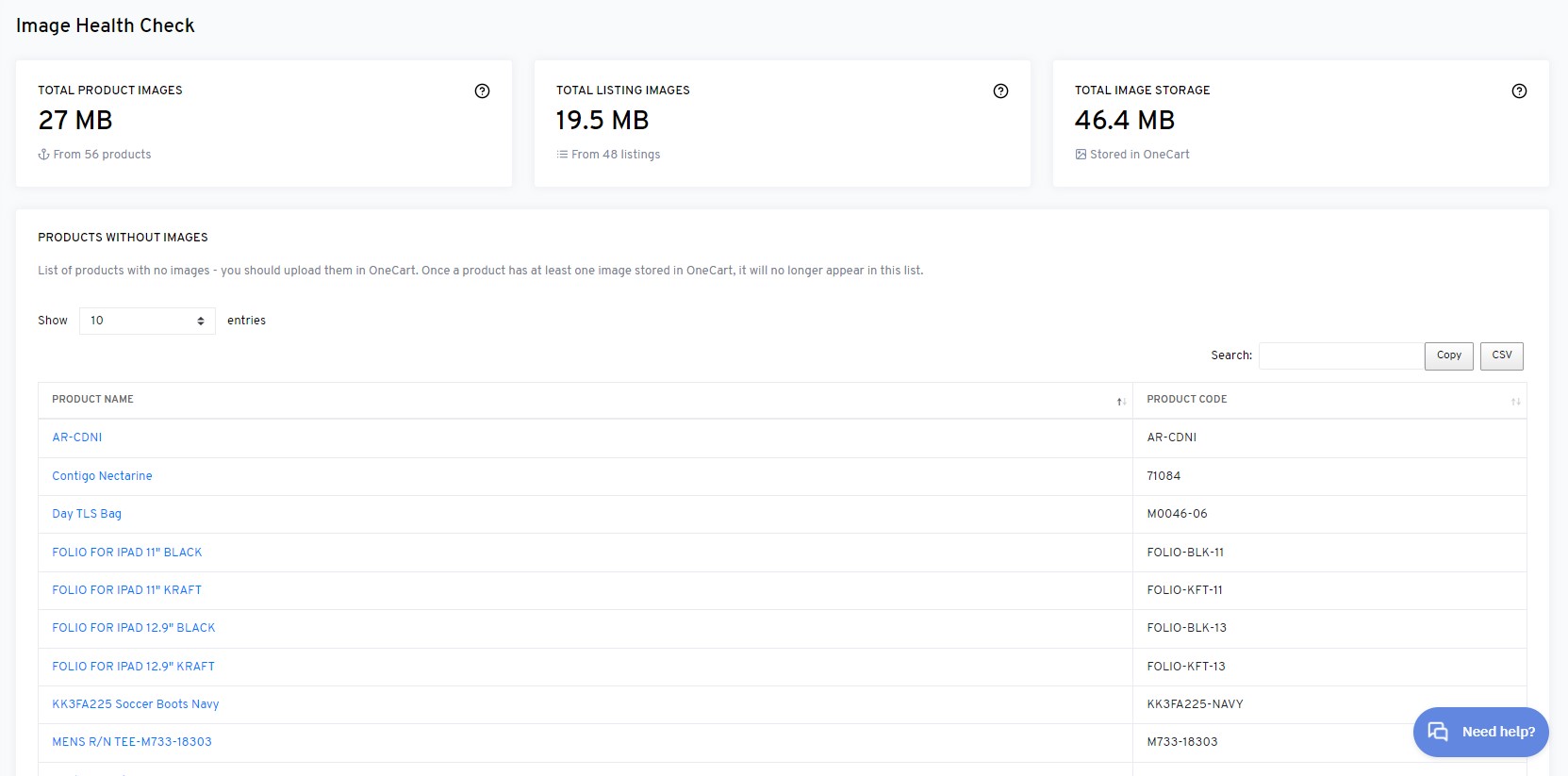
Option 1) Uploading images one by one through editing product details.
Referring to this guide in our knowledge base:
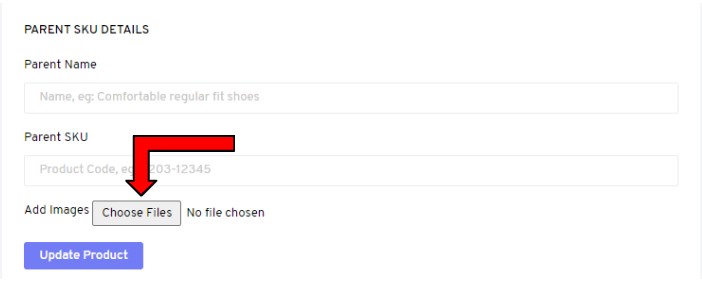
Option 2) Instead of having to do it one by one. We are able to do batch upload for you backend.
Here is what you should do -
Your images will be in OneCart in no time!
Option 3) Pulling Images from Marketplace Platforms to OneCart
When you link your marketplace accounts (e.g., Shopee, Lazada, Shopify) to OneCart, the system can retrieve product images that are already listed on those platforms.
Navigate to Image Summary
Pull Images from Marketplace
Confirm the Image Update