Force Push Quantity To All Platforms
Send your OneCart stock levels to your platforms: for one SKU, a list of SKUs, the SKUs in a bulk upload, or every SKU.

Send your OneCart stock levels to your platforms: for one SKU, a list of SKUs, the SKUs in a bulk upload, or every SKU.
You can quickly “push” OneCart SKU quantities to the matched SKU on your e-commerce platforms.
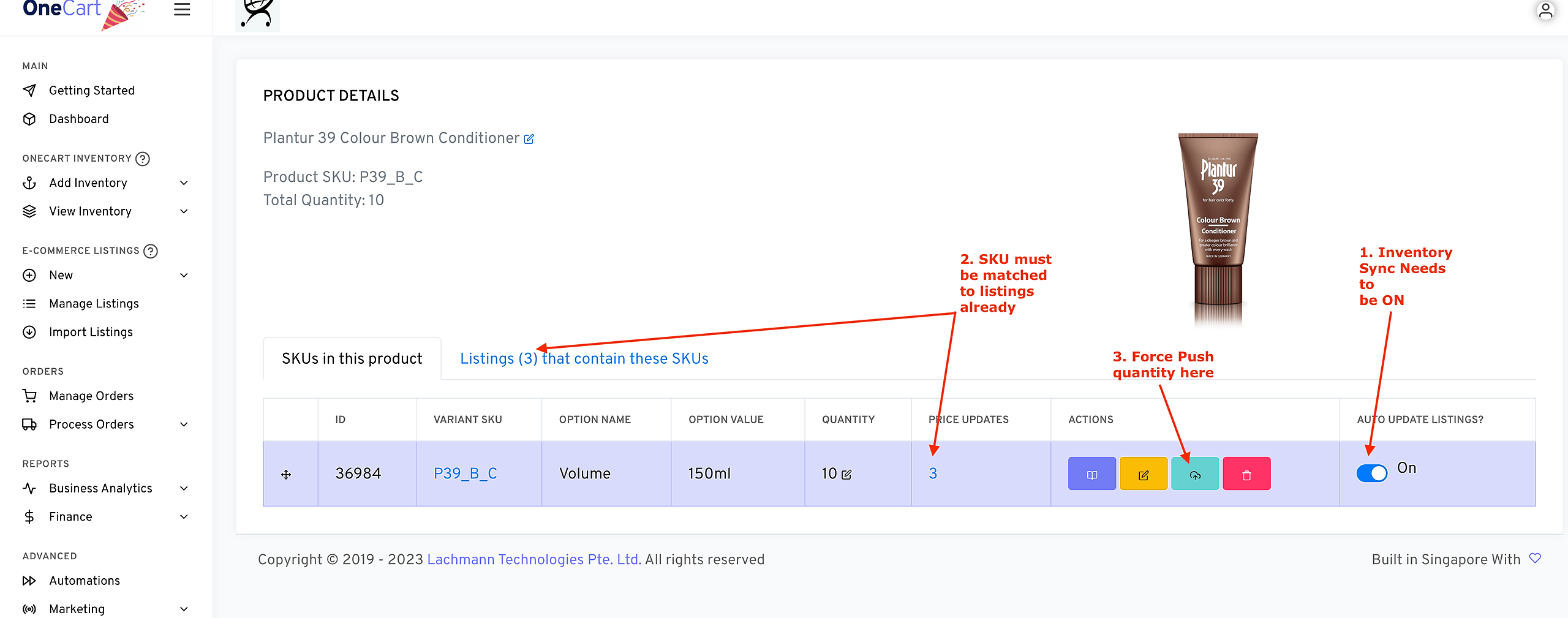
If you want to force push a single SKU:
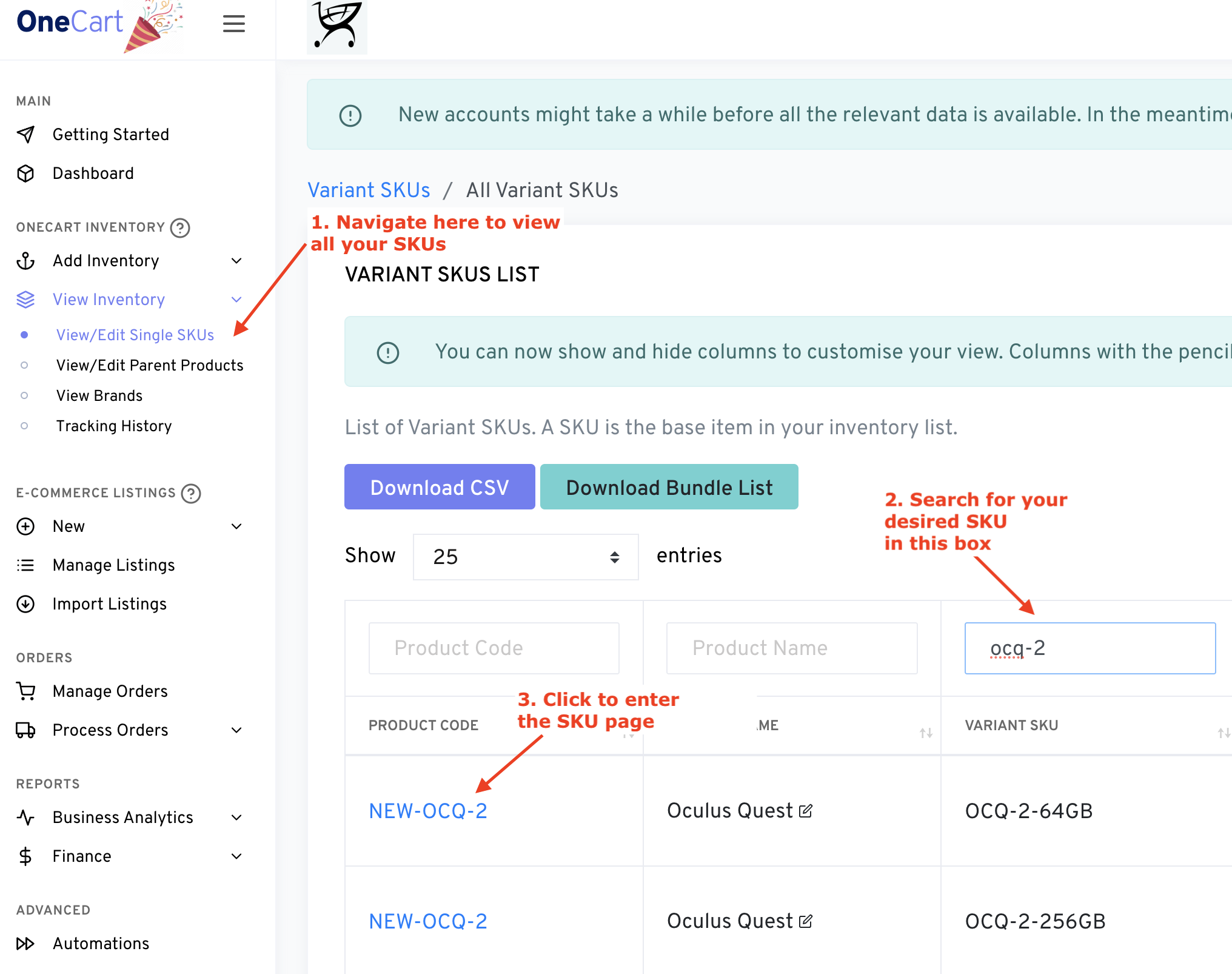
**Note that inventory sync needs to be toggled on FIRST. Learn how to do that here:
If you want to force push a list of specific SKUs:
Go to Automations (app.getonecart.com/automations) from the left sidebar navigation.
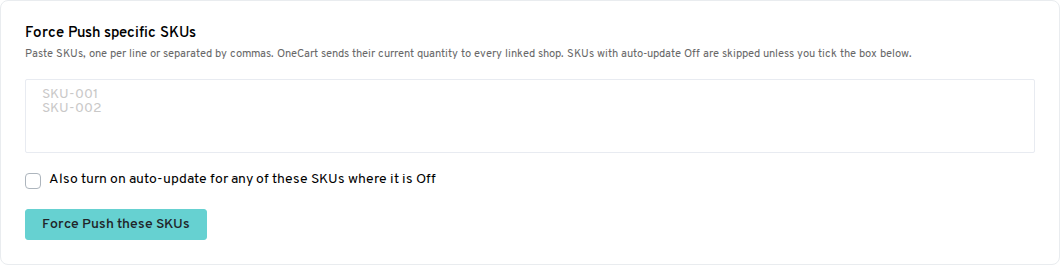
On the Quick Actions tab, find Force Push specific SKUs.
Paste your SKUs, one per line or separated by commas (up to 500 at a time).
Click “Force Push these SKUs” and confirm.
SKUs with inventory sync (auto-update) Off are skipped. To include them, tick “Also turn on auto-update for any of these SKUs where it is Off” before you click. Any SKU that OneCart can’t find is listed back to you.
If you want to force push the SKUs from a bulk upload:
A bulk upload only sends a quantity to your platforms when it changes. Uploading the same file again does not resend anything. To resend the stock for every SKU in an upload:
Go to Bulk Upload (app.getonecart.com/bulk_importings) and click View on the upload.
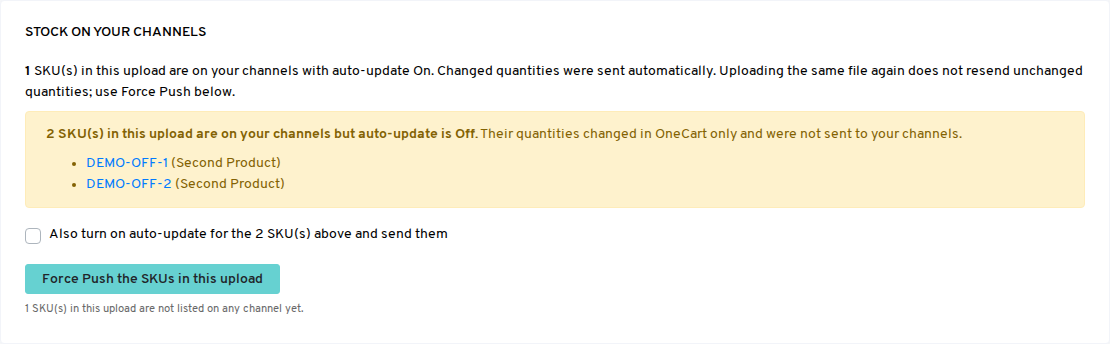
The Stock on your channels box shows how many SKUs in the upload are synced, and lists any SKUs whose inventory sync is Off. Those SKUs changed in OneCart only and were not sent to your platforms.
Click “Force Push the SKUs in this upload” and confirm. Tick “Also turn on auto-update” first if you want the listed SKUs to be sent too.
If you want to force push ALL quantities for ALL SKUs:
Go to Automations (app.getonecart.com/automations) from the left sidebar navigation.
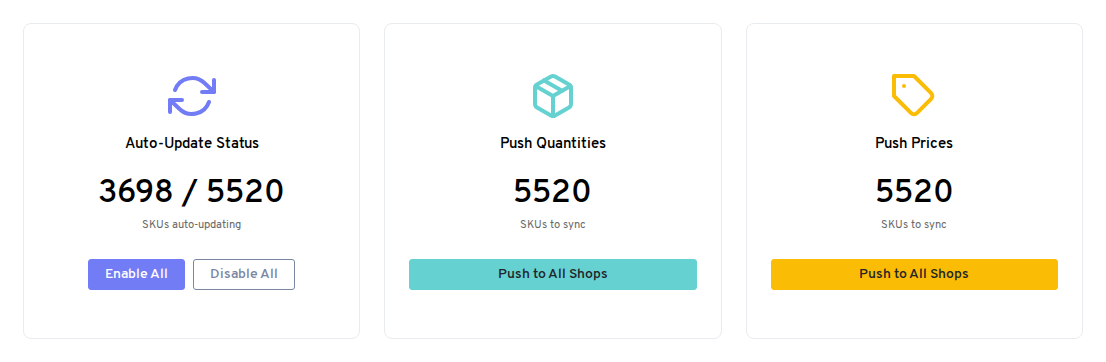
On the Quick Actions tab, under Push Quantities, click “Push to All Shops”.
*Note that only SKUs which are both a) matched to listings, and b) toggled on for inventory sync will receive the quantity updates.
Warning: This will overwrite EVERYTHING and there is no “undo”. Please check your OneCart SKU quantities before you do this.