Force Push Quantity To All Platforms
Need to over-write all existing platform stock levels with your OneCart stock levels? Here's how to do it.
Need to over-write all existing platform stock levels with your OneCart stock levels? Here's how to do it.
You can quickly “push” OneCart SKU quantities to the matched SKU on your e-commerce platforms.
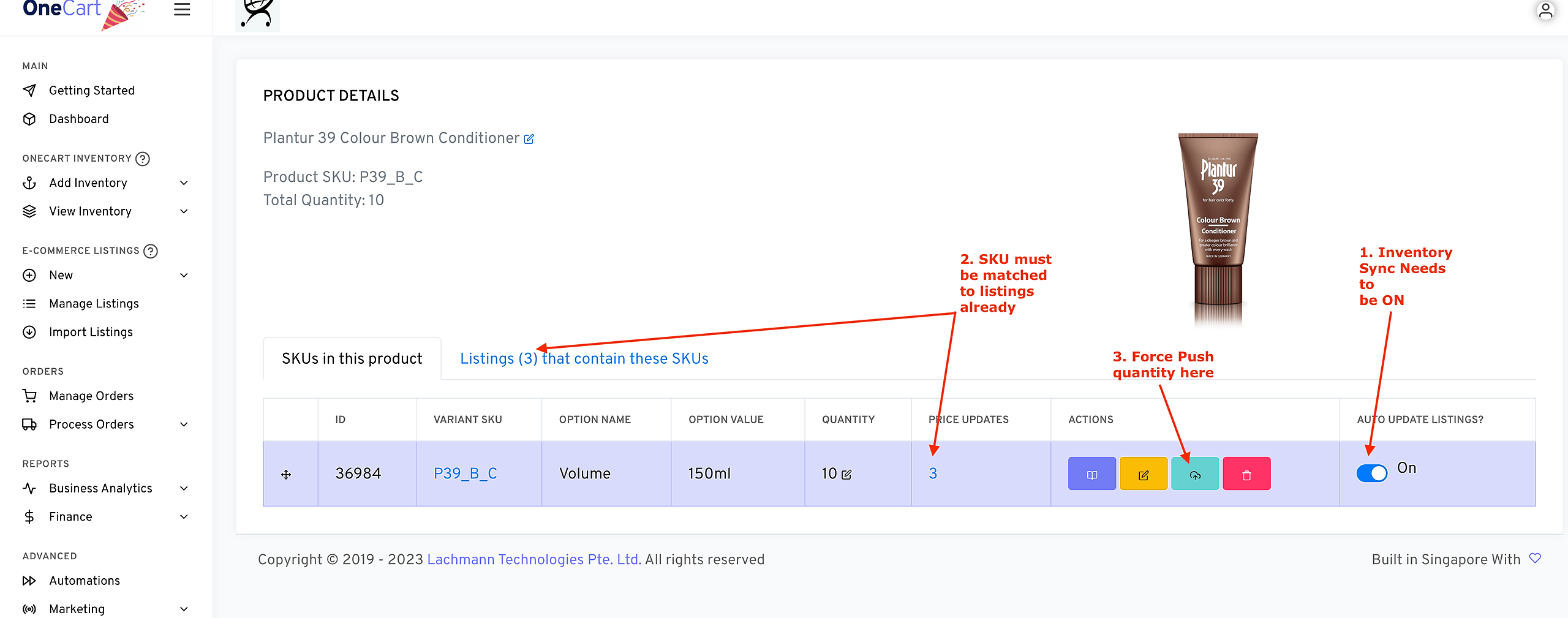
If you want to force push a single SKU:
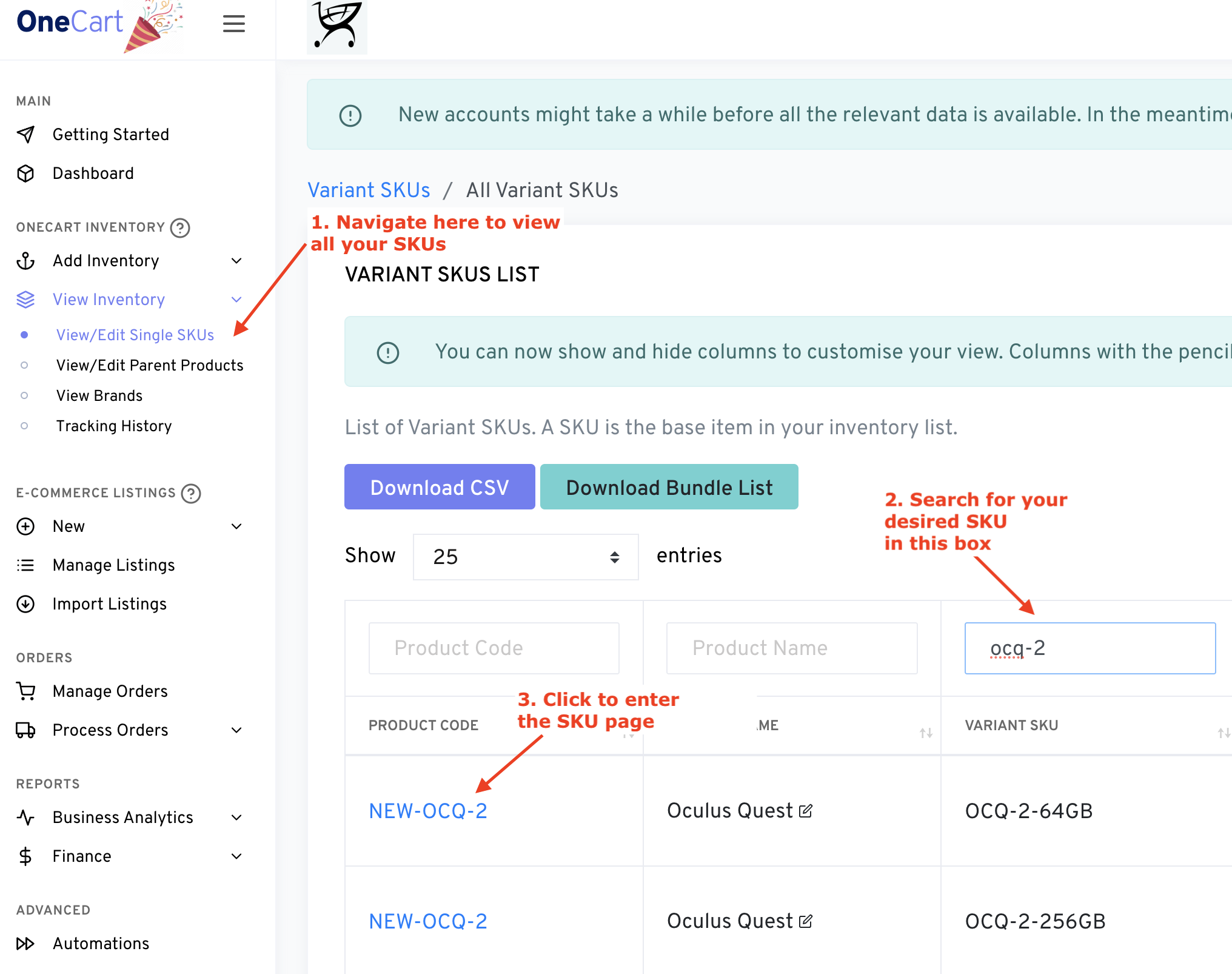
**Note that inventory sync needs to be toggled on FIRST. Learn how to do that here:
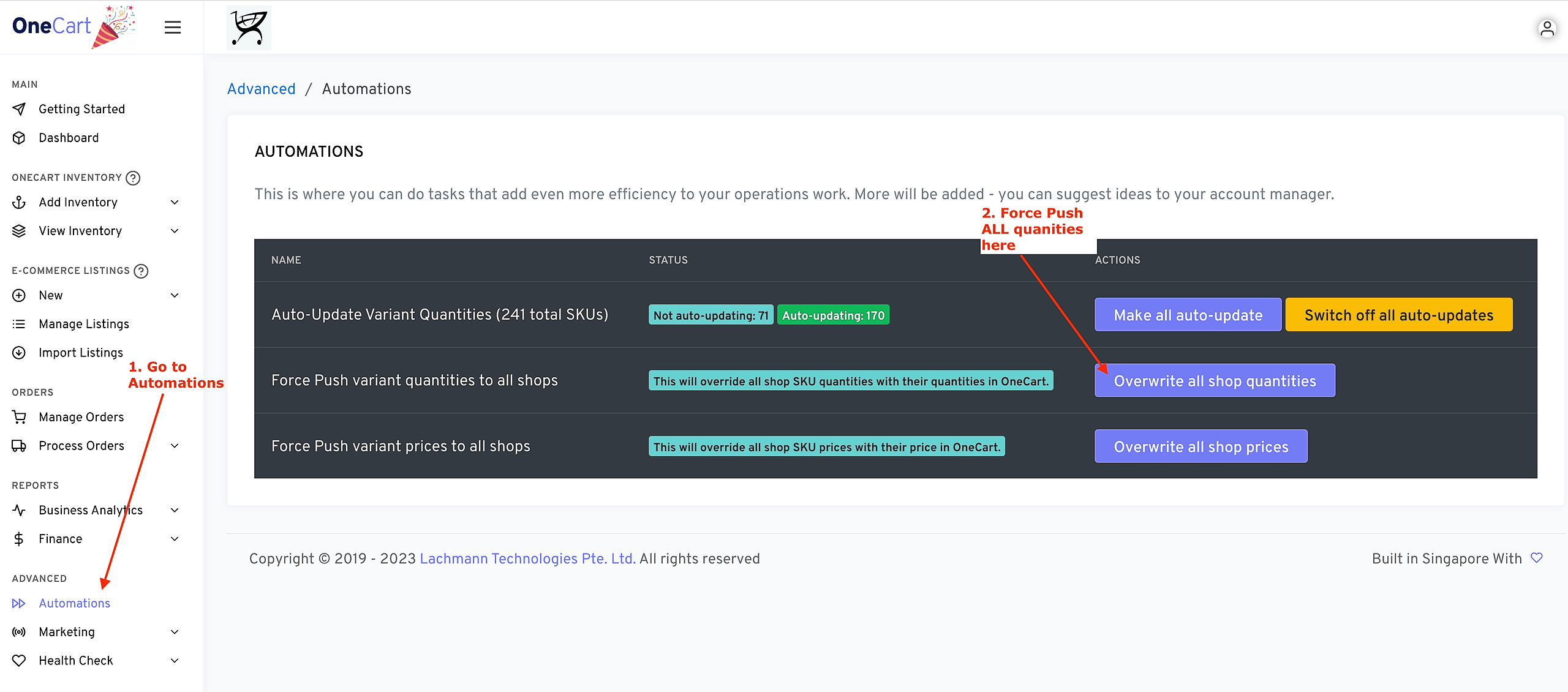
If you want to force push ALL quantities for ALL SKUs:
Navigate to Advanced > Automations from the left sidebar
Click “Overwrite All Shop Quantities”.
*Note that only SKUs which are both a) matched to listings, and b) toggled on for inventory sync will receive the quantity updates.
Warning: This will overwrite EVERYTHING and there is no “undo”. Please check your OneCart SKU quantities before you do this.