Fixing SKUs with Negative Quantity
This article provides a step-by-step guide to identify and resolve SKUs that show a negative stock quantity in OneCart.
This article provides a step-by-step guide to identify and resolve SKUs that show a negative stock quantity in OneCart.
Negative quantities in your inventory can lead to significant issues, including inaccurate stock levels, delayed order fulfillment, and customer dissatisfaction. This article will walk you through understanding why negative quantities occur, how to locate and address them in OneCart, and steps to prevent future occurrences.
OneCart provides a tile on the dashboard specifically for SKUs with negative quantities, making it easy to monitor and address these issues. Here’s how to find them:
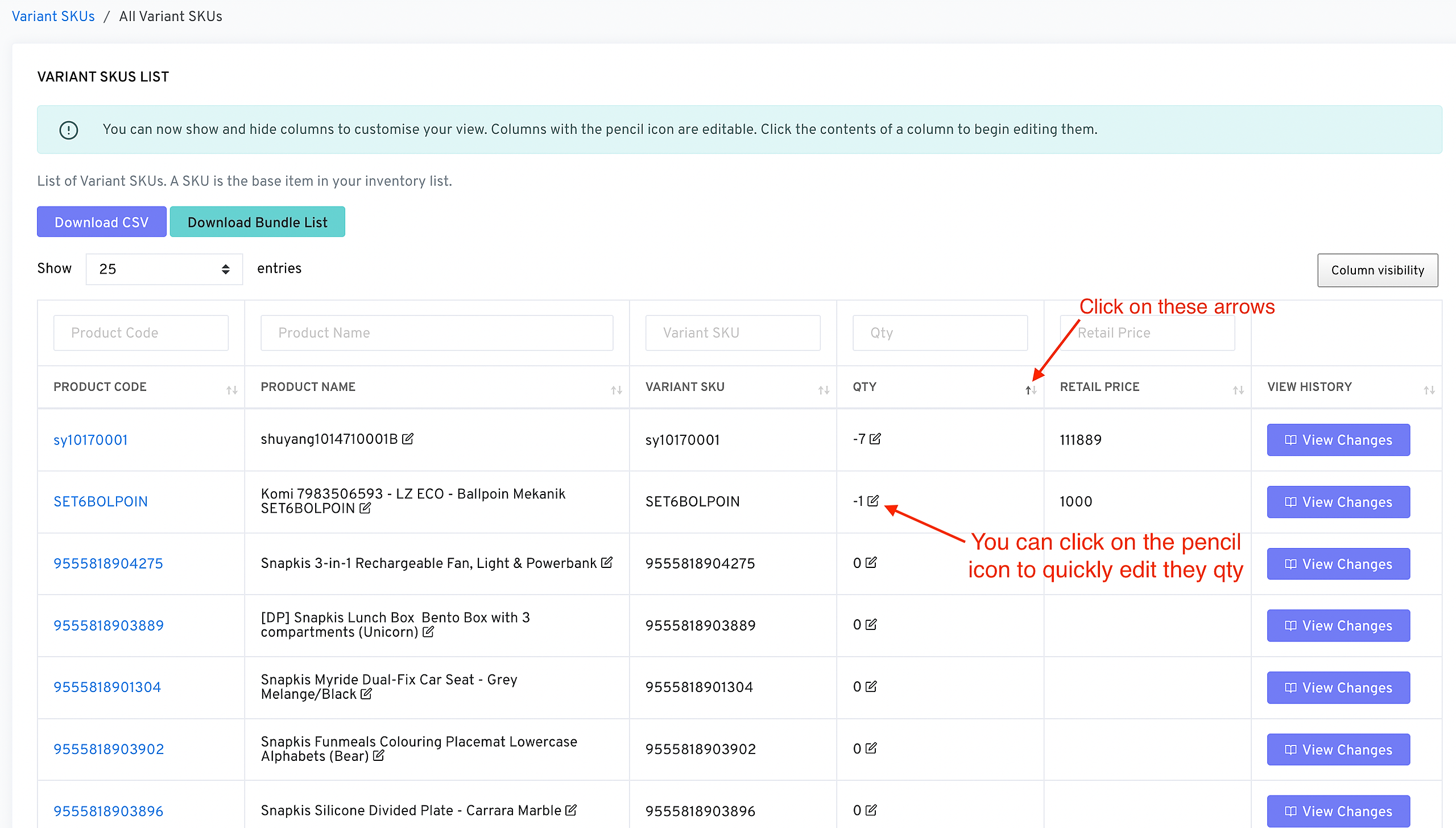
Each SKU listed will show the current negative quantity, helping you prioritize which SKUs need immediate attention.
Negative stock quantities generally arise when:
It’s crucial to address these negative quantities promptly to ensure inventory accuracy and prevent issues in order processing.