Finding OneCart SKUs with toggle set to OFF
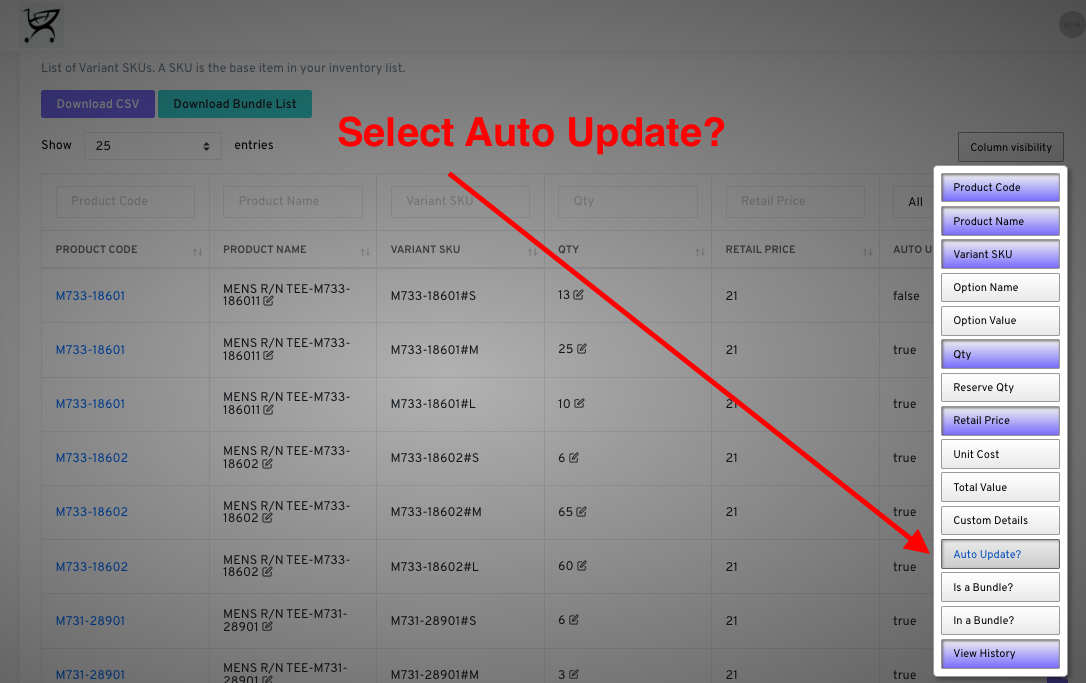
Learn how to find SKUs that have auto-update disabled using the Column Visibility filter on the Variants page.

Learn how to find SKUs that have auto-update disabled using the Column Visibility filter on the Variants page.
Navigate to the View/Edit Single Variants page in OneCart : https://app.getonecart.com/variants
Click on ‘Column Visibility’, and select the ‘Auto-update?’ filter.
You can then filter by False to find OneCart SKUs whose quantities are not auto-updating.