Viewing the contents of OneCart Bundles
This article explains how to view Bundle components in OneCart.
This article explains how to view Bundle components in OneCart.
Bundles allow us to combine fast-moving and slow-moving items to increase sales and warehouse turnover.
But, with too many bundles, it becomes difficult to track or remember the contents of the bundles.
In OneCart, there are 2 options to check the contents of your Bundles : 1) directly from the OneCart browser, 2) download a list of all Bundle components
Option 1: Viewing the content of a single Bundle
Navigate to OneCart Inventory > View/Edit Single SKUs: https://app.getonecart.com/variants
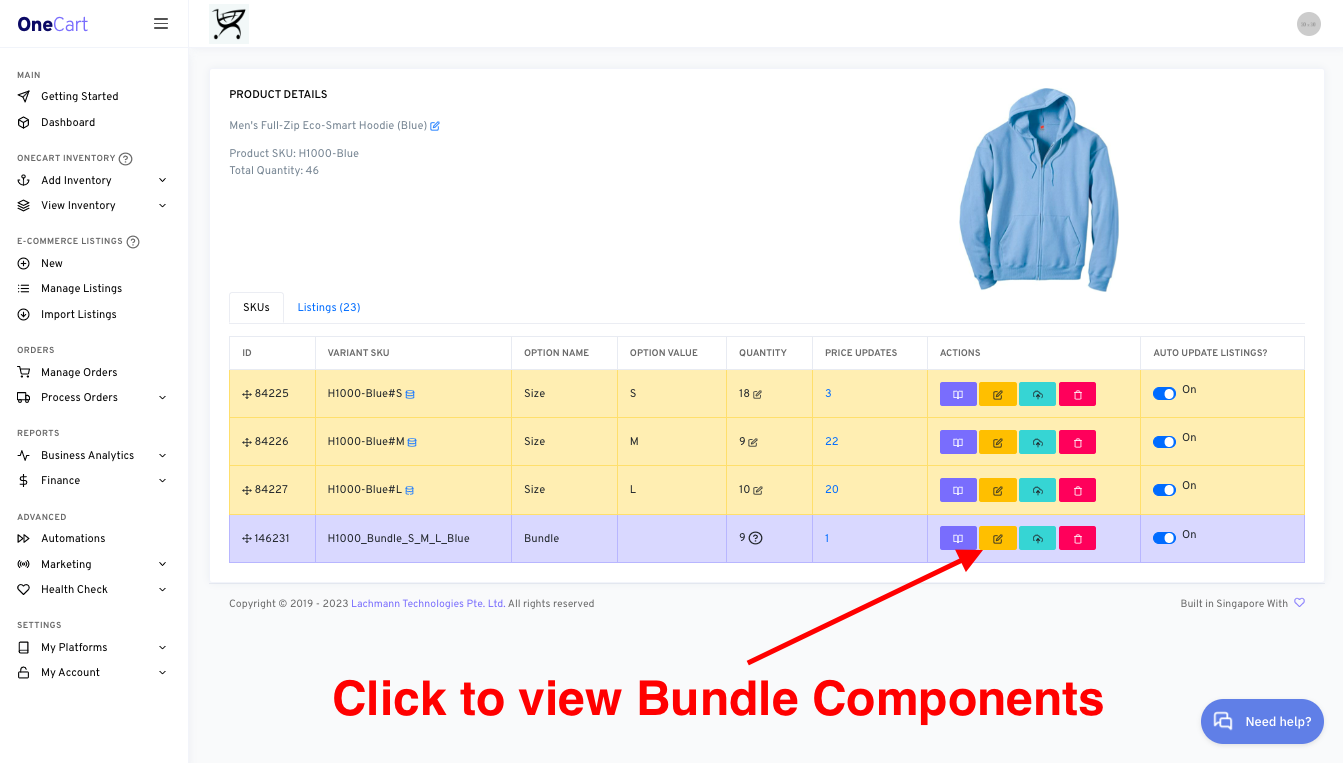
Find the Bundle you want to check
Open the Bundle SKU product page
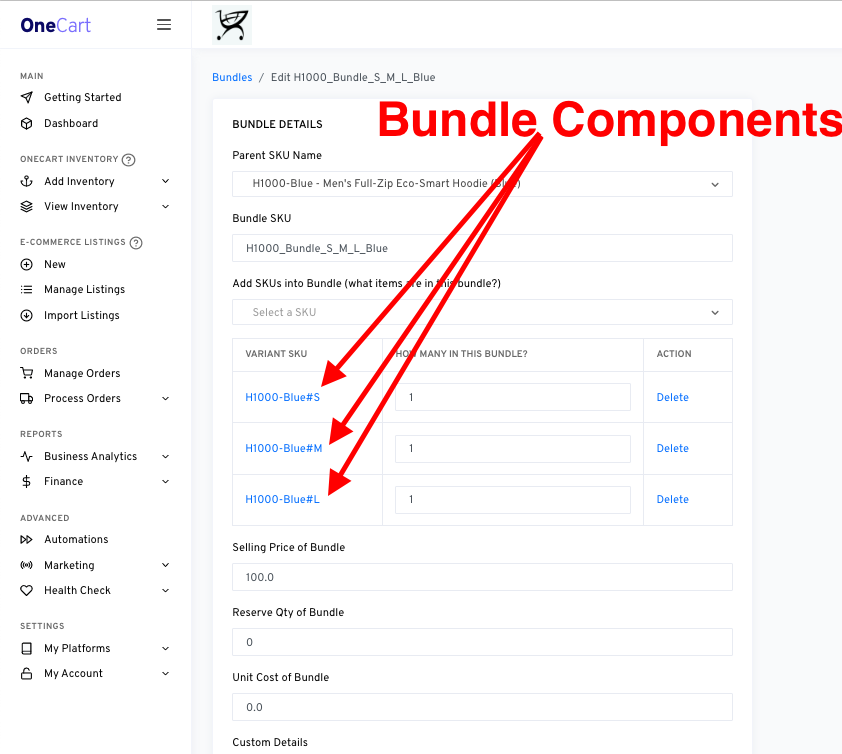
Click the “Edit” icon (yellow) to view Bundle components
Option 2: Download a list of all bundle components
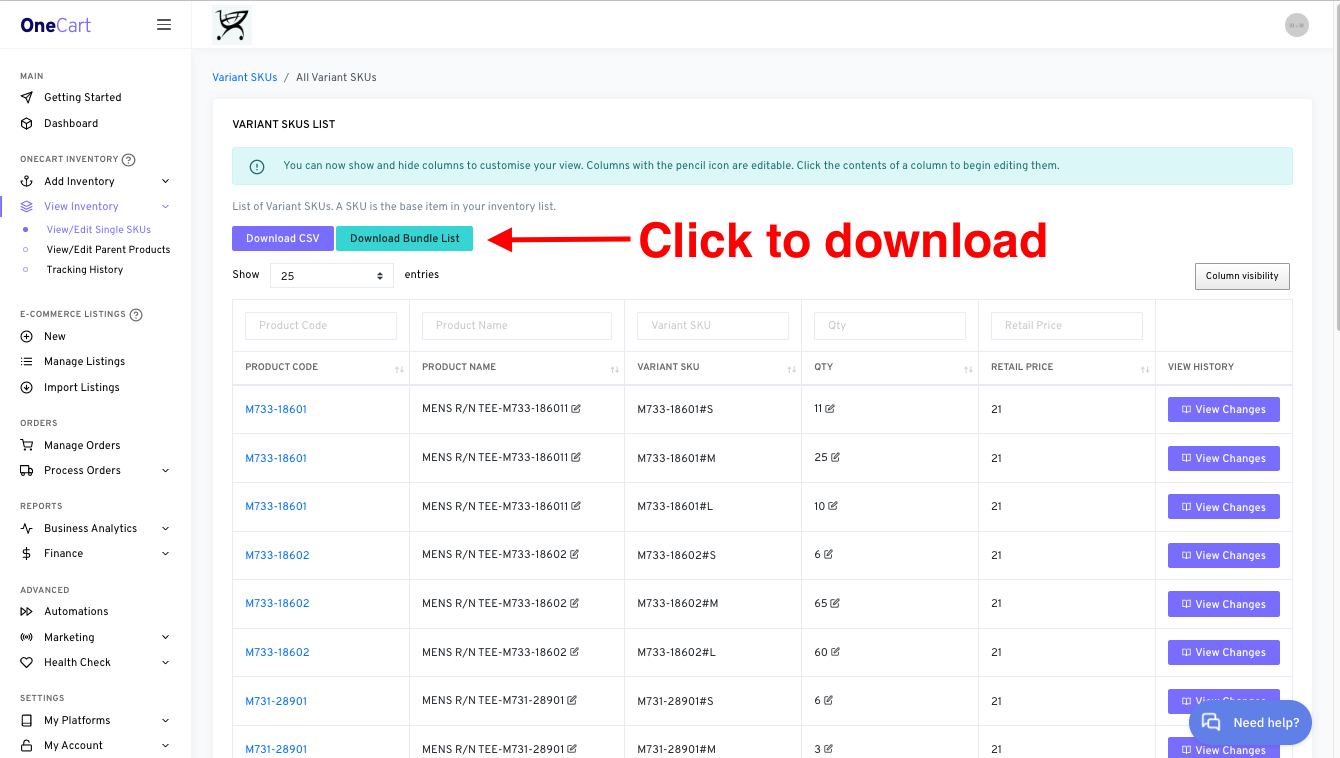
You can download a full list of Bundle components in OneCart, as a CSV file to keep on top of your bundle strategies!
Navigate to OneCart Inventory > View/Edit Single SKUs: https://app.getonecart.com/variants
Click on Download Bundle List