Bulk Refresh & Match Listings in OneCart
The Bulk Refresh & Match Listings feature in OneCart ensures your product listings are up-to-date and synchronized with the latest changes from your platform. This guide will walk you through two approaches to help you manage your listings efficiently.
Help Article
Last updated Aug 12, 2025
2 min read
**Note: This feature is currently only available for Lazada, Shopee and Shopify.
You can perform this action in two ways:
Automated Bulk Refresh & Match
On-Demand Bulk Refresh & Match
Accessing Shop Settings
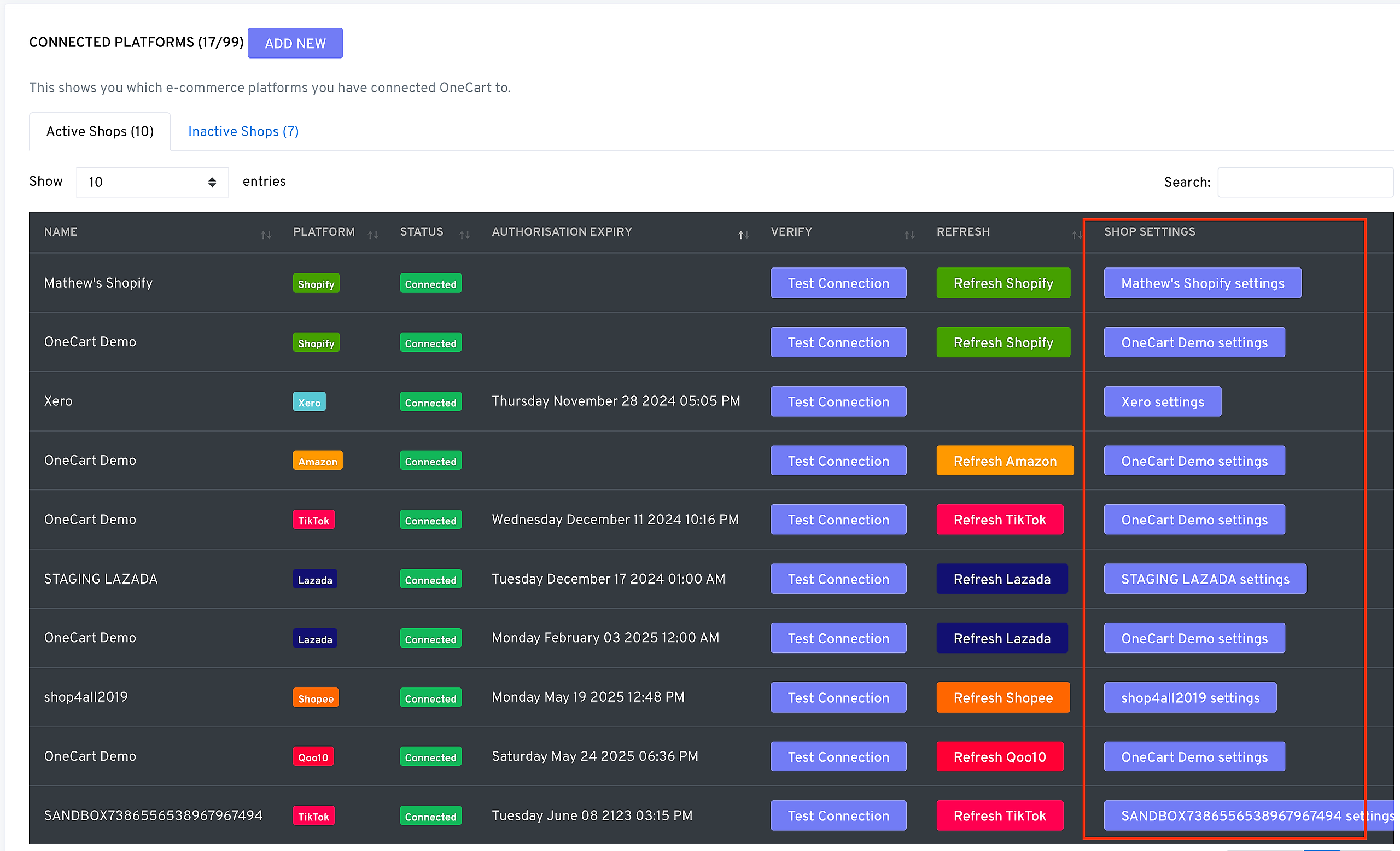
To access and configure the settings for shops:
- Log in to your OneCart dashboard.
- Navigate to Settings > My Platforms > Manage Connections.
- Click on the Shop Settings for the desired shop.
- Automated Bulk Refresh & Match
Automating the refresh and match process saves time by handling updates daily without manual intervention.
Steps to Enable Automated Bulk Refresh & Match
Access Shop Settings:
Enable Automation:
Save Changes:
Benefits of using Automated Bulk Refresh & Match
- Efficiency: Automates tedious manual tasks, saving time and effort.
- Accuracy: Ensures listings reflect the most recent updates, reducing inventory errors.
- On-Demand Bulk Refresh & Match
If immediate updates are needed or you prefer control over the timing, you can manually trigger the Bulk Refresh & Match process.
Steps for Manual Bulk Refresh & Match
Go to Shop Actions:
Trigger Bulk Refresh:
Verify Updates:
When to Use Manual Refresh
- If you’ve made significant updates and need them reflected immediately.
- For troubleshooting mismatched or missing listings.
By using both automated and on-demand methods, you can ensure your listings in OneCart are always accurate and up-to-date. For additional guidance, contact OneCart support.