A Practical Guide to ERP Systems Singapore for E-commerce Growth [2025]
Discover how the right ERP systems Singapore offers can scale your e-commerce brand. This guide covers integration, costs, and essential features for SMEs.
Discover how the right ERP systems Singapore offers can scale your e-commerce brand. This guide covers integration, costs, and essential features for SMEs.
For any Singapore-based e-commerce business, ERP systems are the central nervous system that connects everything. They pull all your core operations—from inventory and orders to your accounts—into one single, unified platform. This move gets you away from messy spreadsheets and creates a single source of truth, which is crucial for making smarter, data-driven decisions.
Think of your e-commerce business like a high-performance race car. The engine is powerful (that’s your sales channels like Shopee and Lazada), the steering is sharp (your marketing), and the wheels are solid (your logistics). But if all these parts aren’t talking to each other, you’re stuck managing each one manually, just hoping they all work together. An Enterprise Resource Planning (ERP) system is the car’s central computer, linking every component so it runs like a dream.
It connects your real-time inventory levels from Shopee, pulls in new orders from Lazada, and syncs all the financial data from your Shopify store into one dashboard. What does this mean in practice? When a product sells on one channel, the stock count is instantly updated across all the others.
Practical Example: During an 11.11 flash sale, you sell a popular power bank on Lazada. The ERP immediately reduces the available stock count by one. Instantly, your Shopee, Shopify, and TikTok Shop listings for that same power bank reflect the new, lower stock level. This automated action prevents you from accidentally selling an item you no longer have.
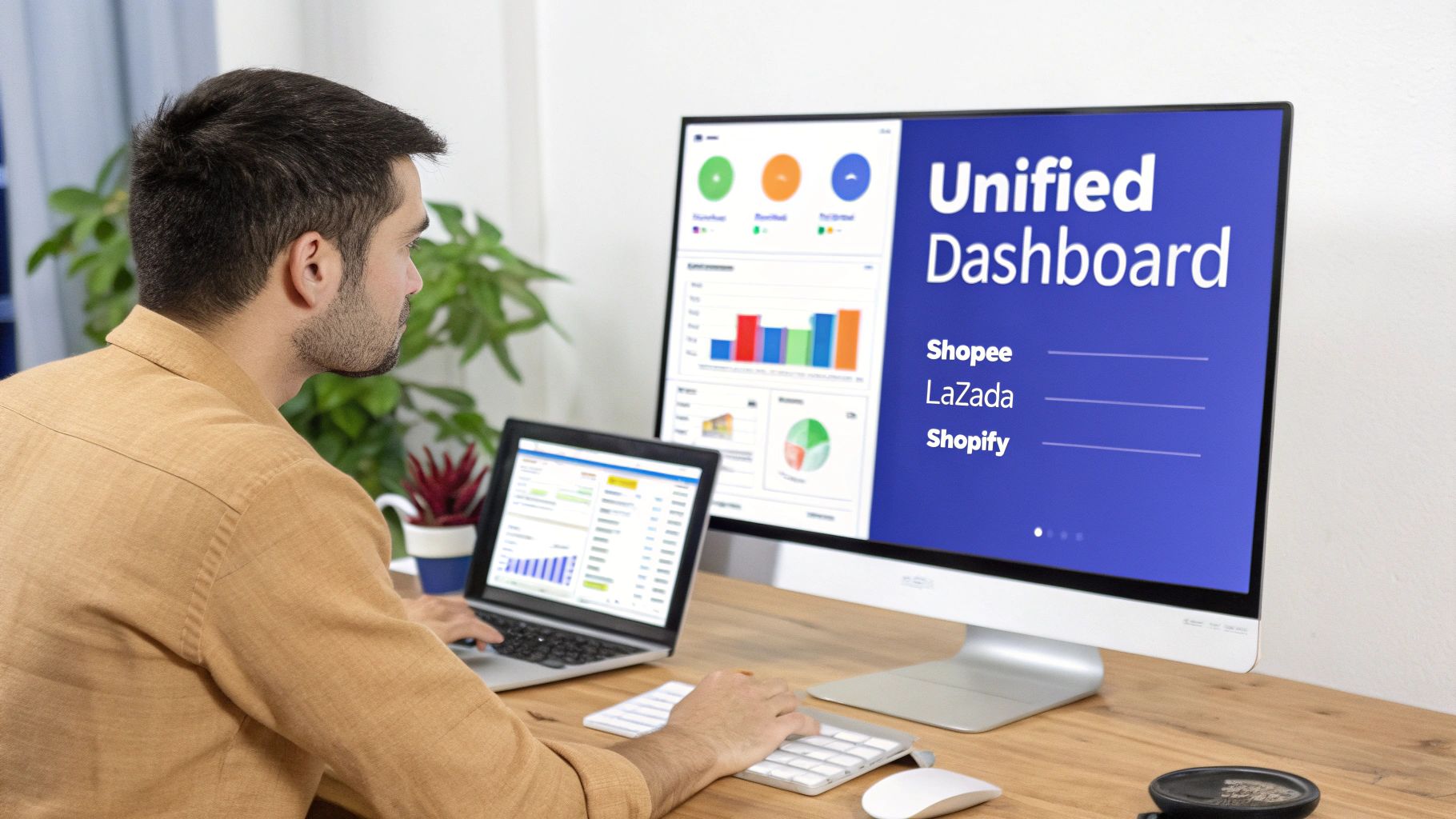
Without an ERP, a typical morning for an ops manager is pure chaos. You’re manually downloading sales reports from three different marketplaces, copy-pasting data into a master spreadsheet, and then trying to figure out what your actual inventory is. This process is not only slow but also a recipe for costly mistakes, like shipping the wrong item or running out of a bestseller without warning.
An ERP system takes over these repetitive, error-prone tasks. It automates them, freeing up your team to focus on things that actually grow the business.
For a growing Singaporean e-commerce brand, an ERP is the operational backbone that turns reactive problem-solving into proactive business management. It provides the clarity needed to scale efficiently without being overwhelmed by operational complexity.
The demand for these powerful systems is taking off. The Singapore ERP software market was valued at USD 1.72 billion and is projected to smash USD 4.15 billion by 2030. That’s a massive growth rate of 14.56% every year.
This surge is partly fuelled by helpful government initiatives like the Productivity Solutions Grant (PSG), which makes it much more affordable for local SMEs to get this kind of technology. This is a clear sign that the market is maturing and merchants are looking for better tools.
So, what’s in it for you? Adopting an ERP delivers real, tangible benefits that directly hit your bottom line and make your life easier. Here are the big ones:
As you build out your tech stack, it’s also crucial to do a thorough e-commerce platform comparison to make sure your choice will integrate smoothly with your chosen ERP. Getting this foundational step right creates a connected ecosystem where data flows freely, setting your business up for sustainable growth.
When you’re looking at getting an ERP system in Singapore, one of the first big decisions you have to make is where the software will actually live. This choice boils down to two main models: on-premise or cloud-based. Getting this right is critical for your budget, your ability to grow, and your day-to-day operations.
Let’s use an analogy. An on-premise ERP is like owning a landed house. You buy the property, and you’re in charge of everything—from the colour of the paint to the alarm system. It’s all yours. But that also means you’re on the hook for all the maintenance, repairs, and upgrades, which is a massive, ongoing commitment of both time and money.
On the other hand, a cloud ERP is like renting a high-end condo. You pay a predictable monthly fee and get a fully managed space with great amenities. The building management handles all the maintenance, security, and infrastructure. This frees you up to focus on living your life—or in this case, running your business.
An on-premise ERP means you install and run the software on servers that you own and maintain in your own space, like your office or warehouse. This is the traditional way of doing things, and it gives you maximum control over your data and any customisation you might need.
But that control comes with a hefty price tag. You’re looking at a huge upfront investment for server hardware, software licences, and the IT team you’ll need to manage and secure everything. For an e-commerce business, this also means you are responsible for making sure your servers can handle the insane traffic spikes during big sales like 11.11 or Black Friday. If they can’t, you lose sales.
An on-premise system offers deep customisation but demands serious in-house IT resources and a big initial budget. It’s usually a better fit for large corporations with very specific security or operational needs that standard cloud solutions just can’t meet.
A cloud ERP, often called Software-as-a-Service (SaaS), is hosted on the vendor’s servers, and you access it through your web browser. Instead of a massive upfront purchase, you pay a predictable subscription fee, either monthly or annually. This fee typically covers maintenance, security, and all the latest updates automatically.
This model is a fantastic fit for Singapore’s fast-paced e-commerce scene. With flexible work arrangements becoming the norm, being able to access your system from anywhere is a game-changer. It’s no surprise that cloud-based ERP solutions are booming here, driven by the Smart Nation initiative and new ways of working post-COVID. The market is projected to hit USD 775.9 million by 2033, which shows just how much demand there is for this kind of flexibility, especially for D2C brands looking to sell across multiple marketplaces. You can read more about the Singapore ERP market on imarcgroup.com.
For merchants using platforms like OneCart, a cloud ERP makes integration a breeze. They are built with APIs in mind, allowing for a smooth connection to your marketplace tools. This ensures your inventory levels and order data sync up in near real-time without needing complex, custom-coded solutions.
To help you figure out which path is right for your e-commerce business, we’ve put together a simple comparison table. This breaks down the key differences between Cloud and On-Premise ERPs based on what matters most to a growing online store in Singapore.
| Feature | Cloud ERP (SaaS) | On-Premise ERP |
|---|---|---|
| Initial Cost | Low. Paid via a monthly/annual subscription (OpEx). No hardware costs. | High. Requires large upfront investment in servers, software licences, and IT staff (CapEx). |
| Scalability | Excellent. Easily add or remove users and resources as your business grows or during peak seasons. | Difficult and slow. Requires purchasing and setting up new hardware to handle more load. |
| Implementation Time | Fast. Can often be up and running in weeks, as no hardware setup is needed. | Slow. Can take many months to procure hardware, install software, and configure the system. |
| Maintenance & Updates | Handled by the vendor. Updates are rolled out automatically, with no downtime for your team. | Your responsibility. Your in-house IT team must manage all patches, security updates, and upgrades. |
| Accessibility | Accessible from anywhere with an internet connection, perfect for remote or hybrid teams. | Limited to your physical premises or via a complex VPN setup, making remote work harder. |
| Data Security | Managed by expert providers who invest heavily in enterprise-grade security and compliance. | You are fully responsible for your own data security, firewalls, and disaster recovery plan. |
| Customisation | Generally less customisable than on-premise, but modern APIs allow for extensive integration. | Highly customisable, allowing for deep changes to the core code to fit unique business processes. |
Actionable Insight: For most Singaporean e-commerce merchants, the agility, lower initial cost, and scalability of a cloud ERP make it the clear winner. It allows you to focus your capital and energy on what you do best—growing your brand and selling your products—rather than managing complex IT infrastructure.
Looking at an ERP system for the first time can feel a bit overwhelming, like stepping into the cockpit of a jumbo jet with a thousand buttons and dials. But you don’t need to know what every single switch does to get flying.
The smart approach is to focus on the essential toolkit that solves the most painful problems for multi-channel sellers here in Singapore. A good ERP is modular, which means you can start with the core components that give you the biggest bang for your buck right away.
Think of it like building with LEGOs. You don’t need every exotic piece to build a solid house; you just need the right foundational bricks. For an e-commerce business, that means nailing the modules that handle your products, your orders, and your money. These three work together to create one central command centre, saving you heaps of time, preventing costly mistakes, and setting you up to scale without chaos.
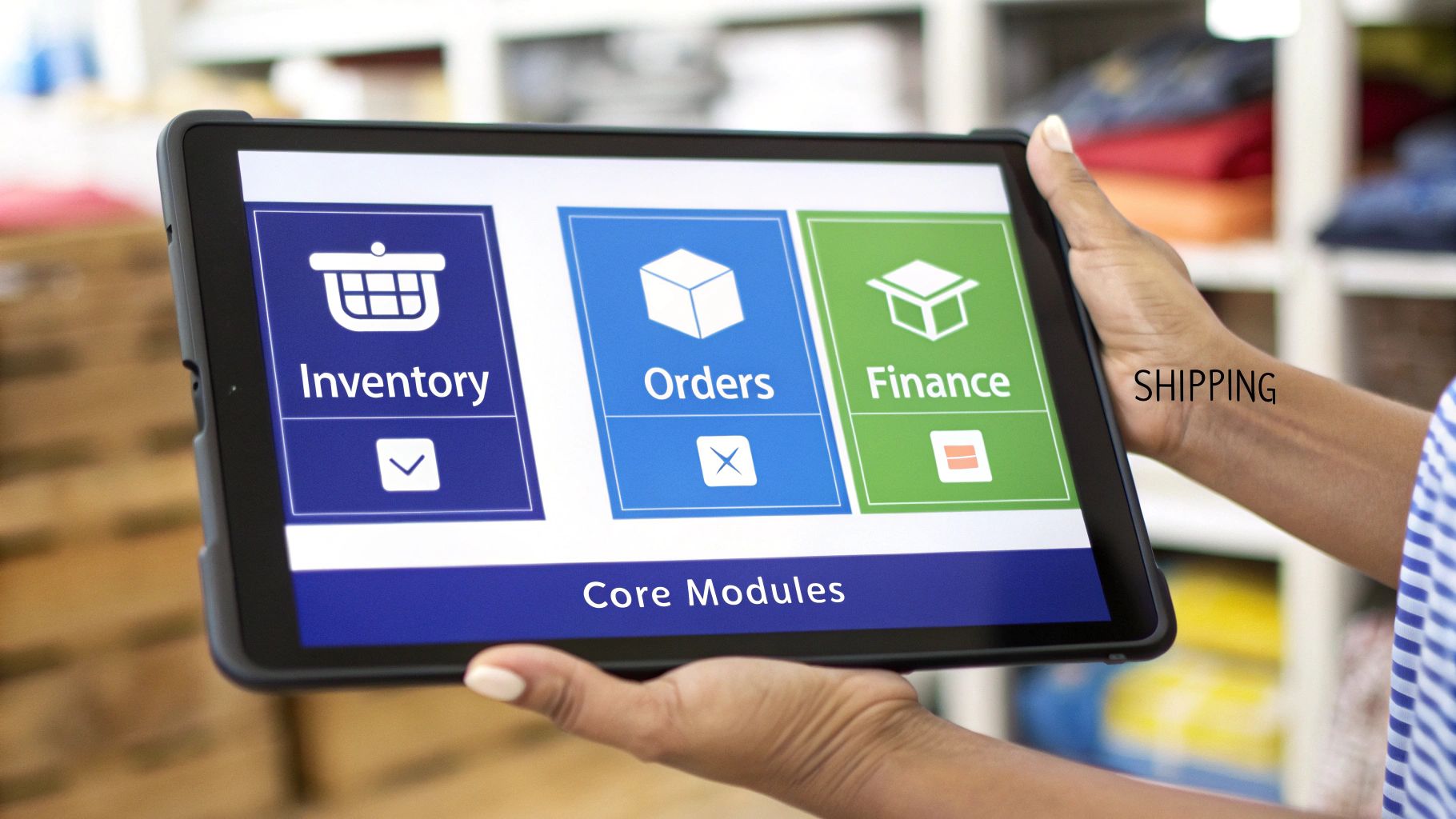
Your inventory is your biggest asset, full stop. Managing it properly is essential for success. An Inventory Management module is your single source of truth for stock, tracking every last item across all your locations, whether it’s multiple warehouses or your different sales channels like Shopee, Lazada, and your own brand website.
Its number one job? To stop you from overselling. The second an item sells on one channel, the ERP instantly updates your stock count everywhere else. For businesses with production operations, specialised manufacturing inventory management software adds MRP, BOM tracking, and production planning on top of core inventory features.
Practical Example: Imagine you’re running a massive flash sale on Lazada for a hot new gadget. Without a central system, you could easily sell 100 units on Lazada while your Shopify store quietly sells another 20 of the same item—but you only had 110 in stock to begin with. The ERP’s real-time sync prevents this nightmare scenario, keeping your stock levels honest and saving you from the headache of cancelling orders and wrecking your store’s reputation.
Once your order volume starts climbing, especially from fast-paced channels like TikTok Shop, trying to manage it all manually descends into chaos. An Order Management module is the fix, pulling every single order from all your channels into one clean, unified dashboard.
This consolidation lets your team process everything in a single, efficient workflow. If you’d like to see what else is possible, you can explore features of modern ERP systems.
Practical Example: It’s the weekend, and your promotion is flying. You’ve got 50 orders from TikTok Shop, 80 from Shopee, and 30 from your WooCommerce site. Instead of your team logging into three separate platforms to print labels and arrange pickups, your ERP pulls all 160 orders into one place. From that single screen, they can bulk-print picking lists and shipping labels, slashing processing time and dramatically reducing the chance of sending the wrong product to the wrong customer. For a deeper look, check out our guide on how an order management system (OMS) works in our detailed guide.
At the end of the day, we’re all in this to run a profitable business. A Financial Management or accounting module is what connects your sales and inventory data directly to your financial books. It puts tedious tasks like creating invoices, reconciling payments from different channels, and tracking expenses on autopilot.
This tight integration gives you a crystal-clear, real-time picture of your financial health. You can finally stop guessing and start making decisions based on cold, hard data.
This is the module where you find out your true profitability. It takes you beyond just looking at revenue and forces you to understand your margins—per-channel, per-product, and even per-customer. It’s how you discover which parts of your business are actually making you money.
Practical Example: At the end of the month, you want to know which sales channel is your true MVP. The financial module can generate a report showing not just the total revenue from Shopee versus your website, but also all the associated platform fees, shipping costs, and product costs for each one. You might be surprised to find that while Shopee brings in more top-line revenue, your own website actually has a 20% higher profit margin. That kind of insight, which is almost impossible to dig out of messy spreadsheets, tells you exactly where to point your marketing budget next month.
Choosing an ERP with a long list of features is one thing, but making sure it truly gets the Singaporean way of doing business is something else entirely. A generic system might handle basic inventory and orders, but it can quickly become a massive headache if it isn’t built for local compliance, payment methods, and logistics.
To really get ahead, you need an ERP that’s not just powerful, but localised. It has to speak the language of Singaporean business, from tax rules to customer payment habits. Without this, you’ll find yourself creating manual workarounds and wasting time, which defeats the whole purpose of getting an ERP in the first place.
In Singapore, staying on the right side of the Inland Revenue Authority of Singapore (IRAS) is non-negotiable. A Singapore-ready ERP absolutely must handle Goods and Services Tax (GST) calculations correctly and generate tax invoices that meet every single one of IRAS’s standards.
A non-compliant system can create huge accounting messes, forcing your finance team to manually patch up reports and invoices. This not only wastes time but also increases the risk of costly mistakes that could trigger audits or penalties.
Your ERP shouldn’t just be an operations tool; it must be a partner in compliance. The ability to automatically generate IRAS-compliant GST reports, like the GST F5 form, is a must-have for any serious e-commerce business in Singapore.
Singaporean shoppers expect to pay their way, and that increasingly means using local options. While credit cards are still king, direct payment systems like PayNow have exploded in popularity. If your ERP can’t seamlessly connect with and reconcile payments from these local gateways, you’re creating a serious blind spot in your financial reporting.
An ERP that plays nicely with local payment providers gives you a few major advantages:
To get a better sense of what’s out there, you might find it useful to read more about the leading payment gateways in Singapore in our comprehensive guide.
Getting products to your customers quickly and reliably all comes down to your logistics partners. In Singapore, that means working with couriers like Ninja Van, J&T Express, and SingPost. A truly localised ERP will come with pre-built integrations for these key players.
This direct link automates the whole fulfilment process. When an order is ready to go, the ERP can instantly generate the right shipping label, book a pickup with the courier, and send tracking info back to your customer. No more manual data entry, faster dispatch times, and far fewer shipping mistakes.
Even if you mainly sell within Singapore, many e-commerce businesses are looking at customers across Southeast Asia and beyond. Because of this, your ERP has to be able to handle transactions in multiple currencies, especially common ones like the Malaysian Ringgit (MYR) and US Dollar (USD), on top of the Singapore Dollar (SGD).
Proper multi-currency support is more than just slapping a different symbol on the price. The system needs to process payments, manage exchange rates, and produce financial reports that accurately show how your business is doing across different markets—all without you having to mess around with complex conversions in a spreadsheet.
An ERP on its own is a powerful database, but for an e-commerce seller, it’s not much use sitting there by itself. Its real magic is unlocked when it becomes the central hub of your entire sales operation, talking seamlessly with all your other tools. This connection happens through something called an API integration.
A perfect example is linking your ERP to a multi-channel management tool like OneCart. This is where your ERP transforms from a passive record-keeper into the active command centre for your Shopee, Lazada, and TikTok Shop stores.
Picture this: an order comes in from your Shopee store. Without integration, that’s the start of a tedious, manual copy-paste job. With a proper API connection, however, a beautiful, automated workflow kicks in.
Here’s how that data flows, step-by-step:
This whole dance happens in seconds, without a single person touching a keyboard to move data around. This is the absolute key to preventing overselling during flash sales and keeping your financial records accurate as you grow.
Connecting different systems might sound overly technical, but focusing on a few key areas will save you from major operational headaches later. Before you commit to any ERP systems in Singapore, you need to be sure their integration capabilities can handle your business reality.
The quality of an ERP vendor’s API (Application Programming Interface) is a direct reflection of how well their system will play with others. A poor or limited API will create data silos, defeating the purpose of a centralised system.
You need to ask potential vendors direct questions about their API. Can it handle the flood of orders you expect during a massive sales event like 11.11? What’s the sync frequency? You need updates in near real-time, not every few hours. For a deeper dive, our detailed article explains exactly how to integrate systems like SAP with Shopee and Lazada.
Another crucial step is data field mapping. This is simply making sure a field like “Customer Address Line 1” from your marketplace platform correctly talks to the “Shipping Address 1” field in your ERP. A small mismatch here can cause widespread shipping errors. Work with your implementation partner to map these fields meticulously right from the start.
The checklist below shows three essential checks to ensure your ERP is truly Singapore-ready, which is the foundation for any local integrations.
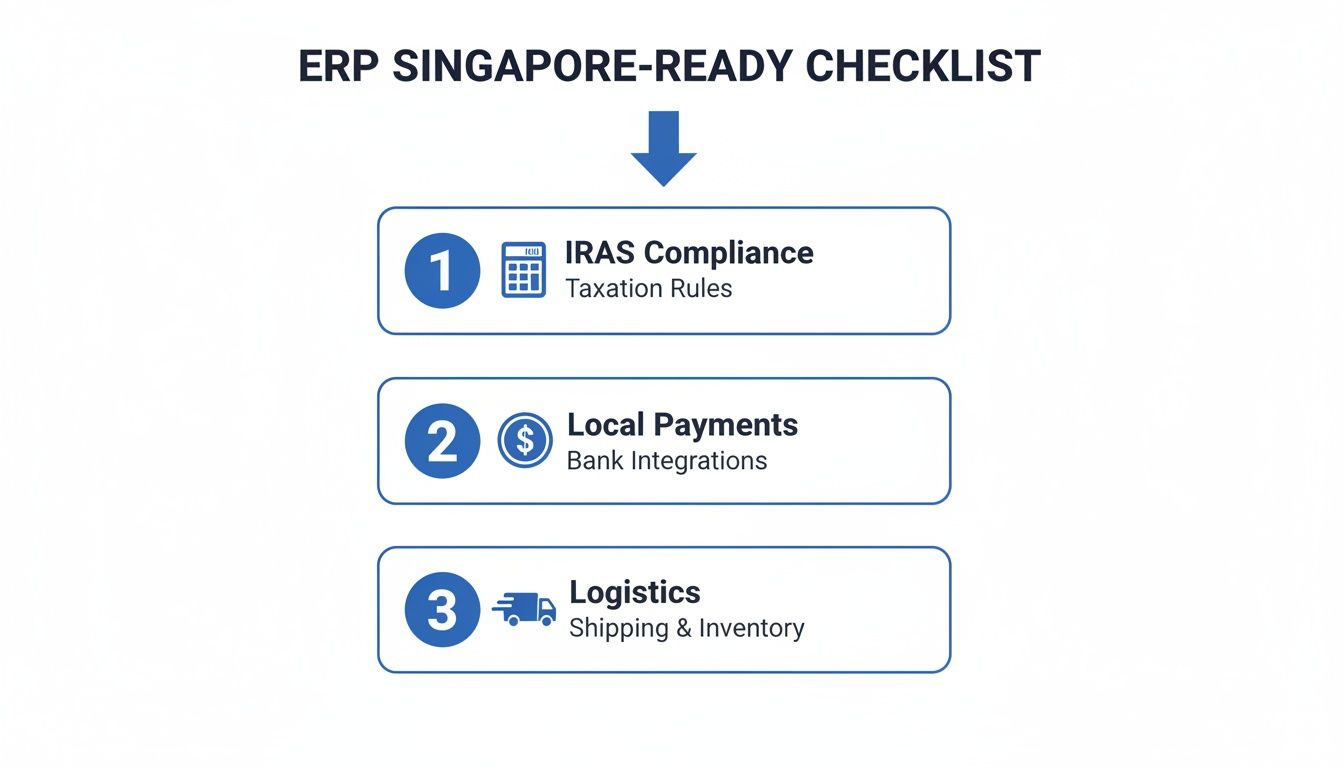
This highlights the importance of local compliance and logistics—critical for smooth, automated workflows with Singaporean partners. Getting this right is a key factor as the market grows, with projections showing a leap from USD 938.61 million to USD 4.32 billion by 2037. And it’s no surprise that cloud deployment, which is ideal for integration, holds a leading 48% share of this expanding market.
Let’s get to the big question everyone asks first: how much is this actually going to cost? When you’re looking at an ERP system, it’s not as simple as looking at a single sticker price. The real number to focus on is the Total Cost of Ownership (TCO), which covers everything from day one right through to the ongoing costs of keeping the system humming along smoothly.
Thinking in terms of TCO is the best way to avoid nasty surprises down the road. It forces you to look past the shiny features and plan for the practical side of a major business project. This means factoring in one-time setup fees, the nitty-gritty of data migration, getting your team trained up, and recurring support costs. Getting a handle on these components is key to setting a realistic budget and making sure your ERP project is a success.
When budgeting for ERP systems in Singapore, the costs fall into two main buckets: one-time implementation fees and ongoing operational costs. You’ve got to account for both.
One-Time Implementation Costs:
Ongoing Operational Costs:
For a small to mid-sized Singaporean e-commerce business, a realistic total first-year investment for a basic ERP implementation can land anywhere from S$15,000 to S$125,000. Where you fall in that range really depends on how complex your operations are and how much customisation you need.
Beyond just money, you also need to budget your team’s time and set realistic expectations for how long this will all take. Rushing an implementation is a recipe for disaster.
Here’s a practical timeline for an e-commerce business in Singapore:
From start to finish, a typical project takes between four to seven months. Planning for this duration ensures you have enough internal resources to support the project without derailing your day-to-day operations.
Alright, even after running through all the benefits and processes, you probably still have a few specific things on your mind. Let’s tackle the most common questions we hear from Singaporean e-commerce merchants when they’re thinking about an ERP.
You’ll know you’re ready when you start feeling those classic growing pains. These are specific, frustrating problems that your spreadsheets and manual work just can’t handle anymore.
A huge red flag is spending hours every single week just trying to reconcile your inventory levels across Shopee, Lazada, and your own website. Another tell-tale sign is when you can’t get a quick, clear picture of your overall profitability without stitching together multiple spreadsheets and hoping the numbers are right.
If your team is buried in manual data entry, if order mistakes are creeping up as your sales grow, and if you feel like you’re flying blind without real data to back your decisions, it’s time. An ERP is what pulls all your operations into one place and gives you back control.
No, the Productivity Solutions Grant (PSG) is not a free-for-all. It only covers pre-approved, off-the-shelf solutions from vendors who are officially on the government’s list. Getting this detail right can save you a lot of time and money down the line.
Before you get too deep into talks with any single provider, you must check the official list of supported ERPs on the GoBusiness GovTech portal.
Actionable Insight: When you start talking to potential vendors, make this one of your first questions. Ask them straight up: “Is this specific ERP package of yours PSG-approved?” A ‘yes’ can slash your initial investment, often covering up to 50% of the qualifying cost.
Hands down, the single biggest mistake we see is underestimating how crucial data migration and proper team training are. It’s easy to get excited about all the shiny new features in the software, but many businesses stumble because they don’t plan for the foundational work needed to make those features actually work.
Think about it: even the most powerful ERP is useless if you feed it messy data. If you import poorly organised product SKUs or incomplete customer lists, you’re just automating chaos. Just as important is the human side of things. If your ops team doesn’t actually know how to use the new system, they’ll just go back to their old spreadsheet habits, and you won’t see any return on your investment.
Actionable Insight: To sidestep this pitfall, dedicate a specific team member to lead the data cleanup process before migration begins. Also, schedule role-specific training sessions instead of one-size-fits-all meetings to ensure every user understands the system from their perspective.
Ready to stop juggling spreadsheets and start scaling your e-commerce operations? OneCart centralises your orders, inventory, and listings from Shopee, Lazada, TikTok Shop, and more into a single, powerful platform. Book a demo today and see how you can streamline your business.
Automate & Scale Your Online Business with OneCart
Start a Free TrialUsed by hundreds of merchants in Singapore & Southeast Asia