Overselling costs ecommerce sellers more than just a single sale—it damages customer trust, triggers platform penalties, and eats into profits through refund fees and negative reviews. In 2026, with sellers operating across Shopee, Lazada, TikTok Shop, and Shopify simultaneously, manual inventory tracking isn’t just difficult—it’s impossible.
Picture this: a customer excitedly places an order for a product listed as “Available”, only to receive a regretful email later explaining the item is out of stock. This scenario not only damages your reputation but also triggers marketplace penalties. Overselling doesn’t have to be an inevitable side effect of growth. By leveraging smart tools and strategies, like OneCart, you can prevent this pitfall effortlessly.
Whether you’re selling 100 SKUs or 10,000, these ten proven strategies will help you eliminate overselling without spreadsheets, manual updates, or constant dashboard monitoring.
Table of Contents
- What is Overselling, and Why is it a Problem?
- Implement Real-Time Inventory Tracking Systems
- Centralize Order Processing
- Utilize Automatic Inventory Synchronization Across Channels
- Set Safety Stock Levels
- Implement FIFO (First-In, First-Out) Methodology
- Conduct Regular Inventory Audits
- Integrate Sales Channels with Inventory Management Systems
- Automate Reordering Processes
- Monitor and Analyze Sales Data
- Train Staff on Inventory Management Best Practices
- Leveraging OneCart to Streamline Operations
- Frequently Asked Questions (FAQs)
- Summary
What is Overselling, and Why is it a Problem?
Overselling, or “over selling”, occurs when a business sells more products than it has in stock. It often stems from poor inventory tracking or miscommunication between sales channels. The consequences? Lost customers, tarnished reputation, and revenue setbacks.
Imagine promising dinner to a guest, only to find your pantry empty—awkward, right? In eCommerce, such scenarios translate to dissatisfied customers and negative reviews.

1) Implement Real-Time Inventory Tracking Systems
Real-time inventory tracking is like the cornerstone of preventing overselling. When your stock updates automatically across channels, it leaves no room for errors. With automatic updates across all sales channels, businesses can avoid stock discrepancies, making it easier to manage high-demand periods. And why wouldn’t you want that? After all, isn’t the very idea of eCommerce built on delivering what you promise? Without real-time tracking, every sale becomes a gamble—a guessing game of what’s actually available versus what you think is there.
Actionable Insight: If you’re selling on multiple platforms, manual inventory updates simply can’t keep up. Learn how to sync inventory between Shopee and Lazada automatically.
Example: OneCart’s automatic inventory synchronization ensures your stock levels remain accurate across platforms, so customers always see what’s truly available.
2) Centralize Order Processing
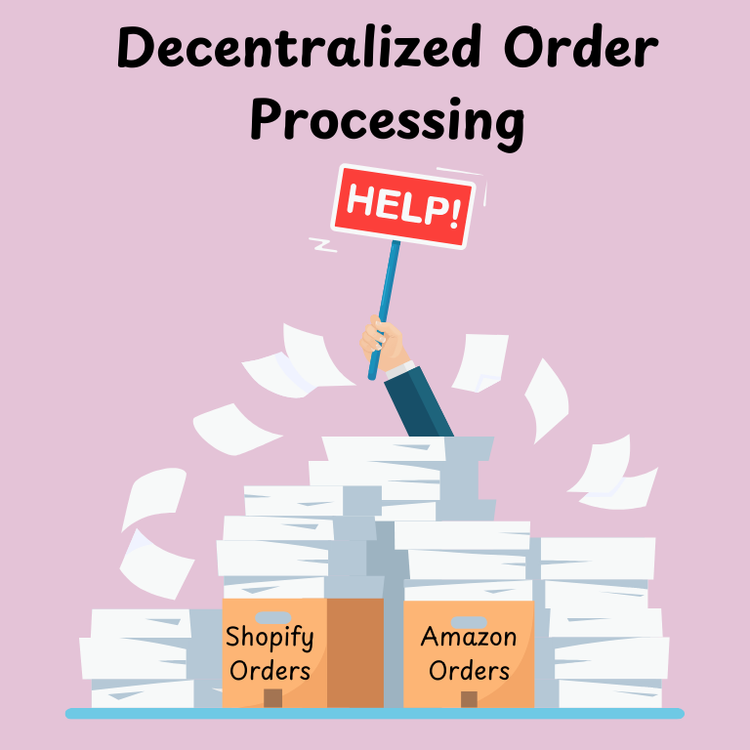
A decentralized order processing system often leads to missed updates and delayed responses. Centralizing order management means every order is processed from one united platform. This reduces the likelihood of missed updates or shipping delays, which can frustrate customers and harm your brand. Think about it—what’s the point of running a streamlined online store if your orders are scattered across multiple systems? Centralization eliminates this chaos, ensuring smooth operations and leaving customers delighted with prompt service.
OneCart Advantage: Get all your orders into one central system for faster fulfillment and better shipment organization. This not only prevents overselling but also enhances operational efficiency. Learn more about optimising your entire pick, pack, and ship workflow to reduce errors and speed up delivery.
3) Utilize Automatic Inventory Synchronization Across Channels
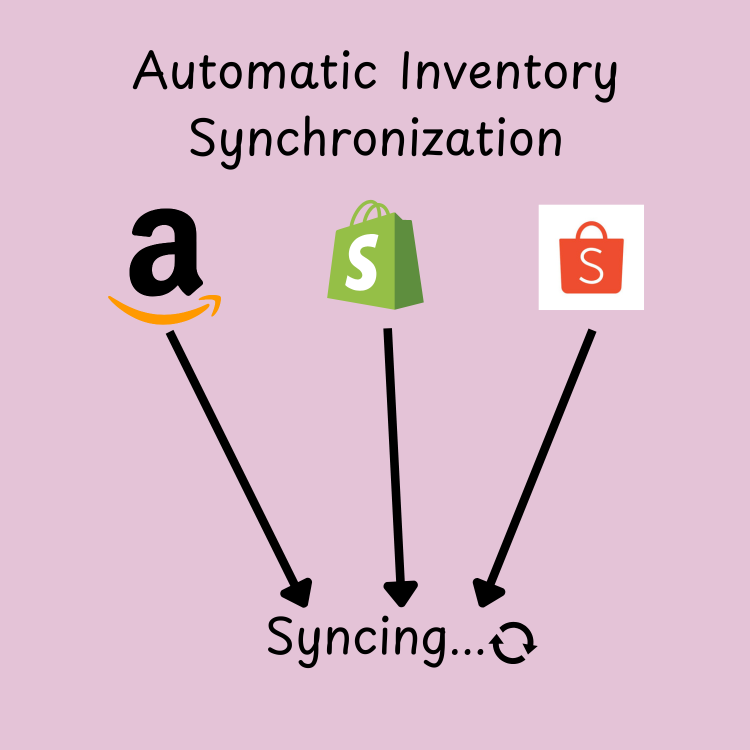
Selling on multiple platforms? If your inventory doesn’t sync across channels, overselling is almost guaranteed. Automated inventory updates ensure that every sale is reflected across all platforms in real-time, minimizing errors and maintaining trust. Without synchronization, you’re left juggling platforms, hoping one doesn’t sell what another already did. A well-synced system keeps your operations and promises intact.
The most common scenario in Southeast Asia: a seller with identical products on both Shopee and Lazada. When someone buys your last unit on Lazada, does Shopee know? If not, you’ll oversell. This is exactly why multichannel inventory management software has become essential for serious sellers in 2026.
How OneCart Helps: Automate inventory updates across platforms like Shopify, Amazon, Shopee, Lazada, TikTok Shop, and WooCommerce, ensuring accurate stock counts at all times.
4) Set Safety Stock Levels

Safety stock acts as a buffer to absorb unexpected surges in demand. By keeping a small reserve of products, businesses can maintain service levels even during peak sales periods. Imagine it as your safety net—a small but crucial cushion that prevents you from hitting the ground when sales unexpectedly soar. Without it, you risk disappointing loyal customers when demand spikes faster than you can restock.
Steps to determine Safety Stock:
- Analyze past sales trends.
- Identify peak seasons (9.9, 11.11, 12.12 mega sales, Chinese New Year).
- Calculate using the safety stock formula—most sellers use: Safety Stock = (Maximum Daily Sales × Maximum Lead Time) − (Average Daily Sales × Average Lead Time).
Actionable Insight: Don’t guess your safety stock levels. Use our safety stock calculator to find the right buffer, then set your reorder point so you never run out.
5) Implement FIFO (First-In, First-Out) Methodology

FIFO ensures older stock sells first, reducing obsolete inventory and discrepancies in stock counts. This approach minimizes the chances of overselling due to incorrect inventory age data. It’s particularly beneficial for businesses dealing with perishable goods or trends that change rapidly. After all, why let yesterday’s inventory gather dust when it could be the perfect solution for today’s order? By prioritizing older stock, you not only stay accurate but also avoid the sting of wasted products and missed opportunities. Try our FIFO calculator to see exactly which purchase batches to sell first and how FIFO affects your cost of goods sold.
6) Conduct Regular Inventory Audits
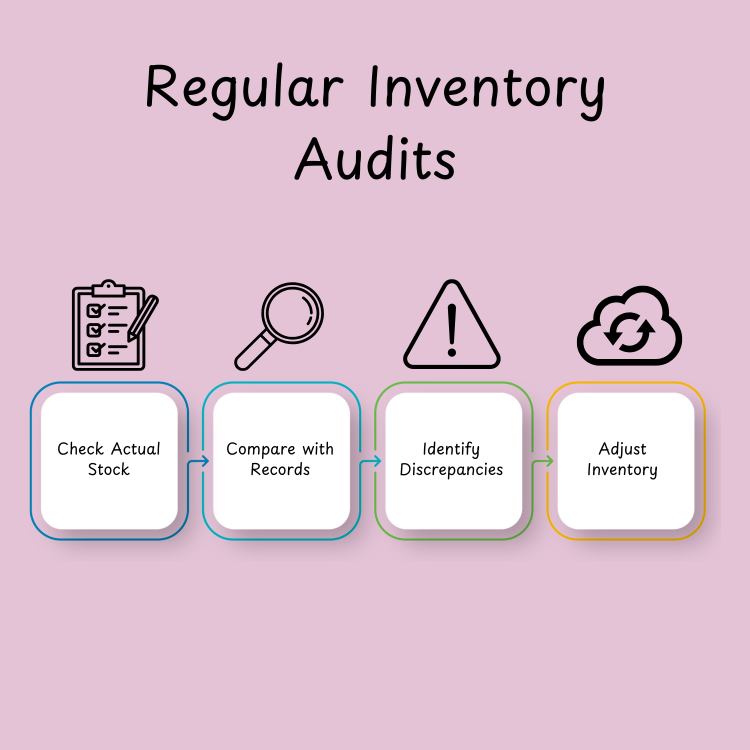
Inventory audits allow businesses to verify their recorded stock against actual inventory, preventing discrepancies. These audits can be performed periodically or continuously through cycle counting to detect and resolve errors early. Think of it as taking the pulse of your business—regular checks ensure everything is running smoothly and nothing is amiss. Without audits, small errors can snowball into major problems, leaving you scrambling to fix what could have been prevented with a closer look.
Pro Tip: Use OneCart’s reporting features to identify discrepancies and adjust inventory levels accordingly.
7) Integrate Sales Channels with Inventory Management Systems
Integrated systems eliminate data silos, allowing seamless communication between sales platforms and inventory tools. This integration ensures that stock levels are updated automatically and consistently across all channels. Without integration, each platform becomes its own island, forcing you to manually reconcile data—a time-consuming and error-prone task. Why not let technology bridge these gaps, giving you a unified view of inventory and the confidence to meet customer expectations every time?
How OneCart Excels: Seamlessly integrate with your sales channels to keep inventory levels consistent everywhere.
8) Automate Reordering Processes
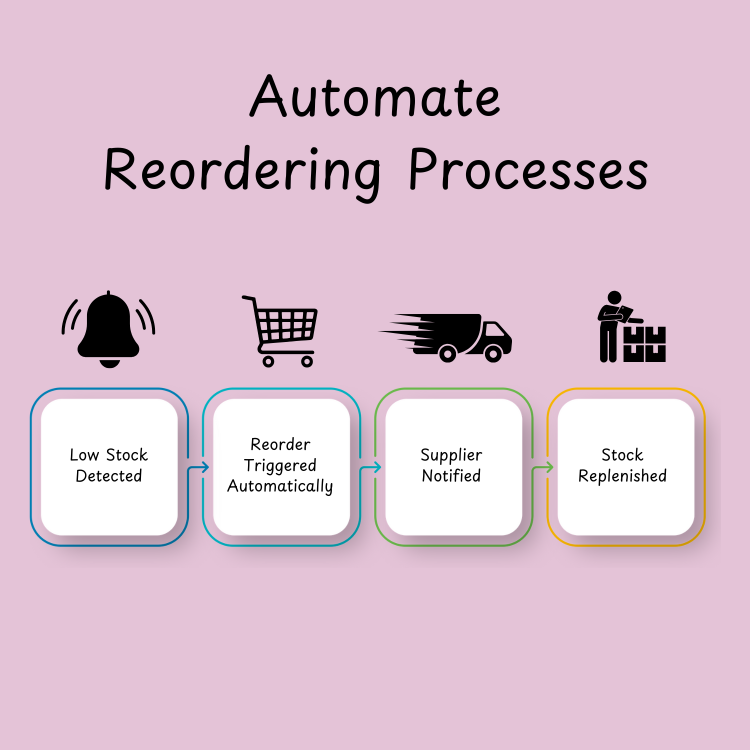
Set reorder points to automate procurement. When stock dips below a certain level, your system places an order—no manual intervention needed. Businesses can set reorder points for each product, triggering automatic orders when the stock falls below the threshold. Think of it as having a personal assistant who never forgets. This process not only saves you time but also ensures you’re always ready to meet demand without the stress of last-minute stockouts.
The formula for calculating your reorder point is: Reorder Point = (Average Daily Sales × Lead Time) + Safety Stock. For example, if you sell 10 units per day and your supplier takes 7 days to deliver, your reorder point would be 70 units plus your safety stock buffer. Use our free reorder point calculator to get instant results for each product, or the lead time calculator to determine your supplier lead times first.
9) Monitor and Analyze Sales Data

Data is king in eCommerce. Analyzing sales trends, seasonal variations, and product performance allows you to adjust stock levels and avoid over or under-selling. With the reporting features mentioned below, you will not be just reacting—you’re planning ahead, ensuring your inventory matches customer demand with precision.
Understanding your inventory turnover ratio is critical here. If products are turning over too slowly, you’re tying up capital. If they’re selling faster than expected, you risk stockouts. The sweet spot varies by product category, but most successful sellers aim for 6-12 inventory turns per year for fast-moving consumer goods.
OneCart’s Reporting Features:
- Track sales over time across all connected platforms.
- Identify slow-moving stock before it becomes dead stock.
- Calculate gross margins effortlessly per SKU and platform.
10) Train Staff on Inventory Management Best Practices
Even the most sophisticated tools require skilled operators. Regularly train your staff on inventory practices to ensure smooth operations. After all, tools are only as effective as the people using them. By equipping your team with the right knowledge, you empower them to handle challenges confidently and keep your inventory processes running smoothly.
Pro Tip: Combine training with OneCart’s intuitive interface for the best results.
Leveraging OneCart to Streamline Operations
OneCart simplifies inventory management with features like:
- Automatic inventory sync.
- Centralized order processing.
- Advanced reporting for better insights.
These tools work together to eliminate manual errors, improve efficiency, and give you a comprehensive view of your operations. Whether you’re managing thousands of SKUs or scaling across multiple platforms, OneCart’s robust system ensures you stay in control and ahead of the competition.
Frequently Asked Questions (FAQs)
1) What is overselling meaning in eCommerce?
Selling more products than available in stock due to poor inventory management. This often happens when inventory tracking systems fail to update in real-time, causing mismatched stock data across platforms.
2) How can I avoid overselling without manual effort?
Use tools like OneCart for automation, safety stock levels, and real-time syncing. These tools not only help manage inventory but also ensure that stock levels are updated instantly across channels, removing the need for constant manual checks and reducing errors.
Absolutely. OneCart is designed for businesses of all sizes. Small businesses, in particular, can benefit from its user-friendly interface and efficient automation, allowing them to compete with larger enterprises without requiring extensive resources.
4) What happens if I oversell frequently?
It damages customer trust and can lead to revenue loss. Consistent overselling may also lead to poor reviews, decreased customer loyalty, and a tarnished brand reputation, making it harder to retain or attract new customers.
5) How does centralizing order processing help?
It reduces errors, accelerates fulfillment, and ensures consistent stock updates. By managing orders from a single platform, businesses can eliminate redundancies, process shipments faster, and maintain accurate inventory records.
6) Is inventory synchronization worth the investment?
Yes, it prevents stock discrepancies and streamlines operations. Synchronizing inventory across all sales channels saves time, reduces human error, and ensures a satisfying shopping experience for customers, making it a worthwhile investment for long-term business success.
Summary
Preventing overselling isn’t just about avoiding customer complaints—it’s about building trust and ensuring long-term success. By adopting strategies like real-time tracking, centralized processing, and automation through OneCart, you can focus on growth while eliminating manual hassles. These tools not only safeguard your business reputation but also enhance operational efficiency, giving you the confidence to scale without fear of inventory mishaps.
In 2026, with sellers operating across 5+ platforms on average, manual inventory management is no longer viable. The sellers who thrive are those who automate their inventory sync, set proper safety stock levels, and use data to predict demand—not react to stockouts.
Start eliminating overselling today. OneCart connects to Shopee, Lazada, TikTok Shop, Shopify, WooCommerce, Amazon, and more—syncing your inventory in real-time across all channels. No more spreadsheets. No more manual updates. No more disappointed customers.
Start Your Free Trial — See how easy multichannel inventory sync can be.